On-Page SEO Optimization: The Complete Guide

On-page SEO optimization is the practice of configuring every element directly on a web page so search engines can understand its content and rank it higher in organic results. Unlike off-page factors such as backlinks and brand mentions, on-page SEO is entirely within your control — making it the most actionable part of any SEO strategy.
On-page SEO is the foundation of any search visibility strategy. Without it, backlinks and content marketing deliver a fraction of their potential.
What Is On-Page SEO Optimization?
On-page SEO (also called on-site SEO) is the practice of optimizing individual web pages to rank higher in search engines and earn more relevant traffic. It covers every element you control on the page itself: title tags, meta descriptions, headings, content quality and structure, URL format, images, internal links, page speed, and structured data.
Google re-evaluates on-page signals every time it recrawls a page. This means a well-optimized page can improve its rankings even without new backlinks.
SEO Optimization at the Site Creation Stage
The most effective on-page SEO starts before the site goes live — at the design and architecture stage. When an SEO specialist is involved from the first wireframes, you avoid the expensive retrofits that come later.
At the site creation stage, define:
- Keyword clusters and information architecture — so each page targets one clear intent cluster
- URL structure — logical, short, keyword-enriched
- Title and H1 templates for each page type (home, category, product, article)
- Image alt-text conventions
- Technical requirements: image compression, lazy loading, critical CSS, HTTPS, hreflang for multilingual sites
- Schema.org templates for each page type
- Internal linking logic and page hierarchy
When SEO is brought in after design or development, many issues are already baked into the architecture: wrong URL structure, duplicate content from filters, suboptimal tag templates. Fixing these post-launch costs significantly more than getting them right from day one.
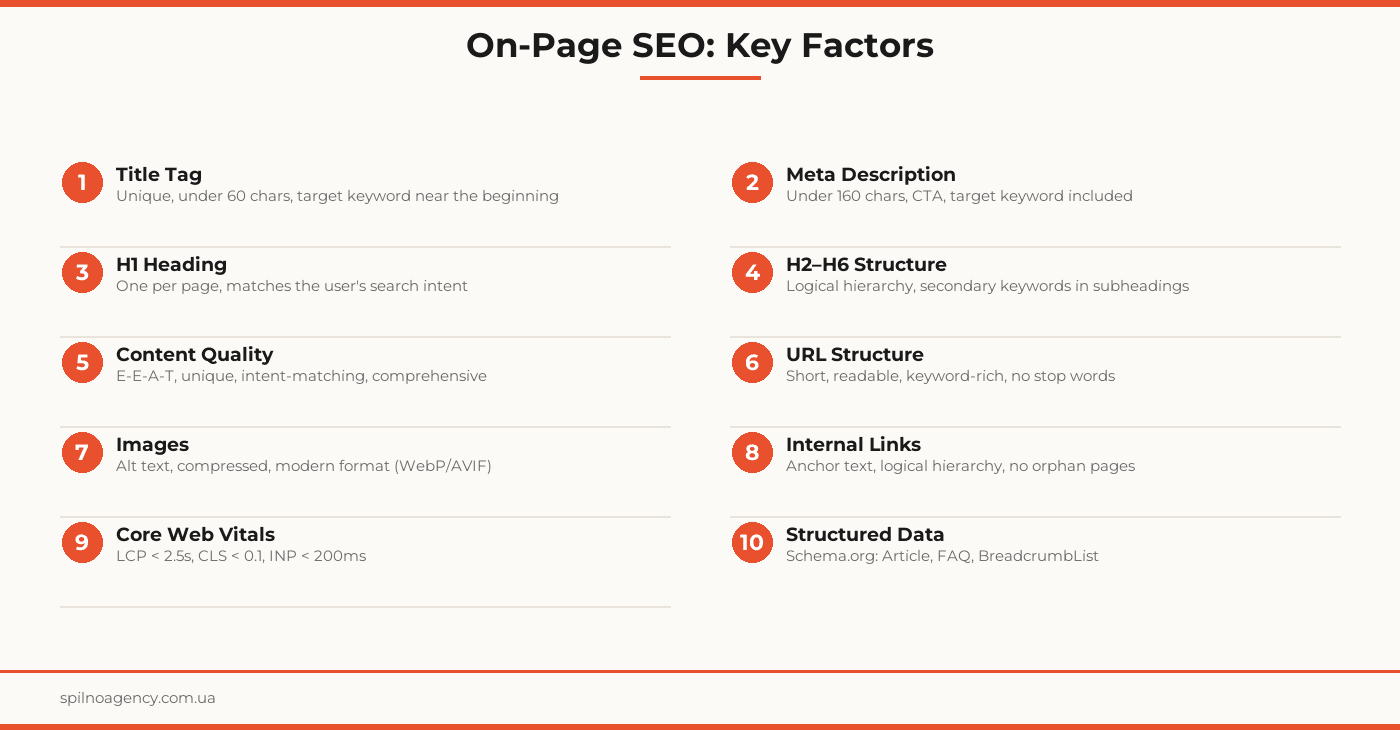
Factor 1. Title Tag
The title tag is one of the most important on-page elements. It appears as the clickable headline in search results and sends the strongest relevance signal about the page’s topic.
Title Tag Optimization Rules
- Length: under 60 characters (≈580px) — longer titles get truncated or rewritten by Google
- Target keyword near the beginning — improves relevance and visibility in the SERP
- Unique for every page — duplicate titles weaken the visibility of both pages
- Matches the search intent — the title must deliver what the page actually contains
- Brand at the end: “Target Keyword | Brand Name” — the standard format
Google rewrites title tags in approximately 60% of cases when it considers them irrelevant or too long. A well-crafted title reduces the chance of rewriting.
Factor 2. Meta Description
The meta description is not a direct ranking factor, but it directly influences click-through rate (CTR). A compelling description increases clicks even without a position change.
Meta Description Optimization Rules
- Length: 120–160 characters — the sweet spot before truncation
- Target keyword included — Google bolds matching terms in the SERP, drawing the eye
- Clear call to action: “Learn how”, “Download the checklist”, “Get a free audit”
- Unique for every page — never use a boilerplate template
- Answers the intent directly — what will the user get by clicking?
Factor 3. Heading Tags (H1–H6)
The H1 is the primary on-page heading — the first thing a visitor reads. Unlike the title tag, it’s visible on the page. H2–H6 structure the content and help search engines map the topic hierarchy.
Heading Optimization Rules
- One H1 per page — contains the primary keyword or a natural variation
- H2s for main sections — include secondary keywords or topic facets
- H3–H6 for subsections — not required on every page, but valuable for long-form content
- Don’t skip levels — jumping from H1 to H4 breaks the hierarchy
- Title and H1 can differ — title is optimized for the searcher, H1 for the reader
Factor 4. Content Quality and Structure
Content is the core of on-page SEO. Google evaluates not just keyword presence, but usefulness, completeness, authority, and trustworthiness (E-E-A-T: Experience, Expertise, Authoritativeness, Trust).
What Google Evaluates in Content
- Intent match — informational, navigational, transactional, or commercial-investigation intent
- Topic completeness — does the page answer all questions in the semantic cluster?
- Originality — no duplication of content from other pages or competitors
- Freshness — for time-sensitive topics, Google favors recently updated content
- Structure — short paragraphs (3–4 sentences), lists, tables, visuals
- Readability — appropriate reading level, sentence length, no keyword stuffing
Keyword Density
Optimal density is 1–2% of the total word count. More important than exact repetition is the natural use of the keyword, its synonyms, and LSI terms (topically related expressions).
Factor 5. URL Structure
The URL is a relevance signal for search engines and part of the snippet in search results. A clean, readable URL improves CTR and user trust.
URL Optimization Rules
- Short and readable: /seo-audit instead of /page?id=1234&cat=services
- Keyword in the URL — but don’t overload it: 2–4 words is enough
- Lowercase only — uppercase letters in URLs can cause duplicate-content issues
- Hyphens, not underscores — Google treats hyphens as word separators
- No unnecessary parameters — UTM tags, session IDs, version= don’t belong in canonical URLs
- Stability — changing a URL requires a 301 redirect; otherwise you lose the page’s link equity
Factor 6. Image Optimization
Images influence SEO through three channels: alt text (relevance), file size (page speed), and image search (additional traffic).
Image Optimization Rules
- Alt text — a description for search engines and screen-reader users. Naturally include the target keyword where appropriate
- File name — on-page-seo-optimization.webp instead of IMG_0001.jpg
- Format — WebP or AVIF instead of JPEG/PNG reduces file size by 25–80%
- Dimensions — serve images at the size they’re displayed (no wider than the container)
- Lazy loading — add loading=”lazy” to below-the-fold images
- Srcset — provide multiple image variants for different screen sizes
Factor 7. Internal Linking
Internal links distribute PageRank between pages, help search engines crawl the site, and demonstrate topical relationships between content.
Internal Linking Rules
- Anchor text — descriptive and relevant to the destination page. Avoid “click here” or “read more”
- Orphan pages — pages with no internal links are poorly crawled and have low indexation priority
- Hierarchy — links should flow from broad sections to specific pages and vice versa
- Quantity — no strict limit, but 3–7 internal links per article is a sensible baseline
- Follow vs nofollow — internal links are almost always follow
Factor 8. Core Web Vitals and Page Speed
Since 2021, Core Web Vitals are official Google ranking signals. They measure real user experience during page loading and interaction.
Three Key Metrics
- LCP (Largest Contentful Paint) — time to render the largest visible element. Target: under 2.5 seconds
- CLS (Cumulative Layout Shift) — unexpected layout shifts during load. Target: under 0.1
- INP (Interaction to Next Paint) — responsiveness to user input. Target: under 200ms
To improve Core Web Vitals: optimize images, minify CSS/JS, use a CDN and caching, reduce server response time (TTFB).
Factor 9. Mobile Optimization
Since 2019, Google uses mobile-first indexing: the search engine primarily indexes and ranks the mobile version of your site. A site that renders poorly on mobile automatically loses ranking potential.
- Responsive design — one HTML version that adapts to any screen size
- Touch target size — at least 44×44px for buttons and links
- No horizontal scrolling
- Correct viewport meta tag: content=”width=device-width, initial-scale=1″
Factor 10. Structured Data (Schema.org)
Schema.org markup adds machine-readable data to your HTML, helping Google understand the content and display rich results in the SERP.
Useful Schema Types for On-Page SEO
- Article / BlogPosting — for blog posts and editorial content
- FAQPage — FAQ answers displayed directly in the SERP
- BreadcrumbList — breadcrumb navigation in search results
- HowTo — step-by-step instructions with images
- Product / Offer — price, availability, and rating for e-commerce
- LocalBusiness — address, hours, and phone for local SEO
On-Page SEO by Page Type
Homepage
Focus on brand terms and 1–2 primary commercial queries. H1 — company name or key service. Content — clear positioning, benefits, CTA. Internal links to all key sections.
Service / Category Page
H1 and title around a transactional query (e.g. “SEO Audit Service”). Full service description, benefits, case studies, FAQ, CTA. Internal links to related services and blog articles.
Blog Article
H1 — informational query. Structure: intro, table of contents, H2/H3 sections, checklist or table, FAQ, CTA. Goal — comprehensively answer the intent and guide the reader to commercial pages.
Product Page
Unique description (not copied from the supplier), technical specs, images with alt text, Schema Product/Offer, reviews with Schema Review, internal links to the category.
On-Page SEO Optimization Checklist
- Title unique, under 60 characters, target keyword near the start
- Meta description under 160 characters with CTA
- One H1 per page, matching the primary search query
- H2–H6 form a logical hierarchy
- Content matches search intent, well-structured, and original
- URL short, readable, keyword included
- Images: alt text, WebP/AVIF format, lazy loading
- Internal links: descriptive anchors, no orphan pages
- Core Web Vitals: LCP < 2.5s, CLS < 0.1, INP < 200ms
- Schema.org markup for the page type
- Canonical points to the final URL
- Hreflang configured for multilingual sites
- Open Graph and Twitter Card for social sharing
- Mobile-friendly: responsive layout, correct viewport meta tag
Frequently Asked Questions
What is on-page SEO optimization?
On-page SEO is the optimization of elements directly on a web page: title tags, meta descriptions, headings, content, URL structure, images, internal links, and technical parameters. The goal is to help search engines understand the page’s topic and satisfy the user’s search intent.
How long does it take to see results from on-page SEO?
For new pages, allow 2–6 weeks for indexing and initial rankings. For already-indexed pages, changes to titles, H1s, and content can be picked up by Google within 1–4 weeks. Full stabilization typically takes 1–3 months depending on competition and domain authority.
What is the difference between on-page and off-page SEO?
On-page SEO covers everything you control on the site itself: content, tags, URL structure, site speed, and internal linking. Off-page SEO encompasses external signals: backlinks, social mentions, and brand reputation. Both are essential for a complete SEO strategy.
Which is more important: title tag or H1?
Both are critically important but serve different purposes. The title tag is the clickable snippet in search results, directly influencing CTR. The H1 is the main visible heading for both users and search engines. They can differ slightly: optimize the title for search, the H1 for readability.
Do I need to optimize every page on my site?
Prioritize commercial landing pages and key blog categories. Technical and administrative pages (login, cart, account) typically don’t need optimization — they’re often excluded from indexation. Prioritize pages by traffic volume, conversions, and strategic keyword targets.
Need an on-page SEO audit for your website? Spilno Agency delivers technical SEO audits, prioritized optimization plans, and hands-on implementation.

Read also
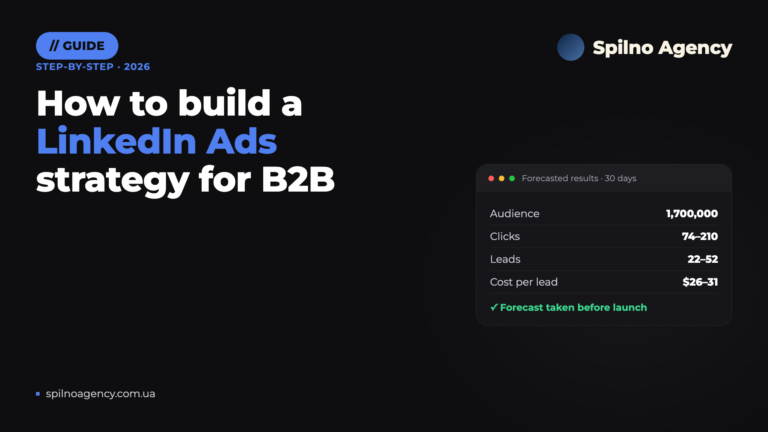
How to Build a LinkedIn Ads Strategy: A Step-by-Step Plan Based on a Real Case
How to build a LinkedIn Ads strategy for B2B: ICP brief, audiences, Campaign Manager forecast, budget and funnel.…

How Long Does Google Take to See Changes on Your Website: Google’s Data on Crawling, Indexing and Serving
We break down Google's slides from Search Central Live: how long crawling, indexing and serving of changes take,…
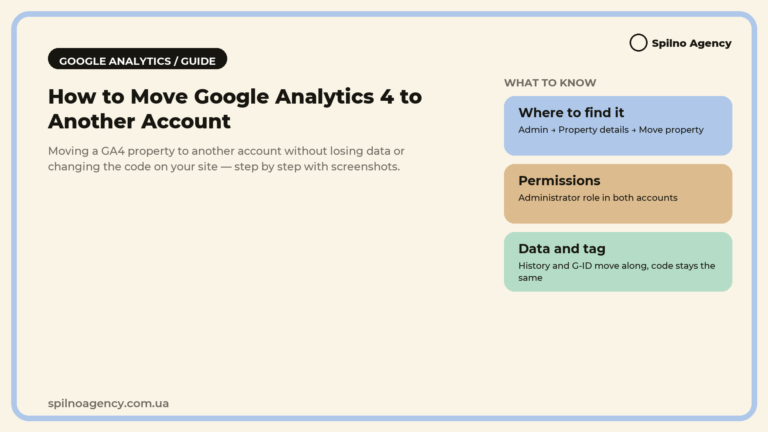
How to Transfer (Move) a Google Analytics 4 Property to Another Account: Step-by-Step Guide
A step-by-step guide with screenshots: how to move a Google Analytics 4 property to another account without losing…