How to Increase Free Impressions in Google Merchant Center

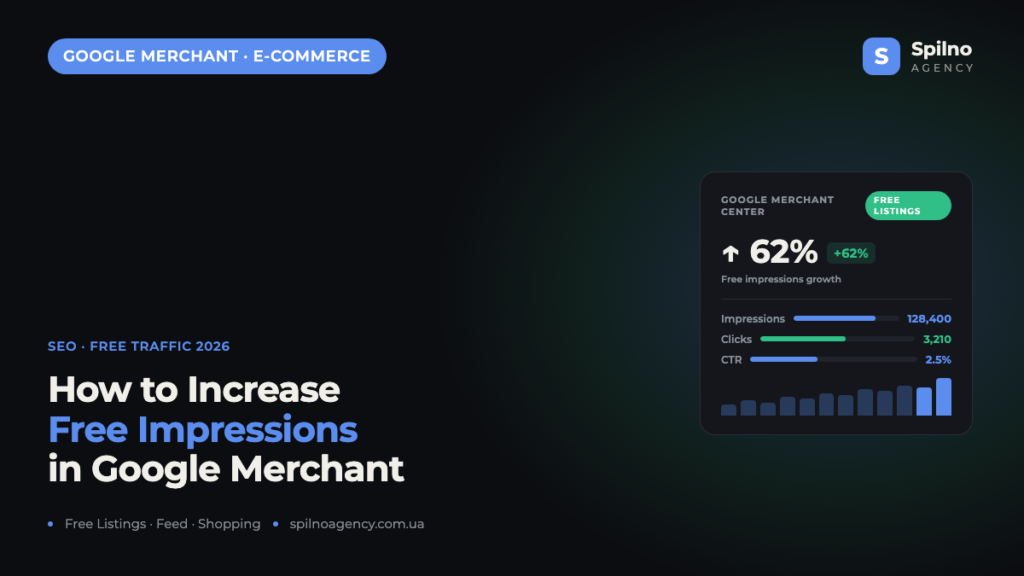
Free Listings in Google Merchant Center let your products appear in Google Shopping, Google Images and organic search results — without paying per click. But without proper feed optimisation, your products simply won’t show. Here are 7 proven methods to increase free impressions in 2026.
What Are Free Impressions in Google Merchant Center
Since 2020, Google has allowed online stores to display products for free through the Free Listings programme — also called Surfaces Across Google. Products appear in the Shopping tab, Google Images and standard search results without any ad spend.
Free Listings are available across all major markets in Europe and globally. To participate, you need an active Google Merchant Center account with a quality product feed.
Free Listings vs Paid Shopping Ads
- Paid Shopping ads — you pay per click (CPC). Managed through Google Ads. Appear at the top of search results.
- Free product listings — organic results. No cost per impression or click. Google’s algorithm decides which products to show based on feed quality and search relevance.
You can track free listing performance in Merchant Center under Performance → Free listings performance. The report shows impressions, clicks, CTR and conversions.
Why Products Receive Few Free Impressions
Low free impression counts are almost always caused by feed data quality issues or technical errors. The most common reasons include:
- Weak or incomplete product titles — Google can’t match your product to a user’s search query.
- Low-resolution or small images — minimum 500×500 px, recommended 800×800 px or larger.
- Missing GTINs or MPNs — without identifiers, Google struggles to accurately classify your product.
- Feed errors — disapproved products don’t appear in free listings at all.
- Missing or incorrect shipping settings — required for Free Listings activation in most countries.
- Price mismatch between feed and website — Google’s automated checks catch discrepancies and reduce visibility.
All of these issues are surfaced in Merchant Center → Products → Diagnostics. Before optimising, confirm you have no disapproved products blocking your account.
Method 1: Optimise Product Titles
The product title (title) is the single most important attribute for free impressions. Google uses the title to match your product with user search queries. A weak title means fewer impressions.
Effective Product Title Formula
For most product categories, the recommended title structure is:
[Brand] + [Product Type] + [Key Attribute] + [Size/Colour/Variant]

Example:
❌ "Men's Trainers"
✓ "Nike Air Max 270 Men's Running Trainers Black Size 9"- Place the most important keywords at the beginning (the first 70 characters matter most).
- Use the exact words shoppers search for — check Google Search Console queries or the Merchant Center search terms report.
- Avoid keyword stuffing — phrases like “best price”, “buy cheap” are filtered by Google.
- Maximum title length: 150 characters. Optimal: 70–130 characters.
Method 2: Upload High-Quality Product Images
The product image (image_link) is the first thing a shopper sees in Shopping results. Image quality directly affects CTR — and CTR influences how often Google shows your products.
Google Merchant Center Image Requirements 2026
- Minimum size: 500×500 px (warnings active from April 2026, enforcement from January 2027).
- Recommended size: 800×800 px or 1200×1200 px.
- Format: JPG or PNG. No watermarks, logos or promotional text overlaid on the product.
- Background: white or neutral (lifestyle/model shots are allowed for apparel and accessories).
- Multiple images: up to 10 additional images via the
additional_image_linkattribute.
Method 3: Add GTINs and Product Identifiers
A GTIN (Global Trade Item Number) is the barcode or global product identifier — EAN, UPC or ISBN for branded products. For own-brand products, use the MPN (Manufacturer Part Number).
Why GTINs matter for free impressions:
- Google uses GTINs to precisely identify products and compare offers across different retailers.
- Products with GTINs receive priority in free listings over products without identifiers.
- Google can automatically enrich product cards with data from its own knowledge base.
If your product has no GTIN (custom manufactured), set identifier_exists: no and always include mpn and brand.
Method 4: Optimise Product Descriptions for Search
Product descriptions (description) don’t appear directly in Shopping results, but Google uses them to understand product context and improve relevance for free impressions.
- Aim for 500–1000+ characters for a productive description.
- Include keywords naturally — materials, intended use, features, technical specifications.
- Don’t simply repeat the title — add new, complementary information.
- Use plain text only — no HTML tags inside the description attribute.
- Maximum length: 5,000 characters.
Method 5: Configure Shipping and Returns
Shipping settings are required for Free Listings activation in most countries. Without them, Google will not show your products as free product cards.
What to Set Up
- Shipping methods and costs — set up in Merchant Center → Shipping and returns, or via
shippingandshipping_weightattributes in the feed. - Delivery timeframes — Google shows estimated delivery dates on product cards. Clear timelines improve CTR.
- Return policy — stores with transparent return policies receive ranking advantages in free listings.
- Free shipping — if you offer free shipping, make sure this is clearly set in your feed. It significantly improves CTR and conversion rates.
Method 6: Enable Product Ratings and Reviews
Star ratings and review counts are powerful trust signals for shoppers. Products with visible ratings achieve higher CTR — which indirectly increases how often they appear in free listings.
- Use Google Customer Reviews — Google’s free programme for collecting store-level reviews.
- Use Google-approved review partners (Trusted Shops, Trustpilot, etc.) for product-level ratings.
- Submit a
product_review_feedif you have your own review system.
According to Google data, retailers with visible ratings see on average 16% more impressions in local inventory listings and consistently higher CTR in free product listings.
Method 7: Fix Feed Errors via the Diagnostics Report
Every disapproved product is a lost free impression. Regularly reviewing and fixing feed errors is the fastest way to increase the number of active products in Free Listings.
- Go to: Merchant Center → Products → Diagnostics.
- Check “Account-level issues” first — global suspension takes priority over individual product issues.
- Review “Item-level issues” — filter by critical (disapproved) items.
- Most common errors: price mismatch, missing GTIN, image too small, invalid URL, unavailable landing page.
Fix errors at the source (on your website or in the feed), then trigger a manual feed refresh. Google re-processes updated data within 24–72 hours.
How to Track Free Listing Performance
- Merchant Center → Performance → Free listings performance — impressions, clicks, CTR, conversions.
- Google Search Console → Performance → Search type: Shopping — queries driving traffic from free listings.
- Google Analytics 4 → Reports → Traffic acquisition — sessions and transactions from the “Organic Shopping” channel.
Key KPIs to monitor: Impressions (reach), CTR (title and image quality signal), Clicks (traffic volume) and Conversions (revenue impact).
Real Data from Google Merchant Center Analytics
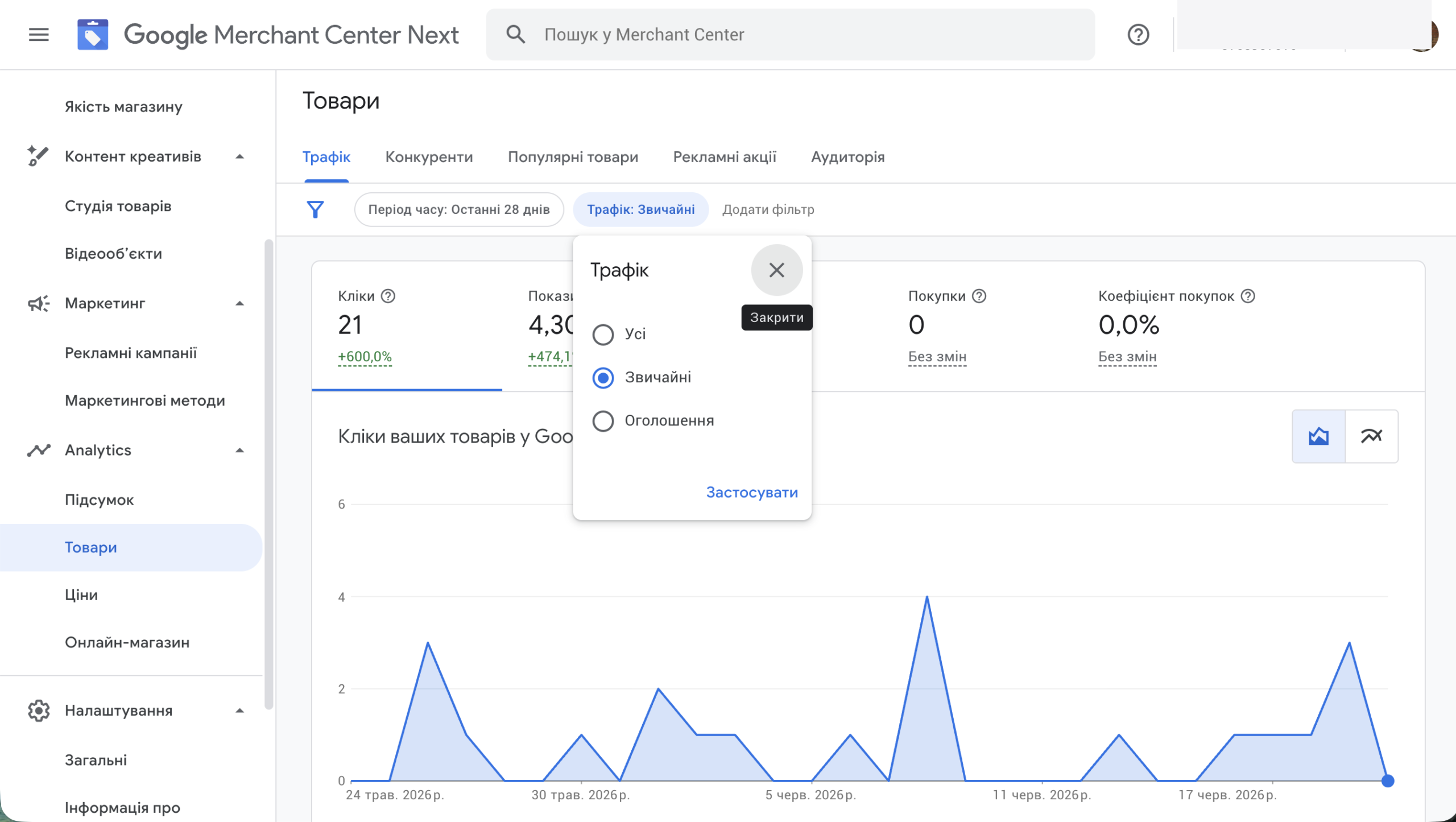
The Traffic filter in Analytics → Products isolates free listing performance (“Standard”) from paid Shopping ads — giving you a clear view of organic product reach.
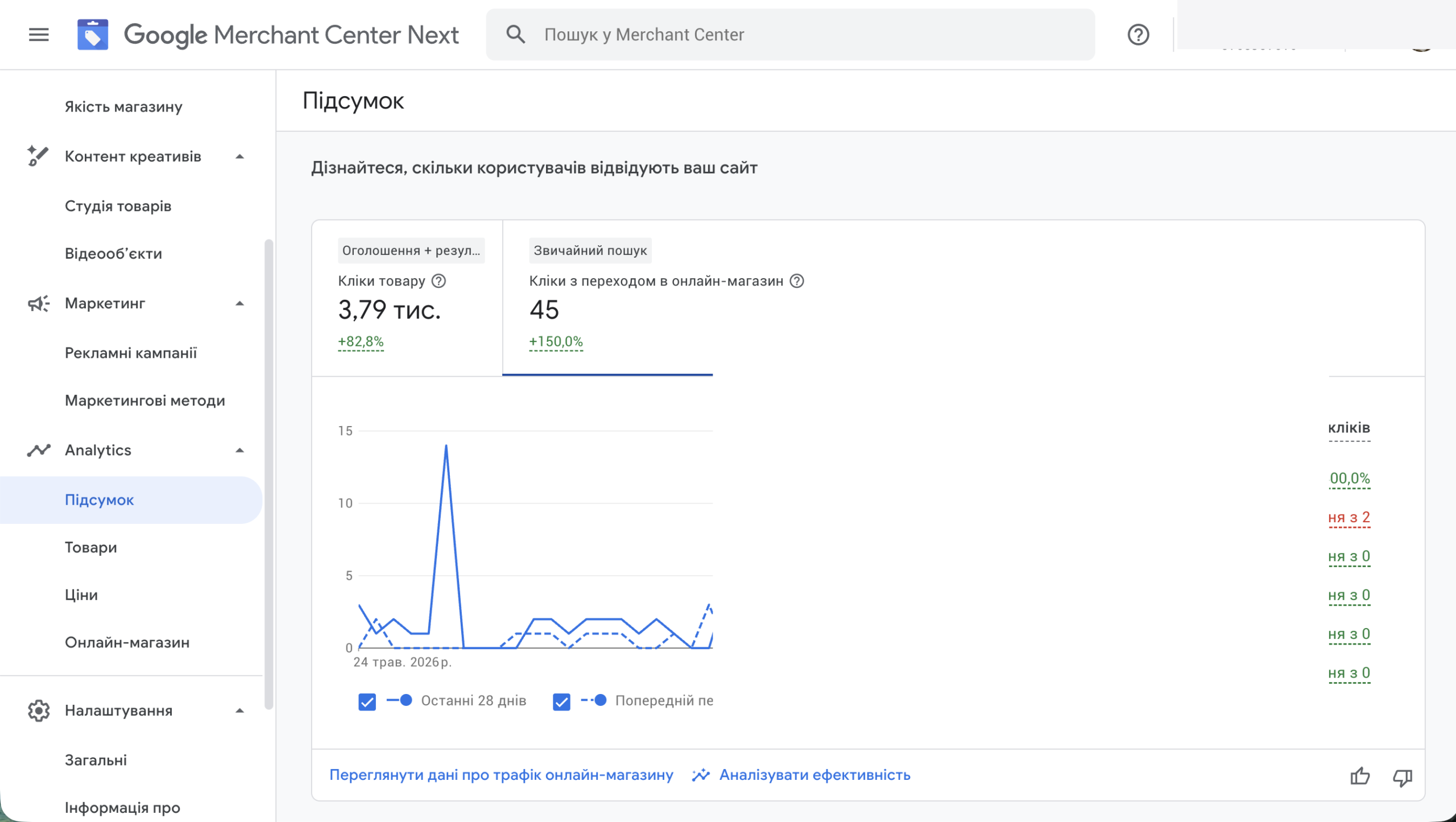
The “Organic search” tab in the Summary section shows the direct result of free listings optimisation: 3.79K product clicks in 28 days (+82.8%) and 45 website visits (+150%).
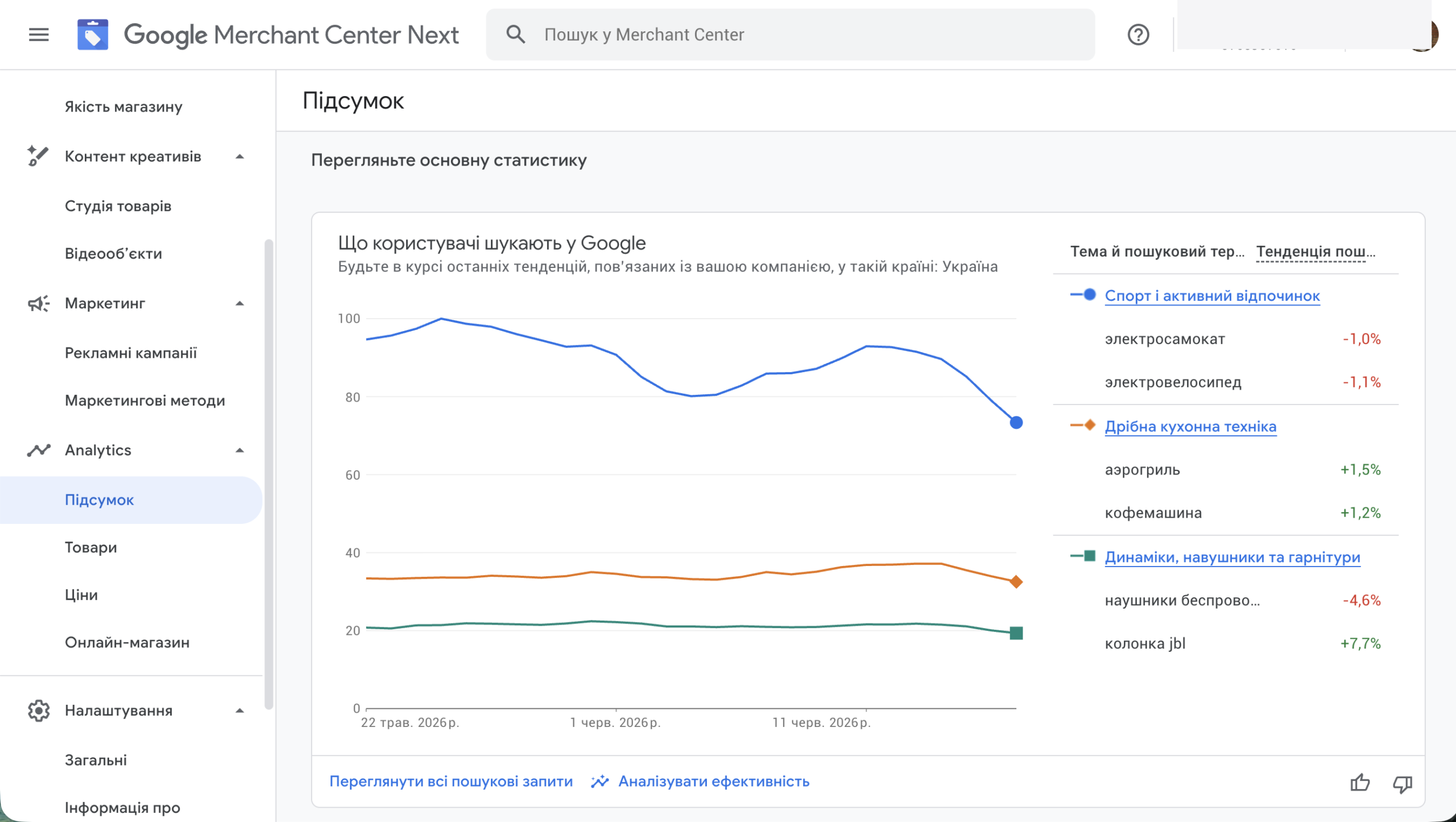
The search trends widget shows what shoppers are actively looking for in your region right now — use this data to update your assortment and product titles accordingly.
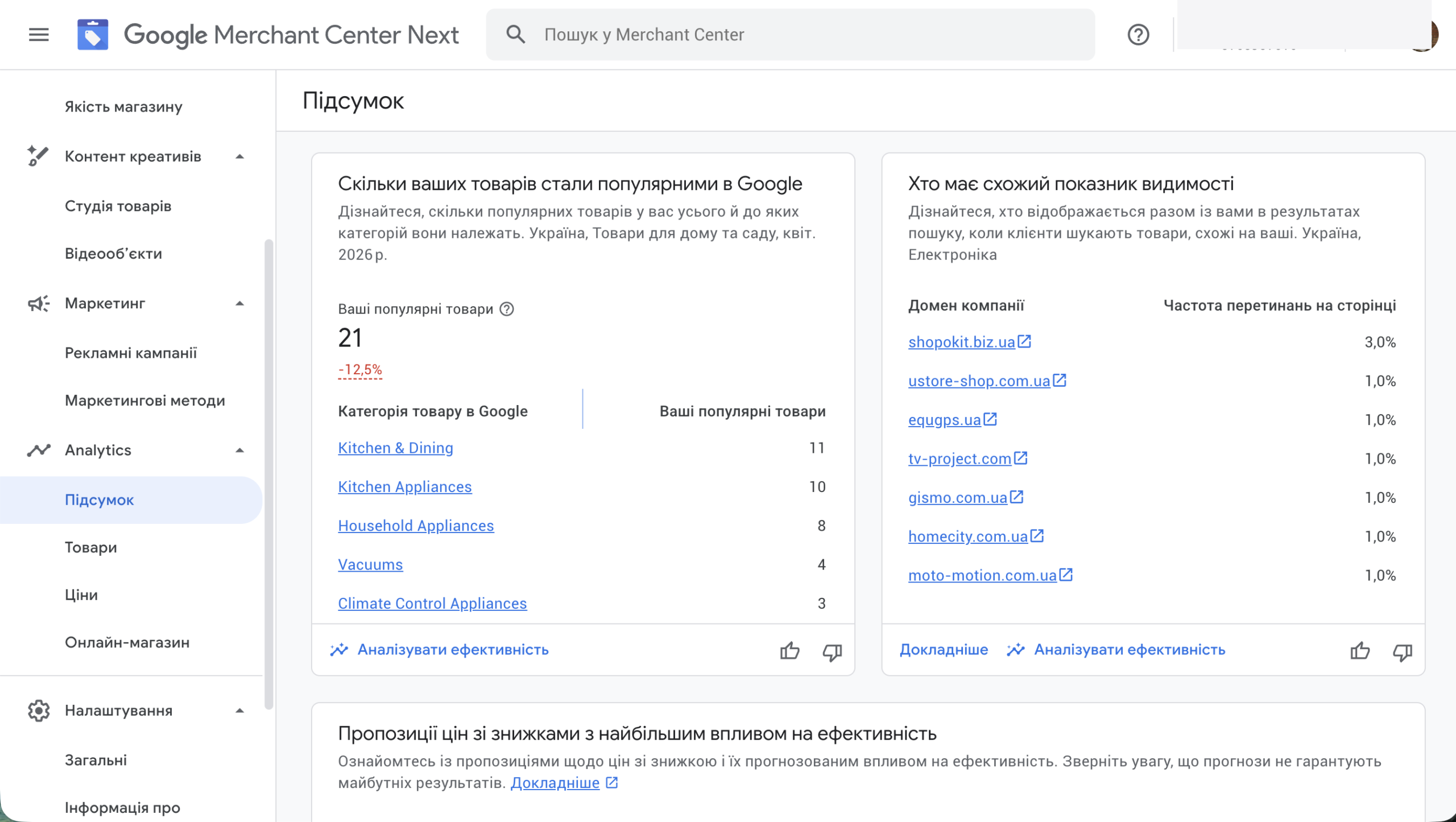
The Popular Products report shows how many of your products appear in Google Shopping results and which competitors share the same page — a key benchmark for ongoing feed optimisation.
FAQ: Free Impressions in Google Merchant Center
How long does it take for free listings to go live after setup?
After uploading your feed and verifying your website, Google typically reviews your account within 3–5 business days. Free Listings usually go live within 3–14 days of successful review completion.
Do I need a separate feed for free listings?
No. The same product feed used for paid Shopping campaigns is automatically used for Free Listings. The programme is enabled by default for all Merchant Center accounts.
Where do free Google Merchant Center listings appear?
Free listings can appear in the Google Shopping tab, Google Images, standard Google Search results pages, and Google Maps (for local inventory listings).
How much do free impressions in Google Merchant Center cost?
Free impressions cost nothing. You pay neither for impressions nor for clicks in the Free Listings programme. Payment only applies to paid Shopping campaigns run through Google Ads.
What are “Surfaces Across Google” and how do I enable them?
“Surfaces Across Google” is the former name for the Free Listings programme. To enable: go to Merchant Center → Growth → Manage programs → find “Free product listings” and click “Get started”.
Why did my free impression count suddenly drop?
A sudden drop in free impressions is most commonly caused by: mass product disapprovals (check Diagnostics), a drop in feed data quality, website verification issues, or algorithmic changes by Google. First step: check the Diagnostics section for critical errors.
How are free listings related to paid Shopping campaigns?
Free listings and paid campaigns use the same feed but display independently. Running paid campaigns does not affect Free Listings performance, and vice versa. Use both simultaneously for maximum reach.
Conclusion: Step-by-Step Strategy to Increase Free Impressions
- Review and fix all feed errors via the Diagnostics report.
- Optimise product titles — add brand, key attributes and variants.
- Upload high-quality images (800×800 px minimum).
- Add GTINs or MPNs for all products.
- Write detailed descriptions with relevant keywords.
- Configure shipping methods and return policies.
- Enable product ratings and reviews.
Applying these steps consistently will deliver steady growth in free impressions and organic Shopping traffic — without additional advertising spend.

Read also

Is an SEO specialist responsible for leads and sales? Our position
A LinkedIn discussion: should an SEO specialist be responsible for leads and sales from the SEO channel. Spilno…

How to Control an SEO Specialist: The 5-Stage SEO KPI Funnel
SEO KPIs form a chain of five metrics that show, step by step, whether your SEO is actually…

Best CMS for an Online Store: Cloud vs Self-Hosted Platforms in 2026
Compare Shopify, WooCommerce, PrestaShop, OpenCart and Magento for your online store. Pros, cons, and a step-by-step CMS selection…