What Every SEO Specialist Needs to Know About Cookies

SEO specialists make daily decisions based on analytics data — and cookies are the foundation of that data. From cookie consent banners to the end of third-party cookies: everything you need to know to protect your data and interpret your metrics correctly.
Why Cookies Are an SEO Topic, Not Just a Legal One
When most people hear “cookies”, they think GDPR banners and legal obligations. But for an SEO specialist, cookies are first and foremost an analytics and tracking tool that directly determines the quality of your reporting data.
Three reasons why every SEO practitioner needs to understand cookies:
- Analytics. GA4 stores the unique visitor identifier in the
_gacookie. Without it — no new/returning segmentation, no attribution window, no reliable conversions. - Traffic tracking. UTM parameters, cross-domain tracking, and GA4’s attribution model all depend on cookies. Blocked cookies = distorted channel picture.
- Technical SEO. Googlebot does not execute cookie-based redirects and cannot see content hidden behind cookie gates — leading directly to indexation problems.
Which Cookies Matter for SEO: A Quick Reference
| Cookie | Lifetime | Why SEO Specialists Need to Know |
|---|---|---|
_ga | 390 days | GA4 Client ID; distinguishes new vs returning users |
_ga_XXXXXX | 390 days | Session ID for a specific GA4 data stream |
_gid | 24 hours | Session identifier (legacy UA cookie) |
_gac_ | 90 days | Google Ads click and attribution data |
_fbp | 90 days | Meta Pixel tracking (third-party) |
_gcl_au | 90 days | Google Ads conversion linker (first-party) |
GA4 and Cookies: What Actually Happens
Client ID — the foundation of all analytics
When a user visits your site for the first time, GA4 generates a random Client ID
(e.g. 1234567890.1717000000) and stores it in the _ga cookie for 390 days.
On every subsequent visit, GA4 reads this ID and recognises the returning visitor.
What happens if _ga is blocked? Every visit looks like a new user. “New users” inflate, “returning users” collapse, and retention analysis becomes meaningless.
Attribution window and cookies
GA4 defaults to a 30-day attribution window for non-paid channels (including organic search). This window depends on the cookie persisting. If a user:
- Discovers your site via organic search on Monday
- Clears cookies or switches browser
- Returns and converts two weeks later
→ GA4 won’t link that conversion to organic search. It goes to “direct” or the last channel. SEO gets less credit than it deserves.
Cookie Consent and Analytics Data Loss
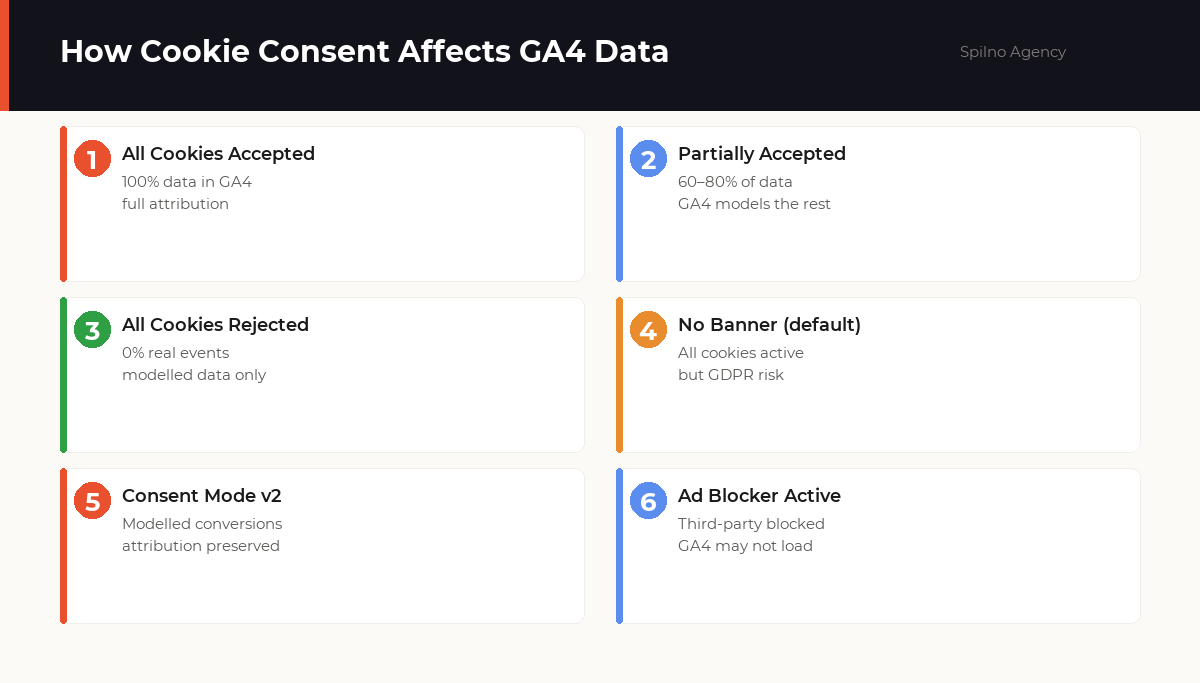
A cookie consent banner is a GDPR requirement for sites serving EU audiences. For SEO specialists it means one thing: some data will be unavailable.
How much data do you lose?
- B2C e-commerce (EU): 40–60% acceptance rate
- B2B / corporate site: 25–45%
- Media / news: 50–70%
- No clear “reject” button: up to 85% acceptance (but GDPR risk)
This means 20 to 60% of real visitors to your site do not appear in GA4 — unless you have Consent Mode v2 configured.
Consent Mode v2: the analytics lifeline
Consent Mode v2 is Google’s mechanism that allows GA4 to model the behaviour of users who declined cookies — using machine learning trained on consenting users with similar characteristics.
// GTM — Consent Mode v2 default denied setup
gtag('consent', 'default', {
  analytics_storage: 'denied',
  ad_storage: 'denied',
  ad_user_data: 'denied',
  ad_personalization: 'denied',
  wait_for_update: 500
});
Third-Party Cookie Deprecation: What Changed for SEO
In 2024, Google announced it would not fully remove third-party cookies from Chrome (after multiple delays). But Safari and Firefox had already blocked them. What does this mean for SEO practice?
- Meta Pixel (_fbp) does not work in Safari/Firefox. If you analyse SEO traffic conversions through Meta Pixel, data will be underreported for these browsers.
- Cross-site remarketing is harder. While this primarily affects paid traffic, SEO “assisted conversion” analysis via display advertising becomes less accurate.
- Privacy Sandbox as a replacement. Google is testing the Topics API and Protected Audience API as alternatives. The takeaway: first-party data is becoming critical.
Technical SEO: How Googlebot Interacts with Cookies
Googlebot does not persist cookies between crawl sessions
By default, Googlebot does not store cookies between different crawl sessions. Every time the crawler visits your site, it arrives as a “stranger” with no prior cookies.
Practical SEO implications:
- If a page shows a cookie-consent popup and doesn’t render main content until it’s accepted, Googlebot sees an empty or minimal version of the page.
- Content loaded via JavaScript after a cookie check may be seen by Googlebot (Evergreen Chrome rendering) but with a delay — affecting crawl budget.
- A/B tests using cookie-based variant selection typically show Googlebot only one variant (usually Variant A or control).
Cookie-based redirects — a red flag for SEO
Never implement redirects based solely on cookies. Problematic scenarios include:
- Site redirects to a language-selection page, sets a cookie, then shows the correct version. Googlebot without the cookie always lands on the language-selection page.
- Paid content hidden behind an “authorised” cookie — Googlebot is never authorised.
- Geo-redirect based on a “country” cookie — Googlebot without the cookie hits the default version.
UTM Parameters and Cookies: The Hidden SEO Attribution Vulnerability
A scenario that often goes unnoticed:
- User clicks your site in Google from an organic result.
- GA4 records the source as
google / organicand stores it in the_gacookie. - The page fires a server-side redirect (301/302).
- The browser sometimes strips UTM parameters from the URL on redirect.
- GA4 receives the traffic as
(direct) / (none).
The same problem occurs with cross-domain transitions without a linker. For example,
main site → checkout on a subdomain or third-party domain. GA4 does not pass the _ga
cookie across domains by default — you need cross_origin_linker.
// GTM — GA4 cross-domain linker setup
gtag('config', 'G-XXXXXXXXXX', {
  linker: {
    domains: ['example.com', 'shop.example.com', 'checkout.partner.com'],
    accept_incoming: true
  }
});
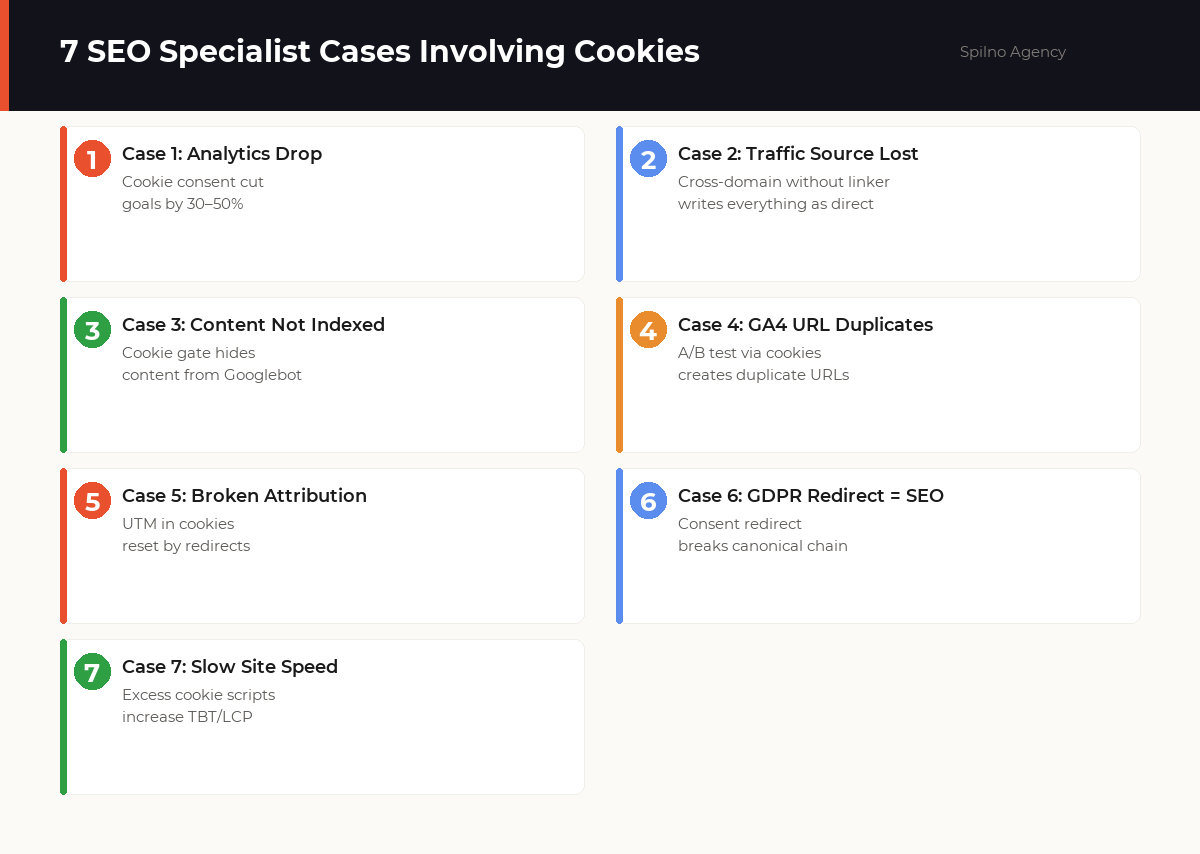
7 Real Cases Where SEO Specialists Need to Understand Cookies
Case 1. Cookie consent cut goals by 40%
Situation: After implementing a GDPR-compliant cookie banner with a clear “Reject” button, recorded conversions in GA4 dropped 38–42%.
Cause: 55% of users rejected analytics cookies. Without Consent Mode v2, GA4 received zero data from them.
Solution: Implement Consent Mode v2 + enable modelled conversions in GA4. ~85% data recovery through modelling.
Case 2. All traffic in “direct” after a redesign
Situation: After migrating to a new domain with a separate checkout domain, organic traffic in GA4 dropped 70%, direct rose 200%.
Cause: Cross-domain linker not configured. The _ga cookie was
not passed between the main site and the checkout domain. Every checkout appeared as a new
direct-traffic session.
Solution: Add both domains to linker.domains in GA4 config
via GTM. Correct attribution restored within 48 hours.
Case 3. Content not indexed due to a cookie gate
Situation: New blog posts weren’t appearing in Google’s index for 3–4 weeks after publication. URL Inspection showed empty or minimal content.
Cause: The cookie consent popup was blocking the main content from loading via JavaScript. Googlebot didn’t interact with the popup and saw a contentless page.
Solution: Server-side render (SSR) the main article text regardless of cookie consent state. Keep the popup for functional cookies but don’t block indexable content.
Case 4. A/B test via cookies created duplicate URLs
Situation: A/B test changing a service page headline was implemented via cookie-based variant selection. GSC started showing “Duplicate, Google chose different canonical than user” for those pages.
Solution: For A/B tests in SEO contexts, always use correct canonical tags or a testing framework that signals to Googlebot which variant to index.
Case 5. UTM reset by a 302 redirect
Situation: Email campaigns with UTM parameters showed zero
utm_source=email traffic in GA4. Everything landed in direct.
Cause: Email links routed through a URL shortener (302 redirect) that stripped UTM parameters. GA4 captured the visit without UTM context.
Solution: Use direct UTM links or ensure the URL shortener preserves query parameters through the redirect.
Case 6. GDPR redirect broke the canonical chain
Situation: The site redirected cookieless new visitors to
/privacy-consent/ before showing the main page. Google started indexing
/privacy-consent/ instead of the target pages.
Solution: Implement consent as a JavaScript overlay without a server-side redirect. Always point the canonical tag to the final destination page.
Case 7. Excessive cookie scripts slowed the site
Situation: Core Web Vitals showed TBT (Total Blocking Time) at 450ms+ against a target of <400ms. PageSpeed Insights flagged third-party scripts.
Cause: Seven different cookie/tracking scripts loading synchronously
in the <head>, including an abandoned chat widget with cookies.
Solution: Audit all cookie scripts, remove unused ones, lazy-load non-critical scripts. TBT dropped to 180ms.
How to Audit Cookies on Your Site: Step-by-Step
- DevTools → Application → Storage → Cookies. Review all cookies on your domain. Note: count, lifetime, SameSite attribute, Secure flag.
- Test consent mode. Open the site in Incognito, reject all cookies. Check in DevTools → Network whether GA4 requests are still firing.
- Google Tag Assistant. Verify that GA4 and GTM load correctly without errors.
- Cookiebot or CookieYes scanner. Automatically finds all cookies, classifies them, and checks GDPR compliance.
- GA4 → Explore → User Explorer. Confirm Client ID passes correctly between sessions.
- PageSpeed Insights. Identify cookie scripts impacting TBT and LCP.
Frequently Asked Questions About Cookies for SEO
Do cookies affect Google rankings?
Not directly. Google does not use site cookies as a ranking signal. However, cookies indirectly affect SEO: through analytics accuracy, page speed (cookie scripts increase TBT), and Googlebot behaviour (cookie gates can hide content from crawling).
What happens to GA4 data when a user rejects cookies?
With Consent Mode v2, when a user rejects all cookies, no real events are sent to GA4. Instead, GA4 uses machine learning to model the missing data. You see ‘modelled’ conversions — not exact figures. Without Consent Mode, a rejection simply produces zero data for that user.
How does Googlebot interact with cookies?
Googlebot does not persist cookies between crawl sessions by default. If your site hides content behind a cookie wall (requiring cookie acceptance to view content), Googlebot will not see that content and it will not be indexed. Cookie-based redirects can also confuse the crawler.
What are _ga and _gid cookies and why do SEO specialists need to know about them?
_ga is GA4’s primary cookie, storing the unique Client ID for 390 days. _gid is a session cookie lasting 24 hours. If _ga is blocked by a consent banner, GA4 cannot distinguish new from returning users — distorting behavioural reports and organic traffic data.
Do I need a cookie banner for my website’s SEO?
A cookie banner is legally required under GDPR if your site sets non-essential cookies (analytics, advertising) for EU users. For SEO, the key is to implement Consent Mode v2 so GA4 still receives modelled data even when users reject cookies.
How are UTM parameters related to cookies?
GA4 stores UTM attribution data on the first interaction. If a redirect or cross-domain transition occurs without a cookie linker, the UTM is lost and traffic is misattributed as direct/none. This distorts channel reports and makes evaluating organic SEO traffic unreliable.
What is cross-domain tracking and when does an SEO specialist need it?
Cross-domain tracking allows GA4 to follow a single session across multiple domains (e.g. main site + payment gateway). Without it, GA4 treats each cross-domain visit as a new session — breaking the conversion funnel and making SEO attribution unreliable.
Need to set up Consent Mode v2, fix cross-domain tracking, or check whether your cookie banner is hiding content from Googlebot? Spilno Agency offers a full technical audit to restore the accuracy of your SEO data.

Read also
Best Claude Skills for Media Buyers and Paid Ads Specialists (2026)
Top 10 Claude Skills for media buyers: Google Ads and Meta Ads audits, ad creatives, competitor analysis, reporting.…
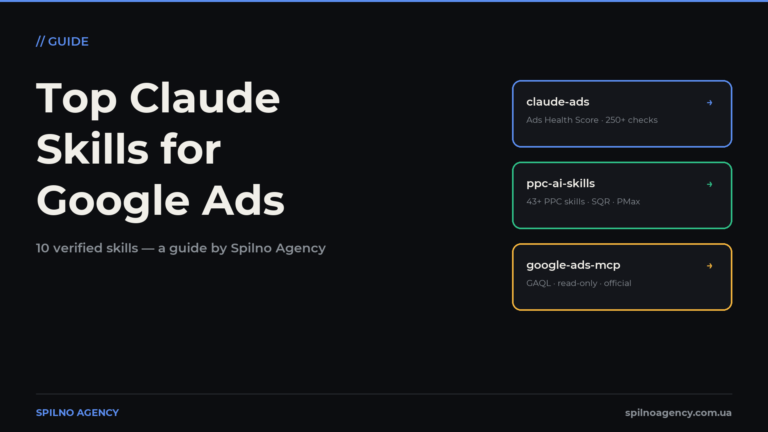
The Most Popular Claude Skills for Google Ads
The most useful Claude skills for Google Ads specialists: account audits, negative keywords, Performance Max, reporting. What each…
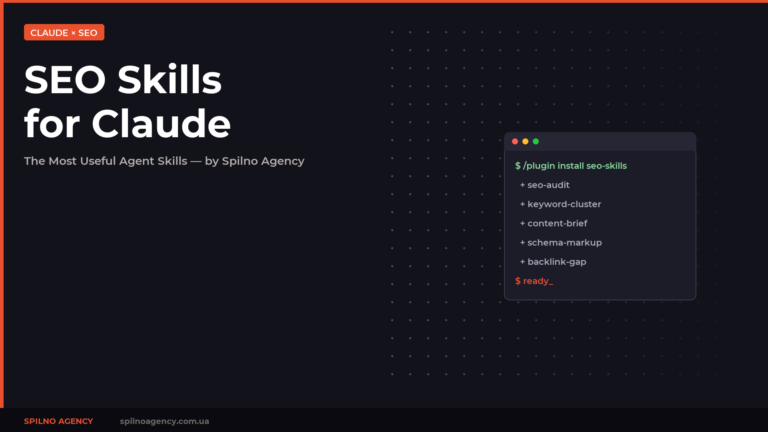
The Most Popular SEO Skills for Claude: A Specialist’s Toolkit
A curated list of the most useful SEO skills for Claude: SE Ranking, Claude SEO, Marketing Skills and…