The Most Popular SEO Skills for Claude: A Specialist’s Toolkit

Agent Skills turn Claude from a chat assistant into a fully-fledged SEO co-worker: checklist-driven audits, content briefs with SERP analysis, keyword clustering, Schema markup and GEO optimisation. This roundup covers the 8 most useful skills for SEO specialists: what each does, where to download it, and how to install it.
What Claude Skills Are and Why SEO Specialists Need Them
A skill (Agent Skill) is a folder of instructions, scripts and resources that Claude loads dynamically whenever your request matches its purpose. In plain terms: a skill is a working methodology packaged into a file. Instead of writing a long prompt every time — “audit this page against these 40 criteria” — you install the skill once, and Claude performs the audit to the same standard every single time.
For an SEO specialist this means three things:
- Repeatability. Audits, briefs and clustering follow the same checklist — no more “forgot to check hreflang”.
- Speed. Routine tasks (Schema markup, meta tags, competitor analysis) shrink from hours to minutes.
- Expertise in a box. The best skills package methodologies from practitioners — SE Ranking, Corey Haines — validated by thousands of installs.
Skills run in Claude Code (terminal, desktop app), and most also work in Cursor, Windsurf
and other agents via the open SKILL.md specification.
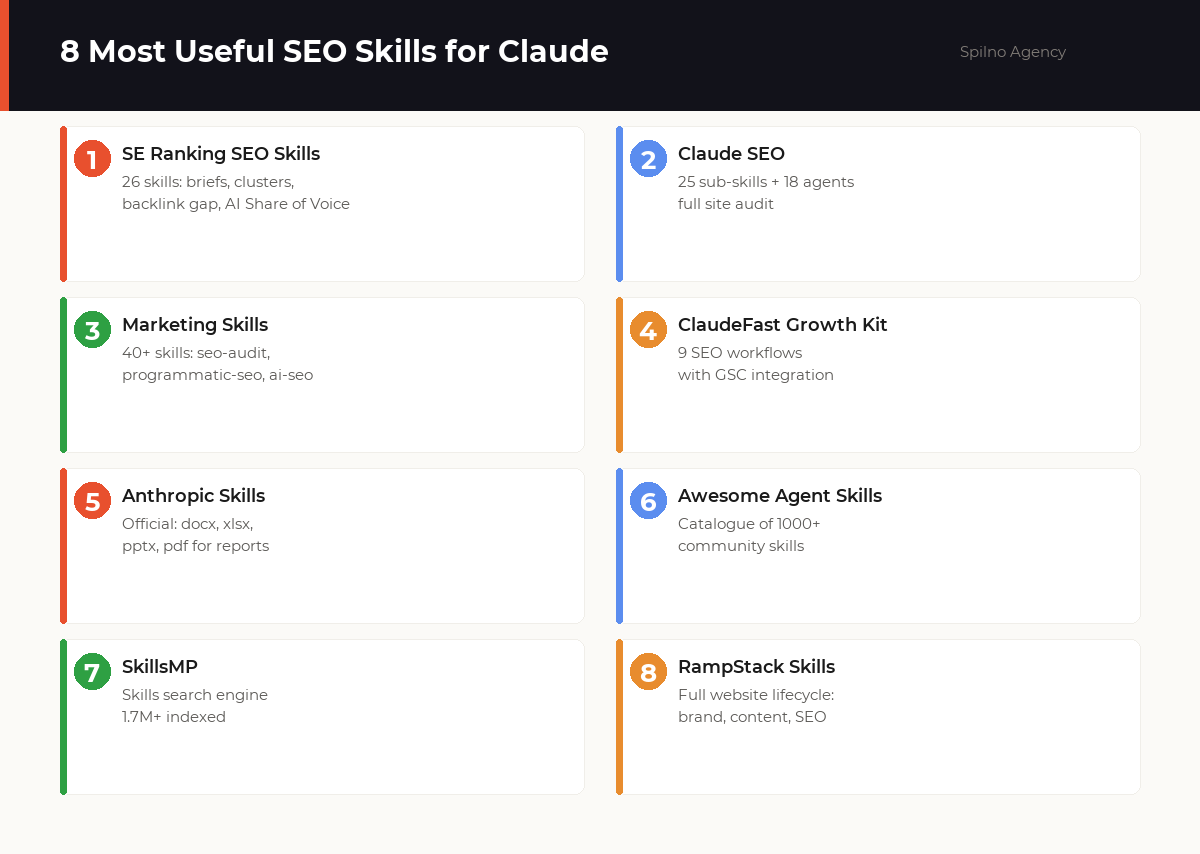
1. SE Ranking SEO Skills — 26 MCP-Powered Skills
What it does: the most complete professional SEO skill pack, built by the SE Ranking team. It works alongside the SE Ranking MCP server, so the skills receive real ranking, backlink and competitor data — not just the model’s reasoning.
seo-ai-search-share-of-voice— measures brand visibility across ChatGPT, Perplexity, Gemini and Google AI Overviewsseo-content-brief— produces writer-ready briefs with keyword research and SERP analysisseo-keyword-cluster— groups keywords by intent into a pillar/spoke architectureseo-backlink-gap— finds domains linking to competitors but not to youseo-technical-audit,seo-schema,seo-hreflang,seo-local,seo-geo— the technical block
Where to download: github.com/seranking/seo-skills (an SE Ranking subscription is required for data)
/plugin marketplace add seranking/seo-skills
/plugin install seo-skills@seranking
2. Claude SEO — 25 Sub-Skills and 18 Agents for Full Audits
What it does: a universal open-source skill (MIT licence) that runs a comprehensive site audit with parallel agents: technical SEO, E-E-A-T content quality, Schema.org markup, GEO/AEO optimisation for AI search, local SEO, e-commerce and international SEO with hreflang. Every audit ends with a prioritised action plan backed by primary-source guidance from Google.
What makes it special: no paid subscriptions required — it works out of the box. DataForSEO and Firecrawl can be connected optionally for richer data. Supports PDF and Excel reporting.
Where to download: github.com/AgriciDaniel/claude-seo
/plugin marketplace add AgriciDaniel/claude-seo
/plugin install claude-seo@agricidaniel-claude-seo
3. Marketing Skills by Corey Haines — 40+ Full-Funnel Skills
What it does: the most popular marketing skill library — over 40 skills
covering the entire funnel: from seo-audit (98K+ installs) and
programmatic-seo to copywriting, CRO and email sequences. The ai-seo
skill deserves special mention — it optimises content to appear in AI assistant answers.
Where to download: github.com/coreyhaines31/marketingskills
# install everything
npx skillkit install coreyhaines31/marketingskills

# or only what you need
npx skillkit install coreyhaines31/marketingskills --skill seo-audit programmatic-seo
4. ClaudeFast Growth Kit — 9 SEO Workflows with GSC Integration
What it does: a system of 9 connected SEO workflows: audit, content, Google Search Console reports, GEO, indexing, rankings, strategy, technical SEO and competitive intelligence. It is built on a 2,000+ line master reference and direct GSC integration via MCP, so recommendations are grounded in your real search data.
Where to get it: claudefa.st — Claude Code SEO Skills
5. Official Anthropic Skills — Reports in DOCX, XLSX, PPTX and PDF
What it does: Anthropic’s official repository of document skills. For an SEO specialist this closes the “last mile” — deliverables: an audit in Word with a table of contents and branding, a keyword map in Excel with tabs and formulas, a strategy deck in PowerPoint, a client report in PDF.
Where to download: github.com/anthropics/skills
/plugin marketplace add anthropics/skills
/plugin install document-skills@anthropic-agent-skills
6. Awesome Agent Skills — a Curated Catalogue of 1000+ Skills
What it does: VoltAgent’s curated catalogue — over 1,000 skills from official teams and the community, compatible with Claude Code, Codex, Gemini CLI and Cursor. It is not a single skill but a navigator: when you need a skill for a narrow task (log-file analysis, robots.txt generation), look here first.
Where to browse: github.com/VoltAgent/awesome-agent-skills
7. SkillsMP — a Skills Search Engine with 1.7M+ Indexed
What it does: a marketplace search engine for Agent Skills: over 1.7 million indexed skills for Claude Code, Codex and ChatGPT, searchable by keyword, occupation and creator. A convenient way to find a skill for a specific SEO task, compare alternatives and jump to the GitHub source.
Where to browse: skillsmp.com
8. RampStack Claude Skills — the Full Website Lifecycle
What it does: a stack-agnostic skill pack covering the full website lifecycle: brand, design, content, SEO, development, operations, growth and research. A good fit for agencies and specialists who run projects from launch to growth — the SEO skills work hand in hand with the content and analytics ones.
Where to download: github.com/rampstackco/claude-skills
Comparison Table: Which Skill for Which Task
| Pack | Skills | Free | Best for |
|---|---|---|---|
| SE Ranking SEO Skills | 26 | Skills — yes, data — subscription | Agencies on SE Ranking data |
| Claude SEO | 25 + 18 agents | Yes (MIT) | Full audits with no subscriptions |
| Marketing Skills | 40+ | Yes | SEO + content marketing |
| ClaudeFast Growth Kit | 9 workflows | Partially | Working with GSC data |
| Anthropic Skills | 10+ | Yes | DOCX/XLSX/PDF deliverables |
| Awesome Agent Skills | 1000+ (catalogue) | Yes | Finding niche skills |
| SkillsMP | 1.7M+ (search) | Yes | Comparing alternatives |
| RampStack Skills | full lifecycle | Yes | Site from launch to growth |
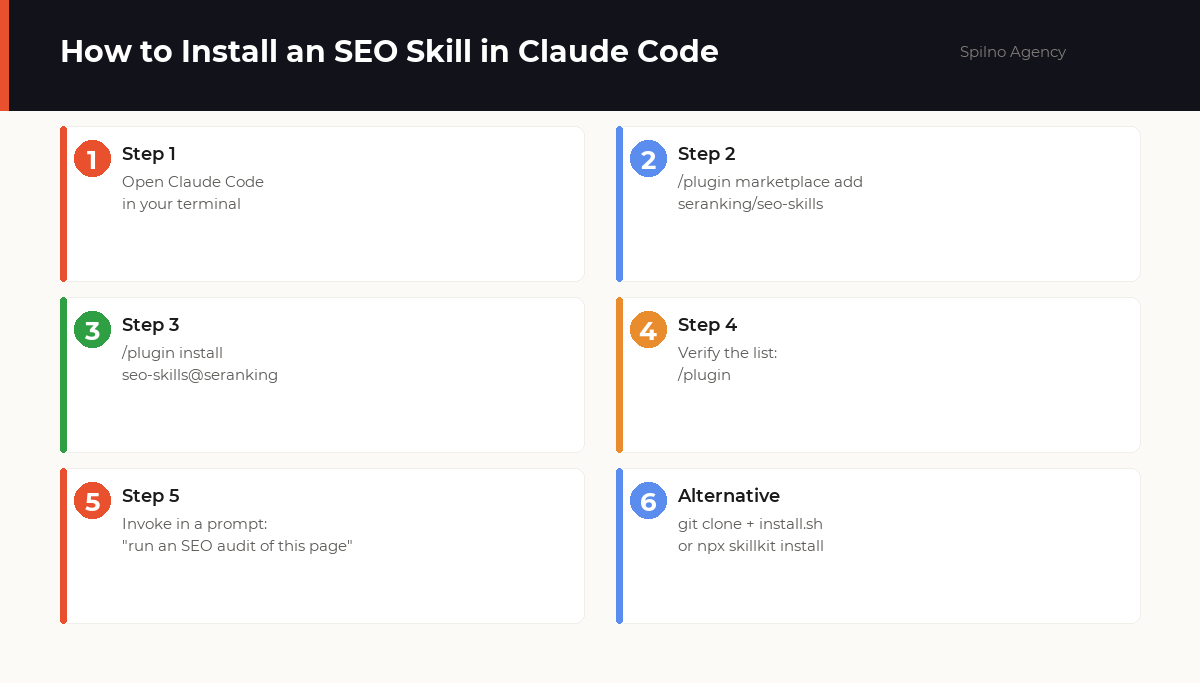
How to Install a Skill in Claude Code: Step by Step
- Open Claude Code in your terminal (version 1.0.33+) or the desktop app.
- Add the marketplace:
/plugin marketplace add author/repository— e.g./plugin marketplace add seranking/seo-skills. - Install the skill:
/plugin install seo-skills@seranking. - Verify the install: the
/plugincommand lists active plugins and skills. - Use it: just describe the task — “run an SEO audit of this page”, “cluster these 200 keywords”. Claude activates the matching skill automatically.
# via git clone + install script
git clone --depth 1 https://github.com/seranking/seo-skills.git
bash seo-skills/install.sh

# via the skillkit manager
npx skillkit install coreyhaines31/marketingskills
How to Choose a Skill: 4 Criteria Before Installing
- Data source. A skill without data is just methodology. Check whether an MCP server (GSC, SE Ranking, DataForSEO) is required and whether you have access to it.
- Freshness. Check the date of the last commit — SEO methodologies age fast, especially anything touching GEO and AI Overviews.
- Installs and stars. A seo-audit skill with 98K installs is better validated by the community than a fresh repository with no stars.
- Security. Skills may contain scripts. Review the code before installing and never give skills access to production environments unchecked.
Frequently Asked Questions About SEO Skills for Claude
What are Agent Skills for Claude in simple terms?
A skill is a folder of instructions, scripts and resources that Claude loads dynamically to perform a specialised task. Skills teach Claude to do specific work to a repeatable standard: running an SEO audit against a checklist, generating Schema markup, or producing a content brief with SERP analysis.
How is a skill different from an MCP server?
An MCP server gives Claude access to external data and APIs (like Google Search Console or Ahrefs). A skill is the instructions and methodology for using that data. The best SEO setups combine both: SE Ranking’s skills run on top of the SE Ranking MCP server.
Are SEO skills for Claude free?
Most skills in this list are open source (MIT licence) and free: Claude SEO, Marketing Skills, Anthropic’s official skills. Some require paid data, however: SE Ranking skills need an SE Ranking subscription, and the ClaudeFast Growth Kit uses GSC access.
How do I install a skill in Claude Code?
The fastest way is via the marketplace: run /plugin marketplace add author/repository, then /plugin install skill-name. Alternatives: git clone the repository and run install.sh, or use npx skillkit install. Once installed, the skill activates automatically when your prompt matches its description.
Do Claude skills work in Cursor or other AI agents?
Yes — most skills follow the open Agent Skills specification (a SKILL.md file) and work in Claude Code, Cursor, Windsurf, OpenAI Codex and other agents that support the standard.
Which skill should an SEO specialist install first?
For a quick site audit — Claude SEO (25 sub-skills, no paid subscriptions required). If you already use SE Ranking, their 26 skills deliver the deepest data. For content marketing — Marketing Skills by Corey Haines: the seo-audit skill alone has over 98,000 installs.
What are GEO skills and why do they matter?
GEO (Generative Engine Optimization) means optimising for AI-generated answers: Google AI Overviews, ChatGPT, Perplexity. GEO skills score content citability, analyse AI crawlers and generate markup that increases your chances of being cited in AI assistant answers.
Want to bring AI automation into your SEO processes — from audits to content briefs? Spilno Agency will configure Claude workflows for your tasks and train your team to work with skills.

Read also
Google Ads Rules: Maximum Lead Price, Customer Price, and How Much to Spend Before a Campaign Fails
There is no such thing as a universal “good cost per lead” — €20 per lead can be…
New Features in the ChatGPT Ads Dashboard: What Changed in 2026
OpenAI updated the ChatGPT Ads dashboard: conversion-optimized campaigns, new daily budgets, geo exclusions, AppsFlyer/Adjust, bulk API and price/rating…
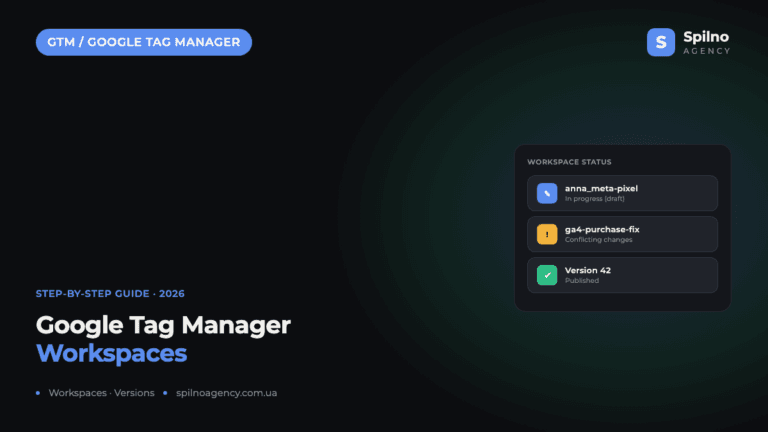
Google Tag Manager Workspaces: Why You Need Them and How to Use Them in 2026
A workspace in Google Tag Manager is a “draft” of a container — a place to safely edit…