Best Claude Skills for Media Buyers and Paid Ads Specialists (2026)

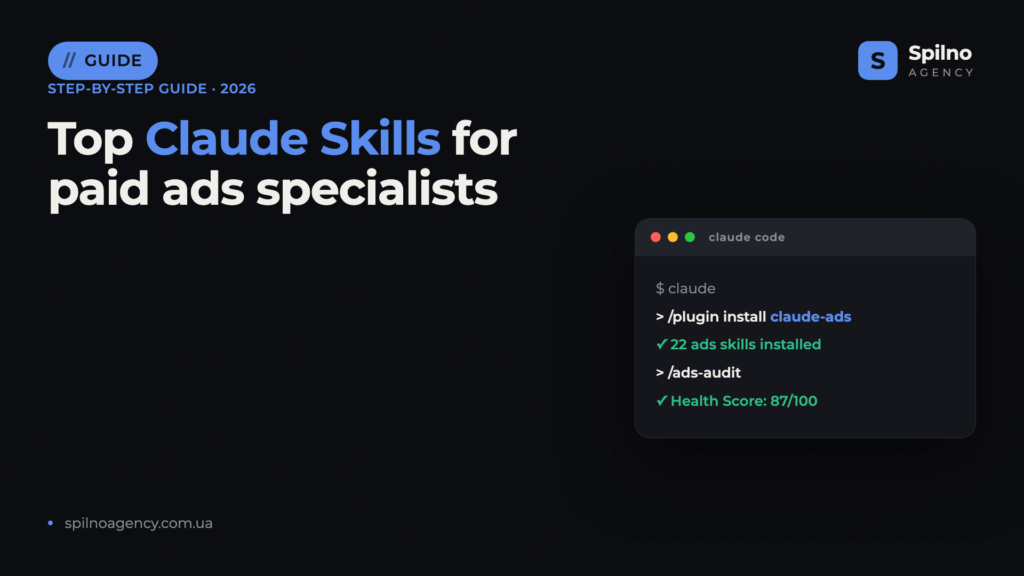
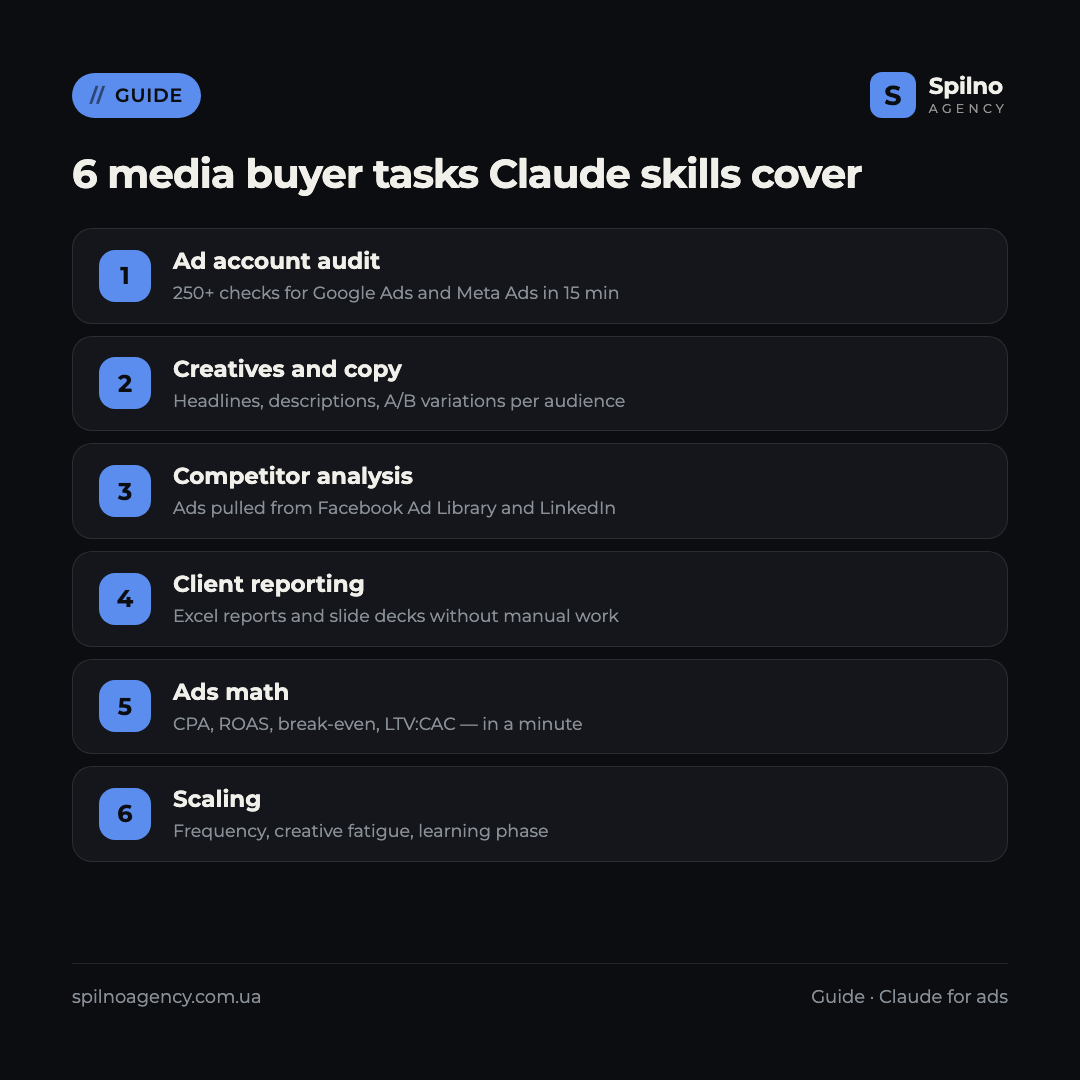
Claude Skills (Agent Skills) are ready-made instruction sets that turn Claude into a specialised assistant for media buyers: ad account audits in 15 minutes, creative generation, competitor analysis via Facebook Ad Library, ads math and client reporting. This guide covers the 10 most popular skills with verified links: what each one does and where to download it.
What Claude Skills are and why media buyers need them
Agent Skills is an open standard of “skills” for Claude that Anthropic introduced in autumn 2025. Technically, a skill is a folder with a SKILL.md file describing exactly how the AI should perform a specific task: which criteria to use when auditing a Google Ads account, what format to follow when generating creative variations, how to calculate break-even ROAS.
For a paid ads specialist, this means three things:
- Expertise out of the box. A skill like claude-ads contains 250+ ad account checks compiled by practitioners. No need to write long prompts — the methodology is already built in.
- Repeatability. An audit, a report or a creative batch follows the same framework every time — the result doesn’t depend on how you phrased the request today.
- Speed. Tasks that used to take 4–6 hours of manual work (a full account audit, competitor research, a media plan) shrink to 10–20 minutes.
Skills run in Claude Code (Anthropic’s terminal agent) and are also supported on claude.ai. Most skills in this roundup are free and open source: you only pay for your Claude subscription. For European teams juggling multiple client accounts across markets, that maths is hard to argue with.
How to install a Claude skill: 3 methods
Method 1. Plugin marketplace (recommended)
The most convenient way is to add the developer’s marketplace and install the plugin with its skills. In Claude Code, run:
/plugin marketplace add AgriciDaniel/claude-ads
/plugin install
Skills get their own namespace (for example, /notfair:google-ads) and update automatically together with the plugin.
Method 2. Skills folder
You can simply copy a skill into your personal folder — it becomes available in all projects:
git clone https://github.com/ComposioHQ/awesome-claude-skills
cp -r awesome-claude-skills/competitive-ads-extractor ~/.claude/skills/
For team workflows, skills go into .claude/skills/ inside the project — they get committed to the repository and become available to the whole team.
Method 3. The skills CLI installer
Some authors support installation via the community utility:
npx skills add coreyhaines31/marketingskills --skill ads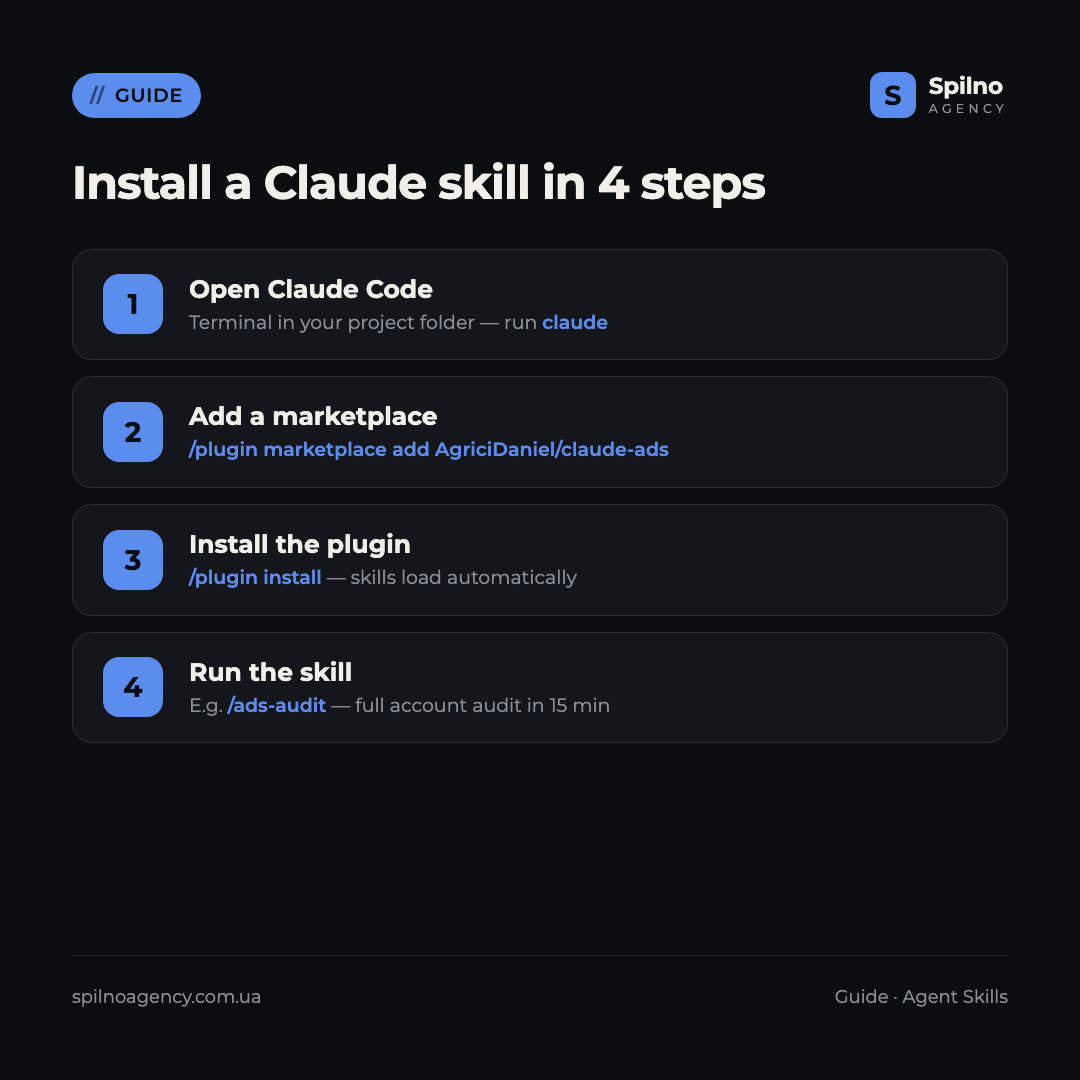
Top 10 Claude Skills for paid ads specialists in 2026
1. claude-ads — comprehensive ad account audits
What it does: the most complete toolkit for a media buyer — 22 skills in one plugin. The flagship is /ads-audit: 250+ checks across Google Ads (Search, Performance Max, YouTube, Demand Gen), Meta (Facebook/Instagram/Threads), LinkedIn, TikTok, Microsoft and Amazon accounts. Input: exports, screenshots or pasted metrics from your dashboards; output: an Ads Health Score from 0 to 100, a prioritised action plan and a client-ready PDF report. Separate skills cover creatives (/ads-creative, /ads-photoshoot), CPA/ROAS/LTV:CAC math (/ads-math), budgets, attribution and server-side tracking. An audit that takes 4–6 hours by hand is done in 10–15 minutes.
Where to download: github.com/AgriciDaniel/claude-ads (5,900+ stars, MIT licence). Install: /plugin marketplace add AgriciDaniel/claude-ads.
2. NotFair — day-to-day Google Ads and Meta Ads management
What it does: 6 specialised skills for running campaigns. google-ads-audit scores the account across 7 health dimensions and stores business context for the other skills; google-ads helps with keywords, bids, budgets and negatives; google-ads-copy generates RSA ads with A/B variations; google-ads-landing checks the relevance of the keyword → ad → landing page chain. For Meta there are meta-ads-audit and meta-ads: ROAS analysis, frequency-first triage, creative fatigue, learning phase and audience overlap.
Where to download: github.com/nowork-studio/NotFair (2,800+ stars, MIT). Install: /plugin marketplace add nowork-studio/notfair.
3. marketingskills (ads + ad-creative) — strategy and creatives
What it does: the most popular marketing library for Claude — 44 skills, two of which matter most to media buyers. ads covers strategy, targeting, bidding and optimisation of paid campaigns across Google Ads, Meta, LinkedIn and X. ad-creative generates and scales creatives: headlines, descriptions, primary text and full ad variations per audience segment. Adjacent skills ab-testing, analytics and competitors cover experiments and reporting.
Where to download: github.com/coreyhaines31/marketingskills (32,900+ stars, MIT). Install: npx skills add coreyhaines31/marketingskills --skill ads.
4. competitive-ads-extractor — competitor ad intelligence
What it does: automates competitive research. The skill pulls competitors’ active ads from Facebook Ad Library and LinkedIn, takes screenshots, extracts copy, identifies recurring messaging formulas and clusters creatives by theme and audience. Input: a list of competitors; output: a report with copy formulas, visual trends and unclaimed positioning angles.
Where to download: github.com/ComposioHQ/awesome-claude-skills (a 64,000+ star catalogue) — the competitive-ads-extractor folder, copied into ~/.claude/skills/.
5. ai-media-buying-skills — 63 media buying skills
What it does: a narrowly specialised media buyer’s library — 21 skills each for Meta Ads, Google Local Services Ads and TikTok Ads. Categories: diagnostics (CAPI issues, learning phase, audience overlap), creative (fatigue detection, copy and script generation), reporting, launch (pre-launch checklist, bid strategy), funnel and scaling. Works entirely on user-provided data — exports, screenshots, CRM notes — no API connection required.
Where to download: github.com/hayesti54-eng/ai-media-buying-skills (MIT). Skill folders are copied into ~/.claude/skills/.
6. openclaw-marketing-skills — live account data via API
What it does: 33 marketing skills, of which meta-ads-connect and google-ads-connect matter most for media buyers — they connect to the Meta Marketing API and Google Ads API. Unlike most skills that work with exports, here Claude analyses live account data: campaign performance, optimisation opportunities, spend anomalies.
Where to download: github.com/LeoYeAI/openclaw-marketing-skills (1,100+ stars).
7. goose-skills — Meta campaign analysis and building
What it does: a GTM library with two strong Meta skills: meta-ads-analyzer analyses campaigns with Meta’s auction mechanics in mind and produces structured, testable recommendations; meta-ads-campaign-builder builds a campaign end-to-end — from audience recommendations to the full campaign architecture.
Where to download: github.com/gooseworks-ai/goose-skills (700+ stars).
8. advertising-skills — direct-response creatives
What it does: a performance creative library: scroll-stopping-creative generates concepts that hook within the first seconds of scrolling; headline-matrix builds a headline matrix across pain/benefit angles; full-funnel-campaign-orchestrator ties ads and CRO into a single full-funnel campaign.
Where to download: github.com/realkimbarrett/advertising-skills (660+ stars).
9. meta-ads-kit — a daily workflow instead of Ads Manager
What it does: an “open source AI ad manager” that changes a media buyer’s daily routine. Instead of 20 minutes in the dashboard — a 2-minute account briefing and answers to the “5 Daily Questions”: what changed, what’s on fire, what to scale, what to switch off, what to test next.
Where to download: github.com/TheMattBerman/meta-ads-kit (MIT, actively maintained).
10. Official Anthropic skills — reports and presentations
What it does: Anthropic’s official repository (149,000+ stars) contains the support skills no reporting routine can do without: xlsx — media plans, budgets and campaign reports in Excel; pptx — client presentations; canvas-design — static visuals and creative concepts.
Where to download: github.com/anthropics/skills. Install: /plugin marketplace add anthropics/skills.
Comparison table: which skill for which task
| Skill | Main task | GitHub stars | Install method |
|---|---|---|---|
| claude-ads | Account audits, 250+ checks | 5,900+ | marketplace |
| NotFair | Google Ads / Meta Ads management | 2,800+ | marketplace |
| marketingskills | Strategy + creatives | 32,900+ | npx skills |
| competitive-ads-extractor | Competitor ad analysis | 64,000+ (catalogue) | skills folder |
| ai-media-buying-skills | 63 media buying skills | niche | skills folder |
| openclaw-marketing-skills | Live data via Ads APIs | 1,100+ | skills folder |
| goose-skills | Meta campaign analysis and building | 700+ | skills folder |
| advertising-skills | Direct-response creatives | 660+ | skills folder |
| meta-ads-kit | Daily Meta workflow | 250+ | marketplace |
| anthropics/skills | Excel reports, presentations | 149,000+ | marketplace |
How to choose your first skill
- Managing several accounts and need fast audits — start with claude-ads: one plugin covers 80% of the routine.
- Working in Google Ads daily — NotFair: the audit → copy → landing chain gives you a full optimisation cycle.
- Creative production is the bottleneck — marketingskills (ad-creative) plus advertising-skills for the headline matrix.
- Need competitor intelligence before launch — competitive-ads-extractor.
- Want to automate client reporting — the official xlsx and pptx skills from Anthropic.
If you are still setting up tracking, make sure your account data is clean before rolling out AI audits: without a properly configured Meta Pixel and Conversions API, even the best skill will be analysing garbage. Our breakdown of EMQ (Event Match Quality) will help you verify event quality.
Security: what to check before installing
- Read SKILL.md before installing. A skill is a set of instructions for the AI; make sure it doesn’t request unnecessary access.
- Separate “data” skills from “API” skills. Most skills in this roundup work with exports and screenshots — that’s safe. API skills (openclaw) get account access: use separate tokens with minimal permissions.
- Never paste API keys into the chat. Keep keys in environment variables, not in prompt text.
- Review recommendations before applying them. The skill proposes changes — the specialist makes the decision. This applies to bids and budgets above all.
FAQ: Claude Skills for paid ads specialists
What are Claude Skills (Agent Skills)?
An open standard of “skills” for Claude: a folder with a SKILL.md file containing instructions the AI follows to perform a specific task — an ad account audit, creative generation or a client report. Skills plug into Claude Code and claude.ai and activate automatically when a task matches the skill’s description.
How much do Claude Skills cost?
All the skills in this roundup are free and open source (mostly MIT-licensed). You only pay for your Claude subscription (Pro or Max) or API usage. Commercial skills for media buyers are still rare.
Do I need to know how to code?
No. Installation comes down to one or two commands in Claude Code (for example, /plugin install), and from there you talk to Claude in plain language. Basic familiarity with a terminal is enough — the 4-step instruction is in this article.
Which skill should I install first?
claude-ads: it covers the most tasks at once — Google Ads and Meta Ads account audits, creatives, ads math and PDF reports. It’s the fastest way to feel the value of skills on a real account.
Is it safe to give skills access to an ad account?
Most skills don’t need access — they work with CSV exports and screenshots you provide yourself. Skills that connect to the Meta Marketing API or Google Ads API require tokens: create separate read-only keys and never paste them into the chat.
How is a skill different from an MCP server?
An MCP server gives Claude access to external data and tools (for example, an ad platform’s API), while a skill is methodology: instructions on how exactly to perform a task. The strongest setups combine both: MCP supplies live data, the skill analyses it against a proven framework.
Will Claude Skills replace media buyers?
No — they change how the work is structured. Skills absorb the routine: audits, reports, first creative drafts, the math. Strategy, client communication, data interpretation and final budget decisions stay with the specialist. A media buyer with skills simply runs more accounts to a higher standard.
Want to delegate your advertising to a team that has already built AI tools into its daily workflow? Spilno Agency sets up and manages Google Ads and Meta Ads for businesses across Europe with transparent reporting. Get in touch — we’ll start with a free consultation on your account.

Read also
Google Ads Rules: Maximum Lead Price, Customer Price, and How Much to Spend Before a Campaign Fails
There is no such thing as a universal “good cost per lead” — €20 per lead can be…
New Features in the ChatGPT Ads Dashboard: What Changed in 2026
OpenAI updated the ChatGPT Ads dashboard: conversion-optimized campaigns, new daily budgets, geo exclusions, AppsFlyer/Adjust, bulk API and price/rating…
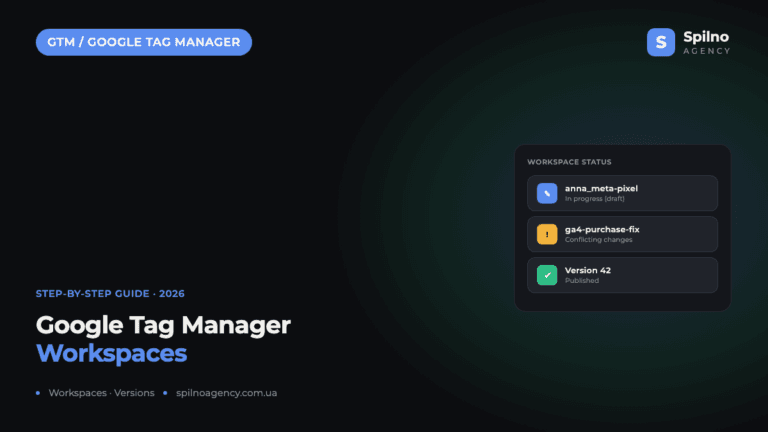
Google Tag Manager Workspaces: Why You Need Them and How to Use Them in 2026
A workspace in Google Tag Manager is a “draft” of a container — a place to safely edit…