The Most Popular Claude Skills for Google Ads

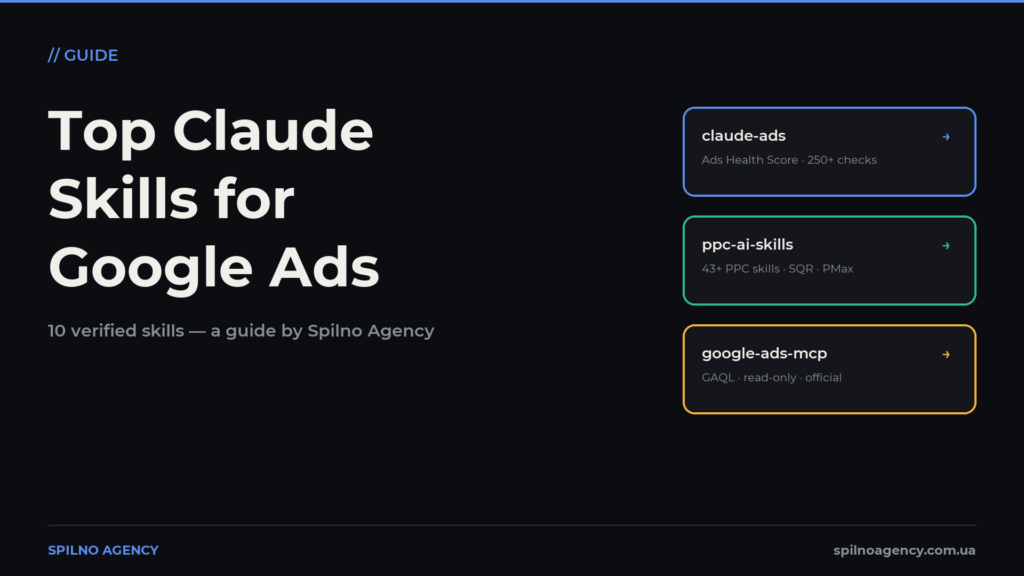
Claude Skills are folders of instructions that turn Claude into a specialised assistant for PPC professionals: Google Ads account audits, negative keyword management, RSA copy generation, client reporting. This roundup covers the 10 most useful skills with verified download links, install commands and safety advice.
What Claude Skills Are and Why a Google Ads Specialist Needs Them
In October 2025 Anthropic introduced Agent Skills — a format that lets you “teach” Claude your workflows. A skill is simply a folder with a SKILL.md file: instructions, checklists, examples and scripts. When you give Claude a task, it finds the matching skill on its own and follows its methodology.
For a paid search specialist this changes day-to-day work. Instead of explaining to Claude every time how to audit an account or which rules to apply when cleaning search queries, you install a skill once — and get a stable, repeatable process.
- Speed. An account audit that takes a day by hand is done by the claude-ads skill in 10–15 minutes.
- Consistency. A skill is a fixed methodology: 80 Google Ads checks run identically for every client.
- Scale. One specialist with a well-configured skill stack manages more accounts without losing quality.
How a Skill Works and the Ways to Install One
Technically a skill is a folder with a SKILL.md file containing a YAML front matter block (the name and description Claude uses to decide when to apply the skill) and a body of instructions. A skill can include extra files: scripts, report templates, reference guides.
A minimal example of a skill structure:
google-ads-audit/
├── SKILL.md          # instructions + YAML description
├── checklist.md      # 80 audit checks
└── report-template.md # client report template
There are three ways to install a skill:
- Plugin marketplace — the
/plugin marketplace addcommand in Claude Code: the easiest route for packs like claude-ads or NotFair. - Copying the folder — place the skill in
~/.claude/skills/(global) or your project’s.claude/skills/. - Claude.ai — in the web version skills are enabled via Settings → Capabilities (Pro/Max/Team plans).
The 10 Most Useful Skills: Comparison Table
All 10 tools in this roundup are free and open source. The table below is a quick summary: what each skill does and where to download it.
| Skill | Author | What it’s for | GitHub |
|---|---|---|---|
| claude-ads | Community | Account audit, Ads Health Score 0–100 | AgriciDaniel/claude-ads |
| ppc-ai-skills | Community | 43+ skills: negatives, PMax, RSA, reports | fourteenwm/ppc-ai-skills |
| Google Ads MCP | Google (official) | Live account data (read-only, GAQL) | googleads/google-ads-mcp |
| Marketing plugin | Anthropic (official) | Campaign briefs, performance reports, SEO audit | anthropics/knowledge-work-plugins |
| NotFair | Community | Audit, RSA copy, landing pages, Meta Ads | nowork-studio/NotFair |
| agent-skills | Community | 12 skills: bidding, Shopping, Quality Score | itallstartedwithaidea/agent-skills |
| Google Analytics MCP | Google (official) | GA4 reports and post-click conversions | googleanalytics/google-analytics-mcp |
| anthropics/skills: xlsx, pptx, docx | Anthropic (official) | Excel/PowerPoint/Word for reporting | anthropics/skills |
| mcp-google-ads | Community | GAQL reports, easy Claude Desktop start | cohnen/mcp-google-ads |
| competitive-ads-extractor | Community | Competitor ad analysis | ComposioHQ/awesome-claude-skills |
Detailed Skill Reviews
1. claude-ads — full ad account audit
The most popular PPC skill: 250+ checks across Google Ads, Meta, YouTube, LinkedIn, TikTok, Microsoft and Amazon Ads. For Google Ads alone there are 80 dedicated checks: Search, Performance Max, Demand Gen, negative keywords, bidding strategies, conversion tracking and Consent Mode v2. The output is an Ads Health Score from 0 to 100 with prioritised recommendations in 10–15 minutes.
- Where to download: github.com/AgriciDaniel/claude-ads
- Community · ★ 5 900+ · Free, open source
Install:
/plugin marketplace add AI-Marketing-Hub/claude-ads2. ppc-ai-skills — 43+ skills for daily PPC work
The largest collection of pure Google Ads skills, built by PPC practitioner Kurt Henninger: a search query classifier and negative keyword manager, a Performance Max builder, bulk RSA refresh, impression share and conversion tracking diagnostics, a budget recommendation calculator, and client reporting to Google Sheets. The safety skills add real value: mutation-safety requires approval before any account change, and budget guardian watches for overspend.
- Where to download: github.com/fourteenwm/ppc-ai-skills
- Community · Free, open source
Install:
git clone https://github.com/fourteenwm/ppc-ai-skills
cp -r ppc-ai-skills/mutation-safety ~/.claude/skills/
3. Google Ads MCP — official account data access
Google’s official MCP server: it gives Claude read-only access to your Google Ads account via GAQL queries. Claude can see campaigns, ad groups, keywords, metrics and segments — but physically cannot pause a campaign or change a budget. This is the data layer for every other skill: instead of CSV exports you analyse live data. Requires a Developer Token and Google Cloud OAuth.
- Where to download: github.com/googleads/google-ads-mcp
- Google · ★ 620+ · Free, open source
Install:
pipx install google-ads-mcp4. Marketing plugin — Anthropic’s official marketing suite
Anthropic’s official plugin with a suite of marketing skills: campaign-plan builds a complete campaign brief with a content calendar, performance-report prepares a metrics report with trends and recommendations (perfect for PPC client reporting), plus seo-audit, email-sequence, draft-content and competitive-brief. It connects to Ahrefs, HubSpot, Canva, Slack and Supermetrics through MCP connectors.
- Where to download: github.com/anthropics/knowledge-work-plugins
- Anthropic · Free, open source
Install:
/plugin install marketing@knowledge-work5. NotFair — Google Ads + SEO in one plugin
A plugin with dedicated Google Ads skills: google-ads-audit scores the account and finds wasted spend, google-ads runs weekly performance reviews, google-ads-copy writes RSA ads with A/B testing, and google-ads-landing audits landing page relevance. Plus Meta Ads and SEO/GEO skills: keyword-research and schema-markup-generator. It connects to the Google Ads API through its own MCP servers with OAuth.
- Where to download: github.com/nowork-studio/NotFair
- Community · ★ 2 800+ · Free, open source
Install:
/plugin marketplace add nowork-studio/notfair
/plugin install notfair@nowork-studio
6. agent-skills — 12 Google Ads skills from a practitioner
A collection of 73 skills, 12 of them purely for Google Ads: campaign audit, keyword research, ad copy generation and testing, bidding strategies, Performance Max, Google Shopping feed optimisation, audience segmentation, conversion tracking setup, budget pacing, Quality Score, remarketing and competitor analysis. The author is a paid media specialist with 15+ years of experience.
- Where to download: github.com/itallstartedwithaidea/agent-skills
- Community · Free, open source
Install:
npx skills add itallstartedwithaidea/agent-skills7. Google Analytics MCP — post-click behaviour
Google’s official GA4 MCP server: standard and realtime reports, funnels, custom dimensions and metrics, and crucially — the list of Google Ads links. Paired with the Google Ads MCP it gives a PPC specialist the full picture: spend and clicks from Ads plus post-click behaviour and conversions from GA4 in a single Claude session. Read-only access.
- Where to download: github.com/googleanalytics/google-analytics-mcp
- Google · ★ 2 400+ · Free, open source
Install:
pipx install analytics-mcp8. anthropics/skills — xlsx, pptx, docx for reporting
Anthropic’s official skills repository — the one behind Claude’s document capabilities. For a PPC specialist the most valuable are: xlsx (performance pivots, budget models, search query report processing), pptx (client report decks), docx (audit documents), pdf (parsing platform PDF reports). Bonus: skill-creator helps you build your own skill for your processes.
- Where to download: github.com/anthropics/skills
- Anthropic · Free, open source
Install:
git clone https://github.com/anthropics/skills
cp -r skills/document-skills/xlsx ~/.claude/skills/
9. mcp-google-ads — an easy start for Claude Desktop
The most popular community MCP for Google Ads, predating Google’s official one. Tools: account listing, GAQL query execution, ready-made campaign and ad performance reports in several output formats. Its main advantage is genuinely beginner-friendly step-by-step setup documentation for Claude Desktop, Cursor and Windsurf — a great option for a first try.
- Where to download: github.com/cohnen/mcp-google-ads
- Community · ★ 630+ · Free, open source
Install:
git clone https://github.com/cohnen/mcp-google-ads10. competitive-ads-extractor — competitor ad analysis
A skill from Composio’s awesome-claude-skills directory: it extracts and analyses competitor ads from ad libraries and transparency centres — messaging, offers, CTAs and creative angles. Handy when preparing new campaigns: Claude compiles a summary of competitor positioning so you can build ads that stand apart. The directory itself is worth browsing — it lists dozens of marketing skills.
- Where to download: github.com/ComposioHQ/awesome-claude-skills
- Community · Free, open source
Install:
git clone https://github.com/ComposioHQ/awesome-claude-skills
cp -r awesome-claude-skills/competitive-ads-extractor ~/.claude/skills/
The Recommended Stack: How Skills Work Together
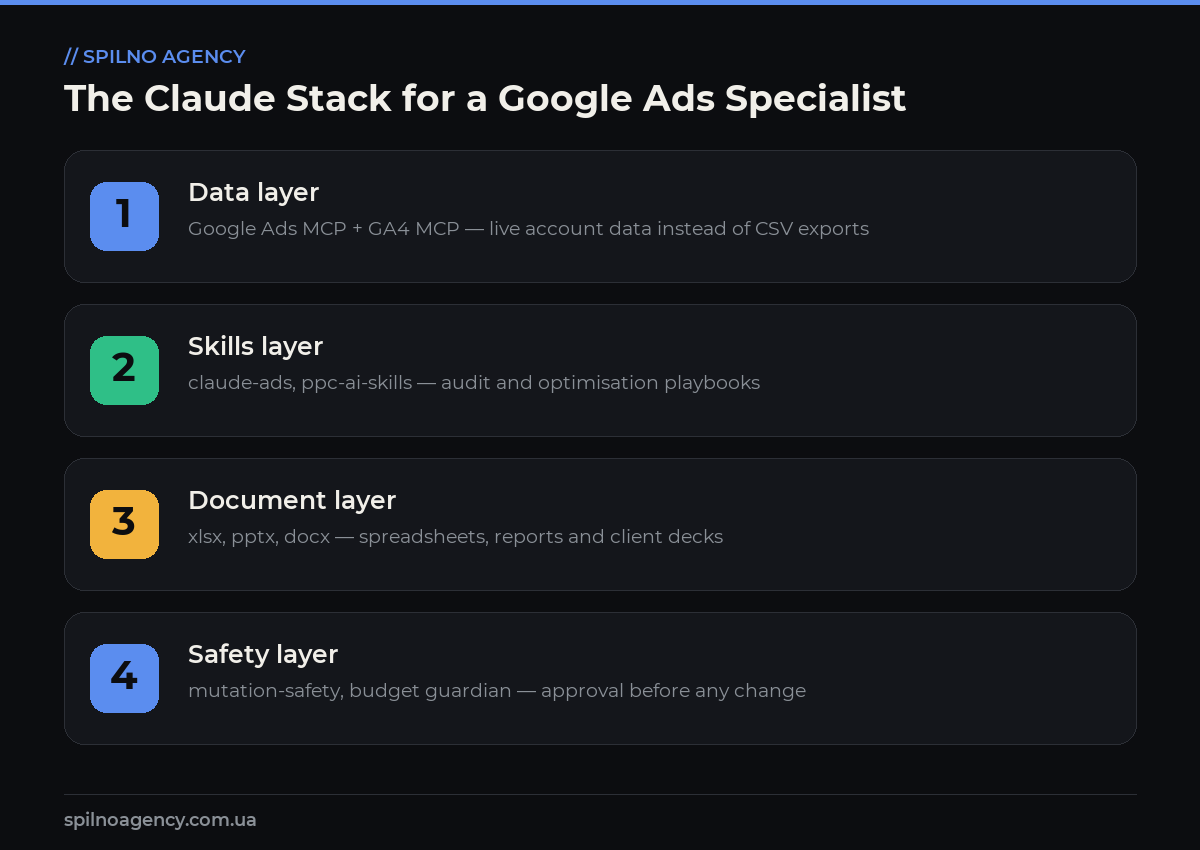
Skills show their full value when they work together. Practitioners managing ad accounts through Claude typically assemble a four-layer stack:
- Data layer. Google Ads MCP + GA4 MCP — live account data instead of CSV exports
- Skills layer. claude-ads, ppc-ai-skills — audit and optimisation playbooks
- Document layer. xlsx, pptx, docx — spreadsheets, reports and client decks
- Safety layer. mutation-safety, budget guardian — approval before any change
A typical workflow looks like this: the Google Ads MCP pulls campaign statistics via a GAQL query → the claude-ads skill runs them through 80 checks → the xlsx skill compiles the results into a pivot table → the pptx skill builds the client deck. All of it in a single Claude session, with no manual data exports.
How to Install a Skill: Step-by-Step
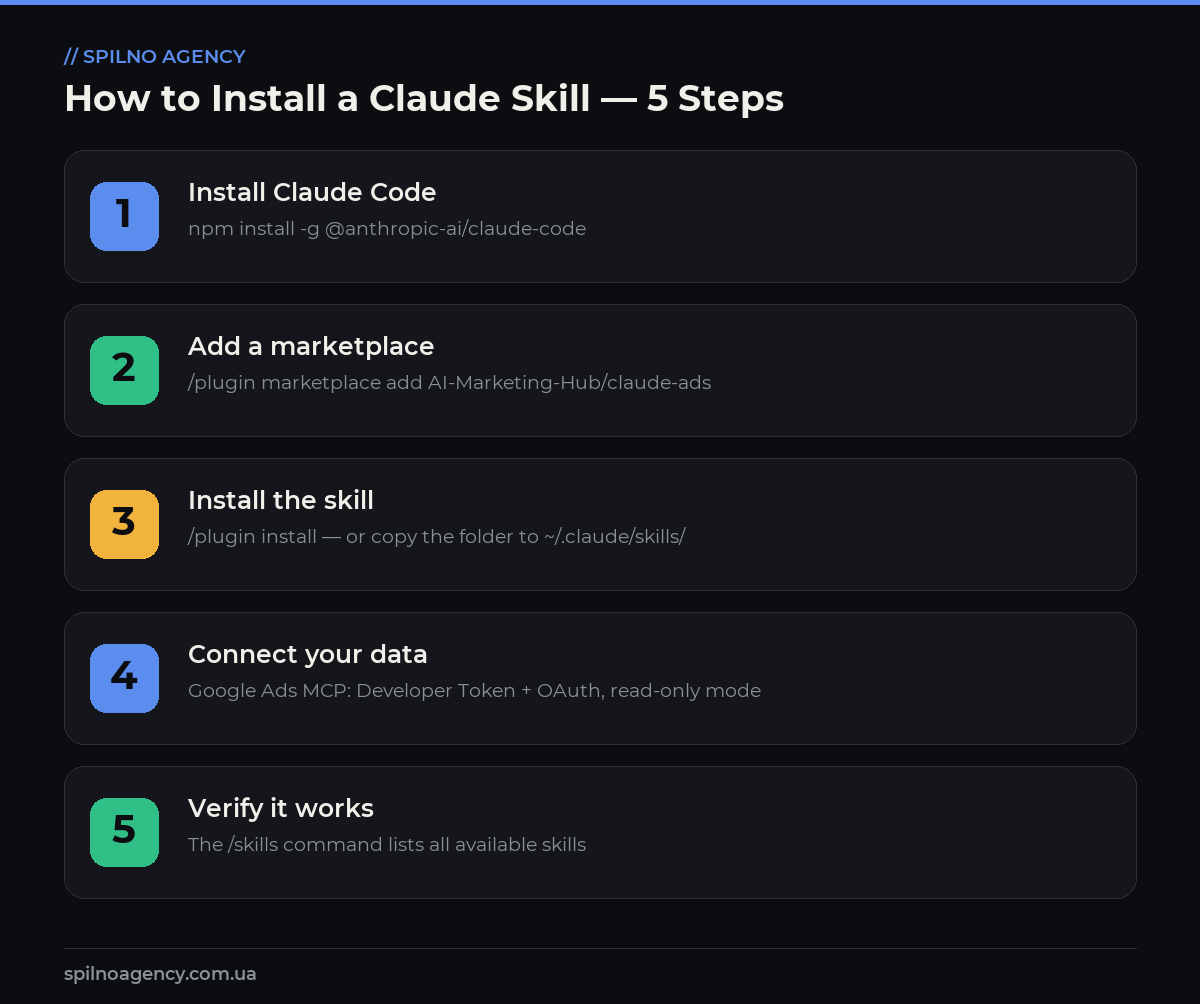
Let’s walk through installation using the most popular skill — claude-ads. You’ll need Node.js 18+ and a Claude account (Pro or Max).
- Install Claude Code:
npm install -g @anthropic-ai/claude-codeand log in with theclaudecommand. - Add the skills marketplace:
/plugin marketplace add AI-Marketing-Hub/claude-ads. - Install the plugin:
/plugin install claude-ads— Claude pulls in every skill in the pack. - To work with live data, connect the Google Ads MCP:
pipx install google-ads-mcpplus a Developer Token and OAuth from Google Cloud Console. - Verify with the
/skillscommand — the new skills should appear in the list.
npm install -g @anthropic-ai/claude-code
claude
/plugin marketplace add AI-Marketing-Hub/claude-ads
/plugin install claude-ads
/skills
Safety: What to Check Before Connecting
Giving an AI assistant access to an ad account deserves a serious approach. The basic safety rules:
- Start read-only. Google’s official MCP servers only read data — Claude cannot change bids or pause campaigns even by mistake.
- Write-capable skills — only with a guardrail. If you use packs with write operations (ppc-ai-skills, NotFair), install the mutation-safety skill first: it requires explicit approval for every change.
- Sandbox first. Run any new write-capable skill on a Google Ads test account, not on a client account.
- Keys in environment variables only. Never paste a Developer Token or OAuth secrets into prompt text.
- Read the skill’s code. SKILL.md is plain text: before installing a community skill, review what it actually does.
Frequently Asked Questions
What are Claude Skills?
Claude Skills are an extension format for Claude introduced by Anthropic in October 2025. A skill is a folder with a SKILL.md file (instructions, checklists, scripts) that Claude loads automatically when a task matches the skill’s description. For a Google Ads specialist it means installing an audit skill once — and Claude then runs every audit using the same proven methodology.
Are Google Ads skills free?
All 10 skills in this roundup are free and open source (MIT or Apache-2.0 licences). You only pay for your Claude subscription (Pro/Max) or API usage. Some community plugins, such as NotFair, offer optional paid cloud services, but the core functionality is open.
Can Claude make changes to my ad account on its own?
It depends on the tool. Google’s official MCP servers (Google Ads MCP, GA4 MCP) are read-only — Claude physically cannot change bids or pause campaigns. Some community packs (ppc-ai-skills, NotFair) include skills with write capabilities. Before using those, install the mutation-safety skill and test on a sandbox account.
What do I need to connect the Google Ads MCP?
Three things: a Developer Token from the Google Ads API Center (Basic Access is enough for your own accounts), OAuth credentials from Google Cloud Console, and Python with pipx for installation. Setup takes 20–30 minutes following Google’s official docs.
How is a skill different from an MCP server?
An MCP server is Claude’s “hands”: a technical connection to an external service (Google Ads API, GA4) that provides data access. A skill is the “knowledge”: the methodology for analysing that data (audit checklists, negative keyword rules, report templates). The best results come from combining them: MCP supplies live data, the skill tells Claude what to do with it.
Which skill should a beginner start with?
Start with claude-ads: a one-command install, no API access needed for a basic audit from CSV exports, and it immediately produces a clear Ads Health Score with recommendations. As a second step, connect the Google Ads MCP to work with live data.
Is it safe to give Claude access to an ad account?
With official read-only MCP servers — yes: Claude sees the data but cannot change anything. General rules: use a separate Google account with minimal permissions, never paste API keys into prompt text (environment variables only), and test any skill with write capabilities on a sandbox account first.
Claude Skills is the youngest — and already the fastest-growing — AI tooling ecosystem for PPC. Start with a couple of read-only tools — claude-ads for audits and the Google Ads MCP for live data — and add skills for your processes gradually. To dig deeper into marketing automation, read our guide to make.com for marketers and the article on what a Google Ads specialist does. And if you’d like a professional look at your account — request a free Google Ads audit.
Want to bring AI automation into your ad campaign management — from account audits to automated reporting? The Spilno Agency team will set up Google Ads workflows with Claude and proven skills tailored to European businesses.

Read also
Google Ads Rules: Maximum Lead Price, Customer Price, and How Much to Spend Before a Campaign Fails
There is no such thing as a universal “good cost per lead” — €20 per lead can be…
New Features in the ChatGPT Ads Dashboard: What Changed in 2026
OpenAI updated the ChatGPT Ads dashboard: conversion-optimized campaigns, new daily budgets, geo exclusions, AppsFlyer/Adjust, bulk API and price/rating…
Google Tag Manager Workspaces: Why You Need Them and How to Use Them in 2026
A workspace in Google Tag Manager is a “draft” of a container — a place to safely edit…