Technical SEO Audit Checklist 2026: 12 Blocks to Check

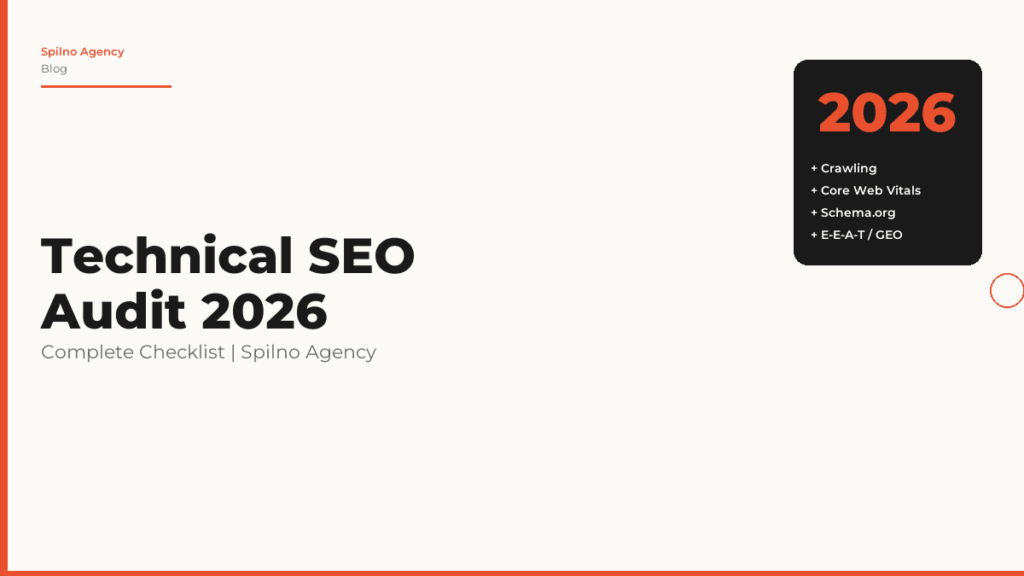
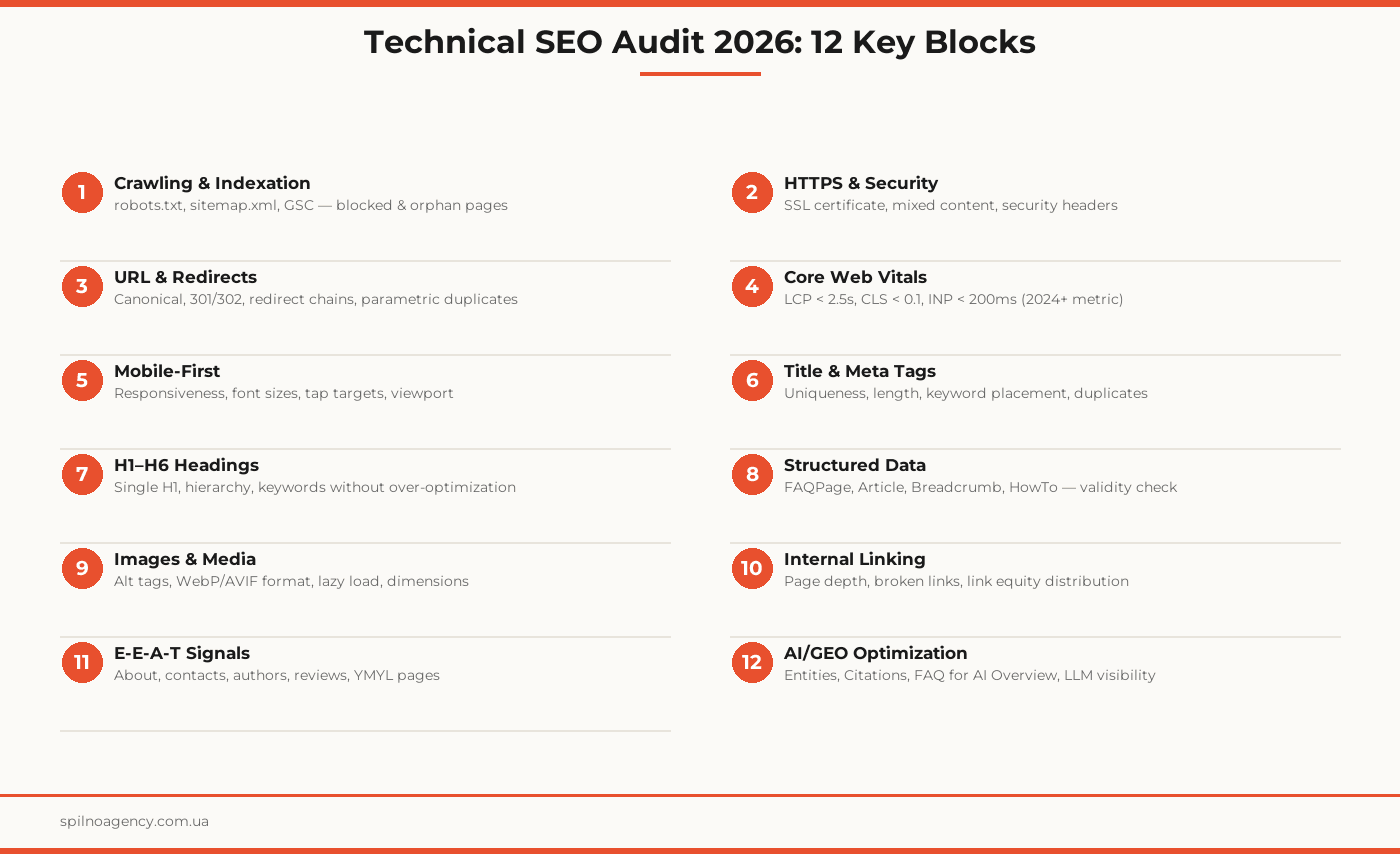
A technical SEO audit is a systematic review of your website for errors that prevent search engines from properly crawling, indexing, and ranking your pages. In 2026, the standards have become significantly more demanding: alongside classic technical requirements, you now need to account for Core Web Vitals INP, E-E-A-T signals, and AI/GEO optimization for visibility in AI-powered search results. This checklist covers all 12 blocks that Spilno Agency checks during a full technical SEO audit.
A technical audit is the foundation of SEO: even the best content and backlinks won’t deliver maximum results if search bots can’t properly crawl and index your site.
What Is a Technical SEO Audit and Why Does It Matter?
A technical SEO audit is a diagnostic check “under the hood” of your website. It uncovers problems that are invisible to the naked eye but critical for search crawlers: crawl errors, indexation issues, duplicate pages, slow load times, incorrect redirects, and missing structured data.
In 2026, technical audits have become even more important due to three factors:
- AI Overview — Google generates answers from the most technically correct and structured sources
- INP metric — replaced FID in Core Web Vitals, measuring responsiveness to all user interactions
- Strengthened E-E-A-T — technical signals (authors, dates, structured data) directly affect Google’s trust in a site
When to Perform a Technical Audit
- Mandatory: after launching a new site, before or after a redesign, after migrating to a new domain or CMS
- Regularly: basic check quarterly; full audit once a year
- After traffic drops: if organic traffic declines more than 15% without obvious cause
- Before major campaigns: before seasonal promotions or launching new site sections
Block 1. Crawling and Indexation
The first and most important block: verify that search bots can correctly crawl and index your site.
robots.txt
- File accessible at
/robots.txt - Does not block important sections (categories, products, articles) from indexation
- Specifies the correct sitemap path
- No
Disallow: /directive for Googlebot
sitemap.xml
- File accessible at
/sitemap.xmlor via GSC - Contains only indexed URLs (no noindex pages)
- Updates automatically when new content is published
- Size does not exceed 50,000 URLs per file (large sites: multiple files + sitemap index)
Google Search Console
- Set up and verified; both versions (www and non-www) added
- “Coverage” report — indexation errors fixed (404, 500, soft 404)
- “Pages” report — reasons for non-indexed pages reviewed
- No manual action penalties
Block 2. HTTPS and Security
- Valid SSL certificate installed (not expired)
- All HTTP addresses redirect to HTTPS via 301
- No mixed content — all resources load over HTTPS
Strict-Transport-Security(HSTS) header configured- Verified via Google Search Console or SSL Labs
Block 3. URL Architecture and Redirects
Problematic URLs and incorrect redirects are among the most common technical errors.
Canonical Tags
- Every page has a
rel="canonical"tag - Canonical points to the correct (primary) URL, not a duplicate
- Self-referencing canonicals present on all pages
Redirects
- 301 used for permanent redirects (not 302)
- No redirect chains (A→B→C): maximum one level
- No redirect loops (A→B→A)
- Parametric URLs (sorting, filters) have canonical or noindex
Block 4. Core Web Vitals and Page Speed
Since 2024, Google added INP to the official Core Web Vitals, replacing FID. Check all three metrics.
2026 Thresholds
- LCP (Largest Contentful Paint): < 2.5s — good; 2.5–4.0s — needs improvement; > 4.0s — poor
- CLS (Cumulative Layout Shift): < 0.1 — good; 0.1–0.25 — needs improvement; > 0.25 — poor
- INP (Interaction to Next Paint): < 200ms — good; 200–500ms — needs improvement; > 500ms — poor
Practical Recommendations
- Optimize images (WebP, correct dimensions, lazy loading)
- Reduce server response time (TTFB < 600ms)
- Minimize render-blocking CSS/JS in
<head> - Use CDN for static assets
- Reduce third-party script impact (analytics, chat widgets, ads)
Block 5. Mobile-First Optimization
Google indexes sites starting with the mobile version (Mobile-First Indexing). If the mobile version is weaker, the entire site ranks lower.
- Site displays correctly on screens from 360px to 428px
- Buttons and links have a minimum tap target size of 48×48px
- Font size at least 16px for body text
- Viewport meta tag present:
<meta name="viewport" content="width=device-width, initial-scale=1"> - No horizontal scrolling
- Google Mobile-Friendly test passed
Block 6. On-Page Technical Elements
Title Tag
- Unique on every page
- Length: 50–60 characters (no more than 600px in SERPs)
- Primary keyword near the beginning
- No duplicate titles across different URLs
Meta Description
- Unique on every page
- Length: 120–158 characters
- Contains the target keyword and a clear call-to-action
- Not auto-generated from the first paragraph
H1–H6 Headings
- One H1 per page (not zero, not two)
- H1 ≠ Title (can be similar, but not identical)
- Hierarchy maintained: H2 → H3 → H4, no skipped levels
- Target keywords naturally integrated, no keyword stuffing
Block 7. Structured Data (Schema.org)
Structured Data is the language your site uses to “talk” to Google and AI-powered search. In 2026, Schema.org has become critical for AI Overview visibility.
- Article/BlogPosting — on all blog articles: author, date, image
- FAQPage — on pages with Q&A sections
- BreadcrumbList — for breadcrumb display in SERPs
- Organization — on the homepage or About page
- LocalBusiness — for local businesses
- Verified via Google Rich Results Test: no errors
- Schema.org valid: checked via validator.schema.org
Block 8. Images and Media Files
altattribute on all images (describes content, not “image1.jpg”)- WebP or AVIF format for all new images
- Lazy loading (
loading="lazy") on images below the fold - Images compressed (TinyPNG or equivalent): up to 200KB standard, up to 500KB for hero images
widthandheightattributes specified to prevent CLS- File names reflect content (seo-audit-checklist.webp, not img001.jpg)
Block 9. Internal Linking
- Key pages reachable within 3 clicks from the homepage (architecture depth)
- No broken internal links (404 errors)
- Anchor texts are descriptive and varied (not “click here”)
- No orphan pages (pages with no internal links pointing to them)
- Cross-linking between related blog articles exists
Block 10. E-E-A-T Signals
E-E-A-T (Experience, Expertise, Authoritativeness, Trustworthiness) directly affects rankings, especially for YMYL topics.
- About or About Us page exists and is complete
- Contact page with real address, phone, email
- Article authors credited with links to their profiles
- Publication and update dates on all articles
- Customer reviews present (real, with Schema.org Review markup)
- Privacy Policy and Terms of Use pages present
Block 11. AI/GEO Optimization for AI Search
In 2026, Google AI Overview, ChatGPT, Perplexity, and other AI systems actively cite websites. GEO optimization helps your site appear in these answers.
What to Check
- Named Entities: company name, brand, products, specialists correctly marked up and contextualized
- FAQ blocks: pages contain clear Q&A format answers with Schema.org FAQPage markup
- HowTo markup: step-by-step instructions formatted as HowTo schema for AI extraction
- Authoritative citations: article references research, statistics, official sources
- Clear definitions: key terms explained in the first 2–3 sentences
- Direct answer structure: first paragraph gives a direct answer to the headline question
Full Technical SEO Audit Checklist
Block 1 — Crawling and Indexation
- robots.txt accessible and not blocking important URLs
- sitemap.xml up to date, submitted to GSC, contains only indexed URLs
- GSC configured; indexation errors fixed
- No manual action penalties in GSC
Block 2 — Security
- SSL certificate valid; all HTTP → HTTPS (301)
- No mixed content (checked via browser console)
Block 3 — URL and Redirects
- Canonical tags present on all pages and pointing correctly
- No redirect chains
- Parametric URLs: canonical or noindex
Block 4 — Core Web Vitals
- LCP < 2.5s for mobile (PageSpeed Insights)
- CLS < 0.1 for both mobile and desktop
- INP < 200ms (checked in Chrome User Experience Report)
Blocks 5–6 — Mobile and On-Page
- Mobile-Friendly test passed
- Titles unique, 50–60 characters, with target keyword
- Meta Descriptions unique, 120–158 characters
- One H1 per page
Blocks 7–10 — Schema, Images, Linking, E-E-A-T
- FAQPage Schema on articles with FAQ sections; Article Schema on all articles
- Google Rich Results Test: no errors
- Alt tags on all images
- Images in WebP/AVIF format
- No broken internal links
- About, Contact, Privacy Policy pages exist and are complete
Blocks 11–12 — E-E-A-T and AI/GEO
- Article authors credited with profile links
- FAQ blocks with Schema FAQPage on priority pages
- HowTo schema on instructional content
- First paragraph gives a direct answer to the headline question
Frequently Asked Questions About Technical SEO Audits
What is a technical SEO audit?
A technical SEO audit is a comprehensive review of your website’s compliance with search engine technical requirements. It covers analysis of indexation, page speed, URL structure, meta tags, structured data, and security. The goal is to identify and fix errors that reduce a site’s visibility in organic search.
How often should you perform a technical SEO audit?
Recommended frequency: a basic audit once per quarter, a full audit once per year or after major site changes (redesign, migration, CMS change). For large sites (1,000+ pages), it’s advisable to set up automated monitoring via Google Search Console and Ahrefs Site Audit on a monthly basis.
What tools should I use for a technical SEO audit?
Essential toolkit: Google Search Console (free) — for identifying indexation errors and Core Web Vitals issues. Screaming Frog SEO Spider — for crawling the site and finding broken links, duplicates. PageSpeed Insights or Lighthouse — for speed and Core Web Vitals analysis. For a complete audit, also use Ahrefs Site Audit, Semrush Site Audit, or SE Ranking.
What are Core Web Vitals and why do they matter?
Core Web Vitals are Google’s metrics for evaluating the quality of user experience on a page. In 2026, three metrics apply: LCP (Largest Contentful Paint) — main content loads under 2.5 seconds; CLS (Cumulative Layout Shift) — layout stability under 0.1; INP (Interaction to Next Paint) — interaction response under 200ms. Pages that meet these thresholds receive a ranking advantage.
What is AI/GEO optimization and why is it needed?
GEO (Generative Engine Optimization) is optimizing your site for visibility in AI-powered search: Google AI Overview, ChatGPT, Perplexity, Bing Copilot. It includes: Schema.org structured data, clear question-and-answer formats (FAQ, HowTo), named entities, authoritative citations, and E-E-A-T signals. Sites without GEO optimization lose visibility in zero-click search results.
How much does a technical SEO audit cost?
Cost depends on site size and audit depth. A basic audit (up to 100 pages) at Spilno Agency starts at $150 USD. A full technical audit for a mid-size site (100–1,000 pages) starts at $500. For large projects (1,000+ pages, e-commerce, news portals), pricing is calculated individually.
Need a technical SEO audit for your website? Spilno Agency runs a full check across all 12 blocks and delivers a detailed report with prioritized fixes.

Read also
Spilno Agency’s Experience: How We Verify Events Before Starting Work
Before launching a campaign in Google Ads or Meta Ads, or starting SEO work, Spilno Agency always checks…
GA4 DebugView: How to Verify Google Analytics Events in Real Time
DebugView is the section of Google Analytics 4 that shows your site’s events in real time, seconds after…
Top Claude Skills for TikTok Ads Specialists (2026)
9 verified Claude skills and MCP servers for TikTok Ads: Pixel/Smart+ audits, Spark Ads hook/hold rate, creator sourcing,…