ARIA Labels: What They Are and Do They Affect SEO?

ARIA labels (from WAI-ARIA — Accessible Rich Internet Applications) are special HTML attributes such as aria-label, aria-labelledby and role that tell the browser and assistive technologies what a page element means and what its role is. In plain terms, they give an accessible name to icon buttons, links and widgets that have no visible text. The question most site owners ask is: do ARIA labels affect SEO? The short answer — there is no direct ranking factor, but there is an indirect link, and it is becoming more important. Let’s break it down.
What ARIA labels are
ARIA is a set of attributes from the WAI-ARIA specification maintained by the W3C. They enrich plain HTML with information about semantics: what role an element plays (a button, navigation, a dialog), what its name is and what state it’s in. That information feeds into the so-called accessibility tree — the structure used by screen readers, voice assistants and, increasingly, AI agents to “understand” a page.
In simple words: if a button contains only an icon (say, a hamburger menu), a sighted person sees the picture and guesses its purpose, while a screen reader “sees” an empty button. The attribute aria-label="Open menu" gives that button an accessible name — and now assistive technology reads it correctly. ARIA does not change how the page looks: it is an invisible layer of meaning for machines and for users of assistive technology.
How ARIA labels work
The mechanics are simple. The browser builds the accessibility tree from the HTML and the ARIA attributes. Assistive technology reads that tree and conveys the name, role and state of every interactive element to the user. Here’s a simplified example: an icon button gets its name via aria-label, the icon itself is hidden from the screen reader with aria-hidden="true", and a navigation block takes its name from a heading via aria-labelledby.
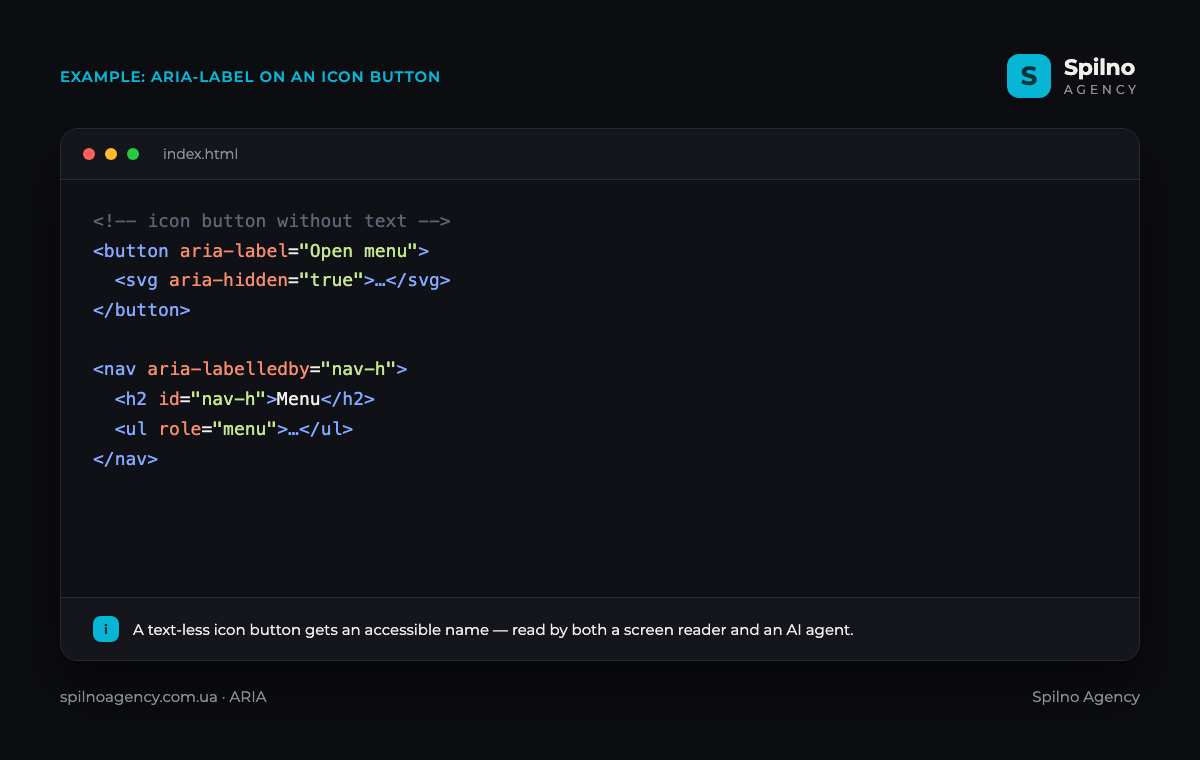
The key principle: correct HTML first, ARIA only where native elements fall short. If you use a real <button> tag with text inside, no extra ARIA label is needed — the browser already knows it’s a button, and the inner text is its name. ARIA is needed when semantics can’t be expressed by HTML alone: text-less icons, custom widgets, dynamic states.
Core ARIA attributes
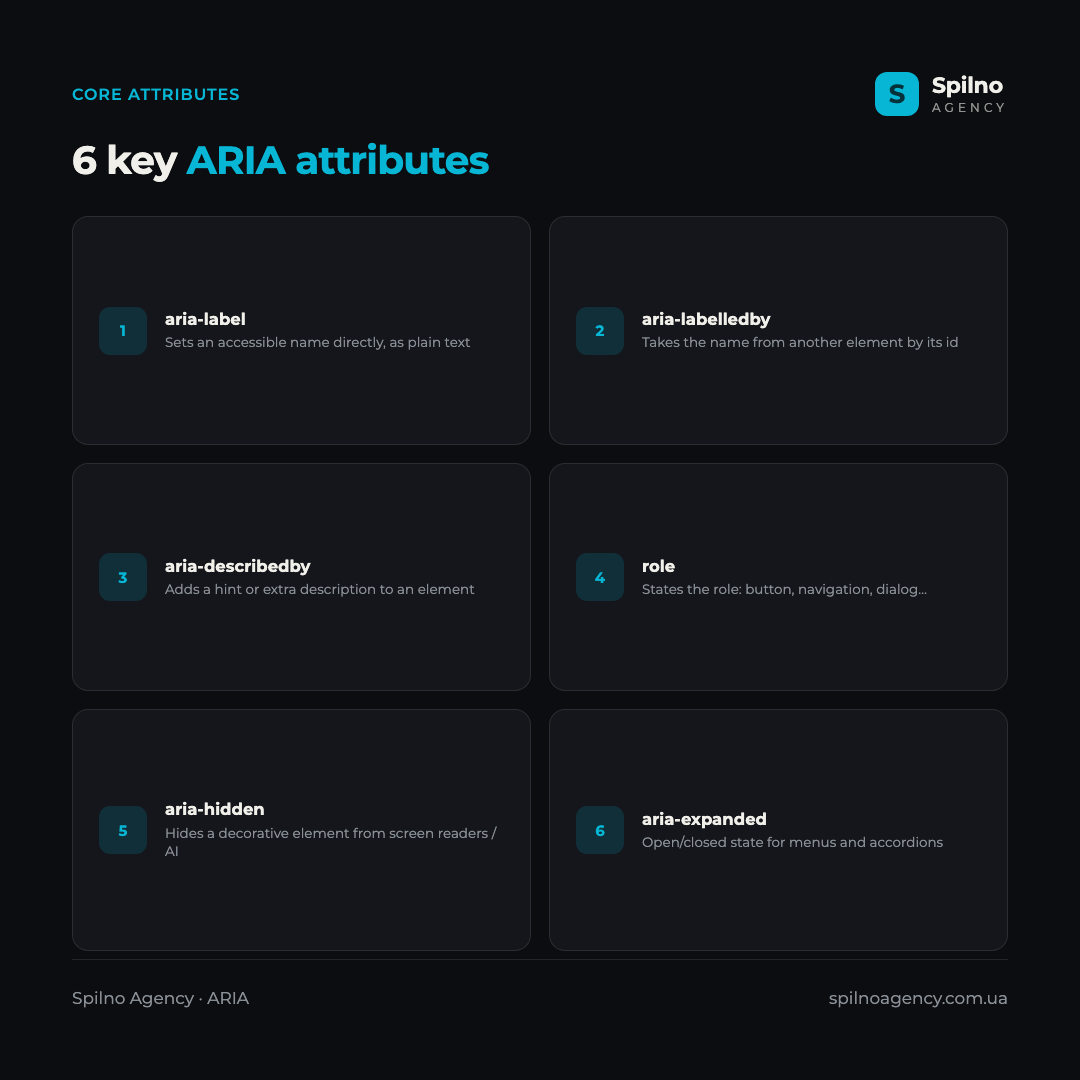
In practice, a small set of attributes covers most needs. Here are the six most important ones:
aria-label— sets an accessible name directly, as plain text. Most often used for icon buttons and links with no visible text.aria-labelledby— takes the name from another element on the page by itsid. Handy when a heading already exists and you don’t want to duplicate text.aria-describedby— adds an extra description or hint to an element (for example, the input format for a form field).role— states the element’s role:button,navigation,dialog,menu, etc. Needed for custom components built on a<div>.aria-hidden— hides a decorative element from screen readers and AI (for example, an icon that duplicates nearby text).aria-expanded— communicates the open/closed state of menus, accordions and dropdowns.
Do ARIA labels affect SEO?
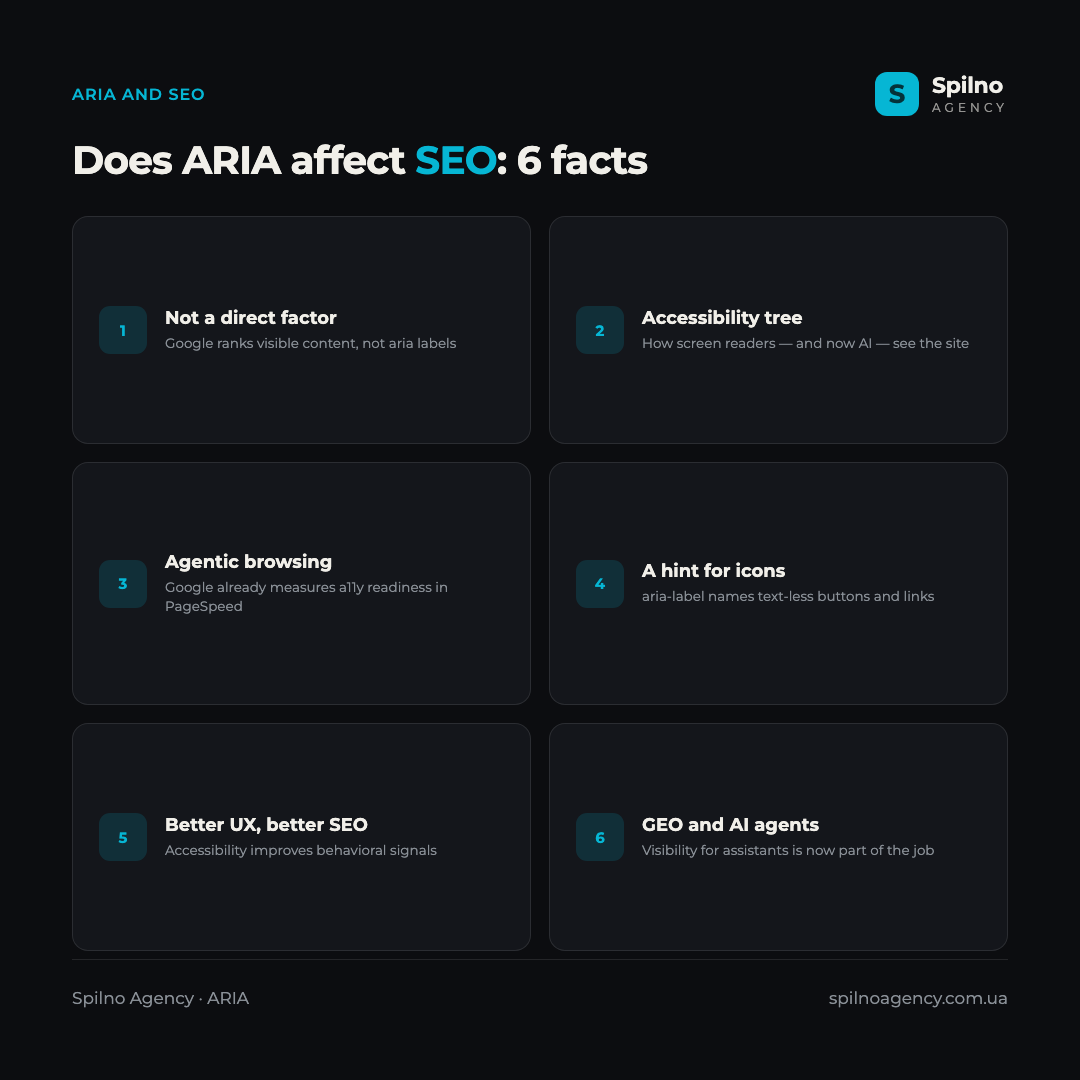
This is the big question — and the honest answer is more nuanced than “yes” or “no”. ARIA is not a direct ranking factor. Google has stated plainly that Search evaluates a page’s visible content, not ARIA attributes, and you shouldn’t add ARIA “for SEO”. Piling on aria labels won’t lift your rankings. But there are several indirect, very real connections:
- The accessibility tree is how machines “see” your site. Screen readers — and now AI agents — read a page through the accessibility tree. The cleaner it is, the more accurately algorithms and assistants understand the structure and purpose of elements.
- ARIA is already a Google signal for agents. The accessibility tree is part of the new “Agentic browsing” category in PageSpeed Insights — meaning Google already measures how agent-ready a site is, and correct ARIA markup plays a part here.
- aria-label provides a name where there is none. For icon links or text-less buttons,
aria-labelmay be the only source of the element’s “name” — a cue used both by assistive technology and by algorithms that analyse interactive elements. - Better UX means better behavioral signals. An accessible site is easier for everyone: fewer bounces, longer sessions, more conversions. These behavioral signals are indirectly useful for SEO.
- GEO and AI visibility. Optimizing for AI assistants’ answers and actions (GEO) relies on the same semantics as ARIA. Agent-readiness is becoming a new part of technical SEO.
The bottom line: don’t expect ARIA to “game” your rankings, but correct ARIA markup is part of a high-quality, technically healthy site that is easier for both humans and machines to understand. And that, in the long run, works in SEO’s favour.
ARIA, GEO and agentic browsing
A separate reason to pay attention to ARIA right now is the rapid rise of AI agents that browse pages on their own and perform tasks for the user. Most of these agents read a page through the DOM and the accessibility tree — the very one ARIA shapes. If a button has a clear accessible name, an agent understands faster what it does and uses it correctly. This ties directly into the new field of GEO (Generative Engine Optimization) — optimizing for AI engines.
The trend is already being institutionalized: Google added an “Agentic browsing” category to Lighthouse that measures a site’s agent-readiness — and among its checks are the accessibility tree and semantics. The next step is the WebMCP standard, which lets a site describe actions for AI agents directly. ARIA and WebMCP work in tandem: the first makes a site understandable, the second makes it actionable for AI.
Common ARIA mistakes
The accessibility community has a well-known rule: “The first rule of ARIA is don’t use ARIA.” It sounds paradoxical, but the point is simple: if a task can be solved with native HTML, ARIA isn’t needed, and redundant or incorrect ARIA does more harm than its absence. The most typical mistakes:
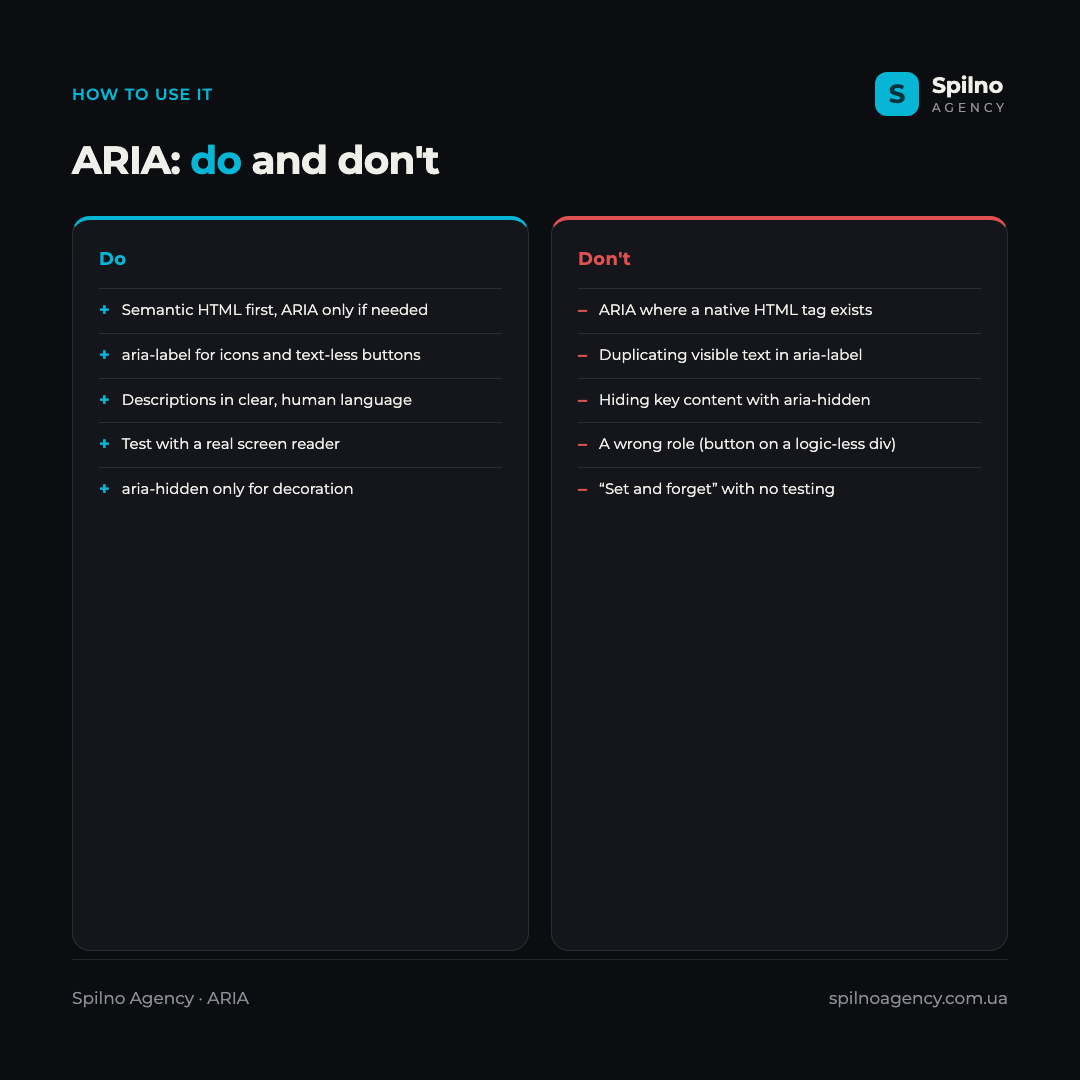
- ARIA where a native tag exists.
<div role="button">instead of a real<button>means more code and more ways to break behavior (focus, keyboard). - Duplicating visible text. If a button already reads “Submit”, adding
aria-label="Submit"is redundant — and if the two differ, it’s confusing. - Hiding important content with
aria-hidden. This attribute is for decoration only. Hide meaningful content with it and screen reader users won’t get it. - The wrong role.
role="button"on a<div>without keyboard and focus handling creates something that “looks” like a button but doesn’t work like one. - “Set and forget”. ARIA must be checked with a real screen reader (VoiceOver, NVDA) — in practice, behavior often differs from what you expect.
How to use ARIA labels properly
For ARIA to help rather than hurt, follow a few rules:
- Semantic HTML first. Use
<button>,<nav>,<main>,<a>for their intended purpose. Correct HTML covers most accessibility needs with no ARIA at all. - Add
aria-labelto icon buttons and links with no visible text — search, menu, close, social icons. - Write descriptions in human language. An accessible name should explain the action (“Open menu”), not duplicate a class or technical identifier.
- Hide decoration with
aria-hidden="true"— icons that duplicate adjacent text shouldn’t be announced twice. - Convey states. Use
aria-expandedfor menus and accordions, and the appropriate ARIA states for active tabs. - Test with a real screen reader (VoiceOver on macOS, NVDA on Windows) and automated tools (Lighthouse, axe) — this catches problems fast.
- Don’t overdo it. If you’re unsure whether ARIA is needed, it most likely isn’t. Less but correct markup beats lots of redundant markup.
Frequently asked questions (FAQ)
What are ARIA labels in simple terms?
ARIA labels are HTML attributes (such as aria-label, role, aria-labelledby) that explain to assistive technology and AI what a page element means and what its role is. Most often they give an accessible name to icon buttons and links with no visible text, without changing how the page looks.
Do ARIA labels affect SEO?
There is no direct ranking factor — Google evaluates visible content, not ARIA attributes. But there is an indirect link: the accessibility tree that ARIA shapes is part of the “Agentic browsing” check in PageSpeed Insights, AI agents read it, and better accessibility improves UX and behavioral signals. So ARIA helps SEO indirectly, not as a ranking “hack”.
How is aria-label different from an image alt?
The alt attribute describes the content of an <img> and is used by Search to index images. aria-label sets an accessible name for any interactive element (a button, link, widget). Use alt for regular images and aria-label for text-less icon buttons.
When is ARIA needed and when is it not?
ARIA is needed where semantics can’t be expressed by HTML alone: text-less icons, custom widgets on a <div>, dynamic states (expanded/collapsed). If an element is built with a native tag (<button>, <nav>) and text, ARIA isn’t needed. The rule is “HTML first, ARIA only if necessary”.
Do AI agents and chatbots see ARIA labels?
Yes. Most AI agents that run in the browser read a page through the accessibility tree — the very one ARIA shapes. Correct accessible names help an agent understand what an element does and use it properly. That’s why ARIA is part of optimizing for AI (GEO).
Which ARIA mistakes are the most dangerous?
The worst are using ARIA where native HTML is enough, hiding important content with aria-hidden, and setting wrong roles (for example, role="button" on a <div> with no keyboard handling). Such markup breaks the experience for assistive-technology users more than its absence would. Always test with a real screen reader.
ARIA labels are an invisible but important layer of meaning that makes a site understandable to screen readers — and now to AI agents. They don’t influence rankings directly, but they are part of a technically healthy, accessible site and of the new GEO strategy. If you need to clean up accessibility, audit your accessibility tree or get a site ready for AI agents, the Spilno Agency team can help you do it right.

Read also
Google Ads Investment Strategy: How More Budget Affects Leads and Sales
Google Ads can now forecast how many extra leads or sales a bigger budget will bring. Here's how…

Is an SEO specialist responsible for leads and sales? Our position
A LinkedIn discussion: should an SEO specialist be responsible for leads and sales from the SEO channel. Spilno…

How to Control an SEO Specialist: The 5-Stage SEO KPI Funnel
SEO KPIs form a chain of five metrics that show, step by step, whether your SEO is actually…