Multilingual SEO: Complete Guide for 2026

Multilingual SEO is the practice of optimising one brand to rank in Google across multiple languages and regions without cannibalising its own traffic. In 2026 the key elements are correct URL architecture (ccTLD, subdomain or subfolder), accurate hreflang tags, dedicated content for each market and geo-targeting in Search Console. This guide by Spilno Agency answers the two sharpest questions teams ask: separate domain vs section on the site, and whether US and UK need their own locale.
Multilingual vs multiregional — what is the difference
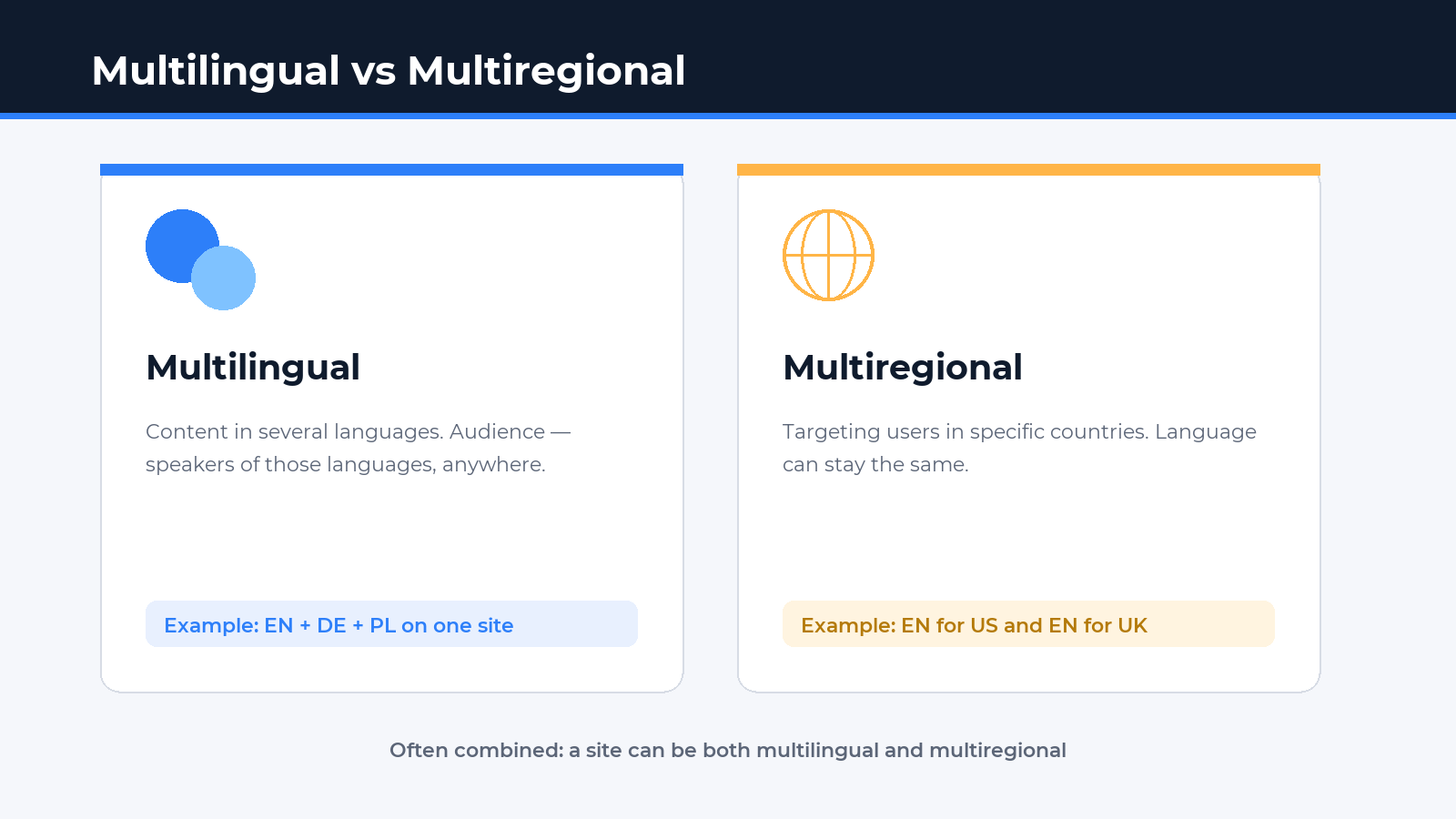
A multilingual site offers content in several languages (e.g. EN + DE + PL). The audience is people who speak those languages, regardless of where they live.
A multiregional site targets users in specific countries (e.g. Germany, Poland, Spain) — even when the language is the same (English for US and UK is the classic case). The two often combine: a site can be both multilingual and multiregional (DE for Germany, FR for France, EN as a pan-European default).
Google distinguishes the two and recommends handling them differently. The official document is Managing multi-regional and multilingual sites in Search Central. Architectural mistakes cost traffic — duplicates, cannibalisation and de-indexed language versions.
Question 1: separate domain (subdomain) or section on the site — which is better?
This is the most common — and sharpest — question. Google officially supports all three structures, but each one has different consequences for SEO, cost and manageability. Here is a detailed comparison.
Option 1. ccTLD — a separate country-code domain per market
Example: brand.de, brand.pl, brand.es. Each market has its own country-code top-level domain.
Pros:
- Strongest possible geo-signal — Google treats
.deas German by default. - Highest local trust — a Polish user clicks
.plmore readily than.com/pl/. - Full autonomy — local hosting, local CMS, local legal entity per country.
- A domain can be sold or transferred together with the local business.
Cons:
- Most expensive and most complex to maintain — 5 countries = 5 domains, 5 SSL certs, 5 hosting plans, 5 separate SEO budgets.
- Each ccTLD builds authority from scratch — links to
brand.pldon’t pass equity tobrand.de. You are effectively running 5 SEO projects in parallel. - Content team multiplies — separate strategy, blog and release calendar per market.
Best fit: large international brands with separate legal entities per country, e-commerce with local payment/delivery and accounting (Germany, Czechia, France), regulated industries (finance, healthcare) where licences are national.
Option 2. Subdomain — a separate subdomain per language/country
Example: de.brand.com, pl.brand.com, es.brand.com. One root domain, several subdomains under it.
Pros:
- Each subdomain can be geo-targeted independently in Search Console (International Targeting).
- Technical flexibility — different CMS or different servers per subdomain. Useful when separate teams own different languages.
- Cheaper than ccTLDs — one root domain, unlimited subdomains.
Cons:
- Google treats subdomains as separate sites. Authority transfers only partially —
de.brand.cominherits less equity from the root domain than a subfolder does. - Link building is harder — each subdomain has to be pushed independently.
- Geo-signal is weaker than ccTLD —
pl.brand.comis not as obviously Polish asbrand.pl.
Best fit: SaaS and IT products where it’s technically easier to split languages across infrastructures; organisations with regional branches that need editorial autonomy.
Option 3. Subfolder (subdirectory) — a section on the main site
Example: brand.com/de/, brand.com/pl/, brand.com/es/. All languages live on the same domain in separate directories.
Pros:
- Best authority transfer. All language versions feed off the same DR/PA. If the site has DR 60, every new language starts from that base.
- Cheapest to maintain — one site, one host, one SSL, one CMS.
- Fastest path to top rankings for new languages — they launch with existing authority.
- Link building is efficient — any link to
brand.comlifts every language.
Cons:
- Geo-signal is weaker than ccTLD — you must rely on
hreflang+ International Targeting in Search Console. - Local users may trust
.com/pl/less than.pl. - One outage = all languages down at the same time.
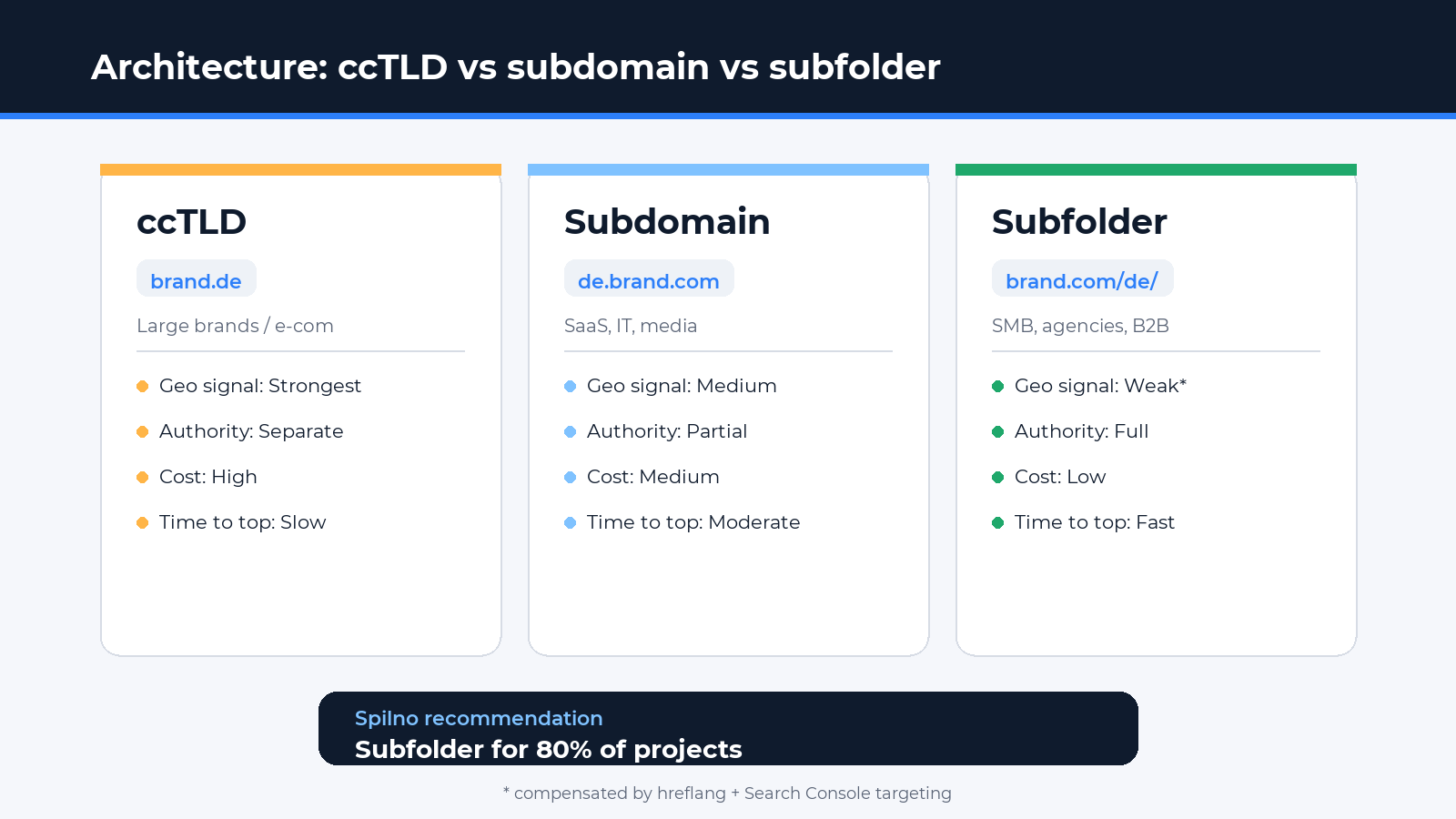
Best fit: the majority of small and mid-sized businesses, agencies, B2B services, SaaS, content sites. Subfolders are the default recommendation from Google and Spilno Agency for 80% of projects.
Comparison table
| Criterion | ccTLD (brand.de) | Subdomain (de.brand.com) | Subfolder (brand.com/de/) |
|---|---|---|---|
| Geo-signal to Google | Strongest | Medium | Weak (hreflang required) |
| Authority transfer | None between domains | Partial | Full — best |
| Maintenance cost | Very high | Medium | Low |
| Time to rank | Slow (from scratch) | Moderate | Fast (uses existing DR) |
| Link building | Per-domain effort | Per-subdomain effort | One lift raises all languages |
| Local user trust | Highest (native) | Medium | Brand-dependent |
| Legal independence | Yes | Possible | No |
| Default choice | Large brands / e-com | SaaS, IT, media | SMB, agencies, B2B |
Spilno Agency recommendation
For 80% of projects we recommend subfolders — it’s the fastest way to push a new market into the top with the domain’s existing authority. That’s how spilnoagency.com.ua is built (UA / EN / PL / RU as subfolders).
Moving to ccTLDs makes sense when you scale e-commerce across 5+ countries with their own legal entities, warehouses, local support and licences. Until that point — stay with subfolders.
Question 2: do US and UK need separate locales if the language is the same?
The second sharp question. Short answer: usually — no, but there are three triggers when separate locales are mandatory. Details below.
When you DO NOT need to split US/UK
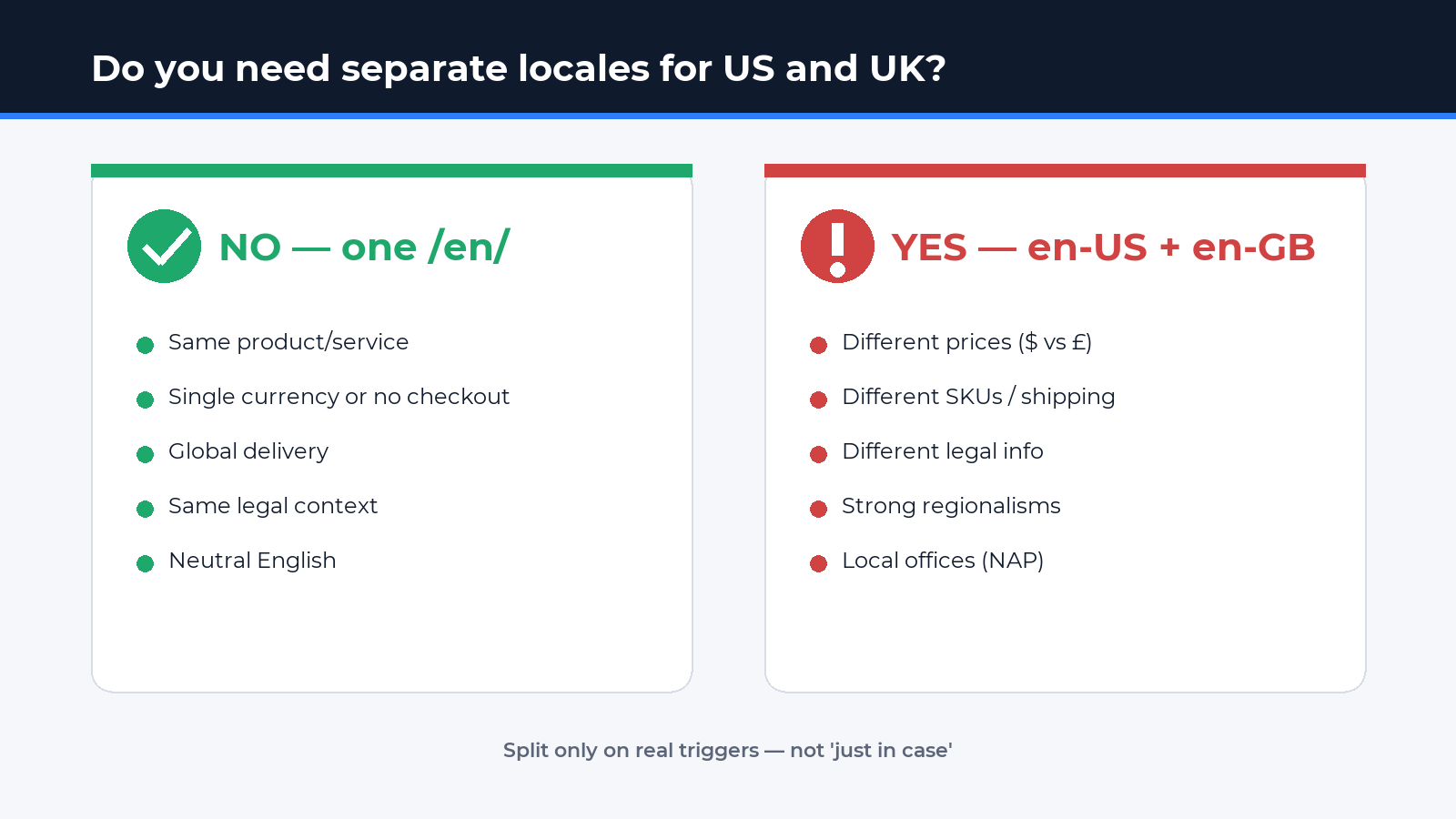
Stay on a single /en/ (or brand.com) version if:
- Your product or service is identical on both markets (SaaS subscription, B2B service, edu content, informational site).
- Prices are in one currency — or not critical (no checkout).
- Delivery and logistics are global or not relevant.
- Legal context is the same (no meaningful GDPR vs CCPA difference for your use case).
- Content is written in neutral English without strong regionalisms (“color/colour”, “zip/postcode” — one-offs can be mixed).
In these cases one English version works better than two — you don’t dilute authority, you don’t create duplicates, and the content team writes once.
When you DO need to split US/UK (and en-IE, en-AU, en-CA)
Separate locales are mandatory if at least one trigger applies:
- Different prices/currencies. $99 vs £79 are different offers. A UK user must not see USD. Build separate pages with the local currency and
hreflang="en-US"+en-GB". - Different products/SKU/shipping. If you sell electronics with type-A plugs in the US and type-G in the UK, those are physically different products.
- Different legal information. Tax (sales tax vs VAT), returns, warranty, regulatory disclaimers (FDA in the US, MHRA in the UK).
- Deep regionalisms in the content. An article about “501(c)(3) charitable organizations” is US-specific and not relevant to a UK reader.
- Local business pages (NAP). If you have offices in the US and the UK with their own phone numbers and opening hours, each location deserves its own URL and
LocalBusinessschema.
How to split US/UK technically
If you do split — the structure is:
brand.com/us/+brand.com/uk/(orbrand.comas US default andbrand.com/uk/).- Separate pages with their own price, currency and regionalisms.
hreflangtags:en-US,en-GB,x-default.- Geo-targeting in Search Console: US → United States, UK → United Kingdom.
- Local backlinks (US blogs to US pages, UK media to UK).
Spilno Agency recommendation
Don’t multiply locales without a reason. A single /en/ in neutral English is the default choice for most B2B services, agencies and informational sites. Split into en-US / en-GB only when there are real differences: prices, products, legal context or local offices.
hreflang — the core technical tool
The hreflang attribute tells Google which language (and region) version of a page is meant for which audience. Without it Google can’t tell that brand.com/en/ and brand.com/pl/ are alternates rather than duplicates.
There are three implementation methods — pick one and stick with it:
1. In the HTML <head> (most common)
<link rel="alternate" hreflang="en" href="https://brand.com/en/" />
<link rel="alternate" hreflang="de" href="https://brand.com/de/" />
<link rel="alternate" hreflang="pl-PL" href="https://brand.com/pl/" />
<link rel="alternate" hreflang="es-ES" href="https://brand.com/es/" />
<link rel="alternate" hreflang="x-default" href="https://brand.com/en/" />
2. In the HTTP header (for PDFs and non-HTML files)
Link: <https://brand.com/en/>; rel="alternate"; hreflang="en",
      <https://brand.com/de/>; rel="alternate"; hreflang="de",
      <https://brand.com/pl/>; rel="alternate"; hreflang="pl-PL"
3. In the XML sitemap (convenient for large sites)
<url>
  <loc>https://brand.com/en/</loc>
  <xhtml:link rel="alternate" hreflang="en" href="https://brand.com/en/"/>
  <xhtml:link rel="alternate" hreflang="de" href="https://brand.com/de/"/>
  <xhtml:link rel="alternate" hreflang="pl-PL" href="https://brand.com/pl/"/>
</url>
Rules teams break the most
- Reciprocal links are mandatory. If EN points to DE, DE must point back to EN. Otherwise Google ignores the tag entirely.
- Self-reference is mandatory. The EN page must include
hreflang="en"pointing to itself. - Always add
x-default— it’s the page Google shows to users who don’t match any of the listed languages. - Canonical stays within one language.
canonicalalways points to a page in the same language — never across languages. - Use correct ISO codes. Language — ISO 639-1 (two letters:
en,de,pl), region — ISO 3166-1 alpha-2 (US,GB,DE). Region without language is invalid.
Geo-targeting in Google Search Console
In Search Console you can set a target country per property (International Targeting → Country). This works only for generic domains (.com, .net, .org) and the subdomains/subfolders under them. ccTLD domains (.pl, .de) are auto-targeted to their country — the setting is not available.
If you run brand.com/pl/ — add a separate property for that subfolder in GSC and set Country = Poland. This reinforces the geo-signal alongside hreflang.
Common mistakes and how to avoid them
- Machine translation without editing. Both Google and users notice “wooden” translations — bounce rises, rankings drop. Minimum: post-edit by a native speaker.
- Duplicate content without hreflang. US and UK pages are 90% identical — without
hreflangGoogle picks one and drops the other from the index. - Broken reciprocal links. Most common: PL → DE exists, DE → PL is missing. Google ignores the entire hreflang block.
- Region without language in hreflang.
hreflang="US"is invalid. Correct:hreflang="en"orhreflang="en-US". - Canonical across languages.
brand.com/pl/with canonical pointing tobrand.com/is a disaster — PL will never get indexed. - Auto-redirect by IP/browser language. Googlebot crawls from a US IP, sees a redirect to EN and never indexes the German version. Replace redirects with a language banner suggesting an alternate version.
- One
sitemap.xmlwithout localisation. Each language must be in the sitemap (ideally a separate sitemap per language, combined in a sitemap-index). - One content plan for all languages. SEO clusters differ across markets — what is searched in the US is not always searched in Germany. Build the semantic core per market.
Multilingual launch checklist
- Decide on architecture: subfolders (default), subdomains or ccTLDs.
- Build the keyword core separately for each language/country (Ahrefs + Serpstat).
- Localise content — native translation plus adaptation of examples, prices and cases.
- Install
hreflangtags: HTML, HTTP header or sitemap (pick one). - Verify reciprocal relationships via hreflang.org Tools or Screaming Frog.
- Add
x-defaultfor the global audience. - Set
canonicalwithin a single language only — never across languages. - Create a separate sitemap per language or one shared sitemap with hreflang markup.
- Register every language version as a separate property in Search Console.
- Set Country in GSC International Targeting (for subfolders/subdomains).
- Verify schema (
Article,Organization,LocalBusiness) with correctinLanguageandareaServed. - Replace auto-redirects with a language-selection banner.
- Localise meta tags (Title, Meta Description, OG) — don’t duplicate from EN.
- Audit speed for every version (Core Web Vitals, per language).
- Configure separate GA4 streams or filters for analytics by language.
- Build local backlinks (DE sites to DE pages, EU media to EN, etc.).
FAQ
Separate domain or section on the site — what is better for a multilingual site?
For 80% of projects — subfolders on the main domain (brand.com/pl/). This is the fastest path to push a new language into the top because domain authority is inherited. Separate ccTLDs (brand.pl) make sense only for large e-commerce brands with legal entities per country. Subdomains are a middle option for SaaS products with technical constraints.
Do US and UK need separate locales if the language is the same?
Usually no. If the product, price, currency and legal context are identical — one English version is enough. Separate en-US / en-GB locales are needed only when prices, products, shipping, regulatory requirements or local offices differ.
What is hreflang x-default and why is it needed?
x-default is the fallback version Google shows when a user doesn’t match any of the listed languages or regions. It is usually the English or global page. Without x-default Google picks a version on its own — and often picks the wrong one.
Can I translate a site with Google Translate and expect organic traffic?
No. Machine translation without native editing is treated by Google as low-quality content. Users see “wooden” text, bounce climbs above 80%. Minimum acceptable: machine translation plus manual editing by a native speaker. Better: full localisation with adapted examples.
Do I need a separate content plan per language?
Yes. The semantic core differs: Poland searches for “pozycjonowanie”, the US for “SEO services”, Germany for “SEO Agentur”. Clusters, volumes and competition are different. Build the keyword core via Ahrefs/Serpstat for each market separately, then adapt the content structure.
Can I keep multiple language versions on a single domain?
Yes, technically it’s done via hreflang tags with reciprocal links. Spilno Agency runs UA + EN + PL + RU locales on the same spilnoagency.com.ua via Polylang. Each language has its own content — no machine translation.
Conclusion
SEO for a multilingual site is not just translation. It is a deliberate architecture, a separate keyword core per market, accurate hreflang, isolated content and local link building. For most businesses subfolders + quality localisation + clean hreflang is the right answer. Splitting into US/UK is needed only when concrete triggers apply (prices, products, legal context) — not “just in case”.
Spilno Agency runs multilingual SEO for European and Ukrainian brands. If you’re planning expansion into new markets — get in touch for a consultation.

Read also
BANT Lead Qualification Methodology: What It Is and How It Works
BANT is a lead qualification framework built on four criteria: Budget, Authority, Need, Timeline. What it is, example…
Best Claude Skills for Threads (2026)
Claude skills and MCPs for Threads: posts and threads, captions, carousel design, cross-posting from Instagram, the official Threads…
Best Claude Skills for X (Twitter) (2026)
Claude skills and MCPs for X (Twitter): tweets and threads, content planning, X Ads, analytics, outreach. Official X…