Google Analytics Data Sampling: How to Keep Your GA4 Reports Accurate


Google Analytics data sampling happens when a report is built from a statistical subset of events instead of your full dataset. Here’s exactly where GA4 data sampling kicks in, the 2026 thresholds, how to spot ga4 data sampling in a report, and how to get unsampled data google analytics reports don’t normally give you.
What data sampling means in Google Analytics 4
Data sampling is a processing technique: instead of scanning 100% of events, the system pulls a representative subset and extrapolates the result across the full dataset. Every analytics platform that needs to answer ad hoc queries in near real time relies on some version of this — recalculating billions of rows from scratch for every single request would be too slow and too expensive, so the system computes on a sample and scales the numbers up.
In Google Analytics 4, sampling operates at the individual events level rather than at the session level, which is how it worked in Universal Analytics. That distinction matters: session-based sampling used to cut off entire user sessions, while event-based sampling preserves the proportions between event types far more accurately. Even so, an aggressive sample can still distort rare events and the long tail of smaller segments.
Why Google Analytics uses sampling at all
The reason is purely technical. GA4 lets you build arbitrary, ad hoc reports on the fly — any combination of dimensions, segments and filters you choose inside Explore. A query like that can’t be pre-computed and cached the way standard reports are. When a query touches tens of millions of events, calculating it live becomes too resource-intensive, so Google caps the volume of data it will process in real time and, once a query crosses that line, returns an answer built from a sample instead.
Standard reports or Explore: where data sampling actually happens
The most common mistake in guides about GA4 is the blanket claim that “Google Analytics reports are sampled.” That stopped being true back in 2023, when Google unified the underlying data model behind standard reports.
Standard reports (Reports) — no sampling
The Reports section in the GA4 left-hand menu — Overview, Engagement, Monetization, Retention and the rest — is built from pre-aggregated tables that are updated across your entire dataset, with no sampling involved. Regardless of how many events your site or app generates, standard reports always reflect 100% of your traffic.
Explore — where sampling can appear
Sampling only affects the Explore section and its ad hoc analysis techniques: Free-form, Funnel exploration, Path exploration, Segment overlap, Cohort exploration, User explorer. These reports are calculated from raw events at the moment you run the query, which is exactly why the data volume threshold applies here and nowhere else.

GA4 and GA4 360 sampling thresholds
The threshold depends on the property tier and is measured against the number of events your query covers within the selected date range:
| GA4 tier | Event threshold per Explore query | What happens above the threshold |
|---|---|---|
| Standard (free) property | 10,000,000 events for the query’s date range | Explore automatically switches to a sample |
| GA4 360 (Enterprise) | 1,000,000,000 events for the query’s date range | The threshold is 100x higher, so sampling is needed far less often |
In practice, the wider the date range and the more dimensions or segments you stack into a single Explore report, the sooner the query hits the ceiling and GA4 falls back to a sample.
How to tell whether a GA4 report is sampled
In the top-right corner of the canvas in any Explore report there’s a small circular icon that looks like a pie chart. Hover over it and you’ll see one of two things:
- A green icon reading “This report is based on 100% of sessions” — no sampling, the data is complete.
- A percentage below 100% — the report was built from a sample; the lower the percentage, the smaller the slice of data used for the extrapolation.
This icon is the only reliable way to check. Unlike Universal Analytics, GA4 doesn’t surface a warning banner automatically, so it’s worth checking manually every time you build a report with a wide date range.
Data sampling vs. data thresholding — they are not the same thing
The most common mix-up in this topic is treating sampling and data thresholding as the same mechanism. They aren’t:
- Sampling is a volume problem: GA4 processes a subset of events to speed up computation and extrapolates the result across the full dataset.
- Data thresholding is a privacy safeguard: GA4 deliberately hides rows with very few users (especially when Google Signals is enabled and there’s a re-identification risk), replacing the value with an
(other)row or a blank cell. It has nothing to do with your site’s overall traffic volume — even a report showing 100% (no sampling) can still have individual small segments hidden by thresholding.
If an (other) row shows up even though the icon confirms 100% (no sampling), that’s almost always thresholding, not a sample. Thresholding can be reduced by turning off certain ad-personalization features in your property settings, while sampling can only be reduced by shrinking the query or switching to an unsampled data source.
How to reduce or fully eliminate sampling in Google Analytics
Six practical steps, from the quickest fix to the most robust:
- Narrow the date range. Instead of pulling “the last 12 months” in one go, look at data in monthly or weekly chunks — fewer events per query means a lower chance of hitting the sampling threshold.
- Cut the number of dimensions and segments in a single report. Every additional dimension or segment expands the number of rows GA4 has to process to return an exact answer.
- Avoid comparing 4+ segments or audiences in one table. Each extra comparison multiplies the load the query has to carry.
- Use standard reports instead of Explore wherever possible. If the metric you need already exists in the Reports section, pull it from there — standard reports are never sampled.
- Set up the free BigQuery export. BigQuery Export streams raw, event-level data with zero sampling — it’s available even on standard (free) GA4 properties, subject to a daily event-volume cap. Building reports on top of BigQuery via SQL or Looker Studio is the most reliable way to get 0% sampling.
- Consider GA4 360 if your business regularly needs deep ad hoc analysis above 10 million events. The 1-billion-event threshold covers virtually every scenario short of the largest enterprise sites.

What to keep in mind in 2026
- Universal Analytics was fully shut down on 1 July 2024 — GA4 is now the only platform in play, which means the data sampling question applies to every Google Analytics property without exception.
- The threshold architecture (10 million / 1 billion events) hasn’t changed since Google unified the standard-reports data model — the main source of confusion today isn’t GA4 itself, it’s specialists still mixing up Explore and Reports.
- BigQuery Export remains the most dependable route to unsampled data, and it’s increasingly becoming a baseline tool for agencies and product teams that need accuracy down to the individual event.
Conclusion
Google Analytics data sampling isn’t a reason to distrust your analytics — it’s a technical feature of ad hoc analysis tools that’s worth understanding on its own terms. For day-to-day work, one rule covers most cases: pull numbers from standard reports whenever you can, narrow the date range and dimension count inside Explore, and turn to BigQuery Export whenever a task genuinely needs event-level precision.
If you need analytics set up without sampling, want BigQuery Export connected, or can’t figure out why the numbers in your reports “don’t add up” — the Spilno Agency team can help with an audit and implementation for European businesses running GA4 across the region.
Frequently asked questions about Google Analytics data sampling
What is Google Analytics data sampling?
Google Analytics data sampling happens when GA4 builds a report from a statistical subset of events rather than every event, then extrapolates the result across your full traffic volume. It exists so GA4 can process ad hoc queries with very large event counts quickly inside the Explore section.
Are GA4 standard reports sampled?
No. Standard reports in the Reports section are built from pre-aggregated data with no sampling and always reflect 100% of your traffic. Sampling only applies to the Explore section.
What is the sampling threshold in GA4 and GA4 360?
For a standard GA4 property — 10,000,000 events within the query’s date range. For GA4 360 — 1,000,000,000 events.
How do I know if a GA4 report is sampled?
Check the circular icon in the top-right corner of an Explore report: 100% means no sampling, any lower value means the report was built from a sample.
How is data sampling different from data thresholding?
Sampling is a statistical subset used because of event volume. Data thresholding hides small segments for privacy reasons. These are different mechanisms that are often confused with each other.
How do I get unsampled data in Google Analytics?
The most reliable route is the free BigQuery Export with raw, unsampled data. It also helps to narrow the date range and the number of dimensions/segments in Explore, and to use standard reports wherever possible.

Read also

Is an SEO specialist responsible for leads and sales? Our position
A LinkedIn discussion: should an SEO specialist be responsible for leads and sales from the SEO channel. Spilno…
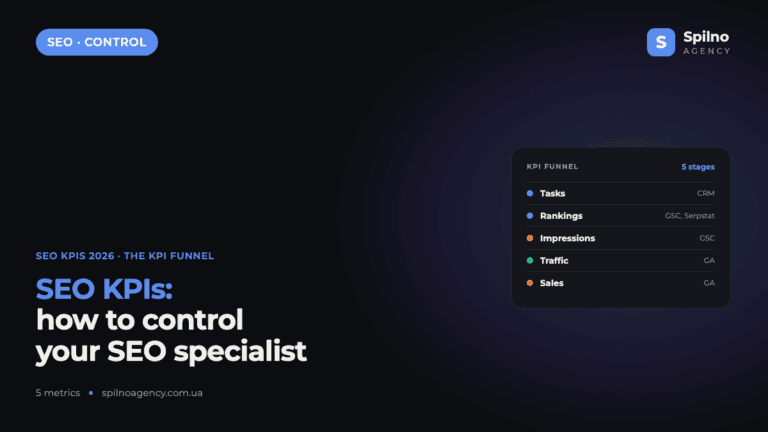
How to Control an SEO Specialist: The 5-Stage SEO KPI Funnel
SEO KPIs form a chain of five metrics that show, step by step, whether your SEO is actually…

Best CMS for an Online Store: Cloud vs Self-Hosted Platforms in 2026
Compare Shopify, WooCommerce, PrestaShop, OpenCart and Magento for your online store. Pros, cons, and a step-by-step CMS selection…