SEO Optimisation of Product Category Pages

Category pages are the most important commercial pages in any online store from an SEO perspective. They capture the majority of transactional traffic for queries like “buy [product]”, “[product] price”, “[product] online store”. This guide covers a complete category page optimisation framework: from URL structure to Schema markup.
Why Category Pages Matter More Than Product Cards
In most online stores, 60–80% of organic SEO traffic lands on category pages, not individual product pages. The reason is simple: queries like “buy trainers”, “laptops under £500”, or “women’s dresses” have far higher search volume than queries for specific SKUs.
Yet most stores invest far more effort optimising individual products than their categories. This is a significant missed opportunity.
The commercial intent of category pages
Category queries typically carry commercial or transactional intent: the user is ready to buy but still comparing options. Google understands this intent and surfaces pages that provide the best selection, clear navigation, and relevant content.
URL Structure for Category Pages
A clean URL structure is the foundation of category SEO. Follow these principles:
- Keep it short and clear:
/trainers/instead of/footwear/mens/sport/trainers/ - Include keywords in the URL:
/laptops/beats/cat-456/ - Limit nesting depth: 2–3 levels maximum (
/category/sub-category/) - Lowercase only, hyphens instead of spaces:
/womens-dresses/is correct - No duplicates: one category = one URL, no pagination parameters in canonical
Example of a correct structure:
example.com/trainers/           ← top-level category
example.com/trainers/nike/      ← subcategory
example.com/trainers/nike/air-force-1/  ← max 3 levels
Title and H1 Optimisation for Categories
The Title tag and H1 are the most important on-page SEO elements on a category page. They should be different and serve different purposes.
Title formula for category pages
- Primary transactional keyword: “Buy”, “Price”, “Online Shop”
- Category name
- Optional modifier (year, offer, free delivery)
- Brand/store name at the end
Templates:
Buy [Category] — From [Price] | [Store]
[Category]: [Number] Models — Order Online | [Store]
[Category] — Buy with Free UK Delivery | [Store]
H1 formula for category pages
The H1 is a heading for humans, not search engines. It should be slightly less promotional than the Title and naturally describe the page content:
Nike Trainers — 124 styles in our catalogue
Women's Dresses: Wide Selection for Every Season
Meta description for categories
The meta description doesn’t directly affect rankings but significantly impacts CTR. A strong meta description for a category:
- Includes product count or a unique selling point
- Contains a call to action
- Mentions delivery terms or a current offer
- Stays under 160 characters
Content on Category Pages
One of the most common SEO mistakes is leaving category pages with no text content. Google treats these as thin content and suppresses them in rankings.
What to write on a category page
- Introductory paragraph (100–200 words): describe the category, buying motivations, and what to look for. Place it ABOVE the product grid.
- Extended description (300–500 words): deeper category overview. Can be placed below the product grid.
- FAQ block (3–5 questions): answers to the most common buyer questions. Increases your chances of winning a featured snippet.
- Subcategory links with descriptions: if the category is large, add a block with subcategory links and a short description of each.
Important: text should not obstruct the buying process. Short intro above the grid; extended description and FAQ below the products.
Dynamic content: product count
Automatically display the product count in the category heading or description: “124 Nike trainers”. This:
- Boosts CTR in search results (a specific number = credibility)
- Sends Google a freshness signal (number updates as products are added)
- Helps users assess selection before clicking
Internal Linking from Category Pages
Category pages are the key hubs of your store’s internal link structure. They should:
- Link to products in the grid — every product in the catalogue receives link equity from its category.
- Link to subcategories — if there’s a hierarchy, subcategories should be clickable in a navigation block.
- Connect to related categories — a “Related categories” or “People also browse” block improves site-wide linking.
- Use contextual links in copy — the introductory text naturally links to adjacent sections.
Place your most valuable products (bestsellers, promotional items, new arrivals) first in the product grid. Googlebot crawls from top to bottom — products listed higher receive more weight.
Breadcrumbs and Schema Markup
Breadcrumbs are a mandatory element of an SEO-optimised store. They help:
- Googlebot understand your site hierarchy
- Display the breadcrumb path in search results (SERP breadcrumb snippet)
- Reduce bounce rate (users can easily navigate up)
Always add BreadcrumbList Schema markup to your breadcrumbs:
{
  "@context": "https://schema.org",
  "@type": "BreadcrumbList",
  "itemListElement": [
    {"@type": "ListItem", "position": 1, "name": "Home", "item": "https://example.com/"},
    {"@type": "ListItem", "position": 2, "name": "Footwear", "item": "https://example.com/footwear/"},
    {"@type": "ListItem", "position": 3, "name": "Trainers", "item": "https://example.com/trainers/"}
  ]
}
CollectionPage and ItemList Schema
For category pages, CollectionPage and ItemList markup is also recommended:
{
  "@context": "https://schema.org",
  "@type": "CollectionPage",
  "name": "Nike Trainers",
  "description": "Nike trainers catalogue — 124 styles",
  "url": "https://example.com/trainers/nike/",
  "mainEntity": {
    "@type": "ItemList",
    "itemListElement": [
      {"@type": "ListItem", "position": 1, "url": "https://example.com/product/nike-air-force-1/"},
      {"@type": "ListItem", "position": 2, "url": "https://example.com/product/nike-air-max-90/"}
    ]
  }
}
Pagination SEO for Pages 2, 3, 4…
Google dropped support for rel=prev/next pagination signals in 2019. Here is the current best practice:
- Page 1 (/category/): indexed, has full Title, H1, and content.
- Pages 2+ (/category/?page=2): two options:
- Canonical to page 1 — if paginated pages carry no unique SEO value.
- Unique Title + noindex — if you want Googlebot to crawl but not index pages 2+.
- Infinite scroll: SEO-risky. Googlebot may not scroll past the first screen. Use traditional pagination or a “Load more” button instead.
Images on Category Pages
- Category header image (hero): unique, high-quality photo or banner. Fill the alt text:
Nike Trainers — footwear catalogue. - Product images in the grid: lazy loading, WebP format, alt = product name + SKU.
- File sizes: optimise all images. One large photo can ruin your LCP (Largest Contentful Paint) score.
Core Web Vitals on Category Pages
Category pages typically carry the most images per page, making them the most vulnerable to Core Web Vitals issues.
- LCP (Largest Contentful Paint): optimise the first visible banner/image — preload, WebP, CDN.
- CLS (Cumulative Layout Shift): set fixed dimensions (width/height) on all product grid images.
- INP (Interaction to Next Paint): optimise filters and sorting — they trigger AJAX requests.
Category Hierarchy and Crawl Budget
A deep category hierarchy is the enemy of crawl budget. If your store has 5+ levels of nesting, Googlebot may never reach products at levels 4 and 5.
- Maximum 3 levels of hierarchy: Home → Category → Subcategory.
- XML Sitemap listing all categories — mandatory for large stores.
- Internal links from the homepage — your most important categories must be linked from the header or homepage.
- PageRank sculpting: categories without commercial value can be closed from indexing or excluded from main-page links.
Technical SEO Checklist for Category Pages
- Every category has a unique Title and Meta Description.
- H1 is present and contains the target keyword.
- URL is short, contains a keyword, has no extraneous parameters.
- Canonical is correctly set (self-referencing for main categories).
- BreadcrumbList Schema is implemented.
- CollectionPage/ItemList Schema is implemented.
- Introductory text is present (minimum 100 words) above the product grid.
- Extended description or FAQ is present below the products.
- Images are optimised: alt text, WebP, lazy loading.
- Pagination is configured (canonical or noindex on pages 2+).
- Breadcrumbs display correctly and are clickable.
- Internal links to subcategories and related sections exist.
- LCP for the category is under 2.5 s (check in PageSpeed Insights).
- No errors for category URLs in Google Search Console.
Common Category Optimisation Mistakes
- Duplicate Title/Meta — all categories share the same template with no differentiation.
- No content — categories without text are treated as thin content.
- Keyword cannibalisation — subcategory and parent category optimised for the same keyword.
- URL parameters without canonical — sorting and filter URLs multiply duplicates.
- Overly deep hierarchy — 5+ levels kill crawl budget.
- No Schema — BreadcrumbList and CollectionPage not implemented.
- Infinite scroll with no fallback — Googlebot doesn’t see half your products.
FAQ: E-Commerce Category Page SEO
Do I need text on every category page?
Yes — at minimum a short introductory paragraph (100–150 words). For competitive categories: a full 400–800-word description with FAQ. This doesn’t harm UX if placed correctly: short intro above the grid, extended description below the products.
How often should category content be updated?
Review SEO content for categories quarterly. Update product counts, add new FAQ questions, refresh mentions of offers and delivery terms.
How do I choose keywords for category pages?
Focus on transactional queries: “buy [category]”, “[category] price”, “[category] online store”, “[category] order online”. Check volume via Ahrefs or Semrush and assign a primary keyword to each category.
How do I avoid cannibalisation between a category and a subcategory?
Assign unique keywords to each level. The “Footwear” category targets the broad query (“buy footwear”), “Trainers” targets a narrower query (“buy trainers”), “Nike” targets a branded query (“Nike trainers”).
Should I index empty category pages?
No. Categories with no products or fewer than 3–5 items should be closed from indexing via noindex or temporarily disabled. An empty category is thin content that harms your site’s overall quality score.
Flat or hierarchical category structure — which is better?
It depends on store size. For small stores (under 1,000 products) — flat structure (all categories directly from the homepage). For large stores — a hierarchy, but no deeper than 3 levels. The guiding rule: any page on the site should be reachable within 3 clicks from the homepage.
How do I track the results of category optimisation?
Via Google Search Console: filter by category URLs, monitor impressions, clicks, and ranking trends. Compare before and after optimisation — results typically become visible within 4–8 weeks.
Need an SEO audit of your store’s category pages? Contact Spilno Agency — we’ll audit your structure, content, and technical issues, and build an optimisation roadmap.

Read also

Google Ads Investment Strategy: How More Budget Affects Leads and Sales
Google Ads can now forecast how many extra leads or sales a bigger budget will bring. Here's how…

Is an SEO specialist responsible for leads and sales? Our position
A LinkedIn discussion: should an SEO specialist be responsible for leads and sales from the SEO channel. Spilno…
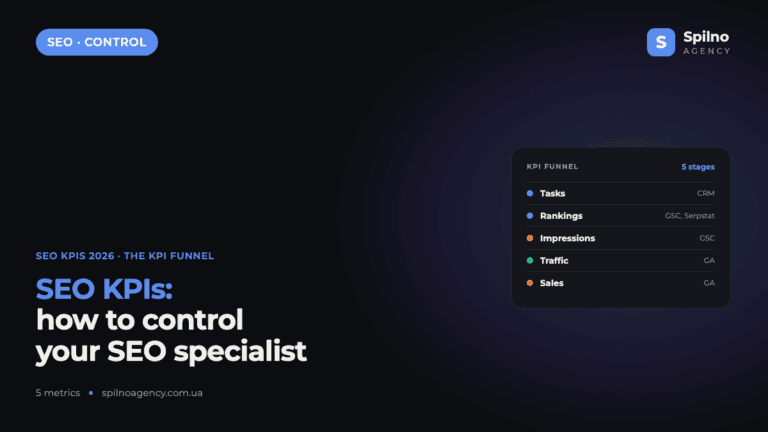
How to Control an SEO Specialist: The 5-Stage SEO KPI Funnel
SEO KPIs form a chain of five metrics that show, step by step, whether your SEO is actually…