UTM Tags: What They Are, How They Work and Where to Generate Them

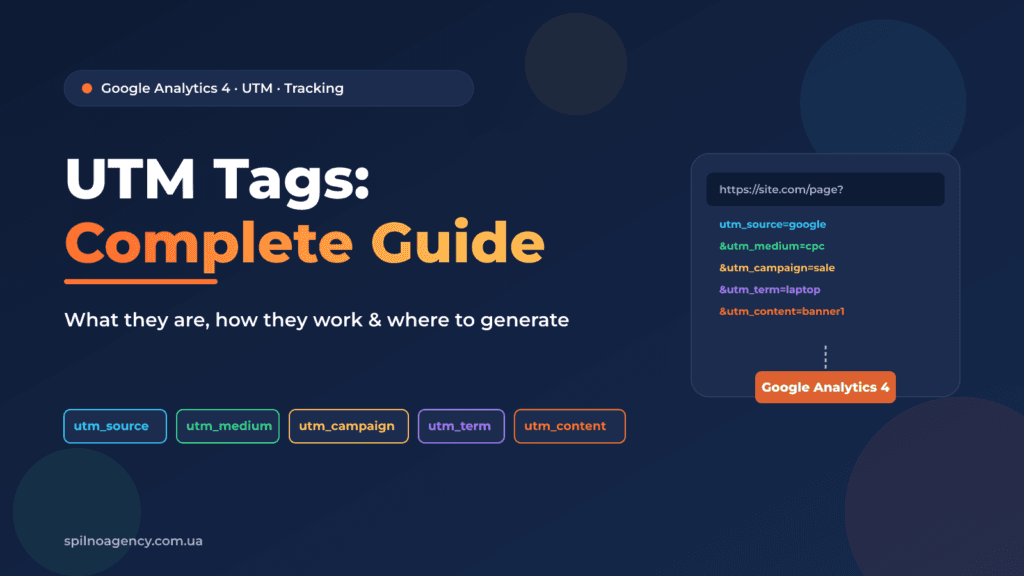
A UTM tag is a set of URL parameters that tells Google Analytics 4 exactly where a visitor came from — which ad, channel, and campaign. Without UTM tags, a marketer sees only aggregate traffic and cannot determine which campaign is actually driving sales.
What Is a UTM Tag and Where Did It Come From?
The acronym UTM stands for Urchin Tracking Module — named after Urchin Software, which Google acquired in 2005 and turned into Google Analytics. Urchin pioneered the approach of tracking marketing parameters inside URLs, and that technology became the foundation of modern digital marketing measurement.
Today UTM tags are the de-facto standard for tracking any marketing activity: paid ads, email campaigns, social media posts, and offline QR codes. Google Analytics 4 automatically reads UTM parameters from the URL and records them in reports as source / medium / campaign.
How UTM Tags Work: 5 Parameters
A UTM tag is appended to a URL as a query string. When a user clicks the link, GA4 reads the parameters and stores them in the session. There are 3 required and 2 optional parameters:
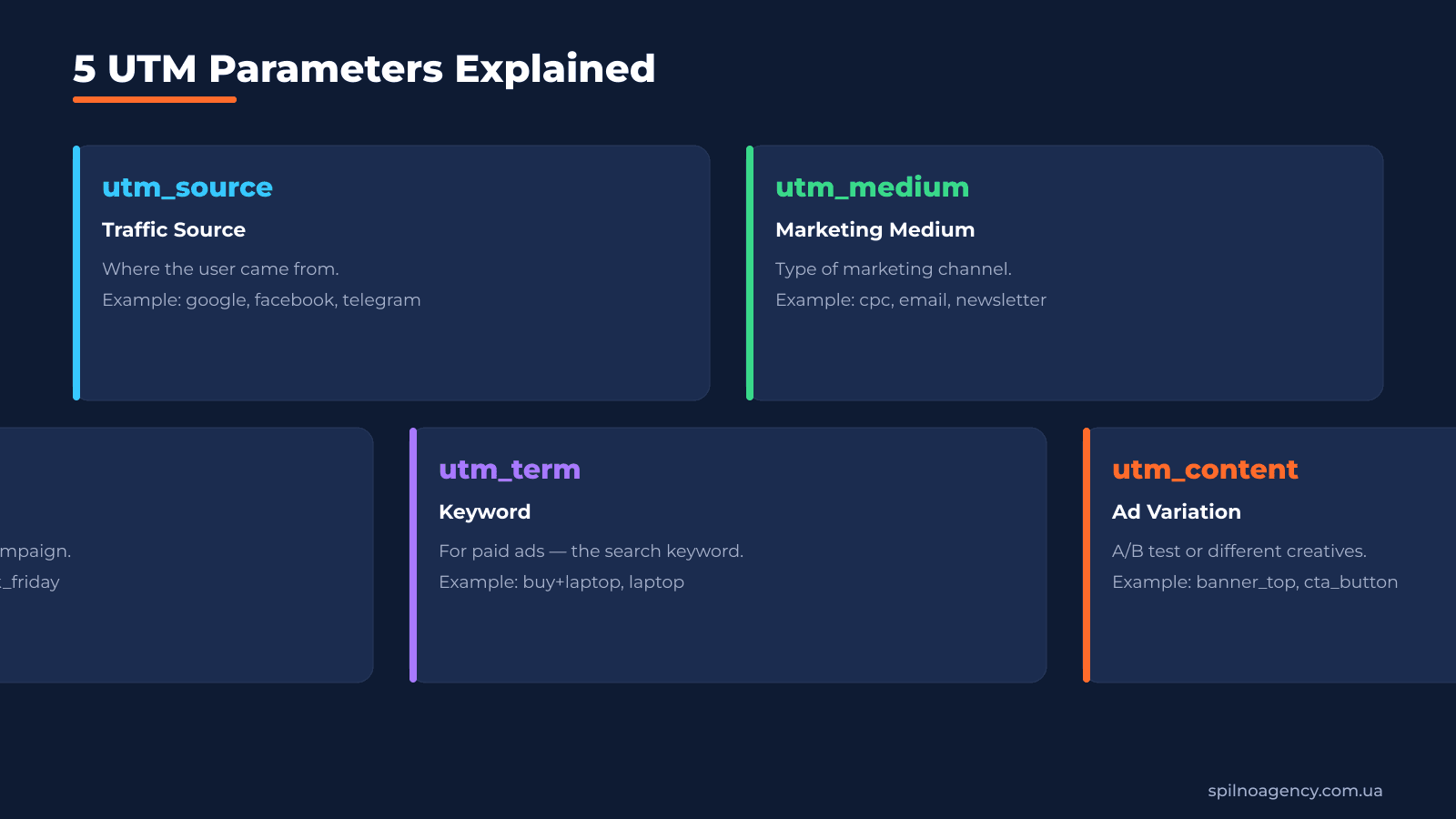
| Parameter | Description | Required? | Example |
|---|---|---|---|
utm_source | Traffic source (where the user came from) | ✅ Required | google, facebook, telegram |
utm_medium | Marketing channel type | ✅ Required | cpc, email, newsletter |
utm_campaign | Name of the marketing campaign | ✅ Required | spring_sale, black_friday |
utm_term | Keyword (for paid search ads) | ⬜ Optional | buy+laptop |
utm_content | Ad/banner identifier | ⬜ Optional | banner_top, cta_red |
Rule: values for utm_source and utm_medium should be written in lowercase without spaces — GA4 is case-sensitive. Use + or _ instead of spaces. For example: spring_sale, not Spring Sale.
When Do You Need UTM Tags?
UTM tags are mandatory anywhere you control the link and want to measure the effectiveness of a specific placement:
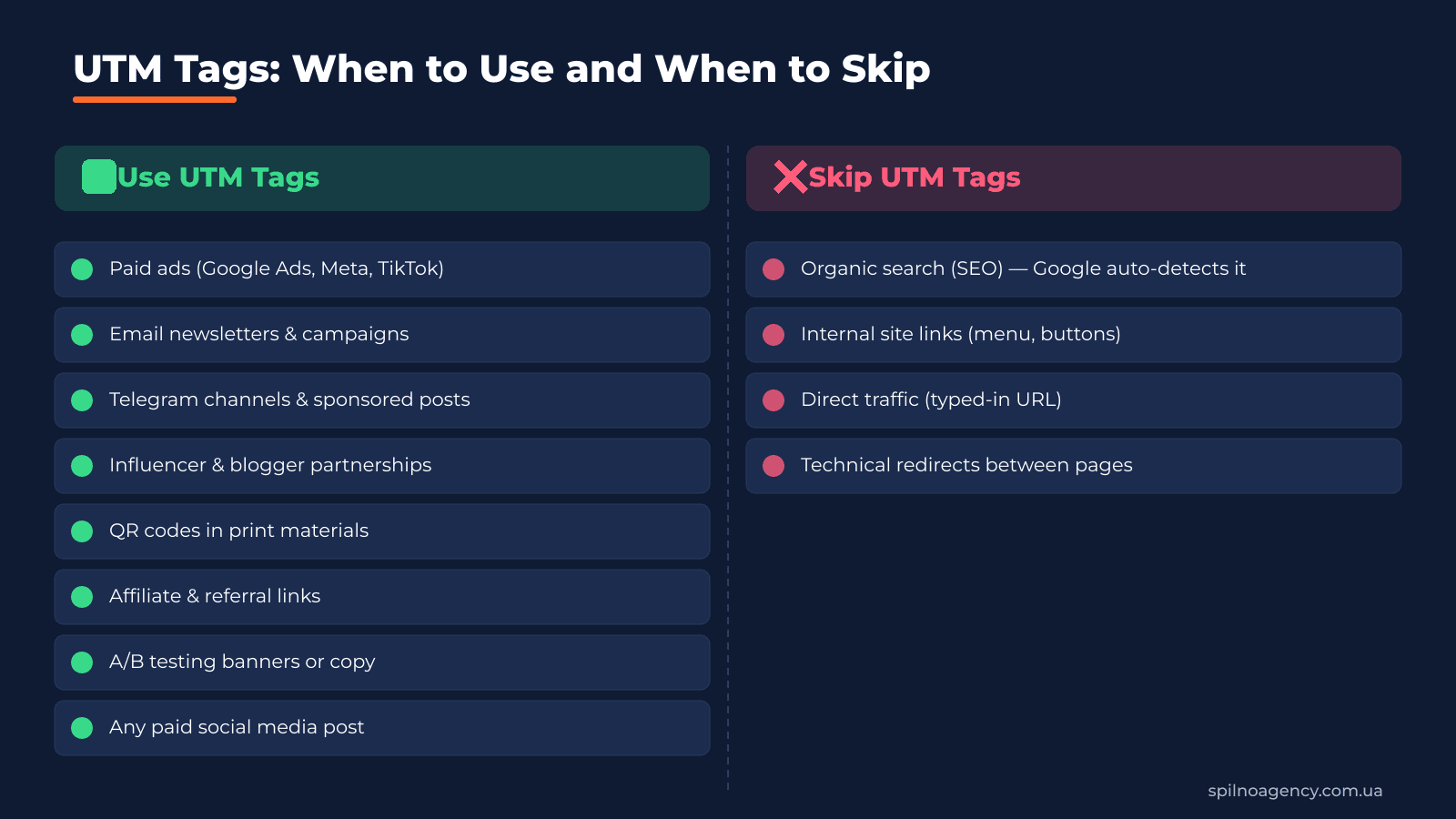
- Paid advertising — Google Ads, Meta Ads, TikTok Ads, LinkedIn Ads. Without UTM, GA4 groups everything under one cpc channel.
- Email campaigns — newsletters, promotional and triggered emails. Each email should have its own
utm_campaign. - Telegram channel posts and sponsored placements — lets you compare performance across different channels.
- Influencer & blogger partnerships — unique UTM tag for each content creator.
- QR codes in print materials — banners, flyers, brochures.
- Affiliate & referral links — track growth from partner channels.
- A/B testing ads — use
utm_contentto compare two ad variations. - Any paid social media post (Facebook, Instagram, TikTok, Pinterest).
When Should You NOT Use UTM Tags?
There are situations where adding UTM tags causes more harm than good:
- Organic search (SEO) — Google and Bing detect the source as organic automatically. Adding UTM here breaks proper attribution.
- Internal site links — navigation, menus, CTA buttons between your own pages. UTM will cut the session and distort source data.
- Direct traffic — when users type the URL directly into the browser.
- Links that already carry tracking parameters — e.g. Google Ads auto-tagging (gclid). An additional UTM is redundant.
Where to Create UTM Tags: Free Generator
The easiest way is to use the free UTM tag generator by Spilno Agency. The tool supports 8 advertising platforms (Google Ads, Meta, TikTok, Telegram, Email, Pinterest, Snapchat, LinkedIn) and automatically fills in the correct utm_source and utm_medium values for each.
👉 Free UTM tag generator: spilnoagency.com.ua/en/tools/utm-builder
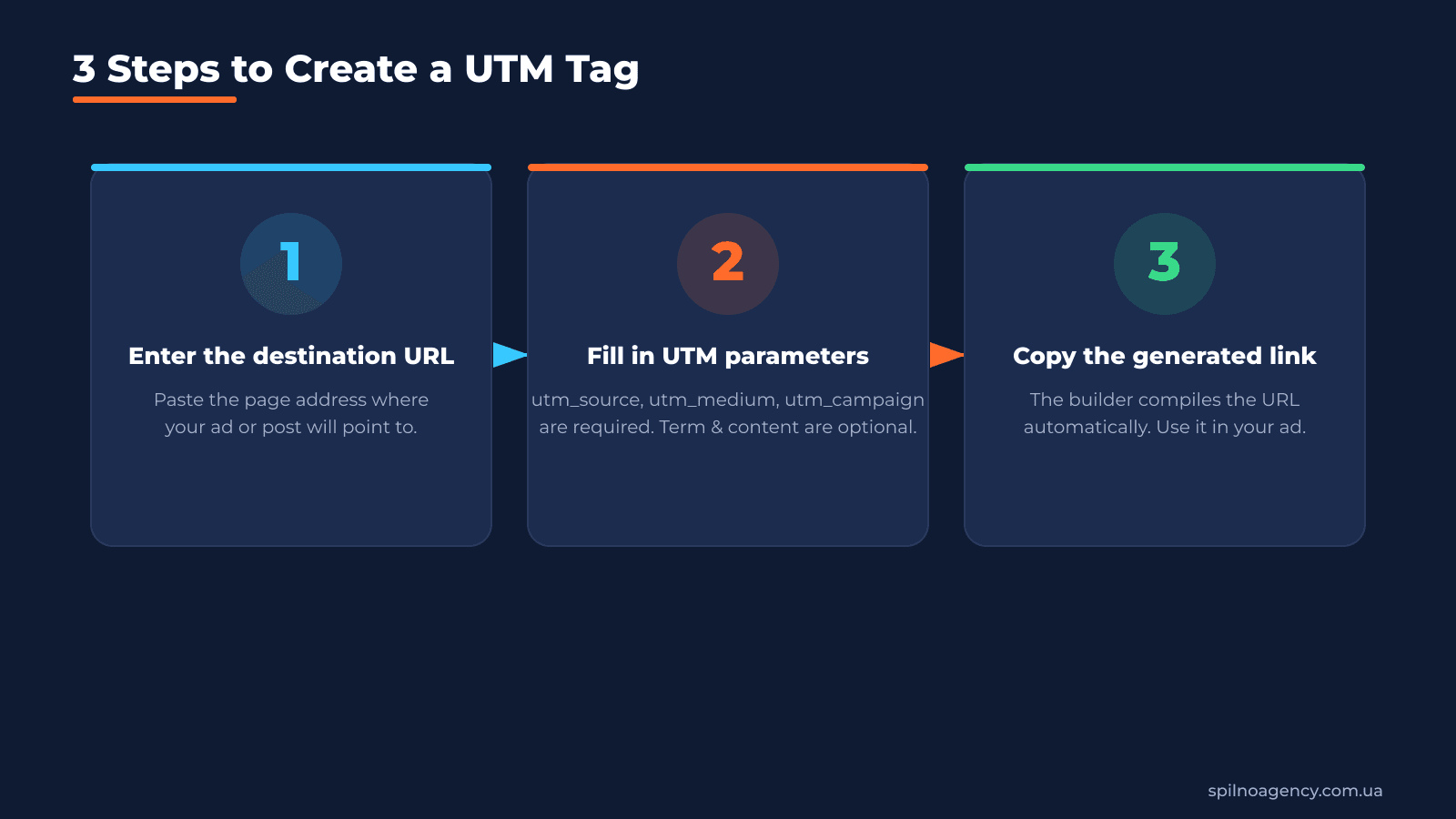
To create a UTM tag: 1) paste the destination page URL; 2) select a platform or fill in parameters manually; 3) copy the ready-made link. The whole process takes under 30 seconds.
Why You Must Check GA4 Ecommerce Events Before Launching Ads
UTM tags show where a visitor came from. But if GA4 ecommerce events are not set up, you will only see traffic — with no sales data. Worse: if purchase events are missing or duplicated, your ROAS will be wrong and Google Ads algorithms will optimise for incorrect conversions.
Before launching any paid campaign, always check:
- The
purchaseevent is arriving in GA4 and is marked as a key event (conversion) - The
valueandcurrencyparameters are passed correctly - There are no duplicate purchases (transaction_id is unique per order)
- GA4 is linked to Google Ads for conversion import
- GTM is installed on the thank-you page
If you launched paid ads with UTM tags but ecommerce events are not configured, your budget is training the algorithm on bad data. This is one of the most common reasons for low ROAS among beginners.
Frequently Asked Questions About UTM Tags
What is a UTM tag in simple terms?
A UTM tag is a tail appended to a URL, consisting of several parameters. These parameters tell Google Analytics 4 which ad or post brought the visitor to the site. Without UTM you see only overall traffic; with UTM you see each channel, campaign and ad separately.
Do UTM tags affect SEO?
No, if added correctly. Search engine crawlers ignore query parameters during indexation. However, do not add UTM tags to internal links between your own pages — it will distort session data in GA4.
What is the difference between utm_source and utm_medium?
utm_source is the specific placement (e.g. google, facebook, telegram). utm_medium is the channel type (cpc, email, organic). Together they form the attribution: google / cpc means paid search advertising.
How many characters can a UTM parameter value have?
There is no hard technical limit, but it is recommended to keep values short (under 50 characters). Long URLs may be truncated by some messengers or email clients.
Can I use UTM tags with Polylang or WPML?
Yes, without any restrictions. UTM parameters do not affect WordPress multilingual routing. Just make sure each language version of the page receives the appropriate URL with parameters.
This article is part of a free course:
Google Analytics Course
To unlock the quiz after this article and track your progress, sign up (or sign in) and start the course in your personal dashboard.
Knowledge Test
You get only 1 attempt at this quiz — read every question carefully before answering. You need at least 80% correct answers to pass.

Read also

Is an SEO specialist responsible for leads and sales? Our position
A LinkedIn discussion: should an SEO specialist be responsible for leads and sales from the SEO channel. Spilno…

How to Control an SEO Specialist: The 5-Stage SEO KPI Funnel
SEO KPIs form a chain of five metrics that show, step by step, whether your SEO is actually…

Best CMS for an Online Store: Cloud vs Self-Hosted Platforms in 2026
Compare Shopify, WooCommerce, PrestaShop, OpenCart and Magento for your online store. Pros, cons, and a step-by-step CMS selection…