Google Search Console Adds Platform Properties for Instagram, TikTok, X and YouTube

Google has launched a new Search Console property type — platform properties. Owners of Instagram, TikTok, X and YouTube accounts can now connect their profile to Search Console and see how many clicks and impressions their content gets from Google Search and Discover specifically — separate from the platform’s own native analytics. In this article we break down which reports are available, how to connect a property, and what it deliberately does not show.
What are platform properties in Search Console
Platform properties are a new property type in Google Search Console, officially introduced in July 2026. Unlike a regular website property (a domain or URL prefix), the new property type is tied not to a website but to a social media or video-platform account. Google describes the launch this way: “Content creators and publishers use many channels beyond their own websites to reach their audiences” — the feature was built for exactly that audience: people who publish content beyond their own site.
In plain terms: where Search Console used to show data only about your website, you can now add a separate property for an Instagram account or a YouTube channel and see which search queries send people to that profile and its posts — in regular Google Search, as well as in Google News and Discover feeds.
Which platforms are supported so far
At launch, Google opened platform properties for four services:
- Instagram — posts and Reels
- TikTok — account videos
- X (formerly Twitter) — profile posts
- YouTube — channel videos
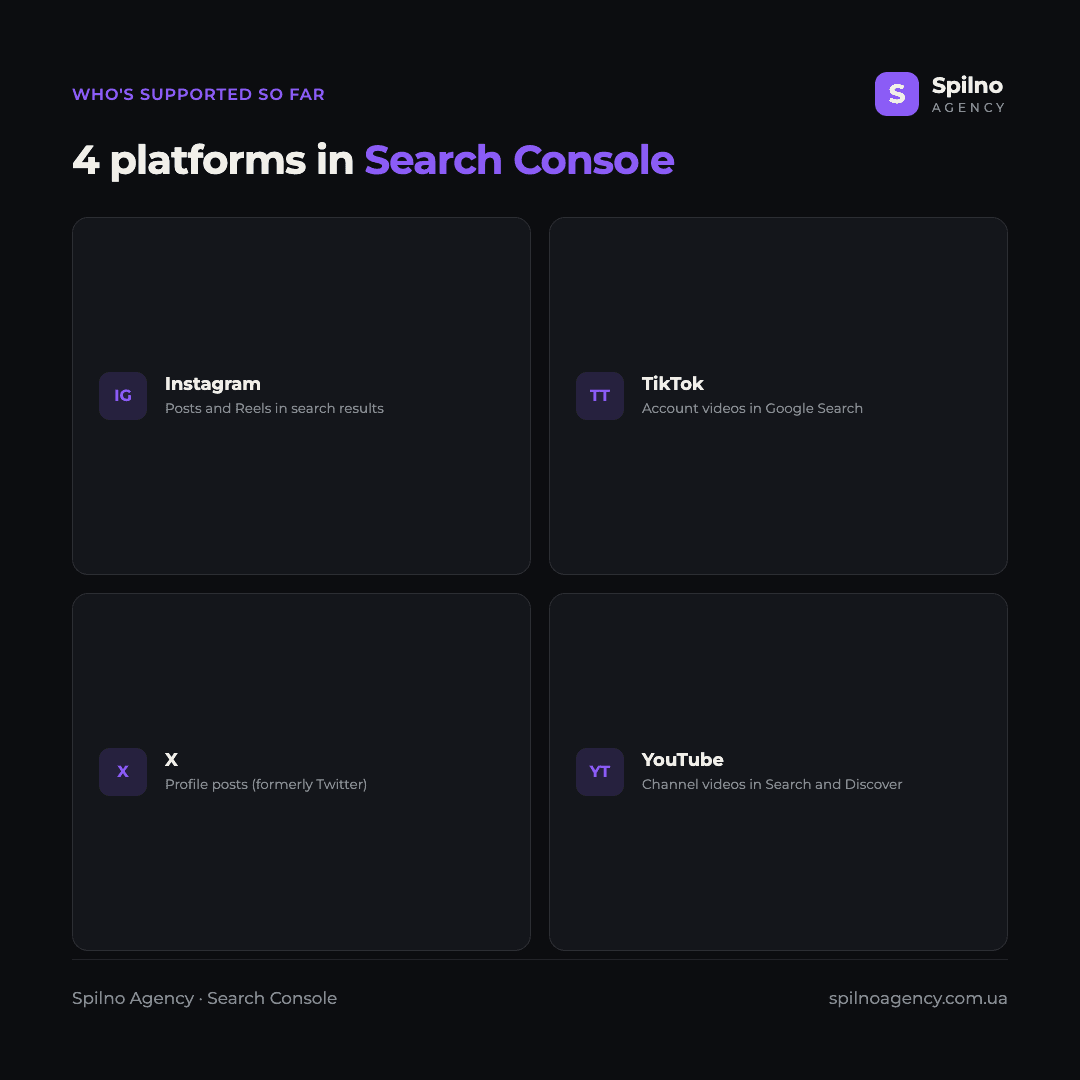
The list isn’t final: Google describes this as a first step, so the range of supported platforms may expand in the future. You can track any updates directly on the “add a new property” screen inside Search Console.
Which reports a platform property gives you
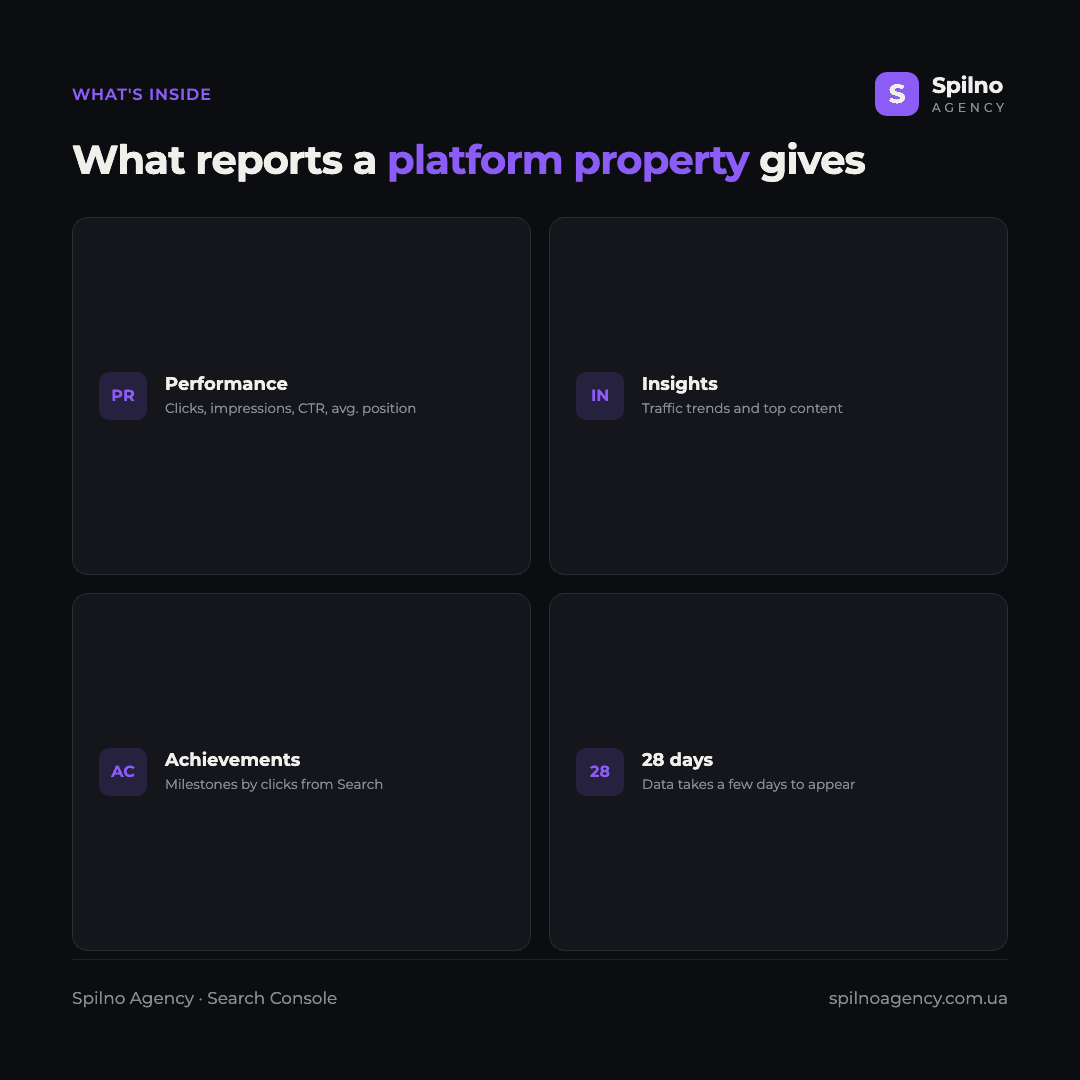
Once a property is connected and verified, it unlocks three reporting sections — structurally similar to the reports you already know for websites, but built around a single account.
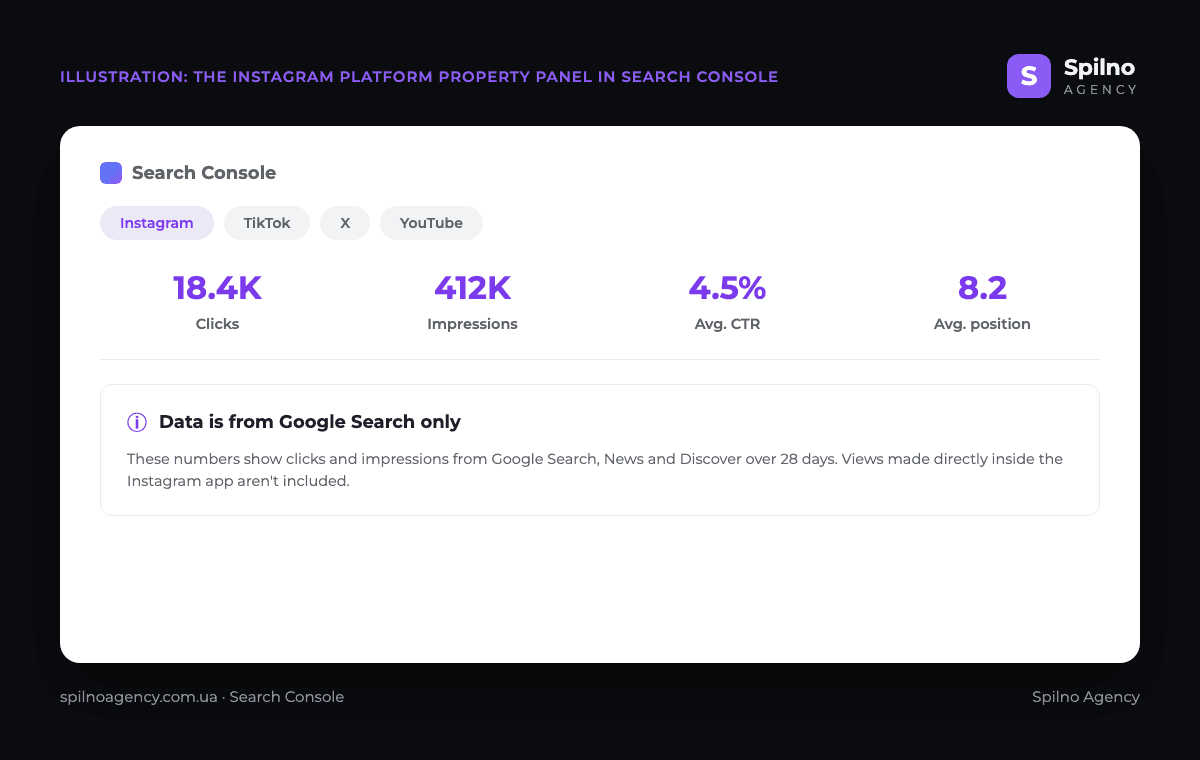
- Performance report — total clicks, impressions, average CTR and average search position, by default over the last 28 days.
- Insights report — an overview of traffic trends and the account’s top-performing content.
- Achievements — milestones tied to how many clicks the account receives from Search.
How to connect a platform property
Setting one up is just as simple as adding a regular website property:
- Open the Search Console welcome screen, or click the property selector in the top-left corner.
- Select “Add” next to the platform you want (Instagram, TikTok, X or YouTube).
- Complete verification — confirm the account belongs to you.
- Wait a few days for Search Console to collect and process the first data.
One important detail: Google periodically re-checks ownership of the connected account. If the connection lapses for any reason (for example, you changed access settings), Search Console will ask you to re-verify — otherwise reporting pauses.
Tested in practice: we connected Spilno Agency’s Instagram and TikTok
We didn’t just retell Google’s documentation — we connected both platforms live, on Spilno Agency’s own Instagram and TikTok accounts. Below are all the steps with real screenshots, not mockups.
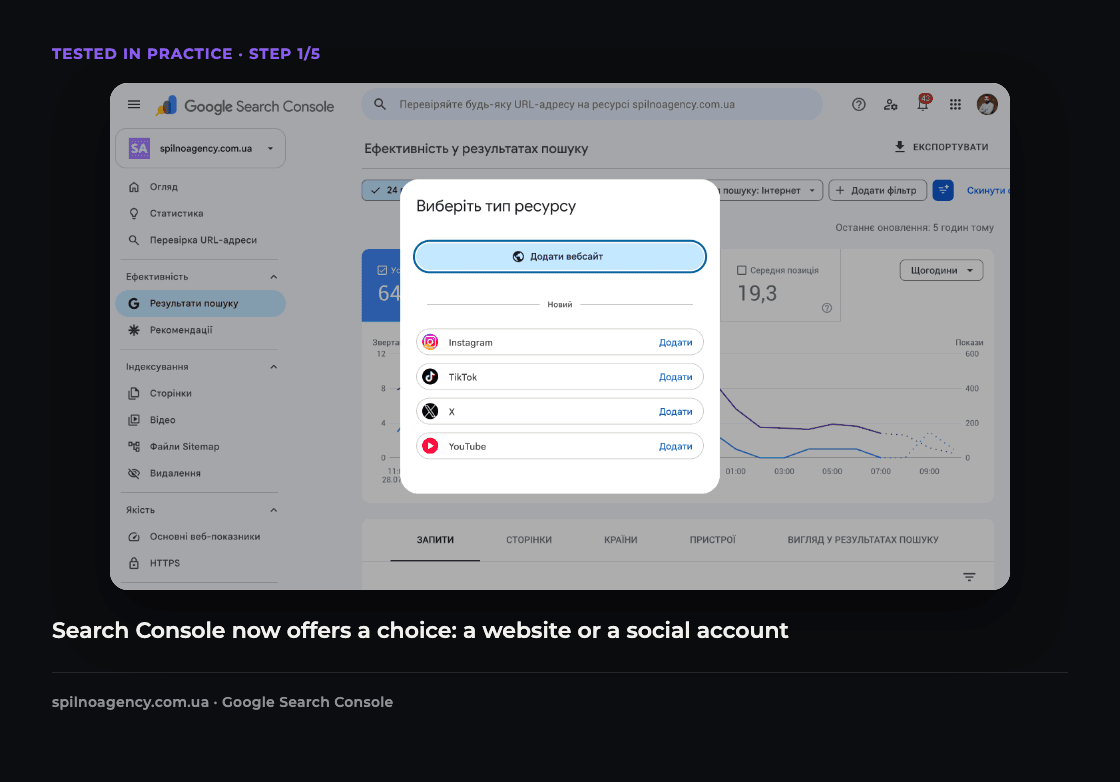
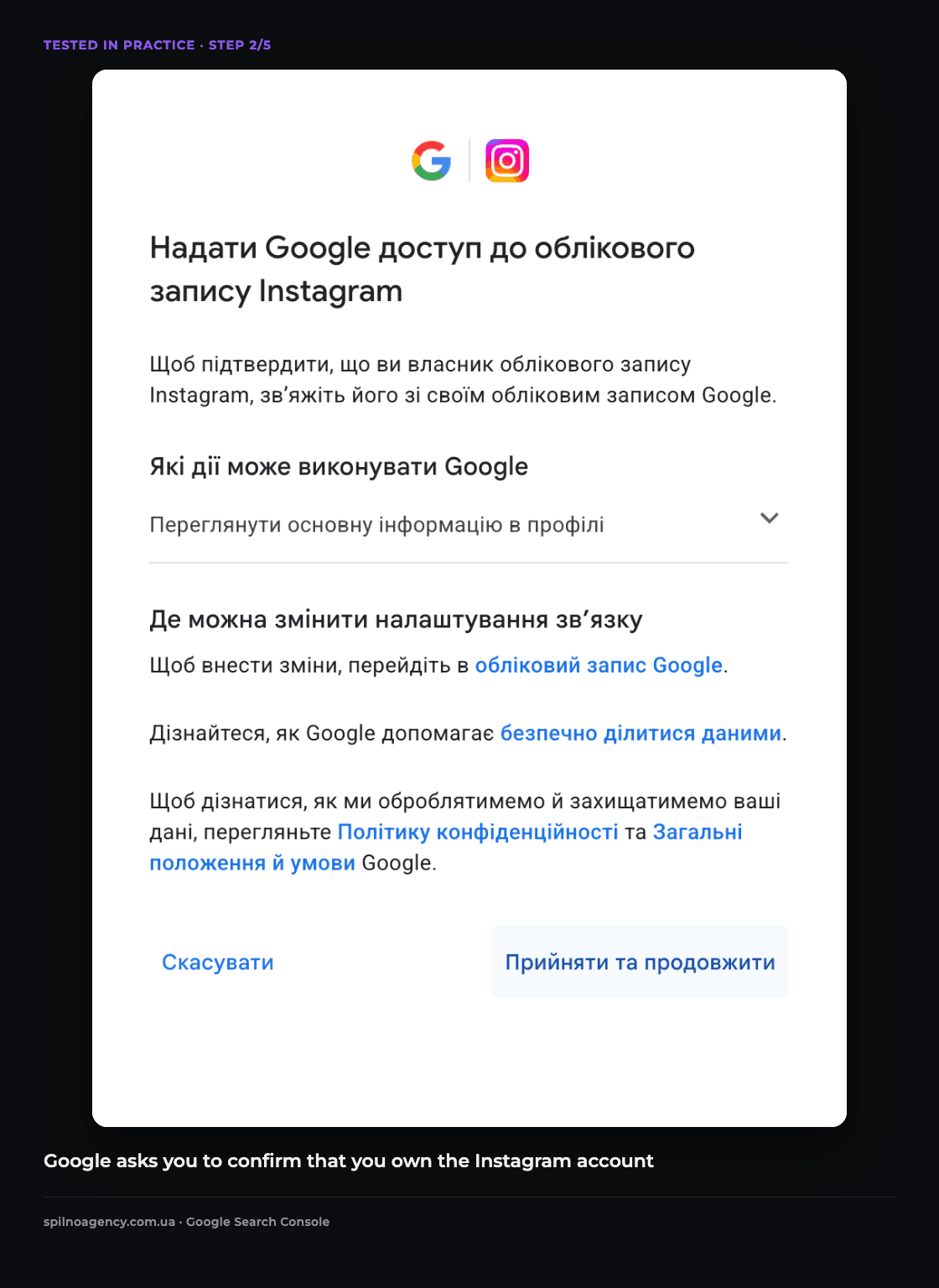
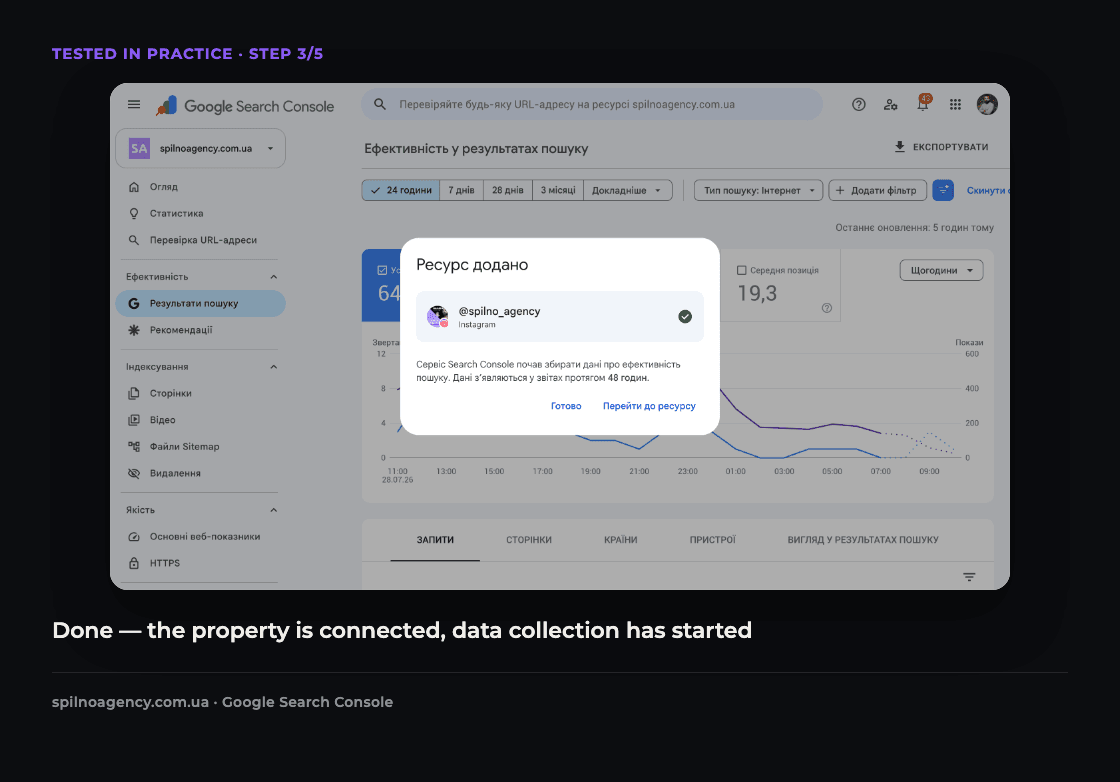
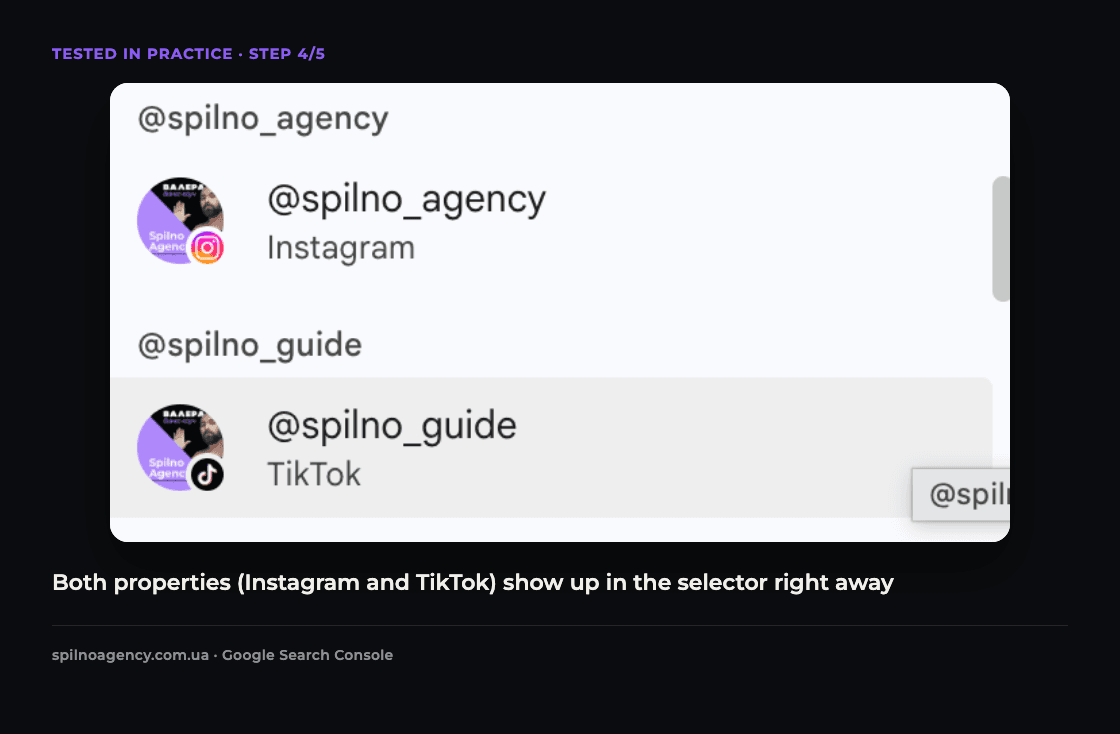
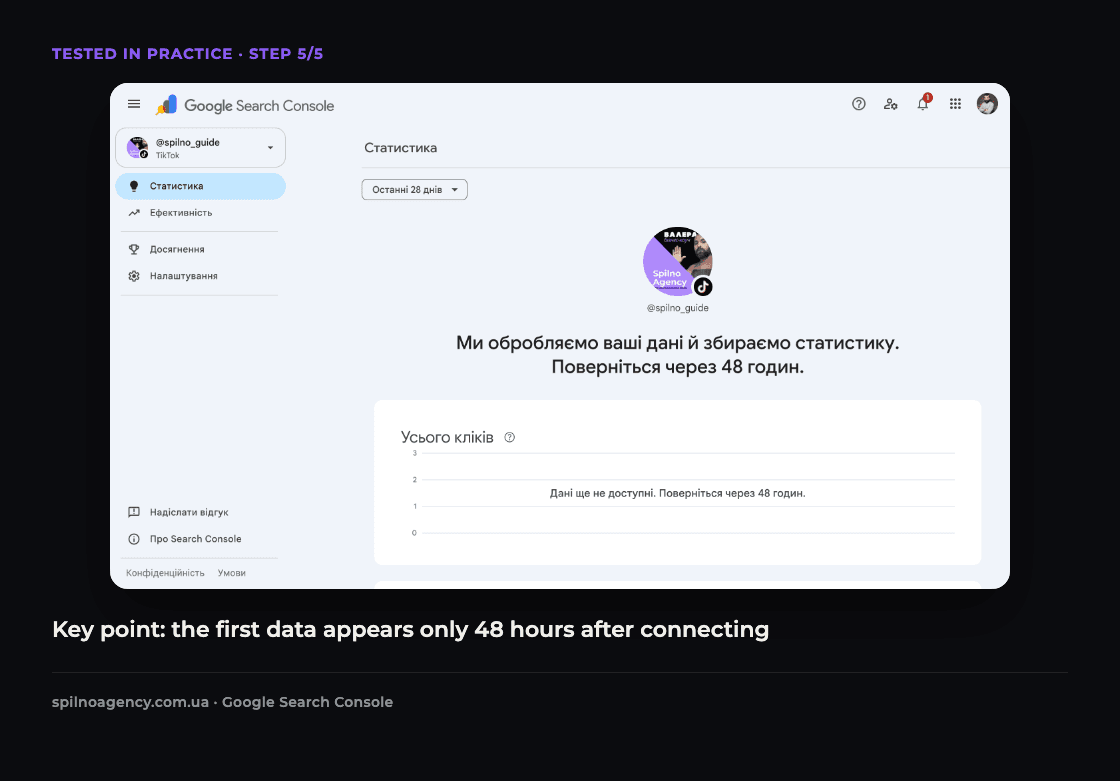
The main practical takeaway: connect the property right away, don’t wait. Search Console doesn’t backfill historical data — the click and impression counter starts from zero at the exact moment you connect the account. If you wait a week or a month “for later,” that data is lost for good — the system simply never collected it. Spilno Agency’s Instagram property (@spilno_agency) showed “Resource added” immediately after verification, while TikTok (@spilno_guide) asked for the standard 48 hours before showing first data. This confirms what we noted above: the feature is already fully available, with no waitlist.
What the statistics actually look like: first data from the Instagram property
A few days after connecting, the @spilno_agency Instagram property started showing real data. Here’s what the Performance report looks like in practice.
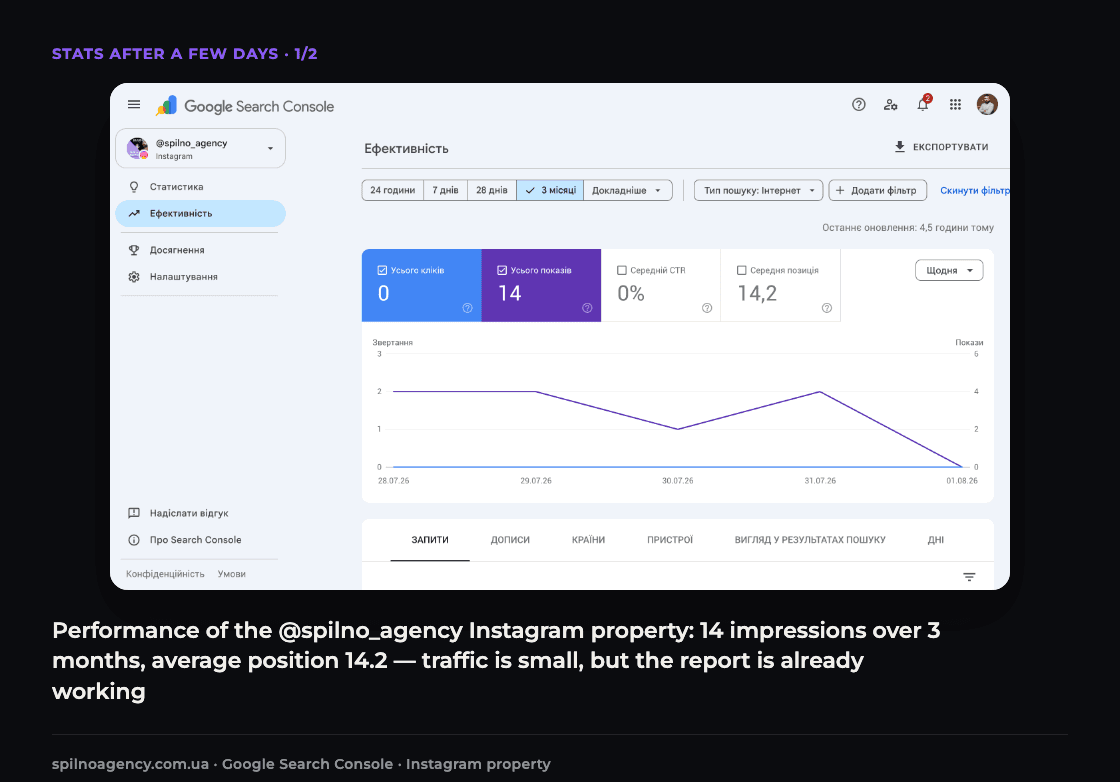
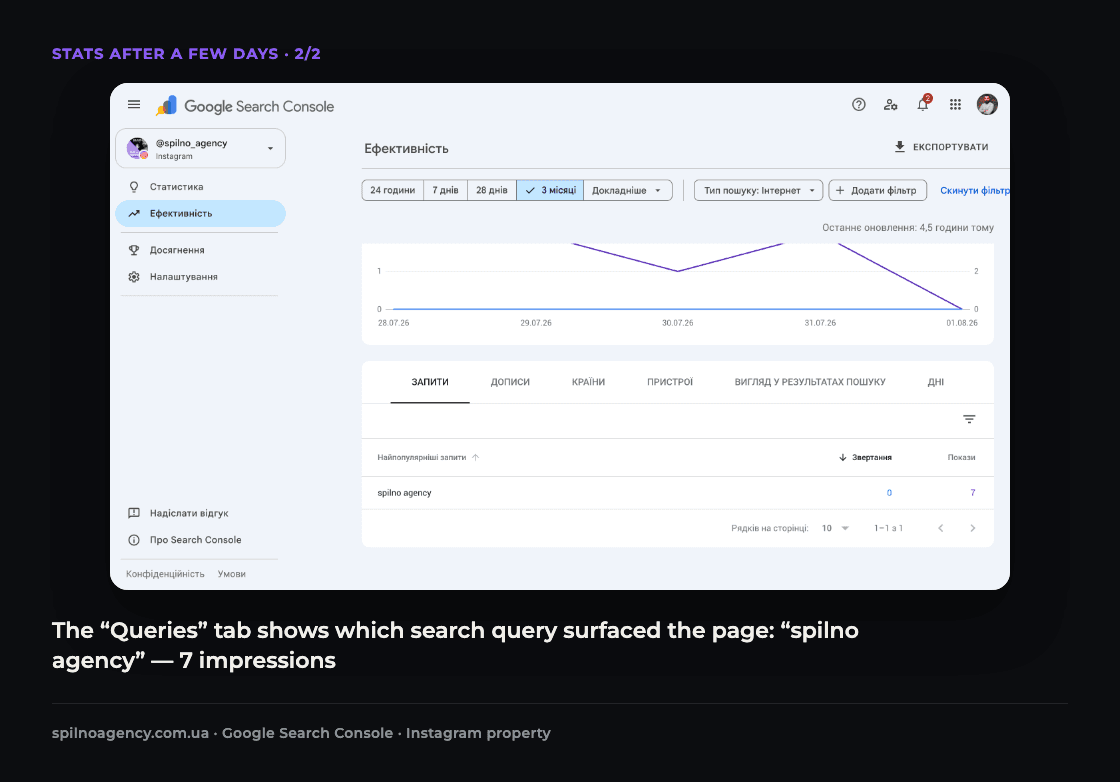
The numbers are still modest — the account is small, so impressions are low. But the fact that the report already fills with data within days (not weeks or months) confirms the property works right away, not “at some point in the future.” The TikTok property (@spilno_guide) hasn’t accumulated a meaningful volume of data yet as of this update — we’ll show it separately once there’s something to show.
What a platform property does NOT show
This is the key misunderstanding worth clearing up right away: a platform property in Search Console is exclusively about Google Search, not about the platform’s own native analytics.
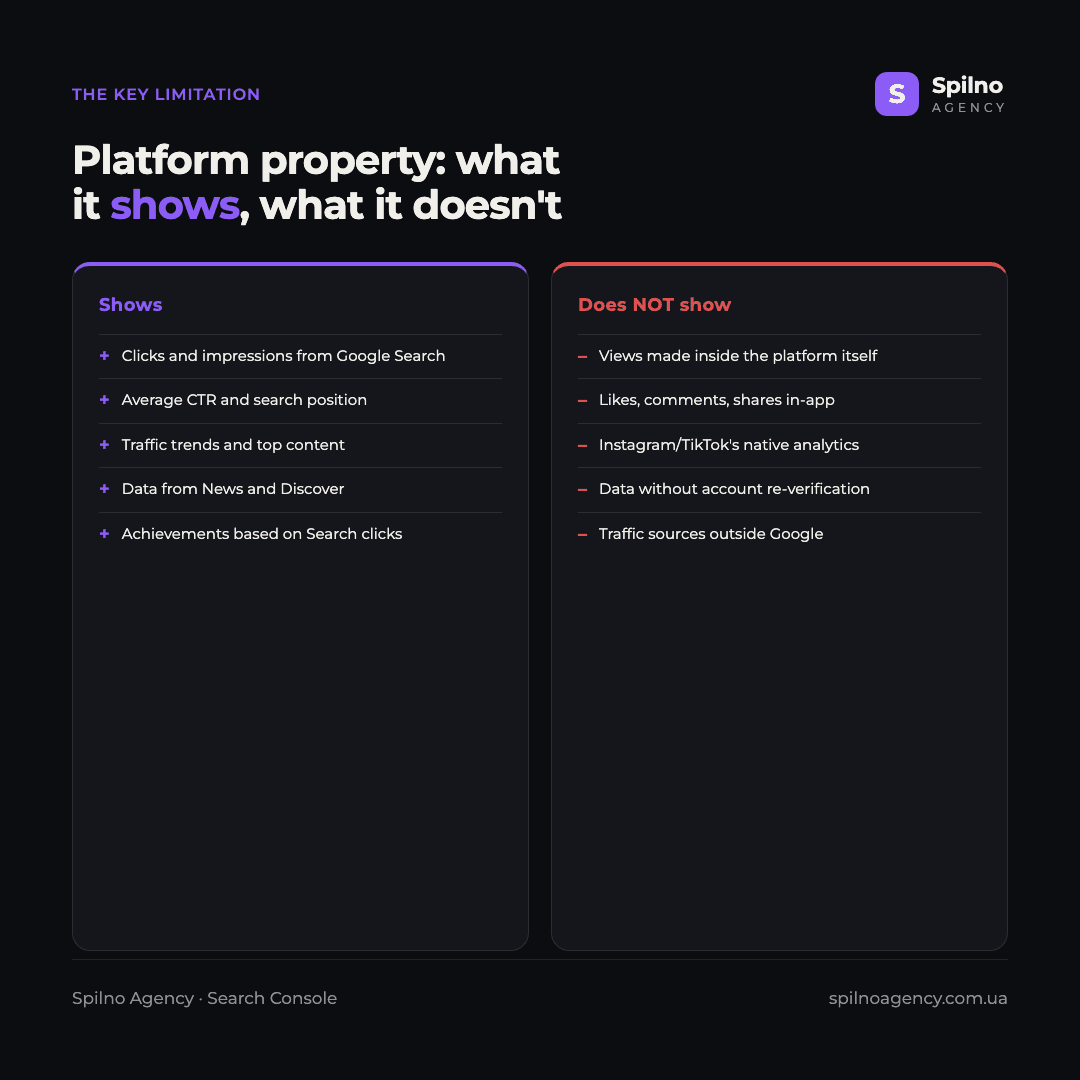
In other words, if a video racked up a million views inside TikTok itself, Search Console won’t show that. It only answers one question: “how many people found this video through Google?” That’s a fundamentally different data slice — one that complements, not replaces, the platform’s native analytics.
Why this matters for brands, creators and SEO/social teams
At first glance the feature looks niche, but for content teams and agencies it closes a real blind spot.
- You finally see Google Search’s real contribution. Until now, seeing how much traffic a social account gets from Search specifically was nearly impossible — now it’s a dedicated report.
- You can optimise captions and descriptions for search intent. If certain phrasing in a video description or post caption consistently drives clicks from Search, that’s a pattern worth scaling.
- One place to monitor multiple channels. Instead of stitching data together manually, a brand can watch Instagram, TikTok, X and YouTube in the same interface where its website already lives.
- Early-mover advantage. The feature was only just announced — content and case studies about it are still scarce, so whoever figures it out first gains an edge, both in search visibility and in front of clients.
Official sources: the Google Search Console help article on platform properties, and the announcement on the Google Search Central blog.
FAQ
What are “platform properties” in Google Search Console?
A new property type in Search Console that’s tied not to a website but to a social media or video-platform account. It shows how that account’s content — Instagram, TikTok, X or YouTube — appears and performs specifically on Google Search and Discover.
Which platforms does the new property support?
At launch, four platforms are available: Instagram, TikTok, X (formerly Twitter), and YouTube. Google hasn’t ruled out expanding the list in the future.
How do I add a platform property in Search Console?
On the Search Console welcome screen or in the property selector, click “Add” next to the platform you want, complete account verification, and wait a few days for the first data to appear.
Which reports are available for a platform property?
Three reports: Performance (clicks, impressions, CTR, average position), Insights (traffic trends and top-performing content) and Achievements (milestones based on clicks from Search).
Does it show views made directly on TikTok or Instagram?
No. A platform property only shows data from Google Search, News and Discover. It doesn’t show the platform’s own native stats — for example, how many times a video was viewed directly inside TikTok.
How long until the first data shows up?
After connecting and verifying, Search Console needs a few days to collect and process metrics. The report defaults to showing data for the last 28 days.
When will this feature become available?
It’s already available now: Google officially launched platform properties in July 2026, and they’re immediately open to any Search Console user with an Instagram, TikTok, X or YouTube account. There’s no gradual rollout to wait for — you can connect a property today; the only delay is the few days needed to collect the first data after setup.
The arrival of platform properties in Search Console is a signal that Google now officially recognises what’s long been true: brand content lives well beyond the website, and that content needs transparent search data too. If you need help connecting a new property, making sense of the reports, or folding this data into your brand’s broader SEO/social analytics, the Spilno Agency team can help you get it right.
Can I wait to connect the property if I plan to analyze the data later?
No, it’s better to connect the property right away. Search Console does not show retroactive statistics — click and impression tracking starts exactly at the moment you connect the account. The longer you wait, the larger the period that simply won’t appear in your reports. You can postpone the analysis, but not the connection.

Read also
Google Ads Rolls Out New Testing and Planning Tools for AI Max
Google Ads announced Multi-Campaign Budget Testing, Enhanced Experiment Controls and an improved Performance Planner for AI Max. Key…
Google Merchant Center: Minimum Product Image Size Becomes 500×500 px in 2027
From January 31, 2027, Google Merchant Center requires product images of at least 500×500 px. What changes, key…
Google Ads Removes Language Targeting for Search Starting September 2026
From late September 2026, Google Ads removes language targeting for Search and AI Max for Search. Ads match…