Reddit Translator: Translate Reddit Posts, Comments and Chat in One Click — Free Chrome Extension

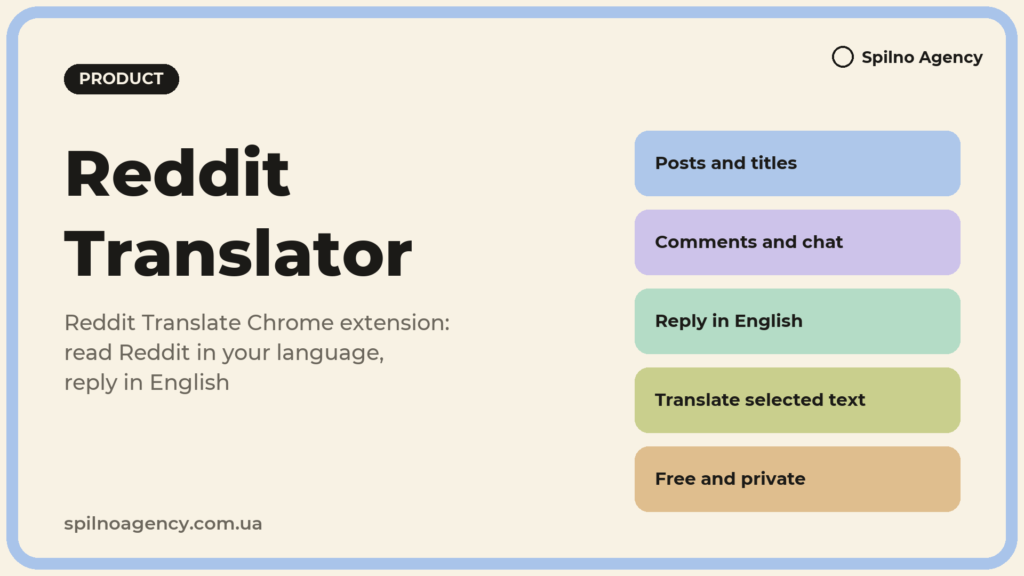
Reddit Translate is a free Chrome extension by Spilno Agency that translates Reddit into your language in one click: posts with their titles, comments, chat and any selected text. It also translates what you write: you type a reply in your own language and it is posted in English.
Below: what this Reddit translator can do, how to use it, how it handles your data and how to install it in three minutes.
Why you need a dedicated Reddit translator
Reddit has hundreds of thousands of communities, and most conversations there are in English. For marketers, SEO specialists and business owners it is a source of honest product reviews, real audience questions and content ideas. For everyone else — advice on travel, tech, work and study from people all over the world.
The usual ways to translate Reddit are inconvenient:
- Translating the whole page in Chrome also translates menus and buttons, breaks the layout, and new comments that load while you scroll often stay in English.
- Copying text into Google Translate is slow: you have to copy and paste every comment separately.
- Replying in English is still on you: translate your draft in another tab, copy it, paste it back.
Reddit Translate solves all three right on the Reddit page: it is essentially Google Translate for Reddit, built into Reddit’s own buttons.
What Reddit Translate can do
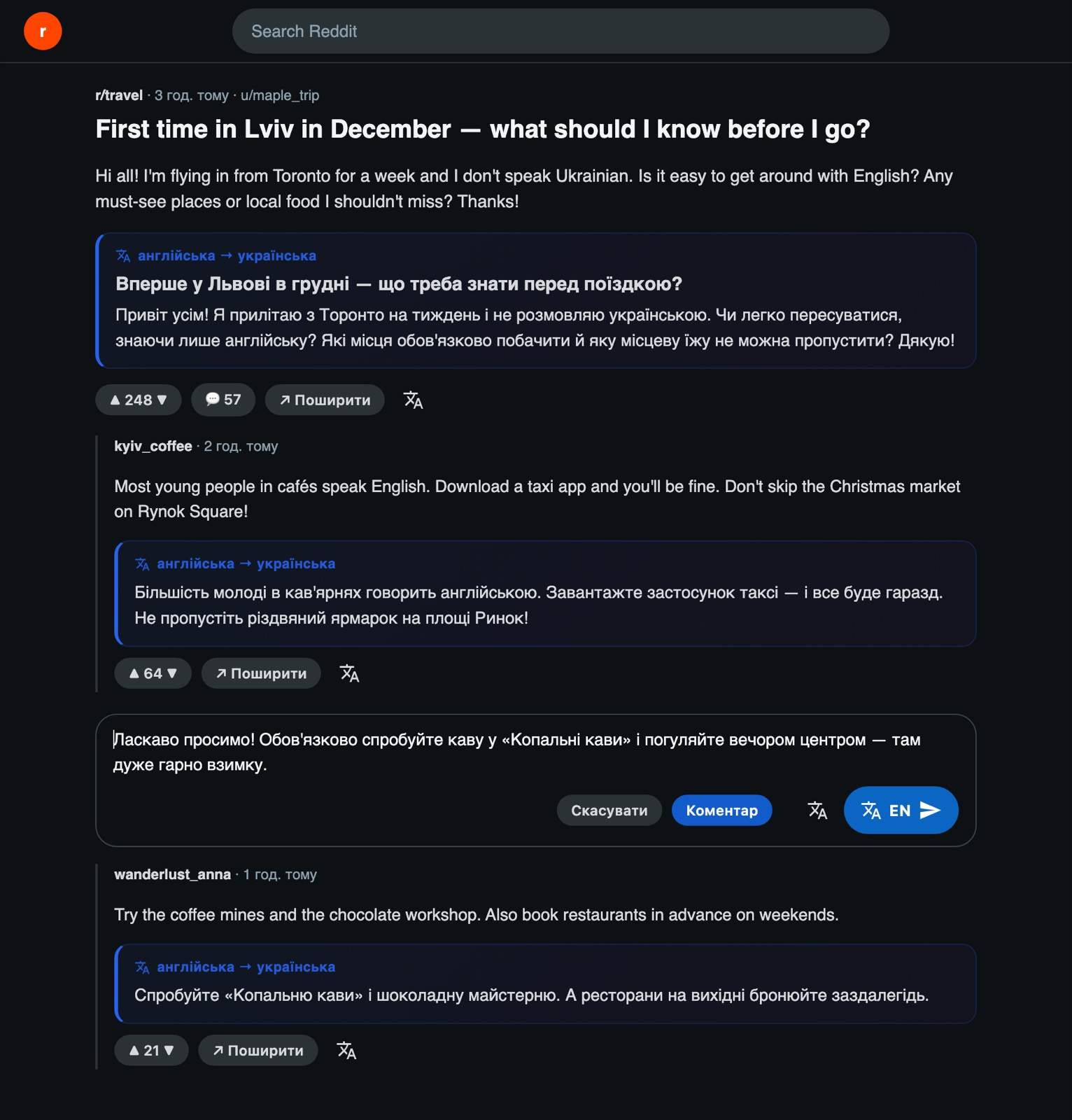
- Translate posts and titles. A 文A icon appears under every post, next to “Share”. Click it and the translation appears under the text: the title in bold, the post text below. Click again to hide it.
- Translate comments. The same icon sits under every comment, in the same row as Reddit’s buttons.
- “Translate everything” mode. Posts, titles, comments and chat messages are translated as soon as they appear on screen. Texts already in your language are skipped.
- Image and video posts. If a post has no text, it is translated by its title.
- Translate selected text. Select any fragment on the page, a blue 文A button appears next to it, and the translation opens in a popup.
- Reply in English. Write a comment in your language, click 文A EN ➤ — the text is translated and posted.
- Reddit chat translation. Both incoming messages and your replies.
- English and Ukrainian interface. Switch the language of buttons and settings in one click.
How to translate Reddit posts and comments
- Open any post on reddit.com.
- Find the 文A icon in the button row under a post or comment, to the right of “Share”.
- Click it. The extension detects the original language, and the translation appears in a blue card under the text, labelled with the language pair, for example “English → Polish”.
- To avoid clicking every time, turn on “Translate everything” in the settings, and translations will appear automatically as you scroll.
You choose the reading language in the settings: 19 languages are available, including English, Polish, German, French, Spanish, Ukrainian and Japanese. “Translate everything” doesn’t translate the whole page at once, only what appears on screen. So even in a thread with hundreds of comments it stays fast, and the original is always next to the translation in case something reads oddly.
How to reply on Reddit in English while writing in your own language
This is the main difference between Reddit Translate and a regular translator: it translates not only what you read, but also what you write.
- Write a comment or reply in your language.
- Click the blue 文A EN ➤ button to the right of Reddit’s “Comment” button. The text is translated into English and posted right away.
- The keyboard shortcut Ctrl + Shift + Enter (⌘ + Shift + Enter on Mac) does the same.
If you want to proofread the translation first, click the small 文A icon next to it: the text is translated in the box but not sent. The ↶ icon restores your original text.
You can change the reply language: English is the default, but you can pick any other language or “Same as the other person” — then the extension detects the language of the post or comment you are replying to and translates your reply into it. Handy when you post in a German, Spanish or Polish subreddit.
Translating Reddit chat messages
- Hover over a message and a round 文A button appears on the right. Click it and the translation appears under the message.
- To reply, write in your language and click 文A EN ➤ next to the input box: the message is translated and sent.
- It works on chat.reddit.com and in the chat window that pops up on any Reddit page.
Reddit Translate settings
Open the settings by clicking the 文A icon in the Chrome toolbar. All changes are saved instantly.
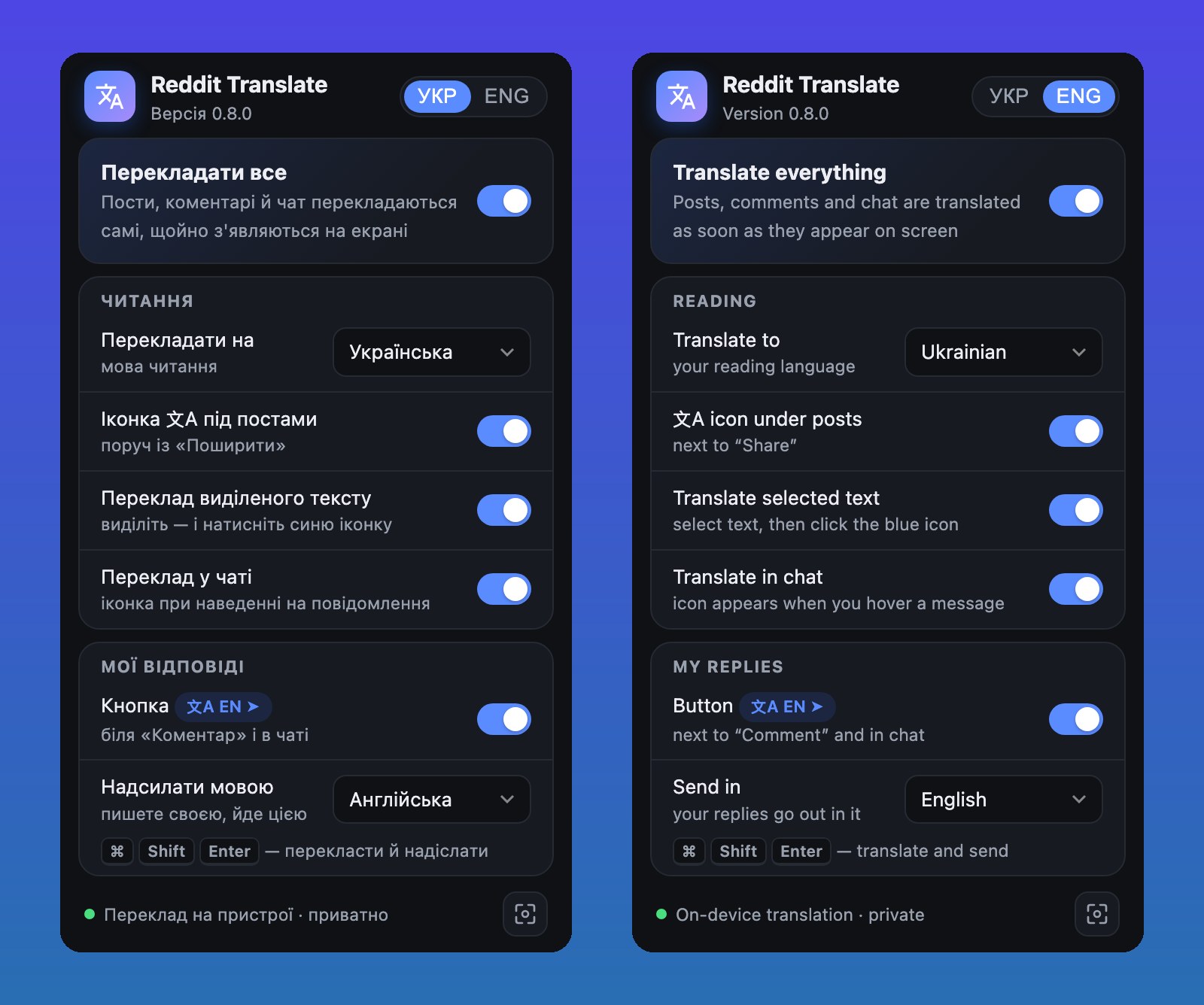
| Setting | What it changes |
|---|---|
| УКР / ENG | Language of the extension itself: buttons, tooltips, settings window |
| Translate everything | Automatic translation of posts, comments and chat on screen |
| Translate to | Your reading language (19 languages available) |
| 文A icon under posts | Show or hide the translate button next to “Share” |
| Translate selected text | Translate button next to a selected fragment |
| Translate in chat | Translate button when you hover a message |
| 文A EN ➤ button | Translate and send your replies |
| Send in | English, “Same as the other person” or any other language |
How translation works and what about privacy
- Chrome’s built-in translator is the main engine (Chrome 138 and later). It runs right on your computer: free, no limits, and the text isn’t sent anywhere. In that case the settings window says “On-device translation · private”. The first time you translate a new language pair, Chrome downloads a language model for a few seconds.
- Google Translate is the fallback if the built-in translator is unavailable or doesn’t support the language pair.
The extension has no accounts, collects no statistics and doesn’t store your texts. Settings live only in your browser. The code is open — you can review it on GitHub.
Reddit Translate vs translating the page in Chrome
| Feature | Reddit Translate | Chrome page translation | Copy into Google Translate |
|---|---|---|---|
| Translate posts and comments | Yes, in one click or automatically | Yes, along with menus and buttons | Manually, one text at a time |
| New comments while scrolling | Yes | Not always | No |
| Original next to the translation | Yes | No | In another tab |
| Translate and post your reply | Yes, one button or Ctrl/⌘ + Shift + Enter | No | Copy, paste, post |
| Reddit chat | Yes | Partly | Manually |
| On-device translation | Yes, if Chrome supports it | Depends on Chrome version | No |
How to install Reddit Translate
Until the extension is published in the Chrome Web Store, you can install it from an archive in three minutes.
- Download the latest archive from the GitHub releases page (the Reddit-Translate-….zip file) and unzip it. Put the reddit-translate folder somewhere permanent: if you delete it, the extension stops working.
- Open chrome://extensions in Chrome.
- Turn on “Developer mode” in the top right corner.
- Click “Load unpacked” and select the reddit-translate folder.
- Pin the extension: puzzle icon to the right of the address bar → pin Reddit Translate.
- Reload your open Reddit tabs.
To update, unzip the new archive over the old folder and click ↻ on the extension card in chrome://extensions — your settings are kept.
Reddit rules and machine translation
The translator changes text only in your browser and posts nothing without your action, so it doesn’t break Reddit’s general rules. But every subreddit has its own rules, and some communities ban machine translation or AI-generated text. Before posting actively, open the subreddit’s About → Rules tab. And remember that machine translation can make mistakes, so it’s better to translate important replies with the 文A icon first and proofread them.
FAQ
How do I translate Reddit into my language?
Install the free Chrome extension Reddit Translate. A 文A icon appears under every post and comment: click it and the translation shows up under the text. “Translate everything” mode translates posts, titles, comments and chat automatically as you scroll.
How can I reply on Reddit in English if I don’t speak English?
Write your reply in your own language and click the 文A EN ➤ button next to “Comment”, or press Ctrl/⌘ + Shift + Enter. Reddit Translate translates the text into English and posts it. To check the translation first, click the small 文A icon — the text is translated in the box without sending.
Is Reddit Translate free?
Yes. The extension is free, with no sign-up and no limits, and its source code is on GitHub under the MIT license.
Can anyone see the texts I translate?
The main engine is Chrome’s built-in translator, which runs on your computer, so the text is not sent anywhere. If it doesn’t support a language pair or your Chrome is too old, the text is translated with Google Translate. The extension doesn’t collect or store your data.
Can I translate Reddit chat?
Yes. Hover over a chat message and a 文A button appears on the right. Replying in chat works just like in comments: write in your language, and the 文A EN ➤ button translates and sends it.
Can Reddit ban me for using a translator?
The translator only changes text in your browser and posts nothing without your action, so it doesn’t break Reddit’s rules. But some subreddits ban machine translation or AI-generated text — check the community rules before posting a lot.
Other free Spilno Agency tools — a UTM link builder, an ad ROI calculator and Claude skills — are collected on the Our developments page.

Read also

SP Remarketing All In One Pro for OpenCart: What the Module Does and When You Need It
A review of the SP SEO Remarketing All In One Pro 9.2 module for OpenCart and ocStore, based…

Yoast SEO: WordPress Plugin Review 2026
Complete Yoast SEO plugin review 2026: traffic light system, AI assistant, LLMs.txt, Schema Aggregation, free vs premium.

Unitalk Review: Telephony, Chats, AI Analytics and Voice Agents in Real Screenshots
A detailed Unitalk review based on a live account: virtual PBX, call scenarios, chats, dialling campaigns, messaging, AI…

LiteSpeed Cache: Plugin Features & Complete Review 2026
LiteSpeed Cache is the most capable free caching plugin for WordPress in 2026: server-level caching cuts TTFB by…

What Is Included in PPC Management: Work Plan, Google Merchant Center and Reports
Our standard Google Ads work plan, plus a separate one for online shops with Google Merchant Center: what…

How to add a user to Google Search Console
Search console add user is a key question searched daily on Google. In this guide — full breakdown…