Server-Side GTM: What It Is and Why You Need It in 2026

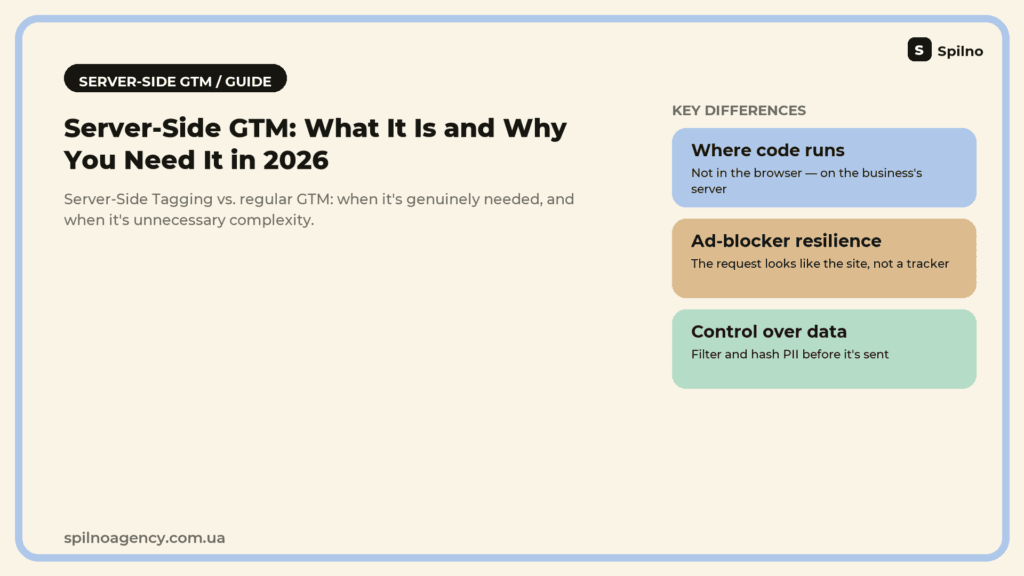
Server-side GTM (Server-Side Tagging) is a way of running marketing tags not in the visitor’s browser, but on a business’s own server, which then forwards the data to GA4, Meta, TikTok Ads, and other systems. In 2026, as ad blockers, browser cookie restrictions (ITP, ETP), and rising ad costs make data loss increasingly expensive, server-side GTM has shifted from a large-enterprise option to a practical tool for any business with a meaningful ad budget. We break down how it differs from regular GTM, when it’s genuinely needed, when it’s unnecessary complexity, and how marketers use it in practice.
What is server-side GTM (Server-Side Tagging)
The regular Google Tag Manager that most sites use is a client-side tag manager: a container of JavaScript code loads directly into the visitor’s browser, and every tag runs there — the Meta pixel, the GA4 code, the TikTok Ads script, Google Ads remarketing tags. The visitor’s browser talks directly to Google’s, Meta’s, and TikTok’s servers and passes them behavioral data about the site.
Server-side GTM adds an intermediate layer to this scheme — a container that runs not in the browser, but on a server controlled by the business itself (most often Google Cloud Run or App Engine). The browser sends an event only once, to the company’s own subdomain (for example, sgtm.yoursite.com), and the server container then processes that event according to its configured tags and forwards it onward — to GA4, Meta Conversions API, TikTok Events API, Google Ads Enhanced Conversions, and so on. To third-party systems and ad blockers, such a request looks like an ordinary call to the site itself, not to a well-known analytics or ad-network domain.
The key difference isn’t “a different GTM” — it’s a change in where the code runs: from the client side (the browser) to the server side (the business’s own infrastructure). That shift affects several things at once: tracking resilience against blockers, page load speed, the lifespan of first-party cookies, and control over exactly which data goes where.
Client-side GTM vs. server-side GTM: a direct comparison
| Criterion | Client-side GTM | Server-side GTM |
|---|---|---|
| Where tag code runs | In the visitor’s browser | On a server controlled by the business (Cloud Run / App Engine) |
| Where the browser sends requests | Directly to Google, Meta, TikTok, and other services | Only to one subdomain of the site itself |
| Resilience against ad blockers | Low — analytics and ad domains are on block lists | High — the request looks like a call to the site, not to a tracker |
| Impact on page speed | Every pixel is a separate script and network request from the browser | One lightweight browser request, heavy processing happens server-side |
| First-party cookie lifespan (Safari ITP) | Capped at roughly 7 days for JS-set cookies | Can be extended, since the server sets the cookie, not JavaScript |
| Control over data (PII, filtering) | Limited — data goes out as-is from the browser | Full — data can be cleaned, hashed, or enriched before it’s sent |
| Setup and maintenance complexity | Low, manageable by a non-technical marketer | High, requires a developer and cloud infrastructure |
| Cost | Free | Cloud hosting cost + time for setup and maintenance |
| Typical implementation owner | Marketer / web analyst | Web analyst together with a developer / DevOps |
It’s important to understand: in most implementations, server-side GTM doesn’t fully replace client-side GTM — the two run together. A typical hybrid setup keeps a lightweight base layer of tracking in the browser (the GA4 config tag, Consent Mode), while moving heavy or blocker-sensitive integrations — Meta CAPI, TikTok Events API, Enhanced Conversions — to the server.
How the server-side GTM architecture works
In practice, server-side GTM comes down to three steps that happen within a fraction of a second for every event on the site.
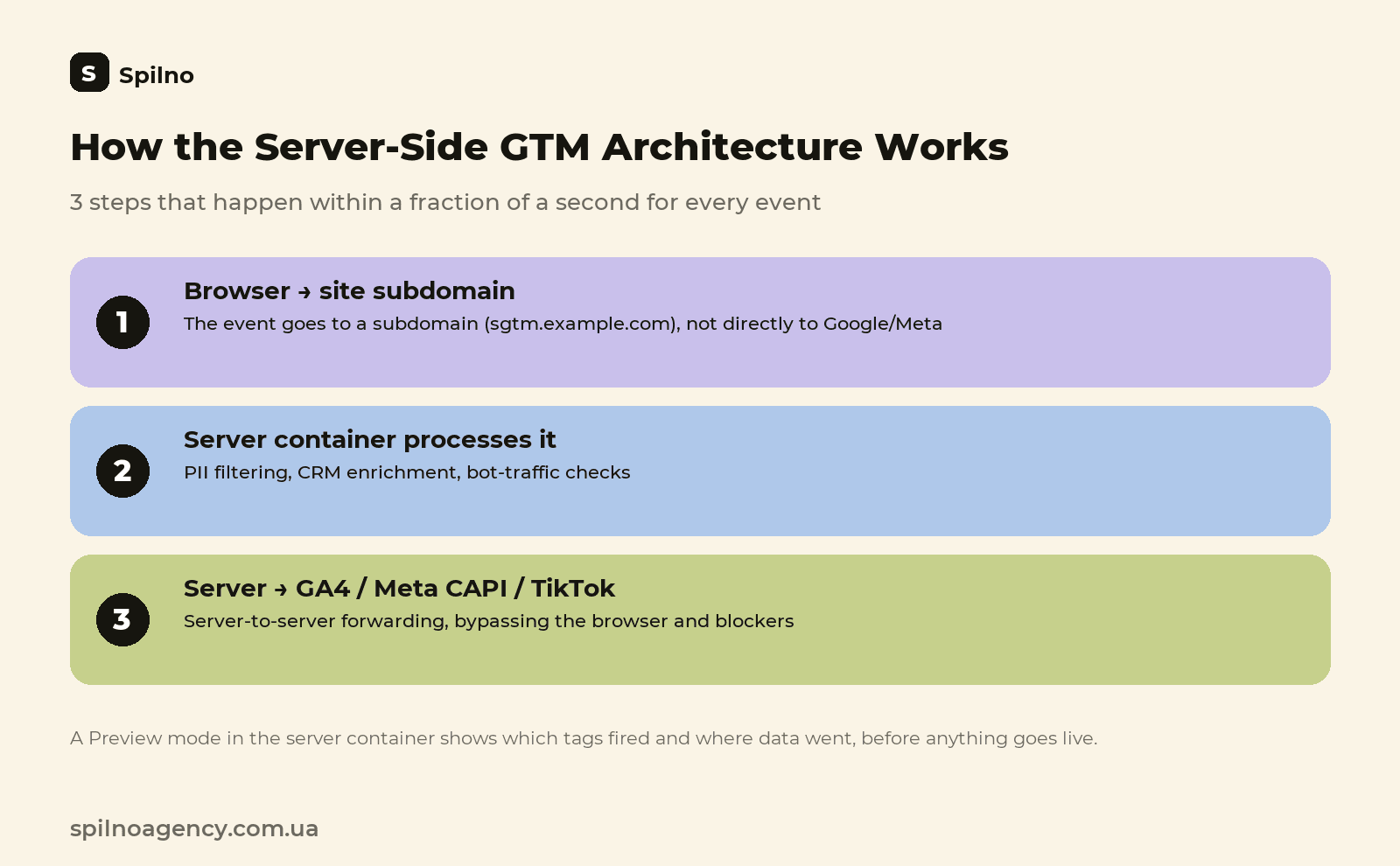
- The browser sends the event to the company’s own subdomain. Instead of reaching out directly to
google-analytics.comorfacebook.com, the site’s script sends event data (a page view, a purchase, a sign-up) to the business’s own subdomain — for example,sgtm.example.com— which is technically an ordinary first-party request. - The server container processes the event. The cloud server (Google Cloud Run / App Engine) receives the request, applies the tags, clients, and variables configured in server-side GTM — it can enrich the data with CRM information, filter out personal data, check for bot traffic, or merge several data sources into one consistent event record.
- The server forwards the data to the destination systems. The already-processed event is sent server-to-server to GA4 (Measurement Protocol), Meta Conversions API, TikTok Events API, Google Ads Enhanced Conversions, or any other connected system — bypassing the browser and any client-side blockers.
To debug and verify data accuracy, the server container, just like regular GTM, has a Preview mode — it shows which tags fired, what data they received, and where it was sent, before the changes go live.
The advantages of server-side GTM
- Resilience against ad blockers. Ad-block extensions and “enhanced privacy” browser modes block requests based on a list of known analytics and ad domains. A request to the site’s own subdomain simply isn’t on that list.
- Longer-lived first-party cookies. Safari ITP caps cookies set via JavaScript at roughly 7 days. A cookie set by the server in an HTTP response isn’t subject to that limit and can live significantly longer — which matters a great deal for remarketing audiences and attribution with a long decision cycle.
- A faster page. Instead of a dozen separate scripts and network requests from the browser to different services, the page makes one lightweight request to its own domain — a direct positive for Core Web Vitals, and indirectly for SEO.
- Control over personal data. Before data is sent to external systems, it can be stripped of unnecessary personal fields, or an email and phone number can be hashed (as required by Meta CAPI and Google Enhanced Conversions), or filtered by geography or traffic type altogether.
- Enriching data from internal systems. On the server, an event can be augmented with information from a CRM, back office, or loyalty database — for example, the real order status or the customer’s segment — before it’s sent to an ad platform for bid optimization.
- Filtering bot traffic and fraudulent clicks. Suspicious requests can be filtered out before they distort conversion statistics in an ad account and skew automatic bid optimization.
Limitations and drawbacks to know about upfront
Server-side GTM isn’t a universal, no-compromise solution. First, it’s an infrastructure project, not a simple pixel installation: it requires a subdomain, a cloud server, DNS configuration, and an SSL certificate. Second, it needs ongoing technical oversight — updating tag templates, keeping an eye on cloud hosting costs (which grow with traffic volume), and monitoring for event delivery errors. Third, it doesn’t remove the need for user consent — Consent Mode and GDPR/ePrivacy rules apply exactly the same way; server-side GTM only changes where tracking is technically executed, not whether legal obligations apply. Finally, a poorly configured server container can accidentally pass extra personal data to external systems — so PII filtering has to be designed deliberately, not left to chance.
When server-side GTM is genuinely needed: specific scenarios
Server-side GTM doesn’t always justify the effort involved — it does in specific situations where data loss has a direct impact on revenue or compliance.
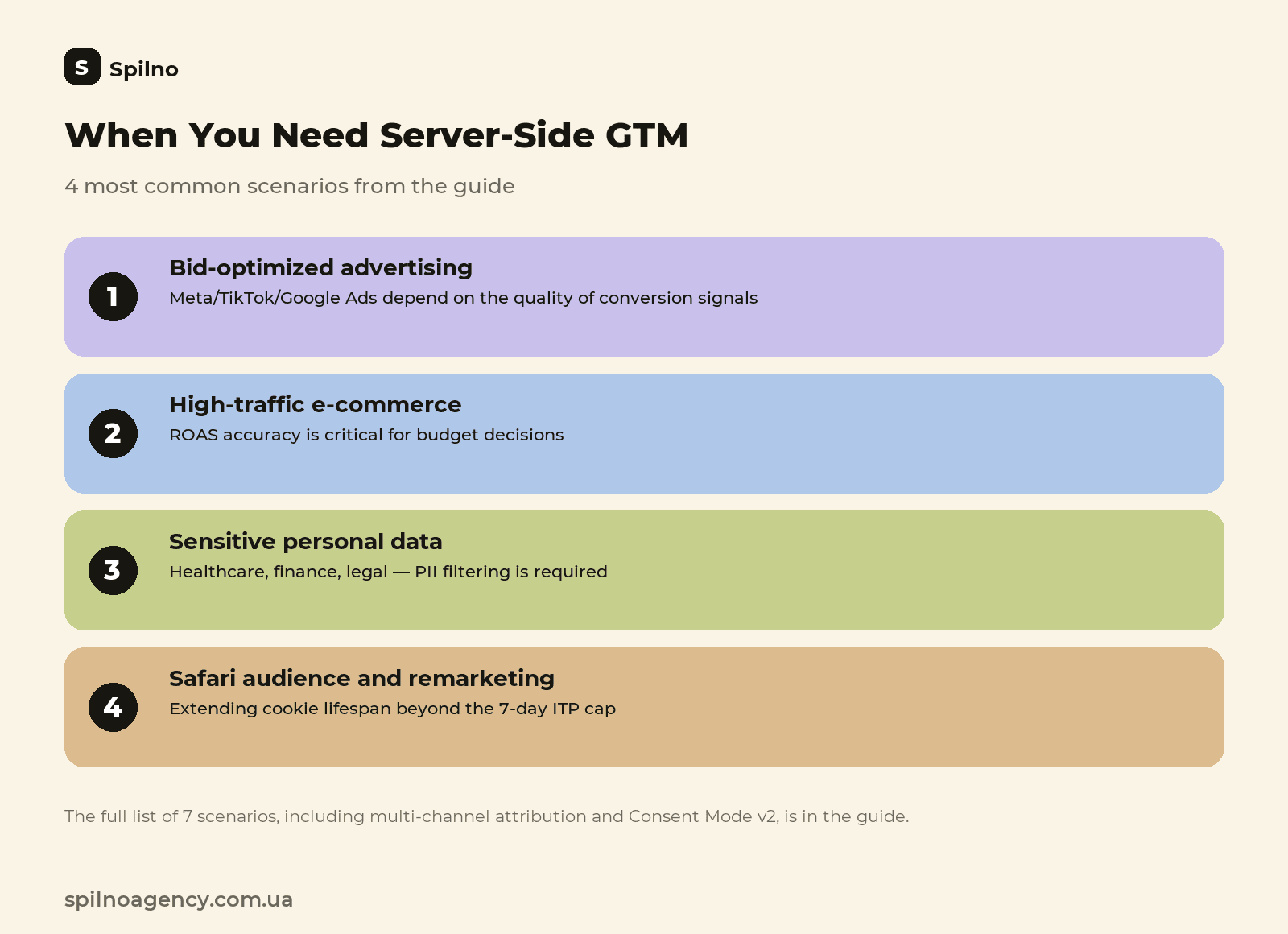
- A significant Meta Ads, TikTok Ads, or Google Ads budget that relies on automated bid optimization. Ad-targeting algorithms learn from conversion signals — the more events are lost to blockers and iOS restrictions, the worse the optimization performs and the higher the real cost per lead. Server-side Conversions API directly improves the quality of those signals.
- High-traffic e-commerce where ROAS accuracy is critical for budget decisions. If part of the purchase flow gets “lost” between the ad click and the Purchase event, ROAS reports understate a channel’s real performance — and the business either under-invests in profitable channels or turns them off entirely.
- A site with strict Core Web Vitals and page-speed requirements. When a page accumulates a dozen marketing tags and each one slows down loading, moving the heavy processing to the server noticeably lightens the client side.
- Industries with heightened personal-data requirements — healthcare, finance, legal services. A server container makes it possible to reliably filter out sensitive fields (for example, details of a medical inquiry) before an event ever reaches Google or Meta.
- The need to extend remarketing audience lifespans in Safari and browsers with strict anti-tracking policies. If a significant share of the audience is on iOS/Safari and remarketing lists “dry up” quickly due to ITP’s 7-day cap, server-set cookies substantially extend how long they last.
- Multi-channel attribution where consistency of data across platforms matters. When Meta, TikTok, Google Ads, and GA4 all need to see the same version of an event (the same purchase value, the same event_id for deduplication), a central server container is the most reliable way to achieve that.
- A business actively working with Consent Mode v2 that wants to preserve conversion-modeling quality when users decline cookies — the server side gives more control over which aggregated signals still get passed within the bounds of consent.
When server-side GTM is NOT needed
If a business runs a small brochure site or a blog, has a modest ad budget, and no resources for maintaining cloud infrastructure, server-side GTM is, in most cases, premature complexity. It adds a point of failure (a server can go down or be misconfigured), ongoing hosting costs, and the need for a specialist who understands both marketing and cloud infrastructure at once. In that situation, it’s more sensible to first get regular GTM in order: verify the accuracy of basic tracking, implement Consent Mode v2, connect native integrations with ad accounts (for example, the built-in Meta Pixel + CAPI via the official integration, with no separate server needed) — and revisit server-side GTM once the ad budget and data-accuracy requirements grow.
How marketers use server-side GTM in practice
Behind the architectural complexity are entirely practical scenarios that marketers and web analysts work with every day.
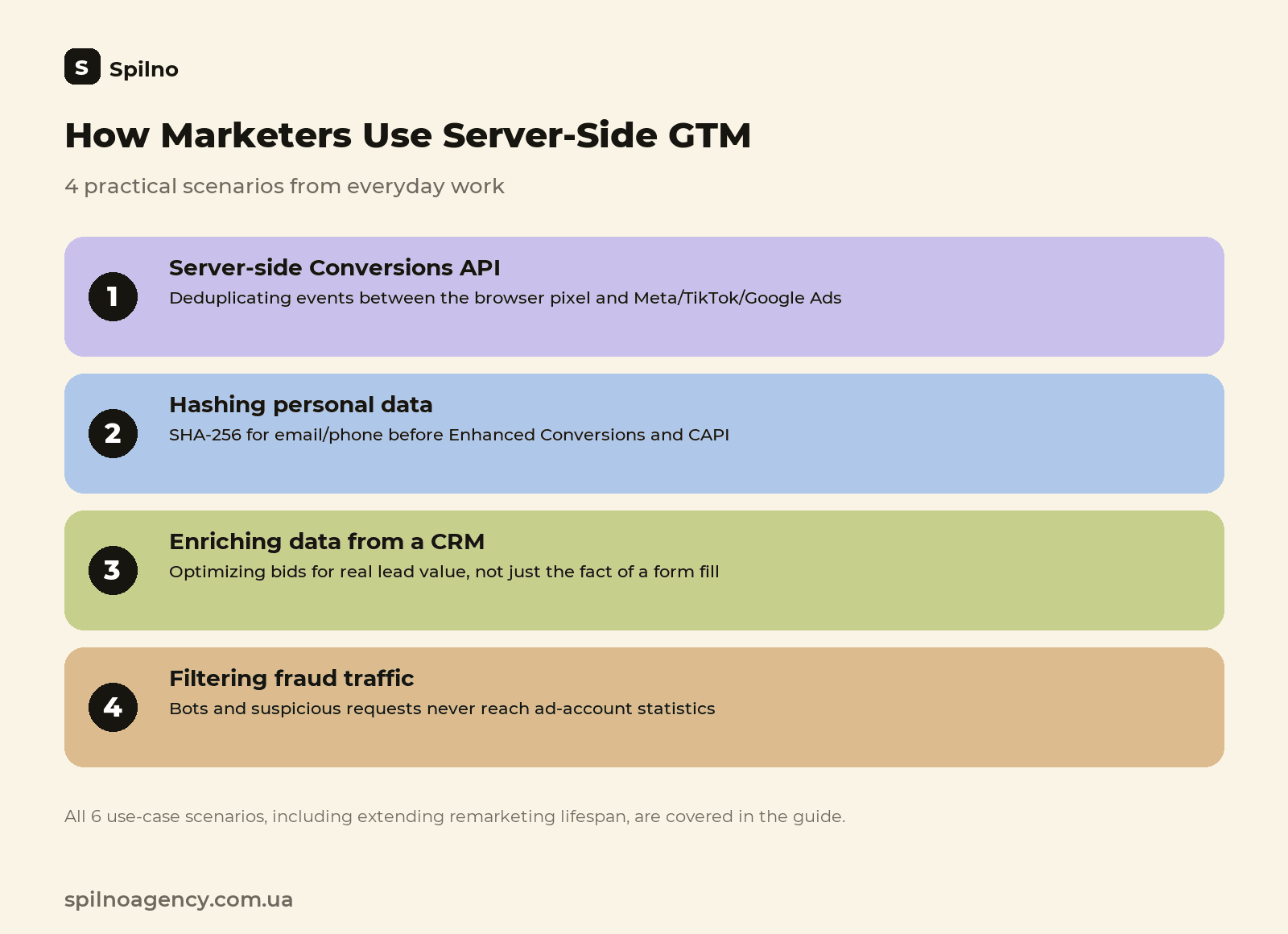
Server-side Conversions API for Meta, TikTok, and Google Ads
The most common scenario is sending the same event (a product view, an add-to-cart, a purchase) server-to-server via Meta Conversions API, TikTok Events API, or Google Ads Enhanced Conversions — in parallel with the browser pixel. Both streams, client-side and server-side, are tagged with the same event_id, so the ad platform automatically deduplicates the event and doesn’t count the conversion twice. The result: the ad account sees more real conversions, the bid-optimization algorithm gets higher-quality signals, and the cost per lead stabilizes during the auction.
Hashing and enriching data before it reaches ad accounts
Google Ads Enhanced Conversions and Meta CAPI require hashed (SHA-256) personal data — email, phone number — to match an offline or server-side conversion to a specific ad click. Doing that hashing on the server is safer and more reliable than in the browser: the data never appears in plain text in client-side network requests, and the hashing logic is controlled centrally in one place instead of being scattered across the site’s code.
Pulling in CRM data to optimize for real lead value
In B2B and businesses with a long deal cycle, a “raw” on-site event (a form submission, a call request) says little about lead quality. Marketers set up server-side GTM so that, before an event is sent to an ad account, it’s enriched with CRM data — deal status, an estimated contract value, or the sales team’s lead qualification. As a result, bid optimization in Google Ads or Meta Ads happens not on the fact that “someone submitted a form,” but on an approximation of the customer’s real value.
Extending the lifespan of remarketing audiences
For sites with a meaningful share of Safari or Firefox traffic, server-side first-party cookies let a user stay in a remarketing list far longer than the 7-day ITP cap allows. That has a direct effect on the size and “freshness” of dynamic remarketing audiences in Google Ads and Meta Ads.
Filtering fraud traffic and bots before they skew the numbers
The server container can check requests for signs of bot traffic (suspicious User-Agent strings, an abnormal frequency of events from one IP) and stop such events from reaching ad accounts. That protects automated bid-strategy budgets from “noisy” conversions that would otherwise push the algorithm to optimize toward customers who don’t exist.
Consolidating multiple tags into one call, with version control
Instead of trusting the correctness of a dozen separate pixels set up by different contractors or agencies, a team keeps all tracking logic centralized in one server container, with versioning and a Preview mode. This is especially useful when several marketing teams work on the same site at once (say, PPC and CRM marketing separately) and need a single source of truth for events.
What implementing server-side GTM involves: a short plan
- A subdomain and SSL. Set up a subdomain of the site (for example,
sgtm.yoursite.com) and issue an SSL certificate for it — without this, tracking won’t look like first-party traffic. - Deploying the server container. Most often Google Cloud Run, sometimes App Engine or another cloud provider; this needs a cloud account and basic billing setup.
- Configuring the server-side GTM container. Creating clients (GA4 Client, Google Ads Client), tags (GA4, Meta CAPI, TikTok Events API), and, where needed, custom variables for transforming and filtering data.
- Reconfiguring the client side. gtag.js or the site’s web GTM container is redirected to send events to the new server subdomain instead of straight to Google/Meta.
- Testing in Preview mode. Verifying that every event arrives with the correct parameters at each destination system, and that deduplication with the client-side pixel works correctly.
- Post-launch monitoring. Keeping an eye on cloud hosting cost relative to traffic volume, regularly reconciling event counts between client-side and server-side tracking, and updating tag templates as new versions ship.
Conclusion
Server-side GTM isn’t a replacement for a regular tag manager — it’s an additional layer of infrastructure worth implementing once the cost of data lost to blockers and browser restrictions outweighs the cost of maintaining a server container. In 2026, that threshold has already been crossed for the average mid-to-large advertiser: rising cost per click, tightening browser privacy, and automated bid strategies’ dependence on conversion-signal quality make data accuracy a direct factor in ad profitability, not just a nice-looking number in a report. For any business running active campaigns on Meta Ads, Google Ads, or TikTok Ads, it’s worth at least calculating how many conversions are currently being lost to client-side tracking — and deciding from that number alone whether a move to a server-side model is justified.

Read also

What Is an API: What It Means and How to Work With It in 2026
An API (Application Programming Interface) is a set of rules that lets one program request data or an…

Site Kit by Google: Overview and Setup Guide for WordPress
Site Kit by Google is the official WordPress plugin that brings Search Console, Analytics 4, PageSpeed Insights, Ads,…

Lawyer Lead Cost in 2026: Why Prices Vary So Much
How much does a lead really cost for law firms running Google Ads and Meta Ads in 2026?…