What is Upwork and How Does It Work? A Complete Guide for Freelancers 2026

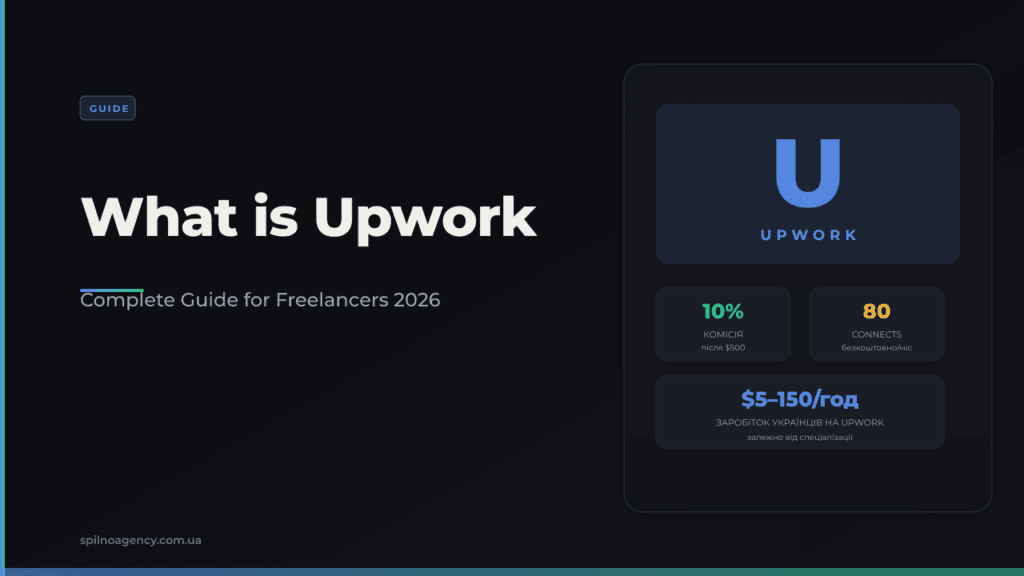
Upwork is the world’s largest freelance marketplace with over 18 million registered specialists and $4.1 billion in annual revenue. Registration is free, payments are secured by Escrow, and the platform charges a service fee from 5% to 20% depending on your lifetime earnings with each client.
What is Upwork and Who is it For
Upwork is an international freelance platform where businesses and individual clients from across Europe and worldwide find specialists for IT development, marketing, design, copywriting, translation, and hundreds of other fields. Founded in 2015 (merger of oDesk and Elance), Upwork is the largest platform in its segment.
Upwork is ideal for:
- Freelancers — from beginners to Senior specialists looking for a steady stream of international projects and USD payments.
- Agencies — studios and teams wanting to reach global clients.
- Clients (businesses) — European companies needing specialists on a project basis without full-time employment.
How Upwork Works: From Registration to Payment
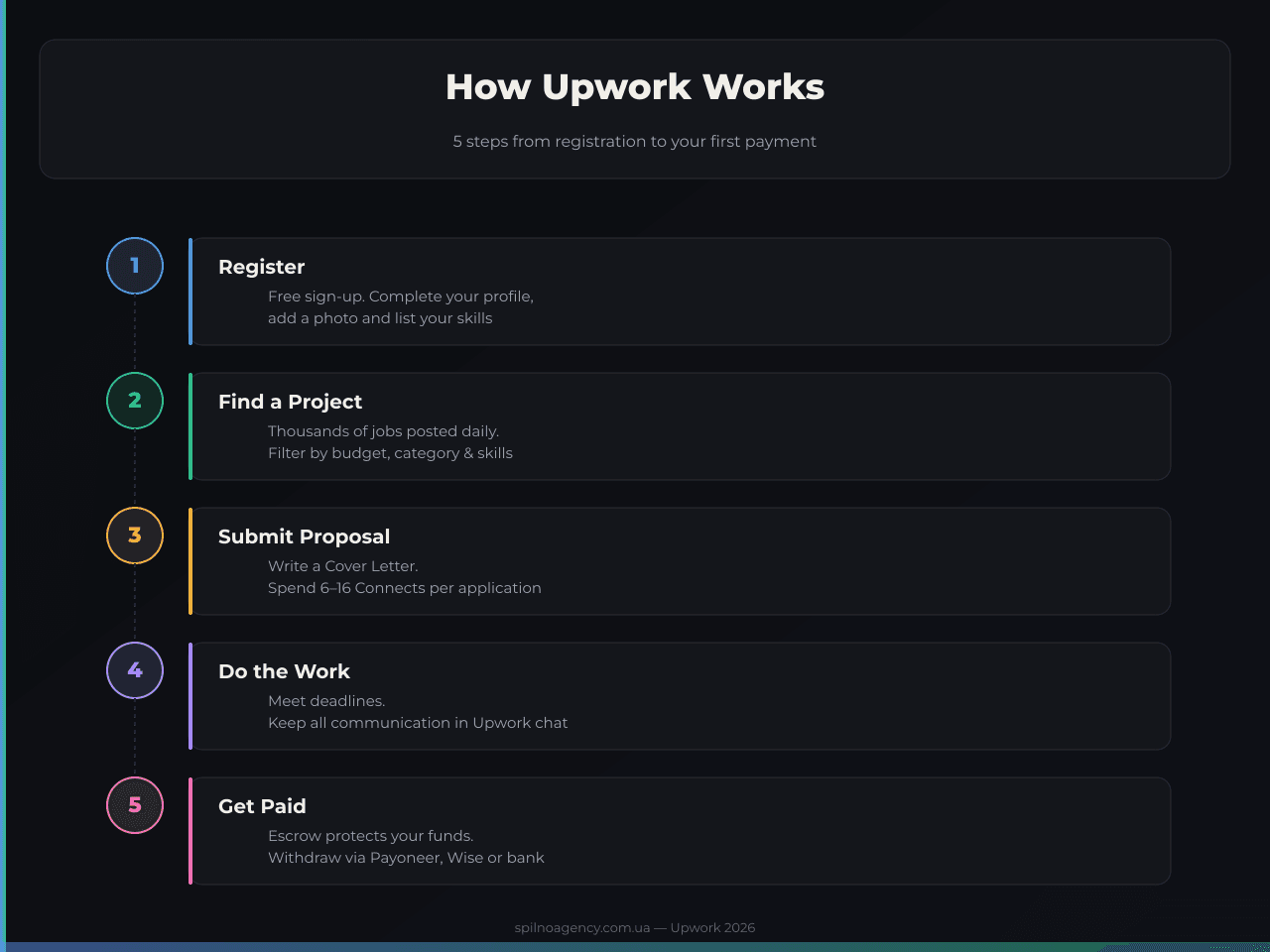
The Upwork process is straightforward: a client posts a job → a freelancer submits a Proposal → a contract is signed → work is completed → payment through Escrow. Five steps in total:
- Register and build your profile. It’s free. Fill in every field: photo, Title, Overview, Skills, Portfolio, and your hourly rate. A 100% complete profile is the baseline for landing your first contract.
- Find a project. Use filters: budget, category, experience level, client location. Set up Job Alerts to be among the first to see new listings.
- Submit a Proposal. Write a personalised Cover Letter — show that you read the job description and offer a concrete solution. Each proposal costs 6–16 Connects.
- Do the work. Keep all communication in Upwork Messages. For hourly contracts, use the Upwork Time Tracker. Avoid contacting clients outside the platform — it violates the Terms of Service.
- Get paid. Funds are held in Escrow. Once the client approves the work, the money is released to your Upwork balance. Withdraw via Payoneer, Wise, or bank transfer (SWIFT).
Upwork Connects: What They Are and How to Use Them Wisely
Connects are Upwork’s internal currency for submitting proposals. Every month you receive 80 free Connects. To avoid wasting them:
- Only apply to jobs where the client has a verified payment method (the Payment Verified badge on the listing).
- Check the client’s last activity — if it was more than two weeks ago, the listing is likely abandoned.
- Prefer listings with fewer than 5–10 applicants — your chances of being noticed are much higher.
- Connects are refunded if the client closes the job without hiring anyone.
You can buy additional Connects: 10 Connects = $1.50, available in packs of 10, 20, 40, 60, or 80.
Upwork Service Fee: How Much Does the Platform Take
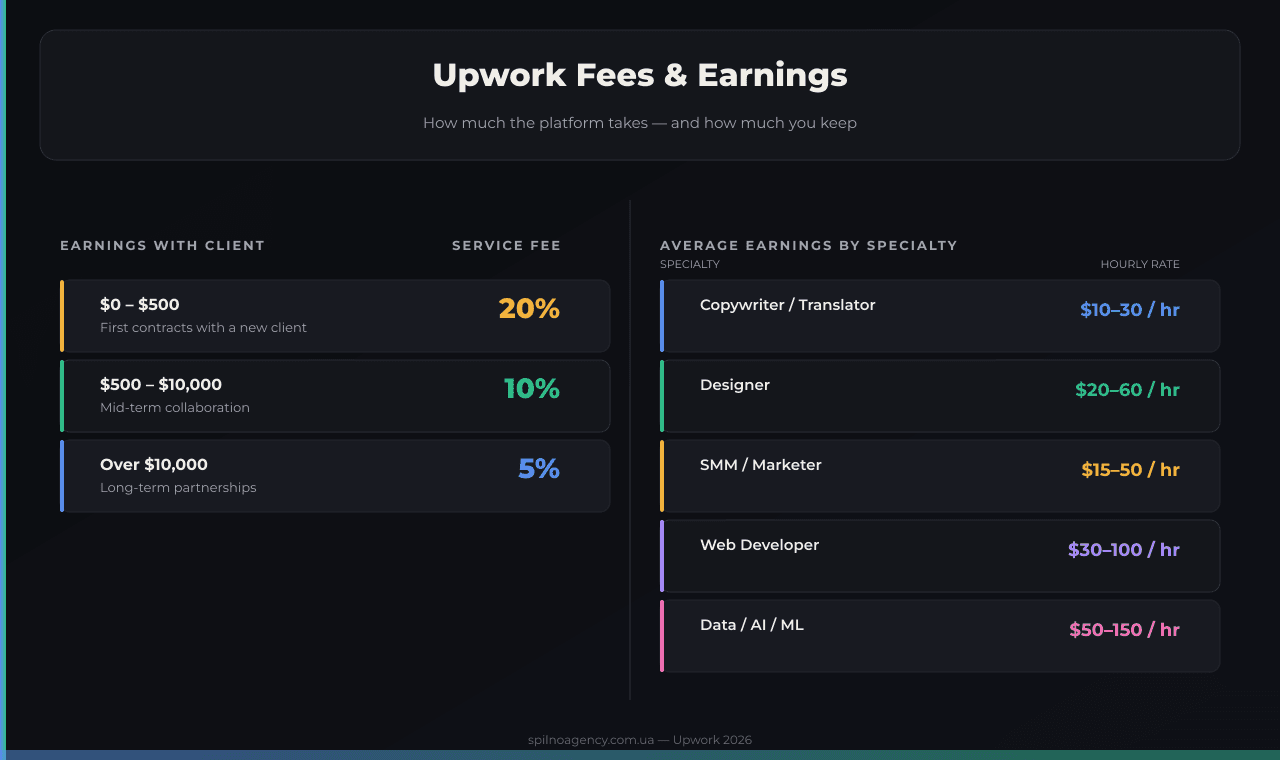
Upwork charges freelancers a service fee based on cumulative lifetime billings with each client:
- 20% — on the first $500 earned with a new client.
- 10% — on earnings from $500 to $10,000 with the same client.
- 5% — on everything above $10,000.
Clients pay separately: a 5% service fee for fixed-price contracts and a 3–5% fee for Enterprise clients.
Key insight: retaining one client and growing your contract volume with them rapidly reduces the fee. Long-term contracts on Upwork are far more profitable than one-off projects.
Contract Types: Hourly vs Fixed-Price
- Hourly. You are paid for each hour worked. You must use the Upwork Time Tracker — it takes screenshots every 10 minutes and acts as proof of work. Without the tracker, Upwork Payment Protection does not apply.
- Fixed-price. The total amount is agreed upfront. The client deposits funds into Escrow before work begins. When you complete a milestone, you request payment (Request Payment).
Job Success Score (JSS) and Talent Badges
Your Job Success Score (JSS) is Upwork’s core reputation metric — it shows the percentage of contracts completed successfully. A JSS above 90% qualifies you for Top Rated, and a consistently high JSS with significant earnings qualifies for Top Rated Plus. These badges significantly boost your profile’s visibility in Upwork search results.
- Rising Talent — for new freelancers showing strong early performance.
- Top Rated — JSS ≥ 90%, at least $1,000 earned in the past 12 months.
- Top Rated Plus — JSS ≥ 90%, at least $10,000 earned in the past 12 months.
- Expert-Vetted — personally reviewed by Upwork; top 1% of freelancers.
Tips for Beginners: How to Land Your First Upwork Contract
- Complete your profile 100%. Use a real, professional photo. Make your Title specific: “WordPress Developer for WooCommerce” beats “Web Developer”. Your Overview should tell a story, not list buzzwords.
- Pick a niche. A narrow specialisation always outperforms a broad skill set in search visibility. The more specific your positioning, the easier it is for the right client to find you.
- Start with a competitive rate. Your first 2–3 contracts are about collecting reviews, not maximising earnings. A rate of $15–25/hr with excellent delivery will generate 5-star reviews that unlock premium pricing.
- Write personalised proposals. Show that you actually read the job description. Ask 1–2 specific questions about the project. Avoid generic phrases like “I am hardworking and responsible”.
- Respond quickly. Clients on Upwork often hire within hours of posting. Set up mobile notifications and respond to invitations within 30–60 minutes.
Frequently Asked Questions
What is Upwork and how does it work?
Upwork is the world’s largest freelance marketplace. Clients post projects, freelancers submit proposals, and contracts are secured by Escrow payments. Platform fee: 20% up to $500, 10% up to $10,000, 5% above $10,000 per client.
How much does Upwork charge freelancers?
Upwork charges 20% on your first $500 with a new client, 10% from $500 to $10,000, and 5% above $10,000. Clients pay an additional 5% service fee for fixed-price contracts.
How do I get my first job on Upwork?
Complete your profile 100%, specialise in a niche, start with a competitive rate to build reviews, and write personalised proposals. Respond to clients within 30 minutes of receiving a message.
What are Upwork Connects?
Connects are Upwork’s currency for submitting proposals. You get 80 free per month. Each proposal costs 6–16 Connects. You can buy more at $1.50 per 10 Connects.

Read also
Spilno Agency’s Experience: How We Verify Events Before Starting Work
Before launching a campaign in Google Ads or Meta Ads, or starting SEO work, Spilno Agency always checks…
GA4 DebugView: How to Verify Google Analytics Events in Real Time
DebugView is the section of Google Analytics 4 that shows your site’s events in real time, seconds after…

Top Claude Skills for TikTok Ads Specialists (2026)
9 verified Claude skills and MCP servers for TikTok Ads: Pixel/Smart+ audits, Spark Ads hook/hold rate, creator sourcing,…