GA4 Traffic Sources and Channels: A Full Source / Medium Breakdown

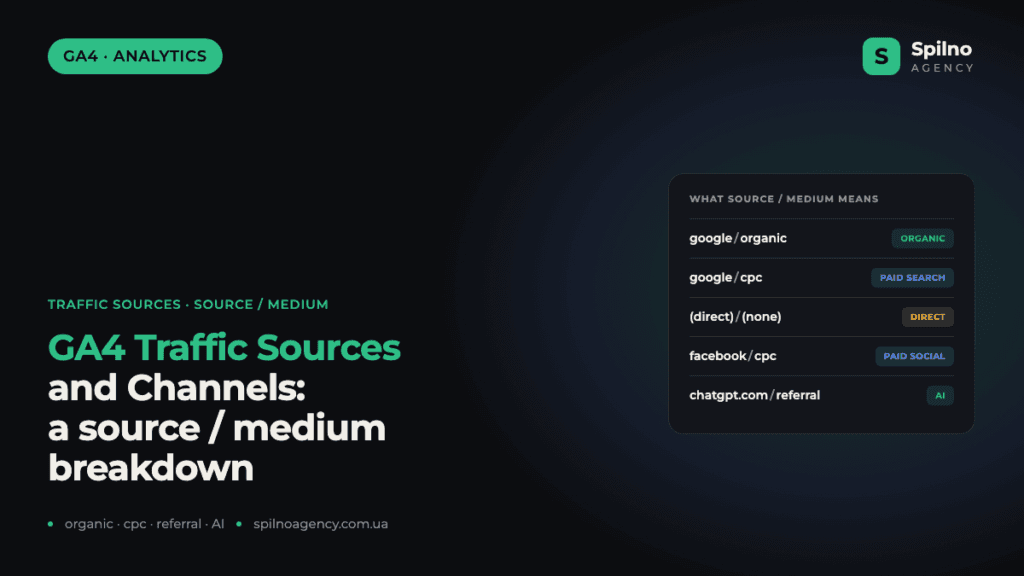
Source / medium in GA4 is a pair of values — “where the user came from / how they got there”. google/organic is free search, google/cpc is advertising, (direct)/(none) covers direct visits and “lost” referrals, and chatgpt.com/referral is the new wave of AI traffic. In this guide we break down every common source and show you how to strip out the junk self-referrals that distort your reports.
What source / medium means and why you always read them as a pair
In the Google Analytics 4 “Traffic acquisition” report, every session is described by two properties. Source is the specific platform the user came from: google, facebook, hotline.ua, chatgpt.com. Medium is the way they arrived: organic (free search), cpc (paid click), referral (a link from another site), social, (none).
On their own, source and medium tell you almost nothing. The value lives in the pair. google/organic and google/cpc are the same Google, yet they are two completely different channels: SEO versus paid ads, different budgets, different owners and different KPIs. That is why GA4 always writes the source and medium together, separated by a slash: source / medium.
Where does GA4 get these values? From three places, in order of priority:
- UTM tags in the URL — if the link contains
utm_sourceandutm_medium, GA4 reads the values straight from them. - Referrer (the domain of the previous page) — if there are no UTMs, GA4 looks at which site the user came from and classifies it (for example,
google→ organic, any other site → referral). - Direct visit — if there is neither a UTM nor a referrer, the session is marked as
(direct)/(none).
Default Channel Groups: how GA4 rolls sources up into channels
The source/medium report is the most granular view. On top of it, GA4 builds a summary layer — the Default Channel Groups. These are exactly what you see at the top level of the “Acquisition” report. Here are the main groups and the rule that decides where traffic lands:
- Direct —
(direct)/(none): source could not be determined. - Organic Search — medium
organicfrom search engines (google,bing,duckduckgo). - Paid Search — medium
cpc,ppc,paidfrom search engines. - Paid Social — medium
cpc/paidfrom social networks (facebook,instagram). - Organic Social — medium
socialfrom social networks. - Referral — medium
referral: link clicks from other sites. - Organic Shopping / Paid Shopping — price comparison engines and shopping marketplaces.
- Email, Affiliates, Audio, SMS — based on the matching medium tags.
The key nuance: channels are defined by the medium value, not the source. If your Meta ads carry utm_medium=social instead of cpc, GA4 will file them under Organic Social — and you will undercount your paid traffic. That is why a single, consistent UTM scheme is critical (more on that below).
The core four: the sources people confuse most often
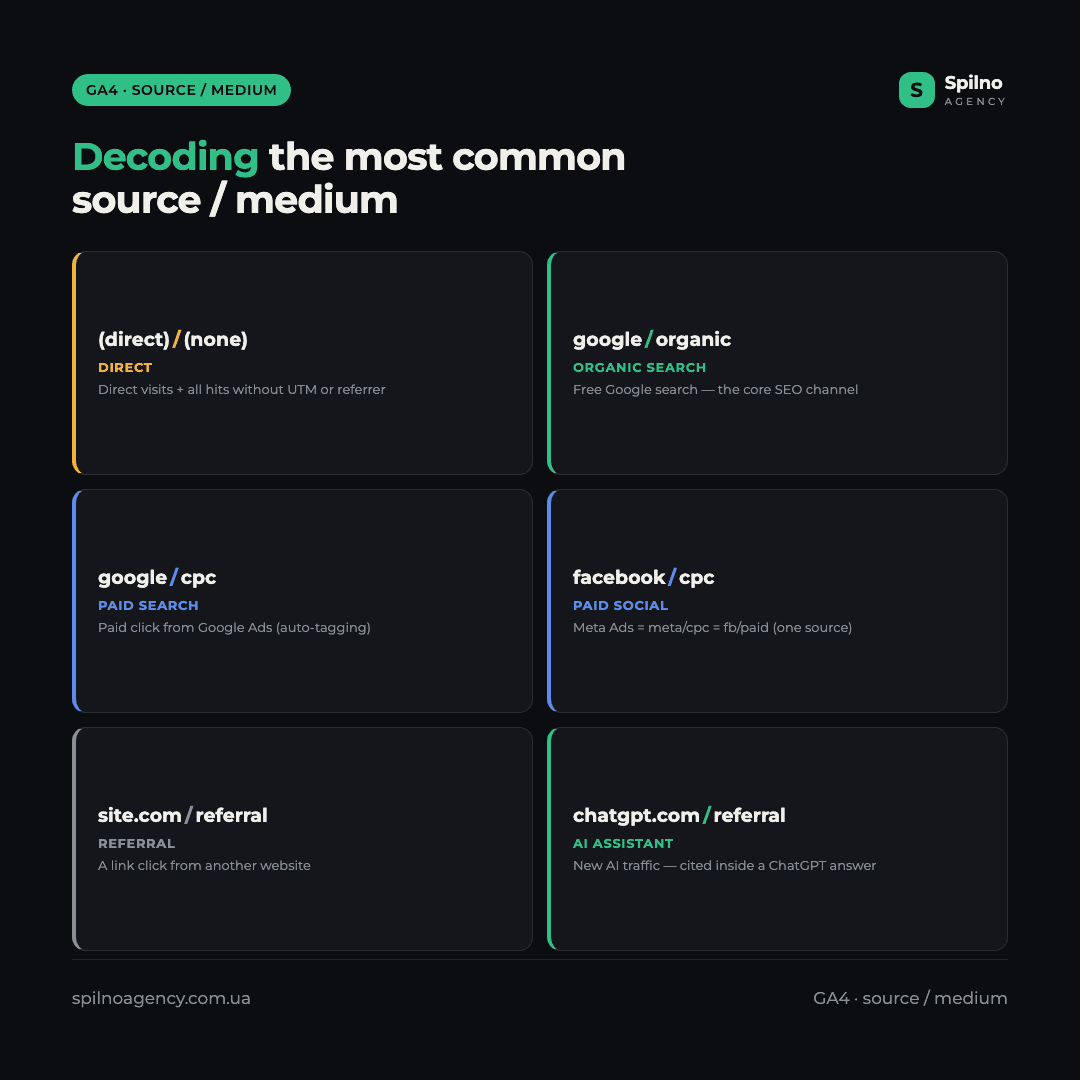
(direct) / (none) — direct traffic (and more)
The textbook interpretation: the user typed the address by hand or clicked a bookmark. In reality, though, this bucket catches everything GA4 could not attribute to a source: clicks from messengers (Viber, Telegram, WhatsApp), taps inside mobile apps, links opened from PDF documents, links opened in email clients without UTM tags, and cases where the browser did not pass a referrer (for example, moving from an HTTPS page to an HTTP one).
So a high share of (direct) is often not “a loyal audience that knows your brand by heart”, but a signal that some of your links are not tagged with UTMs. If 30–40% of your traffic is direct, check your email campaigns, QR codes, and links in messengers and social posts.
google / organic — free Google Search
The user found you in Google’s results and clicked a regular (non-ad) listing. This is the main SEO channel and usually one of the highest-quality sources: the person arrived with a specific query, which means clear intent. A rising google/organic trend is a direct indicator that your SEO is working.
google / cpc — Google Ads
cpc = cost-per-click. This is a paid click from Google Ads: a Search, Display, Performance Max or Shopping campaign. GA4 assigns this tag automatically when auto-tagging is enabled (the gclid parameter in the URL) and your Google Ads ↔ GA4 accounts are linked. If you see google/cpc but have not run any campaigns, check whether your GA4 is linked to someone else’s ad account.
facebook / cpc, meta / cpc, fb / paid — Meta ads
All of this is one and the same Meta Ads, just with different UTM tags. On real sites, the very same ad system shows up in GA4 as facebook/cpc, meta/cpc, fb/paid and even Instagram_Reels/cpc all at once — because different people (or different link templates) set different source/medium values. The result: your real Meta budget is “smeared” across 4–5 rows, and none of them reflects the channel’s true weight. The fix is a single, shared UTM template.
Social networks: why one Instagram turns into four rows
In real-world reports, Instagram is almost always scattered across several sources at once:
ig / social— organic visits from the profile, stories and bio link.ig / paidandInstagram_Reels / cpc— paid advertising.l.instagram.com / referral— the “technical” hop through Instagram’s redirect domain.instagram.com / referralandm.facebook.com / referral— visits without correct UTMs.
All of this is one social network. l.instagram.com is an intermediate domain that Instagram routes every external click through; without configuration, GA4 counts it as an ordinary referral rather than social. The same goes for web.telegram.org, viber.com, css.viber.com. Until you consolidate these sources under unified tags, you will never see the real weight of social — it will stay “scattered” across Organic Social, Paid Social and Referral.
Referrals, price aggregators and the new AI traffic
hotline.ua / referral and hotline / cpc
Visits from the Hotline price comparison engine. referral is a free organic click from a product card; hotline/cpc is a paid placement inside the aggregator. For e-commerce this is often one of the strongest channels by volume, so it is worth pulling out into its own Shopping group rather than leaving it in the catch-all Referral.
youtube.com / referral
Visits from YouTube: video descriptions, cards, the channel bio link. By default, GA4 classifies them as referral, even though they are essentially a social channel. If YouTube is an important part of your marketing, redefine it in custom Channel Groups.
bing / organic, duckduckgo / organic
Organic search from other search engines. This is usually 1–3% of traffic, but these are free visitors with intent who are easy to overlook. In 2026, Bing is especially interesting because its index powers search inside Copilot and other Microsoft AI products.
chatgpt.com / referral, chatgpt.com / ai-assistant — AI traffic
The most interesting part of 2026 data. These are users who arrived from a ChatGPT answer that cited your site as a source. GA4 still has no settled standard for AI traffic, so the same ChatGPT falls into three different rows:
chatgpt.com / referral— an ordinary link click from the answer.chatgpt.com / ai-assistant— a new medium that some AI services set themselves.chatgpt.com / (not set)— the channel could not be determined.
For now the volume is small — dozens of sessions a month. But it is a growth point: traffic from AI assistants (ChatGPT, Perplexity, Gemini, Copilot) grows every month, and it is worth carving out into a separate channel right now so you can track the trend from day one. How to do it — in the section on custom Channel Groups.
The technical “junk” that distorts your reports
This is the most important section for analytics accuracy — and the one most people skip. Some of the “sources” in your report are not real traffic sources at all.
Self-referral: payment systems, telephony, chats, CRM
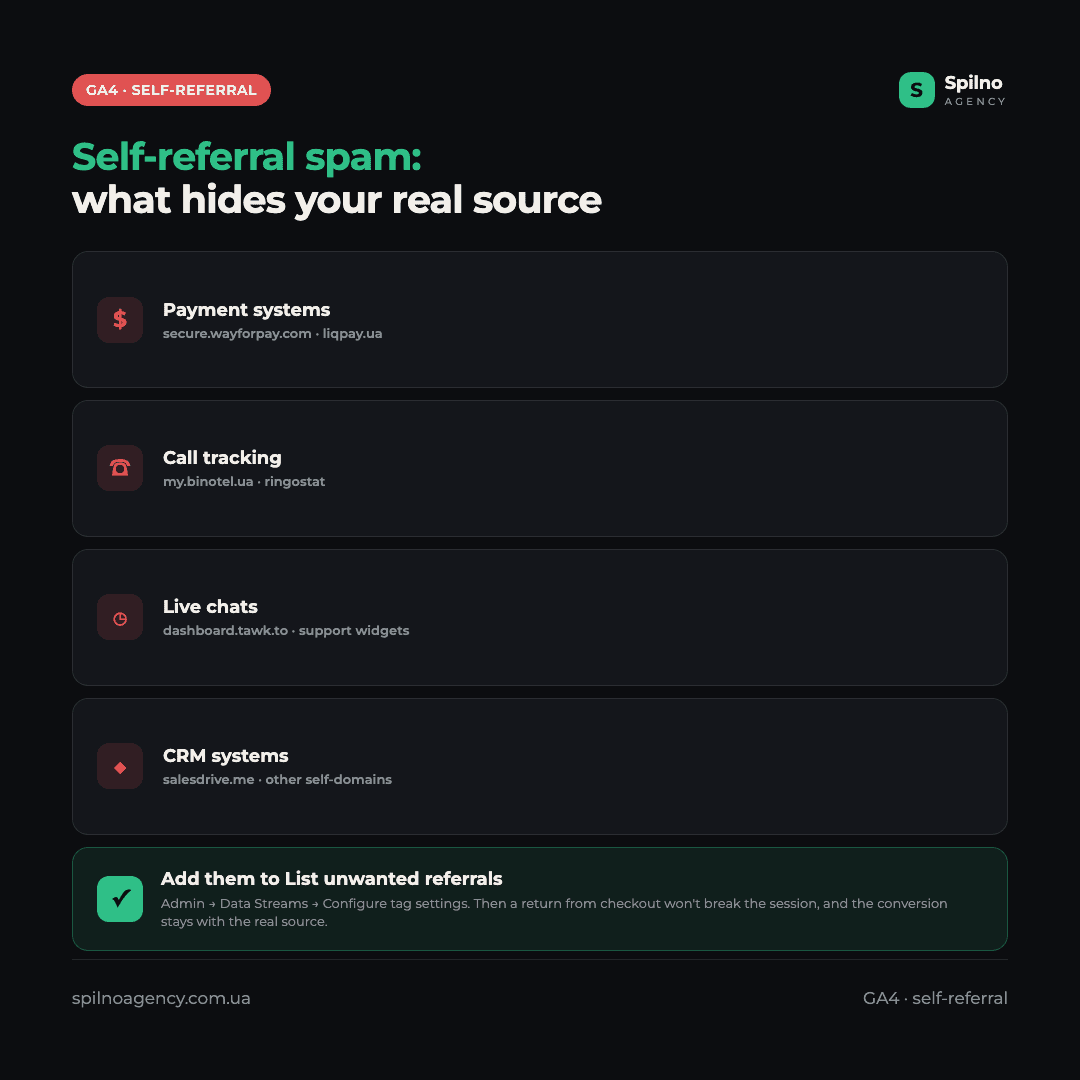
Real reports constantly turn up entries like: secure.wayforpay.com, liqpay.ua, my.binotel.ua, dashboard.tawk.to, wekids2023.salesdrive.me, css.viber.com, tagassistant.google.com.
These are not real sources, but so-called self-referrals. The mechanism is simple: a user goes to a payment page (WayForPay, LiqPay), completes the payment and returns to your site — and GA4 records this as a new session with the source “payment system”. As a result, a conversion that was actually driven by Google Ads or SEO gets credited to the payment processor. The Binotel telephony widget, the Tawk.to live chat and the SalesDrive CRM do exactly the same thing.
What to do: add these domains to the list of unwanted referrals. Admin → Data Streams → select your stream → Configure tag settings → List unwanted referrals. After that, returning from the payment page will no longer break the session, and the conversion will stay attributed to the real source. We put together a step-by-step guide on what to do when GA4 attributes revenue to billing domains in a separate article.
Service values are normal, not a bug
(not set)— GA4 has not yet determined the parameter (often the first hits of a session or a processing delay).(data not available)— data is unavailable due to privacy restrictions, Consent Mode settings or sampling.bot / bot— filtered bot traffic.
On their own, these values are normal — there is no need to panic. But if (not set) or (data not available) takes up tens of percent of your traffic, that is a signal to review your Consent Mode settings and the tagging on your site.
How to clean it up: a 5-step checklist
- A single UTM scheme. One
utm_sourceand oneutm_mediumper channel. Notfb/facebook/metaall at once, but one agreed value for the whole team. Use a UTM builder and a saved template. - List unwanted referrals. Add every payment system, telephony widget, live chat and CRM so they stop hijacking your conversions.
- Custom Channel Groups. Pull AI traffic (
chatgpt.com,perplexity.ai,gemini.google.com) and price aggregators out into their own channels. - Do not trust (direct) blindly. Make sure all external links — email, messengers, QR codes, banners — are tagged with UTMs.
- Always separate organic and cpc. They are different budgets, different KPIs and different owners. Never merge them into a single “Google” in your reports.
If setting all this up yourself feels like too much, we can take UTM standardisation, clean attribution and custom channel groups off your hands as part of our Google Analytics setup service.
A quick glossary of medium values
A short reference so you do not get lost in the channels:
organic— free organic search.cpc/ppc/paid— paid click (advertising).referral— a link click from another site.social— an organic visit from a social network.email— a click from an email campaign.(none)— no channel (only occurs with the(direct)source).affiliate— affiliate/referral program.ai-assistant— the new channel for visits from AI assistants.
FAQ: traffic sources and channels in GA4
How is source different from medium?
Source is the specific platform the user came from (google, facebook, hotline.ua). Medium is the way they arrived (organic, cpc, referral). On their own they tell you little — you have to read them as a pair: google/organic and google/cpc are completely different channels.
Why is (direct)/(none) so large?
It catches not only genuinely direct traffic, but every visit GA4 could not attribute to a source: clicks from messengers, mobile apps, PDFs and emails without UTM tags, and cases where the referrer was lost. A high (direct) usually means that some of your links are not tagged with UTMs.
Are facebook/cpc and meta/cpc different channels?
No, this is the same Meta Ads, just with different UTM tags. To see the channel’s real weight, you need to unify the source and medium in a single UTM template for the whole team.
What is chatgpt.com/ai-assistant?
It is a new AI-traffic channel — visits from ChatGPT answers that cite your site as a source. GA4 has not yet standardized AI traffic, so ChatGPT can land as referral, as ai-assistant or as (not set). It is worth carving this traffic out into its own channel right now.
What does (data not available) mean in the report?
It is a service value: information about the source is unavailable due to privacy restrictions, Consent Mode settings or sampling. A small percentage is normal. If this traffic reaches tens of percent, review your consent settings and tagging.
Why do payment systems (LiqPay, WayForPay) show up as a source?
This is self-referral: the user goes to the payment page and returns to the site, and GA4 records a new session with the source “payment system”. Because of that, the conversion gets credited to the payment processor instead of the real channel. The fix is to add the domain to List unwanted referrals.
How do I carve AI traffic out into its own channel?
In GA4, create a custom channel group (Admin → Channel groups → Create new) and add a rule: if the source contains chatgpt, perplexity, gemini or copilot, assign it to an “AI Assistants” channel. That way you will see AI traffic separately from ordinary Referral.

Read also
How to Transfer (Move) a Google Analytics 4 Property to Another Account: Step-by-Step Guide
A step-by-step guide with screenshots: how to move a Google Analytics 4 property to another account without losing…
Google Tag Manager Workspaces: Why You Need Them and How to Use Them in 2026
A workspace in Google Tag Manager is a “draft” of a container — a place to safely edit…
How to Track Revenue, Transactions and Purchases in Google Analytics 4 from WordPress WooCommerce
Introduction WooCommerce store owners are often convinced that Google Analytics 4 already shows them revenue, transaction counts and…