Google Tag Gateway: What It Is and Why Your Business Needs It

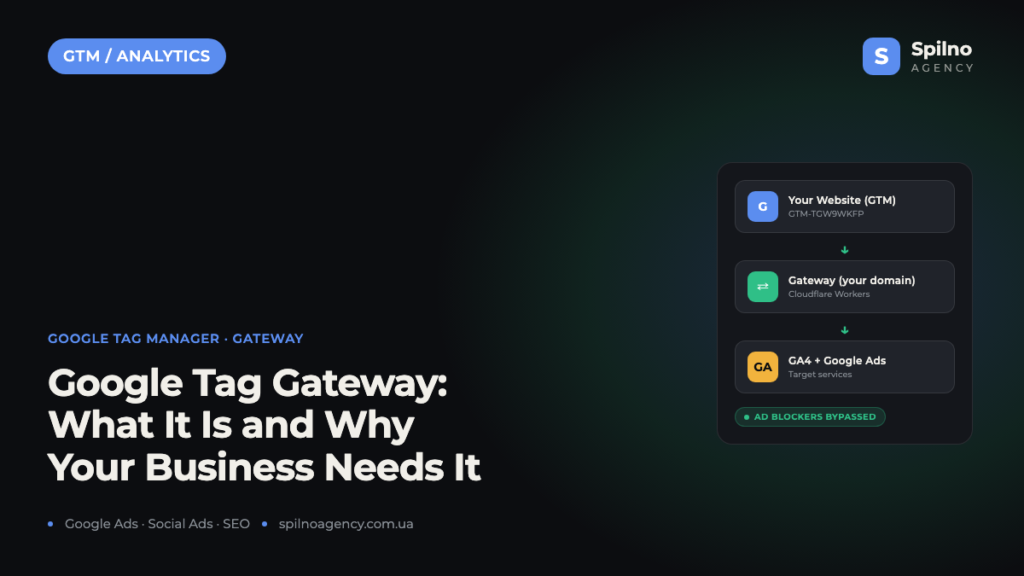
Google Tag Gateway is a Google Tag Manager feature that routes your Google tag signals through your own domain instead of Google’s servers — bypassing ad blockers and recovering lost conversion data.
What Is Google Tag Gateway
Google Tag Gateway (also shown as “Google tag gateway” in the GTM interface) is a feature of Google Tag Manager that lets you route Google tag data through your own domain or subdomain. Instead of the browser sending requests directly to google-analytics.com or googletagmanager.com, all traffic first passes through your own endpoint — implemented via Cloudflare Workers or another proxy on your domain — and from there is forwarded to the relevant Google services.
The screenshot below shows a configured gateway in GTM: the container spilnoagency.com.ua (GTM-TGW9WKFP) routes data through Cloudflare to both GA4 and Google Ads simultaneously.

Why does this matter? Browser ad blockers (AdBlock, uBlock Origin, Brave, etc.) and some antivirus tools automatically block requests to well-known Google advertising domains. Depending on the niche, 15–40% of users may have an ad blocker installed — meaning all their conversions, events, and behavioural data disappear from your reports.
Google Tag Gateway solves this: because the request originates from your own domain, ad blockers don’t recognise it as an advertising request and don’t block it.
How Google Tag Gateway Works Technically
The principle is straightforward: your GTM container loads from your own domain, and all events (pageview, purchase, form_submit, etc.) are sent to an endpoint on your domain rather than directly to Google. That endpoint — implemented via Cloudflare Workers or Google Cloud CDN — then forwards the data to the required Google services.
- Request origin: your domain or subdomain (e.g.
cdn.spilnoagency.com.ua) - Proxy layer: Cloudflare Workers (simplest option) or your own server
- Target services: GA4, Google Ads, Google Marketing Platform
Google automatically generates the gateway configuration and maintains up-to-date routing rules — you only need to set up the proxy once.
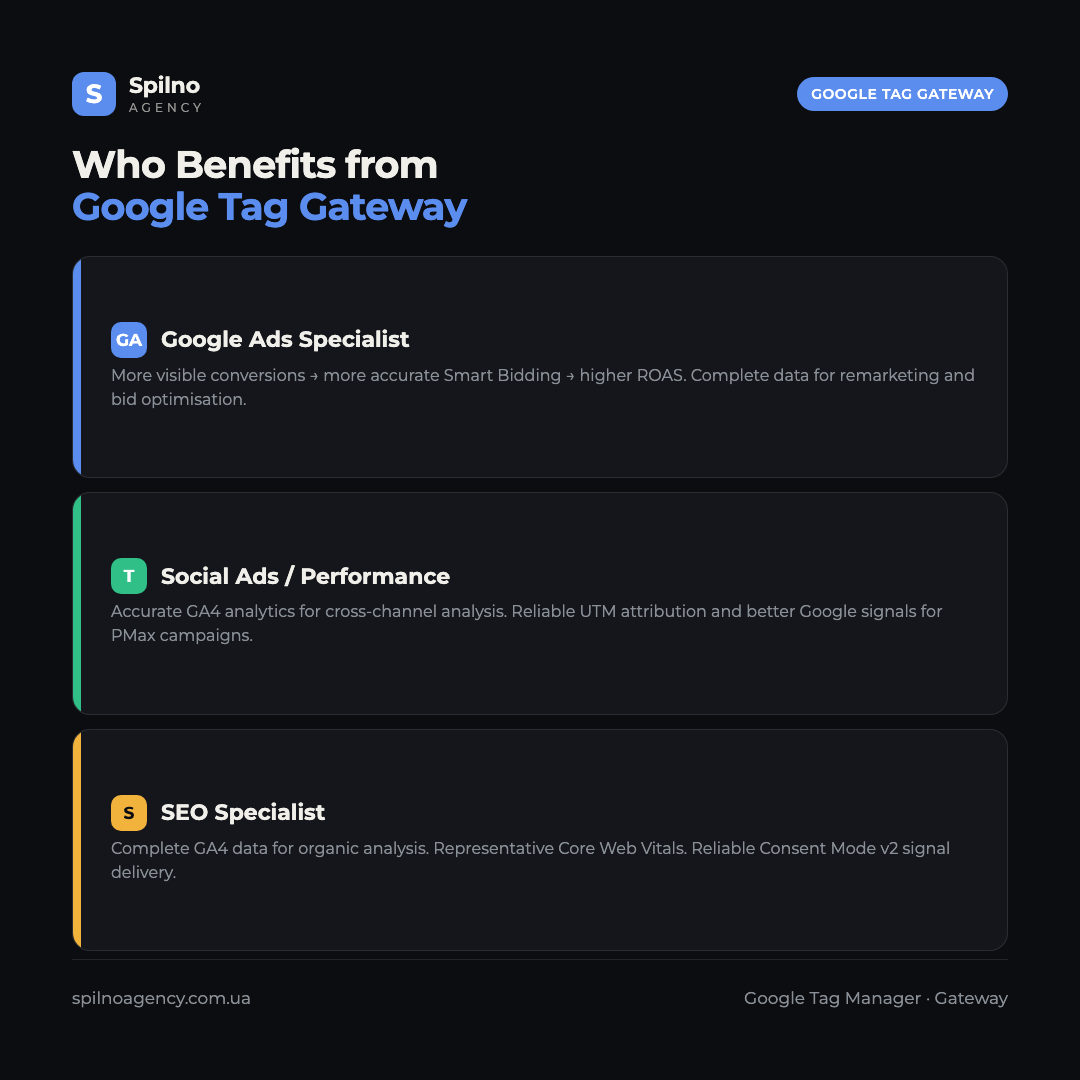
How Google Tag Gateway Benefits Google Ads Specialists
For a Google Ads specialist, conversion data quality is the foundation of everything. If 20% of users have an ad blocker and their conversions go untracked, the Smart Bidding algorithm sees a distorted picture and allocates budget inefficiently.
More conversions in reports — without changing campaigns
After enabling Gateway, a portion of previously “lost” conversions starts being recorded. This doesn’t mean the business suddenly got more customers — it simply means the system now sees conversions that were already happening but weren’t reaching reports due to ad blockers. Typical impact: 5–25% improvement in signal quality for Smart Bidding, depending on audience and niche.
More accurate ROAS and bid optimisation
Target ROAS and Target CPA strategies rely on the data Google receives from your tag. If the tag is blocked for 20% of users, the algorithm assumes 20% fewer conversions occurred — potentially undervaluing certain campaigns, keywords, or audiences. Gateway restores this data so bids are optimised against an accurate picture.
Stronger remarketing audiences
Google Ads remarketing lists are built from the Google tag. If the tag is blocked, those users don’t enter your remarketing audience — you lose them for re-engagement. Google Tag Gateway closes this gap and helps you build fuller, more accurate audiences.
How Google Tag Gateway Benefits Social Ads Specialists
A social ads specialist (Meta Ads, TikTok Ads, LinkedIn Ads, etc.) might wonder: “What does this have to do with me?” — since Gateway natively supports only Google tags. But there are real benefits for performance marketers too.
Better GA4 data for cross-channel analysis
Performance marketers constantly analyse which audiences and placements drive quality sessions and conversions. If GA4 only sees 80% of sessions (the rest blocked by ad blockers), the analysis is flawed. Complete GA4 data through Gateway means more accurate evaluation of campaign performance across all channels.
More reliable UTM attribution
When Meta Ads or TikTok Ads drive traffic with UTM parameters, GA4 records those sessions and conversions. If some sessions are missed due to tag blocking, channel reports (e.g. “social / cpc”) show understated figures. Gateway restores this data, making cross-channel comparisons accurate.
Better Google signal quality for Performance Max
If you run Performance Max campaigns alongside Meta Ads, the quality of Google signals directly affects how PMax finds similar audiences. More high-quality conversions in Google = better lookalike audiences in PMax = a more effective complementary channel.
How Google Tag Gateway Benefits SEO Specialists
At first glance, SEO and Gateway seem unrelated. But SEO specialists gain real advantages.
Complete GA4 data for SEO analysis
SEO specialists work with GA4 daily: analysing traffic by page, behavioural metrics (bounce rate, session duration, pages per session), and conversions from organic search. If 20% of users are blocking tags, these metrics are inaccurate. Gateway restores data completeness and provides a correct view of SEO performance.
More reliable Core Web Vitals data
GTM is often used to collect Core Web Vitals data via custom tags. If the GTM tag is blocked for a significant portion of the audience, the collected CWV data is unrepresentative. With Gateway, the GTM tag loads from your own domain — reducing the chance of it being blocked.
Better Consent Mode v2 signal reliability
Consent Mode v2 requires the Google tag to correctly receive consent signals from the cookie banner. If the tag itself is blocked before consent is obtained, signals aren’t transmitted and Google can’t apply data modelling. Gateway improves the reliability of these signal transmissions.
Infographic: Who Benefits from Google Tag Gateway and How
How to Set Up Google Tag Gateway: Step-by-Step Guide
Setting up Gateway takes 15–30 minutes depending on your chosen proxy method. Below is the most common approach using Cloudflare Workers.
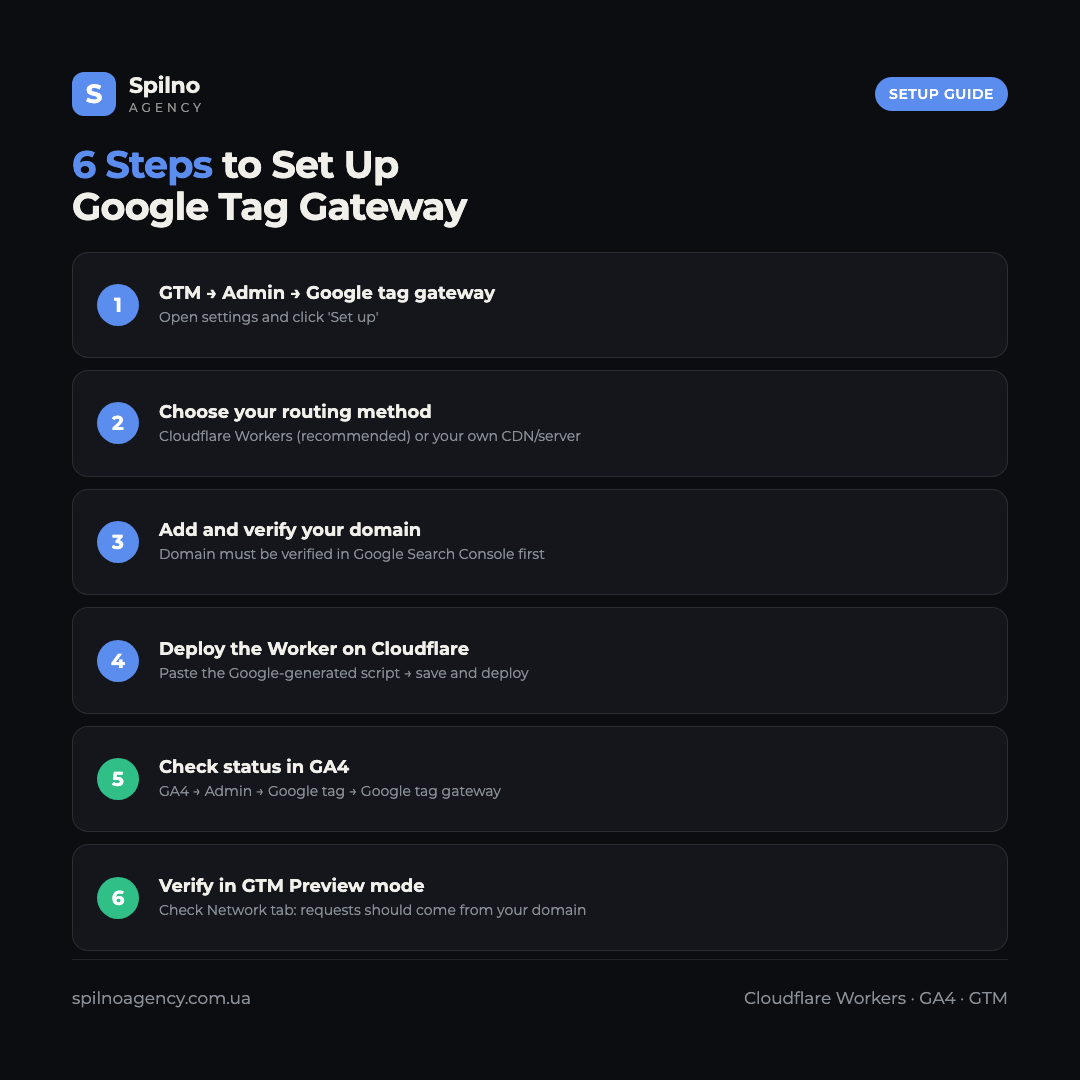
Step 1. Open the Gateway settings in GTM
Go to Google Tag Manager → your container → Admin (gear icon at the top) → find the Google tag gateway section. If the feature isn’t yet enabled, you’ll see a “Set up” button.
Step 2. Choose your routing method
Google offers two main options:
- Cloudflare Workers — the simplest option. You need a Cloudflare account (the free plan works). Google automatically generates a Worker script; you just deploy it on your domain.
- Your own server / CDN — for advanced setups with existing server infrastructure.
Step 3. Add your domain
Add your domain (e.g. spilnoagency.com.ua) in the Domains section and click “Manage domains”. If your site is already on Cloudflare, the domain will automatically be recognised as “Owned”.
Step 4. Deploy the Worker on Cloudflare
Once GTM has generated the configuration:
- Open Cloudflare Dashboard → Workers & Pages → Create Worker
- Paste the Google-generated script into the Worker editor
- Configure the route for the Worker: e.g.
spilnoagency.com.ua/gtag/* - Save and deploy the Worker
Step 5. Verify in GA4
Go to GA4 → Admin → Google tag → find the Google tag gateway section. Here you’ll see your tag IDs (e.g. G-0ZSDX5F67E, GT-5TJMWZX) and connection status. When the gateway is active, you’ll see a green arrow from the tag through your domain to Google’s services.
Step 6. Verify in GTM Preview mode
Open GTM Preview Mode and load a page of your site. In the browser’s Network tab (F12), verify that requests to GA4 and Google Ads now originate from your domain rather than www.googletagmanager.com or www.google-analytics.com. If so — Gateway is working.
Infographic: Google Tag Gateway Setup Steps
Key Considerations Before Setting Up
- Cloudflare free plan is sufficient — Workers up to 100,000 requests/day on the Free plan covers most small and medium businesses.
- Domain must be verified in Search Console — Google verifies domain ownership before activating Gateway.
- Gateway doesn’t replace server-side GTM — this is client-side routing, not a full server-side GTM (sGTM). They solve similar but different problems.
- Supported products: GA4, Google Ads, Floodlight, Google Marketing Platform. Meta Pixel and TikTok Pixel are not routed through Gateway.
Conclusion
Google Tag Gateway is not just “another technical feature” — it’s a practical tool for improving data quality that directly impacts advertising effectiveness and analytics accuracy. It’s especially valuable for audiences with high ad blocker adoption: tech niches, media, B2B. A one-time setup delivers a permanent benefit: more visible conversions, more accurate Smart Bidding, and more reliable reports across all teams.
If you’re already using GTM and GA4, Gateway is the logical next step. If you need help with implementation or analytics setup, the Spilno Agency team is ready to assist.
Frequently Asked Questions about Google Tag Gateway
What is Google Tag Gateway?
Google Tag Gateway routes Google tag signals through your own domain instead of Google’s servers, bypassing ad blockers and enabling more complete data collection for GA4 and Google Ads.
How is it different from server-side GTM?
Gateway is client-side routing (simpler, no server needed). Server-side GTM processes tags on your own server (more powerful, more complex). They complement each other.
Is Google Tag Gateway free?
Yes. Google Tag Gateway is free. Cloudflare Workers on the Free plan covers up to 100,000 requests/day — sufficient for most small and medium businesses.
Which services does Google Tag Gateway support?
GA4, Google Ads, Floodlight (Display & Video 360, Campaign Manager). Meta Pixel, TikTok Pixel and other third-party tags are not supported.
Do I need Cloudflare?
No — Cloudflare Workers is the simplest option, but Gateway also supports your own CDN or server.
How much does it improve data collection?
Depends on ad blocker usage in your audience. For tech niches and media, 20–35% of events may be lost. Typical increase in visible conversions after activation: 5–25%.

Read also
Spilno Agency’s Experience: How We Verify Events Before Starting Work
Before launching a campaign in Google Ads or Meta Ads, or starting SEO work, Spilno Agency always checks…
GA4 DebugView: How to Verify Google Analytics Events in Real Time
DebugView is the section of Google Analytics 4 that shows your site’s events in real time, seconds after…
Top Claude Skills for TikTok Ads Specialists (2026)
9 verified Claude skills and MCP servers for TikTok Ads: Pixel/Smart+ audits, Spark Ads hook/hold rate, creator sourcing,…