Google Trends: What It Is and How to Use It in 2026

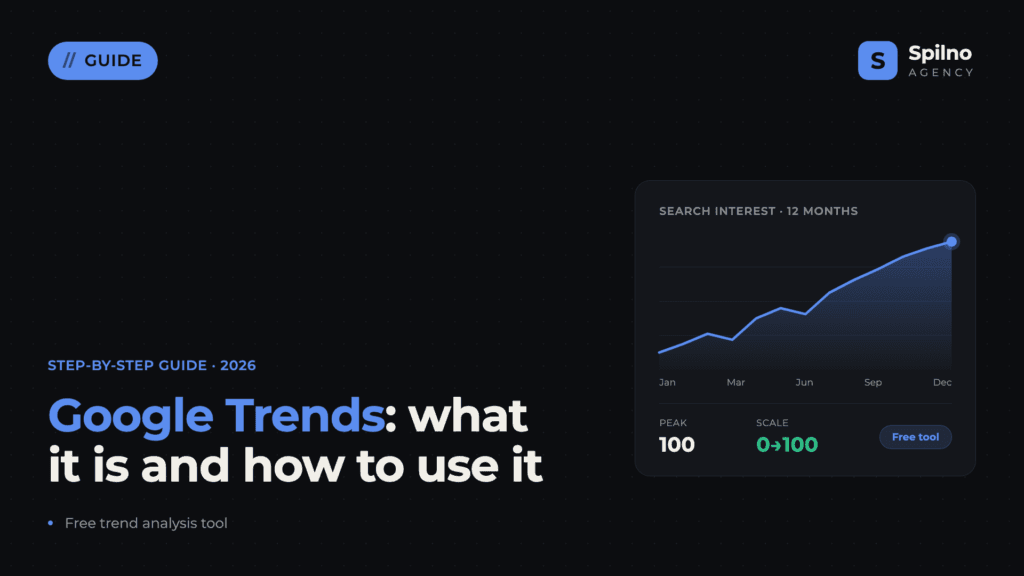
Google Trends is a free Google tool for analysing the relative popularity of search queries over time. This guide covers how to use Google Trends for SEO, keyword research, PPC planning, and content marketing across Europe in 2026.
Making smart digital marketing decisions requires knowing not just what people search for, but when and where they search for it. That is exactly what Google Trends provides — a free, real-time tool used daily by millions of SEO specialists, marketers, and business owners across Europe and beyond.
What is Google Trends
Google Trends is a free web platform from Google that displays the relative popularity of search queries over time, by region, category, and search type (web, YouTube, news, Google Shopping, images). The service updates in real time and covers data from 2004 to the present day.
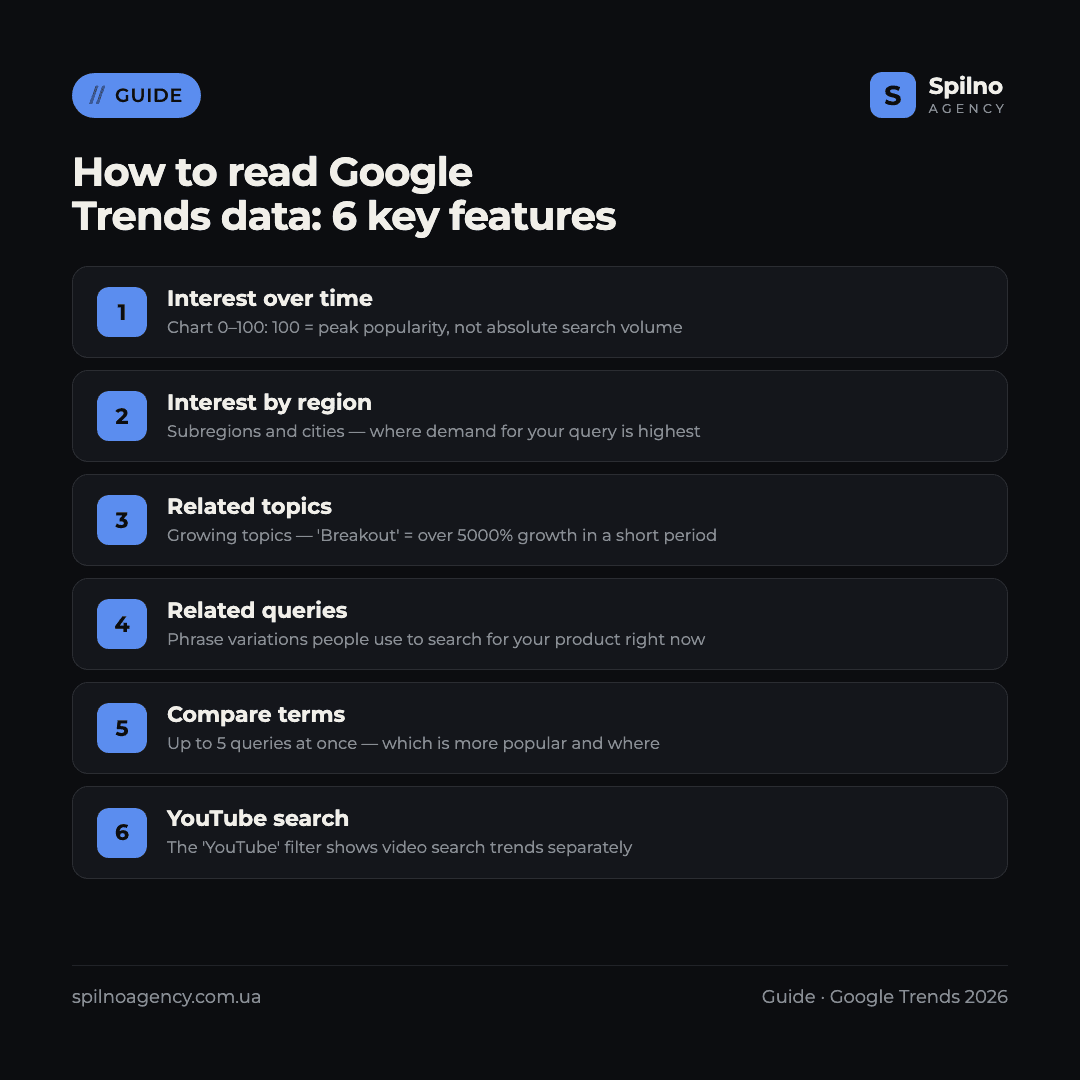
Unlike Google Keyword Planner, which shows absolute search volumes, Google Trends works with normalised data on a 0–100 scale. This means you see not the exact number of searches, but the relative level of interest compared to the maximum for the selected period. A value of 100 is peak popularity, 50 is half of that peak, and 0 means insufficient data.
Google Trends is the only free tool that shows search interest dynamics in real time, broken down by region and platform.
How Google Trends collects and processes data
Google Trends analyses an anonymised, sampled cross-section of real search queries. To ensure valid comparisons, the platform normalises data relative to the total search volume in the region and time period. This allows you to compare trends in, say, the UK and Poland — even though search volumes differ by orders of magnitude.
An important caveat: only queries exceeding a certain volume threshold appear in the sample. Rare or highly localised queries may not appear or may show a value of 0, even if real interest exists.
Who needs Google Trends
- SEO specialists — tracking keyword seasonality, finding rising queries for keyword research.
- PPC managers — identifying peak demand periods for optimal campaign launch and scaling.
- Content marketers — selecting timely topics for articles, posts, and videos.
- Social media managers — monitoring trends across social platforms and YouTube.
- Business owners — analysing demand for new products, regional planning, competitor tracking.
- Journalists and analysts — tracking trending topics and events as they happen.
How to use Google Trends: step-by-step guide
Go to trends.google.com — no login required. The platform is free for everyone.
Step 1. Enter a query and set filters
Type a keyword or phrase into the search bar. Google Trends will prompt you to choose between a Search Term (exact match) and a Topic (conceptual group). For analysing demand for a product or service, choose Topic — it captures more search variations.
After entering the query, configure the filters:
- Region — a country, a sub-region, or Worldwide
- Time period — from the “Past hour” to “2004 – present”
- Category — e.g. Business & Industrial, Shopping
- Search type — Web search, YouTube, News, Shopping, Image search
Step 2. Read the “Interest over time” chart
The main chart shows interest dynamics over the selected period. The 0–100 scale is relative — 100 represents the peak within this specific time frame, not the highest possible value ever. To analyse seasonality, compare consecutive annual periods: select “2023” and “2024” separately to see whether the pattern repeats.
Sharp spikes on the chart are often linked to events: a product launch, breaking news, a seasonal holiday. Hover over any spike — Google Trends shows the exact value and date.
Step 3. Compare up to 5 queries at once
Click “Add comparison” and enter a second term. Google Trends will display both on the same chart in different colours. This is useful for comparing synonyms (“google trends tutorial” vs “how to use google trends”), competitors, or products in the same category.
Remember: the comparison is relative. If one query scores 100 and another scores 30, this does not mean the first has a higher absolute volume overall — only that it is 3.3× more popular in the selected region and time frame.
Step 4. Analyse interest by region
The “Interest by subregion” section displays a map and table of regions ranked from highest (100) to lowest interest. An important nuance: the value shows the share of queries relative to total searches in that region, not the absolute count. A smaller city with an interest score of 80 may have fewer queries than London at 60, yet the query is proportionally more popular there.
Switch between Subregions, Cities, and Metro to refine your geo-analysis. Click on any region on the map to drill down to a more granular level.
Step 5. Explore “Related topics” and “Related queries”
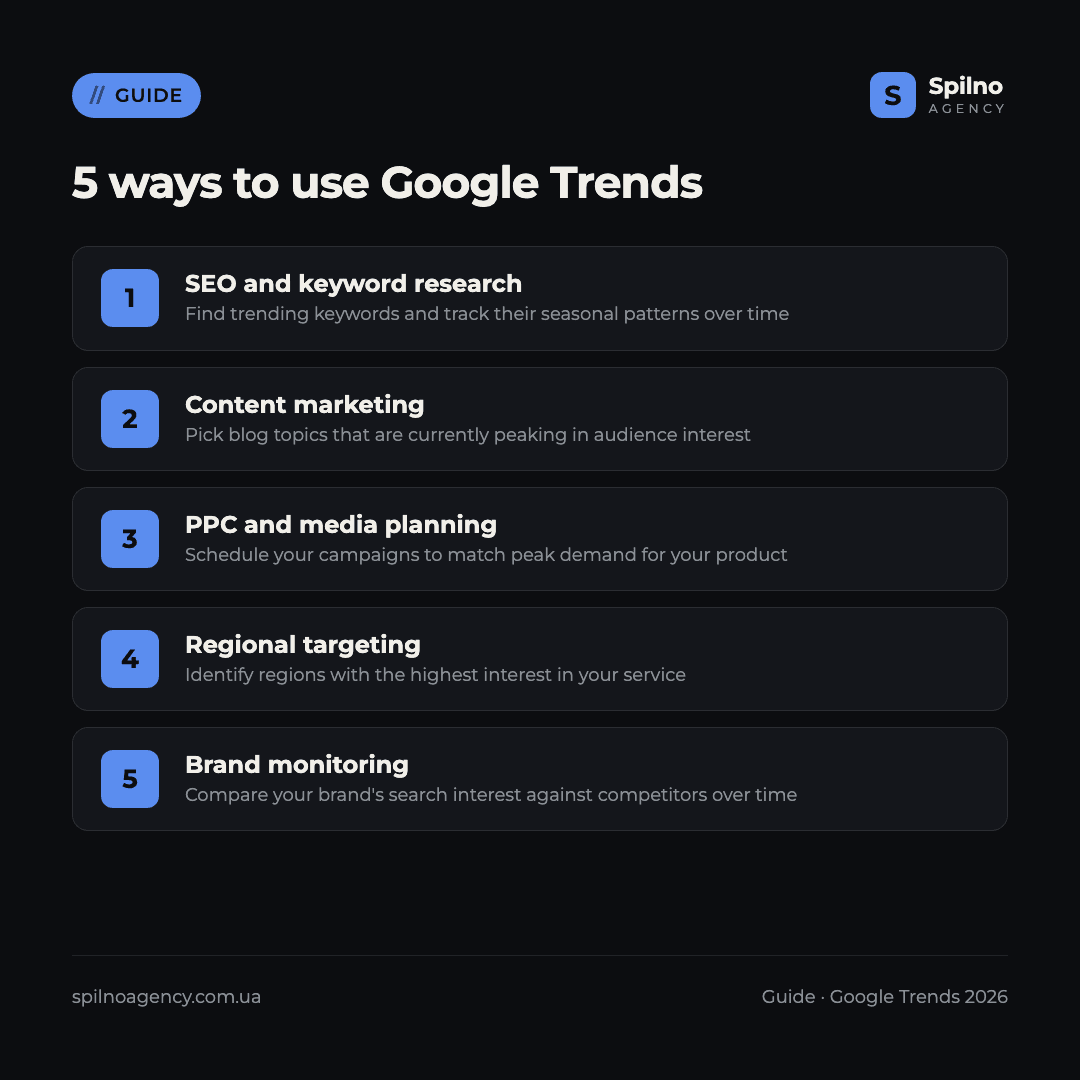
This is the most valuable section for SEO and content marketing. “Related topics” shows concepts people search alongside your query. “Related queries” shows the specific phrases they use.
Each block has two filters:
- Top — topics and queries searched most frequently alongside your term
- Rising — new queries rapidly gaining popularity. The “Breakout” label means growth exceeding 5,000%
Google Trends for SEO and keyword research
Google Trends does not replace Ahrefs or Google Keyword Planner for keyword research, but it is an indispensable complement. Here is what it offers an SEO specialist:
Keyword seasonality
Set the period to “5 years” and look at the chart — you will see whether a seasonal pattern repeats. For seasonal businesses (tourism, construction, agriculture), this is critical: publish optimised content 2–3 months before the expected peak to allow time for indexing.
Rising queries for new pages
The “Rising” filter in the “Related queries” block is a goldmine for content marketing. These queries are not yet covered by competitors but are already gaining traction. Publish optimised content on them first and capture organic traffic with virtually no competition.
Choosing between synonyms
Compare “apartment renovation” and “flat renovation” in Google Trends — see which phrasing is more popular in your target market. This helps you choose the right variant for your H1 and Title tag based on how real users search.
Google Trends for PPC and media planning
For a PPC specialist, Google Trends is a media planning tool. Practical applications include:
- Identifying peak demand — when to increase bids and campaign budget to avoid missing the season.
- Regional targeting — which regions show the highest interest in a product. Create separate ad groups or campaigns for those regions.
- YouTube advertising — check trends with the “YouTube” filter to understand demand for video content in your niche.
- Google Shopping — the “Google Shopping search” filter shows trends for purchase-intent queries, useful for e-commerce campaign planning.
Example: If you advertise climate control equipment, analysis will show a rise in “buy air conditioner” queries from April to June. Increase your budget in March — so the Google Ads algorithm can learn and optimise before the peak arrives.
Google Trends for content marketing
Content published “in trend” receives far more organic traffic than content published too late. Google Trends helps you:
- Choose topics at the right time — avoid publishing “beach fashion” content in November
- Find evergreen content — queries with stable popularity year-round (set “5 years” and look for a flat, consistent line)
- React to emerging trends — the “Rising” block shows topics that became relevant this week
- Plan a content calendar — download multi-year CSV data and plot annual peaks for publication scheduling
Google Trends in 2026: GEO and AI Overviews
In 2026, Google increasingly uses structured content to generate answers in AI Overviews — AI-generated response blocks at the top of search results. While Google Trends does not directly influence AI Overviews, it is highly useful for GEO (Generative Engine Optimisation) — adapting content for AI-powered search:
- Identify question-format queries (“how”, “what is”, “why”) that are growing — these are the ones Google generates AI answers for.
- Analyse “Related topics” to understand what context AI expects around your topic.
- Monitor trend shifts after major Google updates — they typically show up in Google Trends within a week.
7 Google Trends pro tips
- Use quote marks for exact queries.
"buy laptop"returns results only for that exact phrase. - Download data as CSV. The download button (downward arrow) in the top-right corner exports data for analysis in Excel or Google Sheets.
- Check “Trending Now”. The real-time trends section shows what is being searched massively right now — great for news-driven content.
- Use “Topic” instead of “Search term”. A Topic captures all language variants and synonyms — a more accurate picture of real demand.
- Check YouTube separately. YouTube search interest can differ significantly from web search. Factor this in when planning video content.
- Analyse competitors. Enter a competitor’s brand name and compare it with yours — track the dynamics of brand awareness over time.
- Use the Google Trends API. For automated analysis, connect the free pytrends library (Python) or gtrendsR (R) to download data in bulk.
Google Trends in Practice: Real Examples from 2026
To better understand Google Trends capabilities, let’s look at three practical examples with real screenshots. Data collected for Ukraine in June 2026.
Example 1. Comparison: SEO vs Google Ads vs Advertising
The chart below compares search interest in three queries in Ukraine over the last 5 years. “реклама” (advertising) consistently leads with an average interest score of 64 — twice as high as “seo” (22) and six times higher than “google ads” (11). In April 2026, all three queries showed a synchronised spike — a potential signal of increased business activity after the winter slowdown.
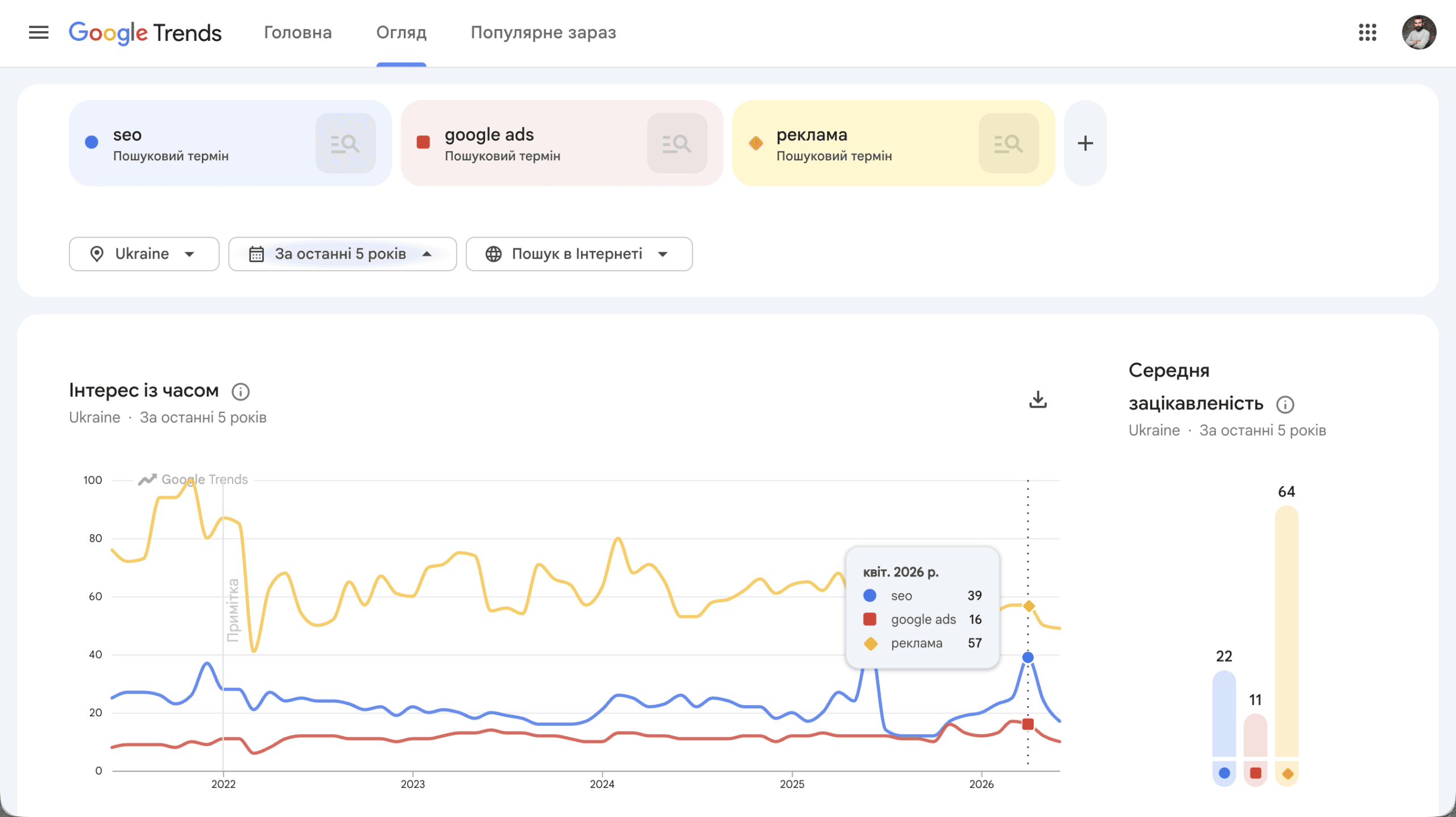
Google Trends screenshot: search interest comparison for “seo”, “google ads” and “реклама” (advertising) in Ukraine over 5 years. Average interest: advertising — 64, seo — 22, google ads — 11.
What this means for marketers: competition for broad advertising-related queries is significantly higher than for specific terms like “seo” or “google ads”. Factor in the seasonal spring and September growth peaks when planning campaign launches and content publication schedules.
Example 2. Rising Queries: What People Are Searching About SEO Right Now
The “Related queries” block for the keyword “seo” in Ukraine (5-year view) reveals two key trends. Top queries: “google seo” (−9%), “seo google” (−10%), “seo це” (what is seo) (+550%). Rising queries: “seo фахівець” (seo specialist) — breakout, “seo спеціаліст” — breakout, “seo company” (+30%), “seo services” (+20%).
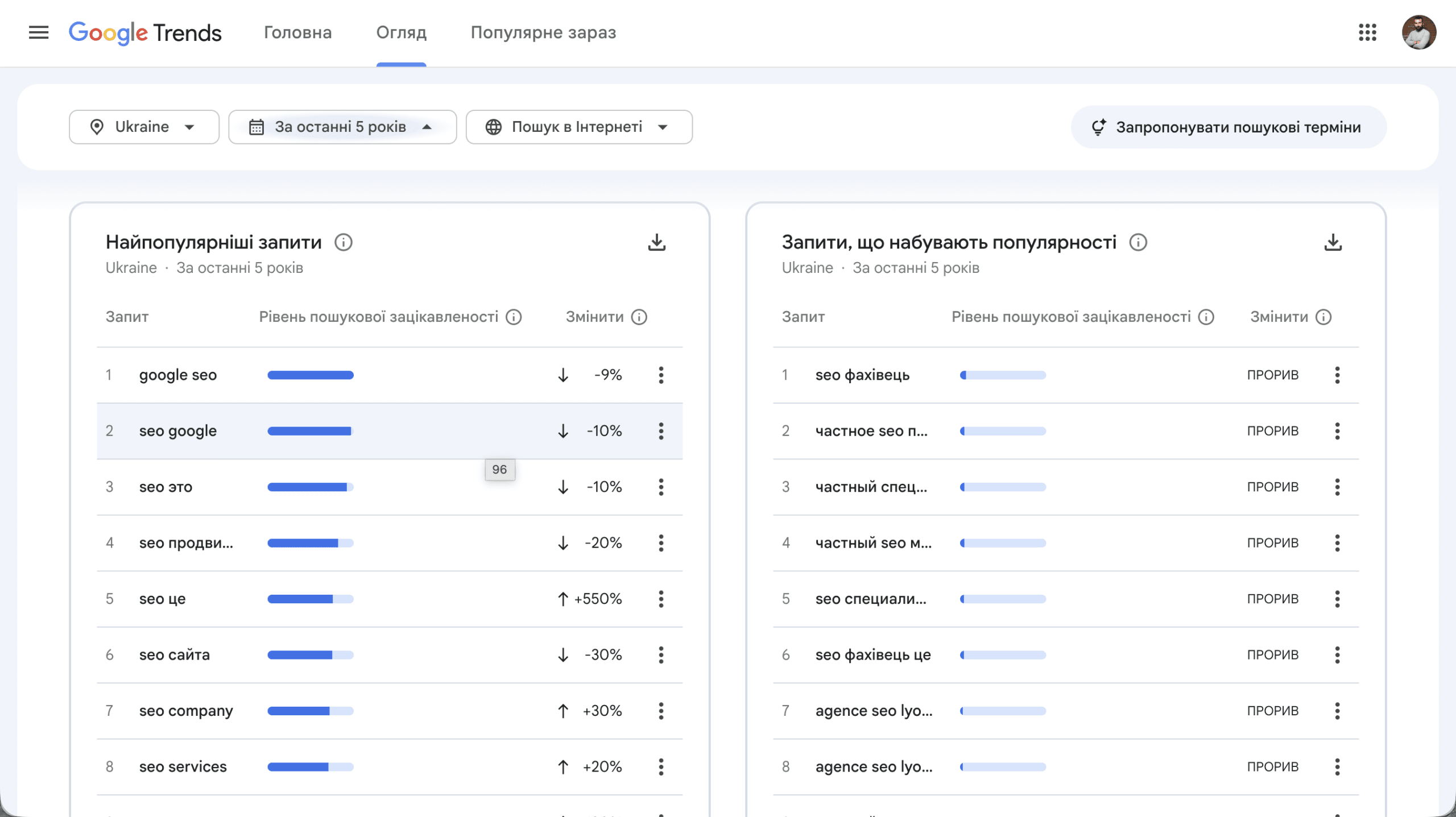
Google Trends screenshot: top and rising queries for “seo” in Ukraine (5 years). Notable breakouts: “seo фахівець” and “seo спеціаліст” — signalling growing demand for SEO professionals in the Ukrainian market.
Key takeaway: the breakout growth of “seo specialist” queries signals increasing demand for SEO talent in Ukraine. For agencies, this is a content opportunity around SEO careers and training. For businesses, it means hiring SEO professionals is becoming more competitive and expensive.
Example 3. Trending Now — Real-Time Trend Monitoring
The “Trending Now” section displays the most current search trends in Ukraine over the past 24 hours. As of 16 June 2026, the leaders include: “андрей єрмак” (5,000+ searches, +1000%), “прожитковий мінімум” (minimum wage, 5,000+), “Ukraine EU accession” (5,000+), “збройні сили України” (Ukrainian Armed Forces, 2,000+, +800%). The section shows 73 active trends and updates several times per hour.
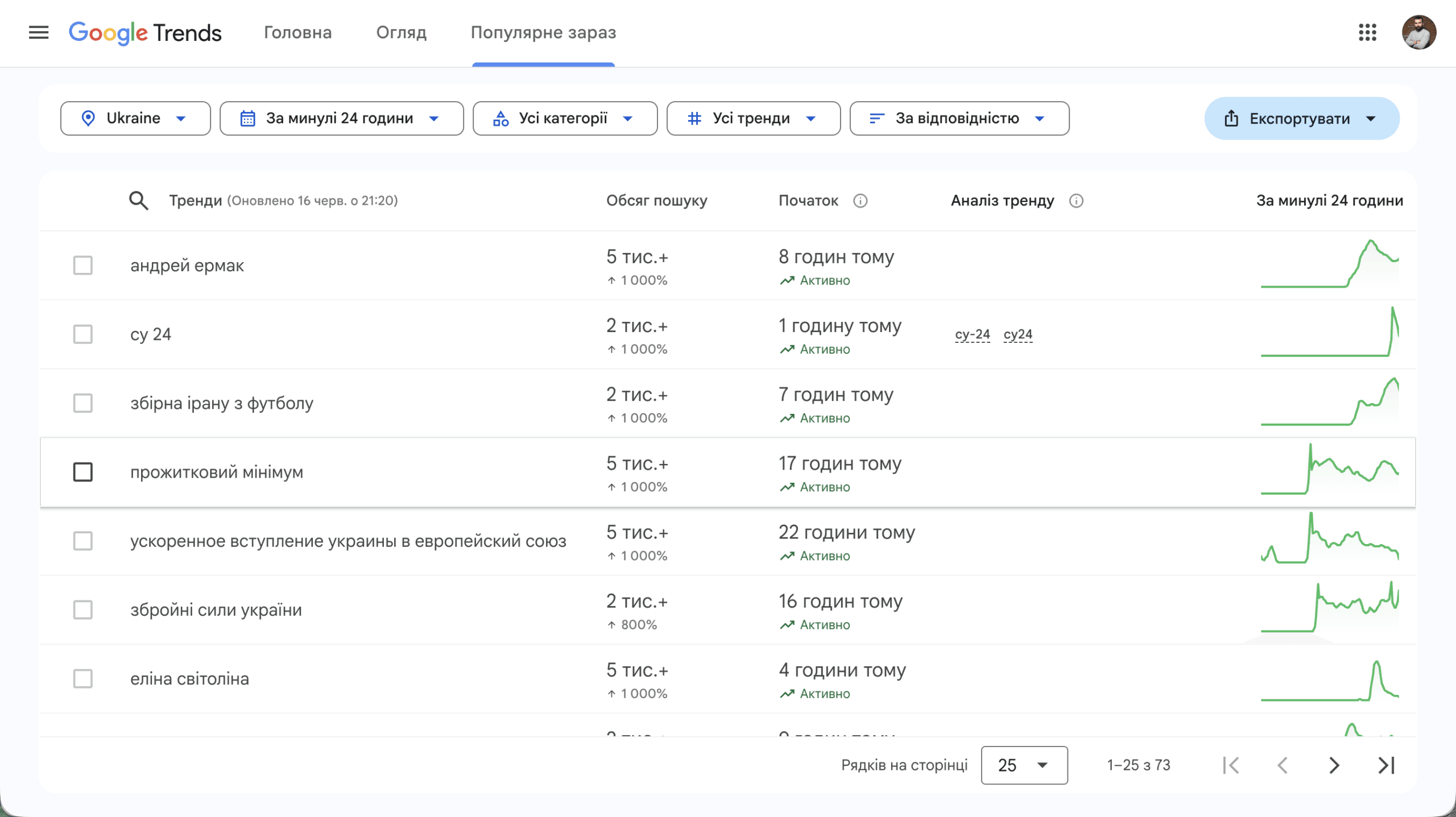
Google Trends screenshot: “Trending Now” in Ukraine, updated 16 June 2026 at 21:20. Shows 73 active trends with filtering by category and time period.
How to use “Trending Now” for content marketing: check this section each morning and evening. When a topic in your niche enters the trends, you have a few hours to publish content and capture organic traffic ahead of competitors. Particularly effective for news sites and blogs in finance, law, and technology categories.
Frequently asked questions
What is Google Trends?
Google Trends is a free web platform from Google showing the relative popularity of search queries over time, by region, category, and search type — on a normalised 0–100 scale.
How do you use Google Trends for SEO?
Use it to identify keyword seasonality, find rising queries in the “Related topics” tab, compare synonyms, and discover regional demand patterns for geo-targeted content.
Does Google Trends show absolute search volume?
No. Google Trends shows normalised data on a 0–100 scale. For absolute volume, use Google Keyword Planner or Ahrefs.
What is the difference between a Search Term and a Topic?
A Search Term is the exact phrase entered. A Topic groups all related queries and spelling variations. Topics give a broader picture of demand and are recommended for product or service analysis.
What does “Breakout” mean in Google Trends?
“Breakout” means a query has grown by more than 5,000% compared to the previous equivalent period — a signal of a viral trend or sudden event.
How does Google Trends help with PPC planning?
It identifies peak demand periods so you can increase your ad budget at the right time and avoid spending during low-interest periods.
Can I download Google Trends data for free?
Yes — click the download icon in the top-right corner of any chart or table to export data in CSV format.
Does Google Trends work for European markets?
Yes. Google Trends supports all European countries as individual regions with sub-regional filtering. Data availability depends on the search volume in each region.

Read also

Spilno Agency’s Experience: How We Verify Events Before Starting Work
Before launching a campaign in Google Ads or Meta Ads, or starting SEO work, Spilno Agency always checks…

GA4 DebugView: How to Verify Google Analytics Events in Real Time
DebugView is the section of Google Analytics 4 that shows your site’s events in real time, seconds after…

Top Claude Skills for TikTok Ads Specialists (2026)
9 verified Claude skills and MCP servers for TikTok Ads: Pixel/Smart+ audits, Spark Ads hook/hold rate, creator sourcing,…