What Are Cookies and How to Work with Them in 2026


Browser cookies are small text files that a website stores on your device when you visit it. Cookies are the invisible engine behind the modern web — they remember your login, keep your shopping cart alive, and power personalised advertising. In 2026, the rules around cookies have changed dramatically: Google has deprecated third-party cookies in Chrome, GDPR enforcement has intensified, and Privacy Sandbox alternatives are now mainstream. This guide explains everything you need to know.
What Are Cookies: A Plain-English Explanation
A cookie is a small text file (up to 4 KB) that a web server sends to a browser and stores on the user’s device. With every subsequent request to that website, the browser automatically sends the stored cookies back along with the request — this is how the server “recognises” the user.
The name “cookie” comes from Unix programming terminology of the 1970s. HTTP cookies were first proposed by Lou Montulli at Netscape in 1994, originally to support shopping cart functionality in early e-commerce stores.
Technically: a cookie is a
key=valuepair stored in the browser and transmitted via the HTTP headerSet-Cookie(server to browser) andCookie(browser to server).
How Cookies Work Technically
When you visit a website for the first time, here is what happens:
- Your browser sends an HTTP request to the server.
- The server responds with the header:
Set-Cookie: session_id=abc123; HttpOnly; Secure; SameSite=Lax - The browser stores the cookie in its local storage.
- On every subsequent request to the same domain, the browser automatically appends:
Cookie: session_id=abc123 - The server checks
session_idagainst its database and identifies you.
Cookies carry attributes that define their behaviour:
| Attribute | Value | What it does |
|---|---|---|
Expires / Max-Age | Date or seconds | Defines cookie lifetime |
Domain | example.com | Which domains can access the cookie |
Path | /shop | Which URL paths can access the cookie |
Secure | flag | HTTPS-only transmission |
HttpOnly | flag | Blocks JavaScript access |
SameSite | Strict / Lax / None | CSRF protection |
Types of Cookies: Full Classification
Cookies can be classified along several dimensions. Here is a complete breakdown:
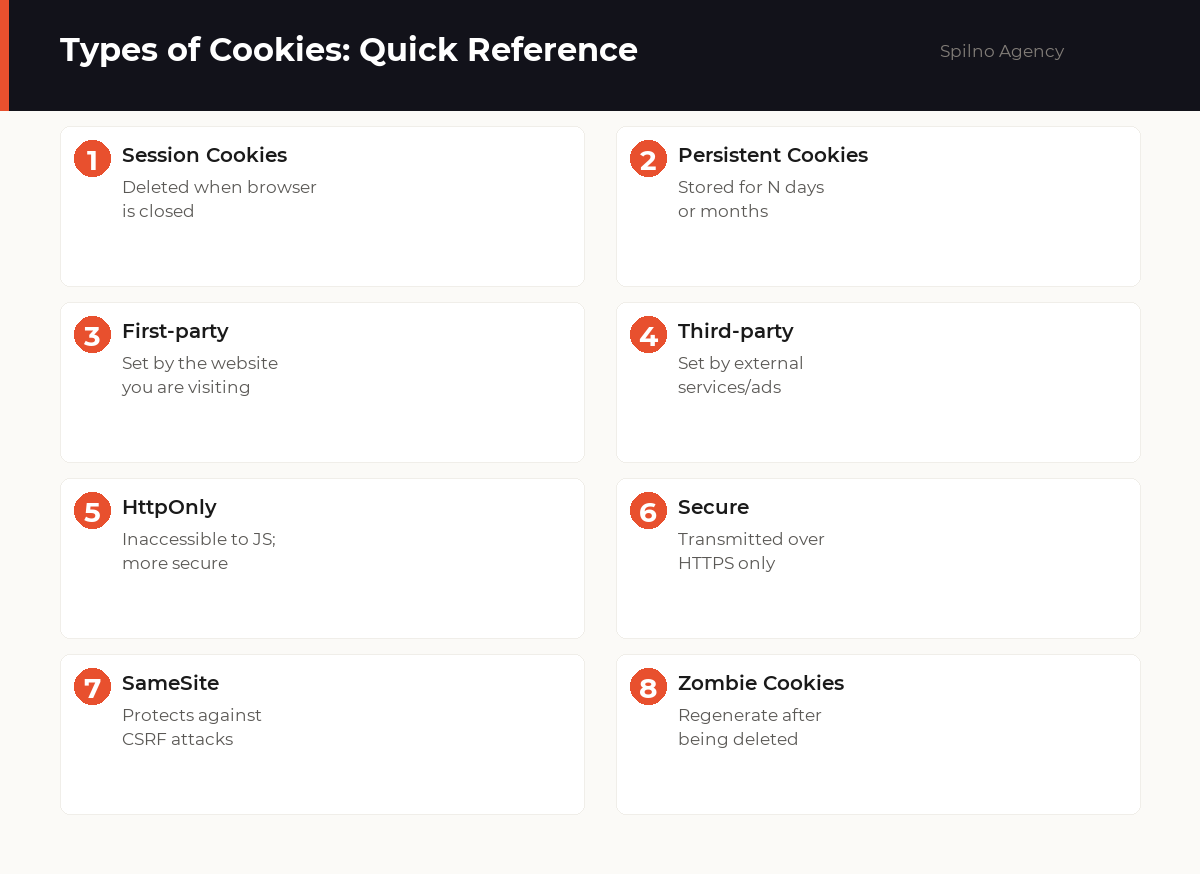
1. By Lifetime
- Session cookies — deleted when you close the browser tab or window. Used for authentication and shopping carts.
- Persistent cookies — stored for a defined period (days, months, years). For example, “Remember me” checkboxes.
2. By Origin
- First-party cookies — set by the domain you are currently visiting. Considered safe and privacy-friendly.
- Third-party cookies — set by external domains (ad networks, social media, analytics). Chrome began restricting them in 2024.
3. By Purpose
- Strictly necessary — required for the site to function (session, cart, CSRF token). No consent required.
- Analytics — Google Analytics, Hotjar. Collect usage statistics. Require consent.
- Marketing / advertising — Google Ads, Facebook Pixel. Track conversions and enable retargeting. Require consent.
- Functional — store language, theme, region. Require consent.
Why Websites Use Cookies
Websites use cookies to solve a range of problems:
- Authentication — keep you logged in between sessions without re-entering your password
- Shopping cart persistence — retain items even after page reload
- Personalisation — remember settings: language, currency, region, theme
- Analytics — track user behaviour (Google Analytics, Hotjar)
- Advertising — show relevant ads and measure campaign performance
- A/B testing — serve different page variants to different user segments
- Security — CSRF tokens to prevent request forgery
Cookies and Privacy: GDPR and Cookie Banners
In 2018, the EU introduced GDPR, which fundamentally changed the rules around cookies. Key requirements:
- Explicit consent — non-essential cookies may only be set after the user actively agrees (not “accepted by default”)
- Equal opt-out — “Reject all” must be as prominent as “Accept all”
- Transparency — users must know what data is collected and why
- Right to withdraw — users must be able to revoke previously given consent
GDPR fines can reach €20 million or 4% of annual global turnover — whichever is higher. In 2024 alone, Google paid over €500 million in EU fines related to cookie consent violations.
The Death of Third-Party Cookies: What Changed in 2026
The era of third-party cookies is ending. Here is the timeline:
- 2019: Firefox and Safari blocked most third-party cookies by default
- 2022: Google announced the Chrome third-party cookie phase-out
- 2024: Google began gradual deprecation — 1% of Chrome users received a cookie-free browser
- 2025–2026: Google revised its plan — instead of a complete ban, it introduced user choice and Privacy Sandbox APIs
Alternatives to Third-Party Cookies in 2026
- Privacy Sandbox (Topics API) — the browser categorises user interests locally without sharing data with advertisers
- Consent Mode v2 — conversion tracking via behavioural modelling even without cookies
- First-party data — collect data directly on your domain (email, CRM, loyalty programmes)
- Server-side tracking — transmit data from your server rather than the user’s browser
How to View and Manage Cookies in Your Browser
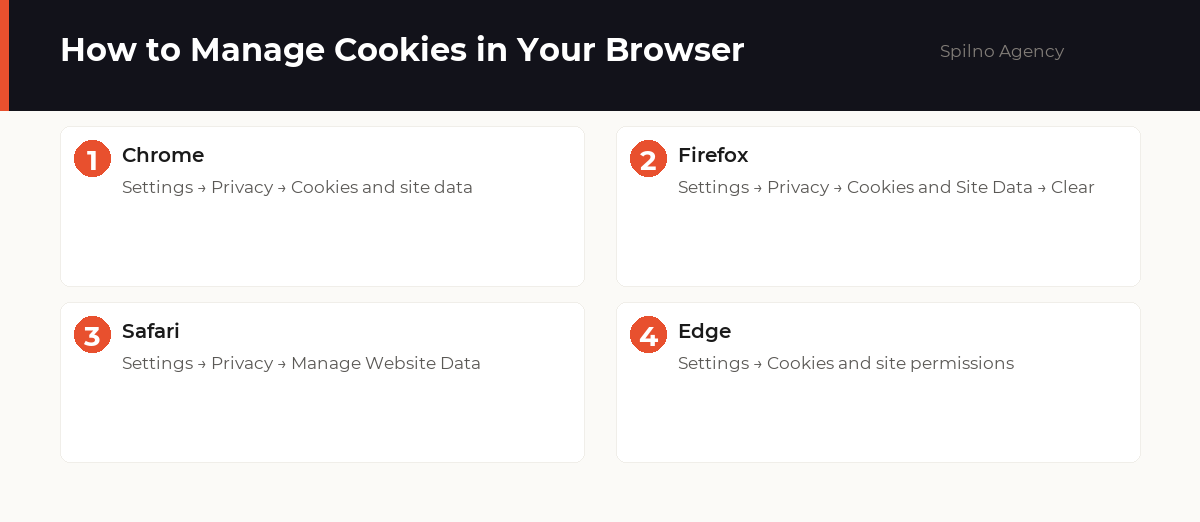
How to view and manage cookies in popular browsers:
Chrome
- Open Chrome → three dots (⋮) → Settings
- Go to Privacy and security → Cookies and other site data
- To inspect cookies for a specific site: DevTools (F12) → Application → Cookies
Firefox
- Firefox → padlock icon in the address bar → Connection secure
- Or: Settings → Privacy & Security → Cookies and Site Data
Safari
- Safari → Settings → Privacy → Manage Website Data
For Developers: Working with Cookies
// View current cookies in DevTools (F12) → Console
document.cookie

// Set a cookie via JavaScript
document.cookie = "username=John; expires=Fri, 31 Dec 2026 23:59:59 GMT; path=/; Secure; SameSite=Lax"

// Delete a cookie (set expiry date in the past)
document.cookie = "username=; expires=Thu, 01 Jan 1970 00:00:00 GMT; path=/"
Frequently Asked Questions About Cookies
What are browser cookies in simple terms?
A cookie is a small text file a website saves on your device. It lets the site remember who you are on your next visit, keep you logged in, remember your preferences (language, theme), and track behaviour for analytics or advertising. Cookies cannot run code — they are plain text.
Are cookies dangerous?
Cookies themselves are harmless text files. However, third-party cookies from ad networks can build a detailed profile of your browsing activity across many sites. For better privacy, use a tracker-blocking extension and clear cookies periodically.
How do I clear cookies in my browser?
Chrome: Settings → Privacy and security → Clear browsing data → Cookies and other site data → Clear data. Firefox: Settings → Privacy & Security → Cookies and Site Data → Clear Data. Safari: Settings → Privacy → Manage Website Data → Remove All.
What are third-party cookies and why are they being deprecated?
Third-party cookies are set by external services (Google Ads, Facebook Pixel, analytics) via iframes or scripts on third-party domains. Google started phasing them out in Chrome in 2024, and by 2026 most ad networks have migrated to alternatives: Privacy Sandbox APIs, Consent Mode v2, and server-side first-party tracking.
Does my website need a cookie banner?
Yes — if your site is accessible from the EU or processes EU citizens’ data, GDPR requires explicit consent before setting non-essential cookies. Fines for non-compliance can reach 4% of annual global turnover.
What is cookie consent and how does it work?
Cookie consent is the process of informing users which cookies your site uses and obtaining their agreement before setting non-essential ones. A compliant banner must offer a genuine ‘Reject all’ option — pre-ticked boxes or hidden reject buttons are not compliant under GDPR.
Conclusion
Cookies remain a fundamental mechanism of web technology in 2026. Despite the retreat of third-party cookies and increasingly strict GDPR enforcement, first-party cookies are not going anywhere — they are essential for authentication, personalisation, and basic analytics.
Key actions for website owners in 2026:
- Implement a compliant cookie consent banner with a genuine “Reject all” option
- Migrate to Consent Mode v2 for Google Ads and GA4
- Audit third-party cookies and replace them with first-party alternatives
- Consider server-side tracking as a long-term strategy

Read also

Spilno Agency’s Experience: How We Verify Events Before Starting Work
Before launching a campaign in Google Ads or Meta Ads, or starting SEO work, Spilno Agency always checks…

GA4 DebugView: How to Verify Google Analytics Events in Real Time
DebugView is the section of Google Analytics 4 that shows your site’s events in real time, seconds after…

Top Claude Skills for TikTok Ads Specialists (2026)
9 verified Claude skills and MCP servers for TikTok Ads: Pixel/Smart+ audits, Spark Ads hook/hold rate, creator sourcing,…