EMQ — Event Match Quality in Meta Ads: What It Is and How to Improve It in 2026

What Is Event Match Quality (EMQ) in Meta Ads
Event Match Quality (EMQ) is a metric that measures how successfully Meta can identify the user who triggered a conversion on your website. In simple terms, EMQ answers the question: when a purchase or lead is submitted — can Meta match it to a specific Facebook or Instagram user?
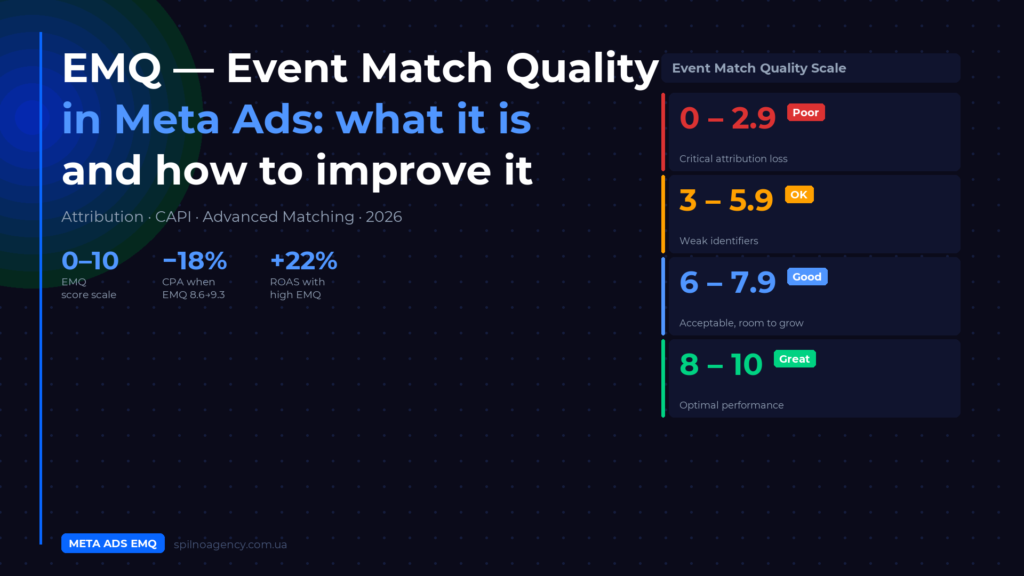
The score is displayed in Events Manager → Data Sources → your pixel as a number from 0 to 10 with a quality label: Poor, OK, Good, or Great. This is not a decorative metric — it directly affects attribution accuracy, lookalike audience quality, and campaign learning speed.
EMQ became critically important after 2021, when iOS 14.5+, ad blockers, and third-party cookie restrictions began stripping pixel signals en masse. Today, in 2026, the difference between an account with EMQ 4 and EMQ 9 means completely different CPMs, ROAS, and campaign scaling speed.
How EMQ Is Calculated: Score Scale
Meta calculates EMQ over a rolling 48-hour window. The algorithm analyses how many user identification parameters you send with each event and how reliably those parameters allow Meta to find the person in its database.
| EMQ Score | Level | Meaning | Action |
|---|---|---|---|
| 8–10 | Great ✅ | High match accuracy, algorithm optimises well | Maintain and monitor |
| 6–7.9 | Good | Acceptable quality, room for improvement | Optimise when possible |
| 3–5.9 | OK ⚠️ | Weak identifiers, partial matches | Priority improvement |
| 0–2.9 | Poor 🔴 | Critical attribution issues | Immediate fix required |
Important: Meta shows a combined EMQ for each event (e.g. Purchase), but the actual calculation is separate for Pixel and CAPI. Go to Events Manager → select event → Event Match Quality → expand details to see individual scores.
Why EMQ Is Critical for Ad Performance
Low EMQ is not just “incomplete data”. It has a direct impact on budget and results. Here is why:
- Conversion attribution. If Meta cannot identify the user, the conversion is “lost” — it exists in reality, but the algorithm cannot see it. You spend the budget, but campaign learning does not happen.
- Lookalike audience quality. Lookalikes are built from converters. If Meta only matches half your real buyers — the lookalike is built on an incomplete and distorted sample.
- Exit from the learning phase. Meta’s algorithm needs at least 50 conversions within 7 days per ad set to exit learning. With low EMQ you may have 100 real conversions, but Meta “sees” only 50. The campaign gets stuck in learning.
- CPM and auction priority. Studies show a ~$11 per thousand impressions difference between accounts with EMQ 4.2 vs 8.7 at equal spend. Meta favours advertisers with quality signals.
- ROAS and CPA. Improving EMQ from 8.6 to 9.3 typically delivers −18% CPA, +24% match rate, and +22% ROAS.
Which Parameters Affect EMQ
EMQ is formed by the set of identification parameters you send with each event. Meta hashes them via SHA-256 and compares against its own database. The more parameters you send, the higher the probability of a precise match.
- Email (em) — the most important parameter. A hashed email that exists in Meta’s database is almost a guaranteed match. Email alone is often enough to reach a score of 7–8.
- Click ID (fbc / fbclid) — Meta raised the weight of click ID in 2024–2025. When a user clicks your ad, Meta appends
fbclidto the URL. Store this in a cookie and send it asfbcin server-side events — it is one of the most reliable signals. - Phone number (ph) — second strongest identifier. Must be normalised and hashed: digits only, no +, spaces, or dashes.
- External ID — your internal user identifier (user_id from your CRM or database). Valuable in combination with other parameters.
- Browser ID (fbp) — automatically set by Meta Pixel as the
_fbpcookie. Pass it in server-side events to improve score quality. - First name, last name, city, ZIP, country — low-priority additional parameters, but together they improve match precision.
- IP address and User Agent — passed automatically with server-side integration, adding confidence to the algorithm.
The “more is better” rule: each additional parameter increases the chance of finding a match. Email + phone + fbclid + fbp — this already achieves the Great level for most accounts.
How to Check Your EMQ in Meta Events Manager
Where to find your EMQ:
- Open Meta Events Manager (business.facebook.com → Events Manager).
- Select your pixel under Data Sources.
- Go to the Events tab.
- Find the Event Match Quality column — scores are shown for each event type.
- Click on a specific event → Review Setup → expand details to see which parameters are missing.
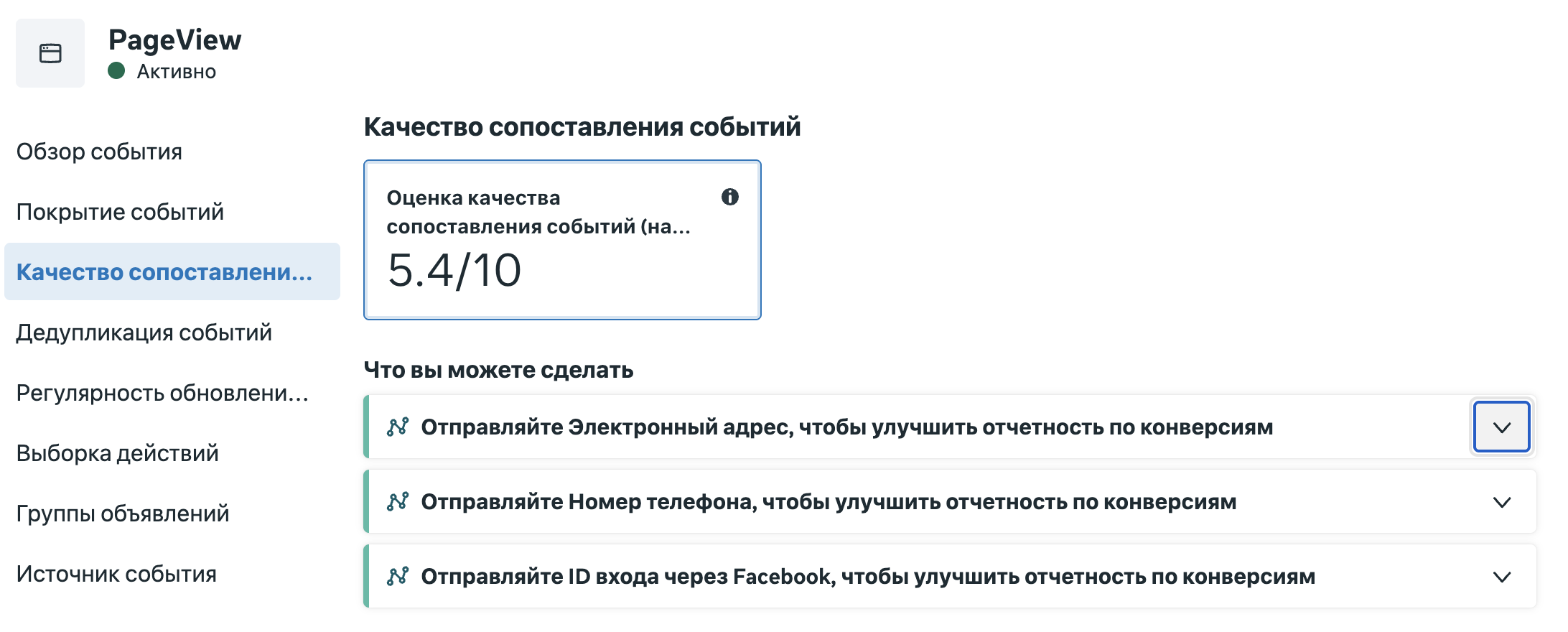
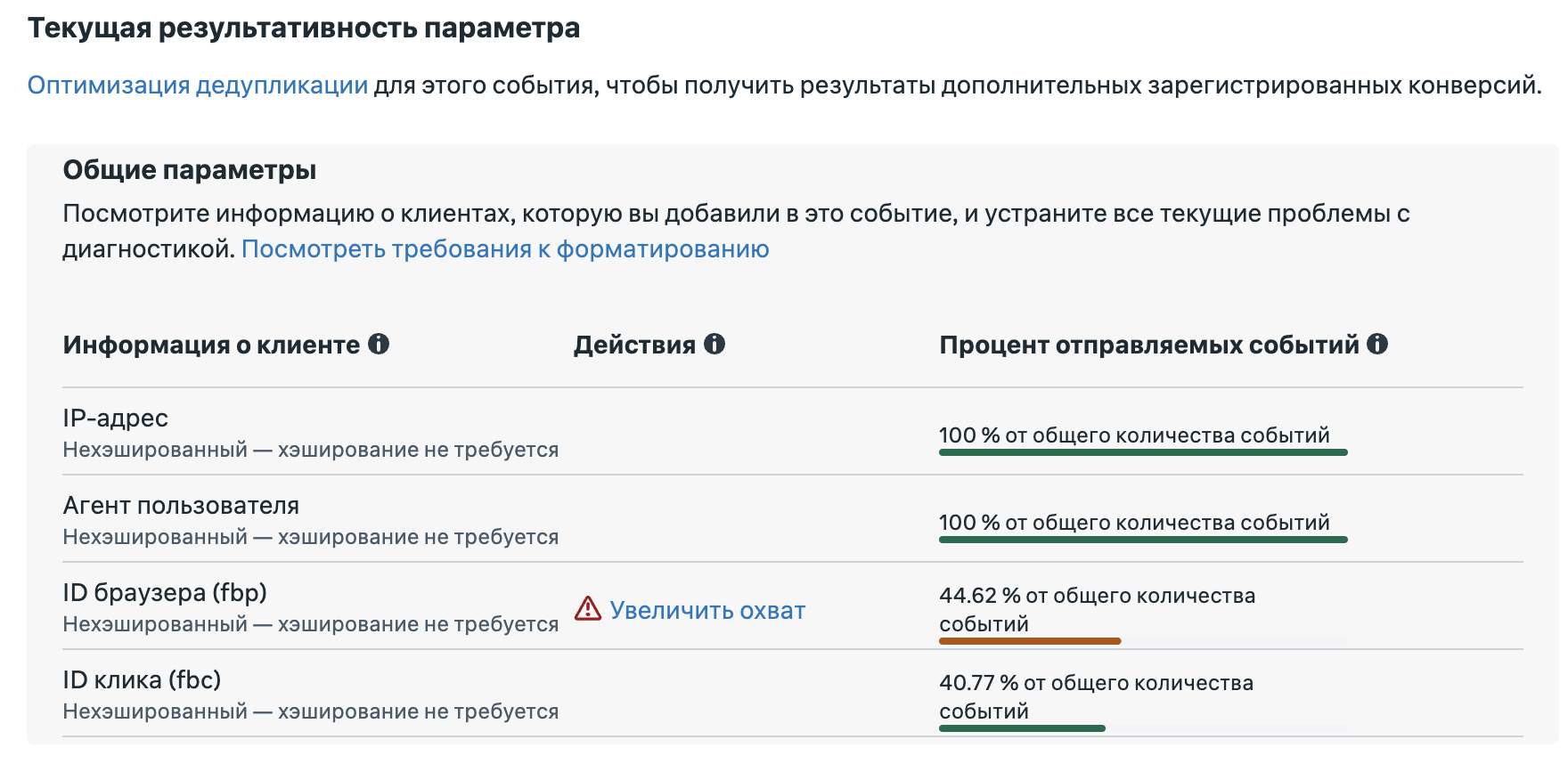
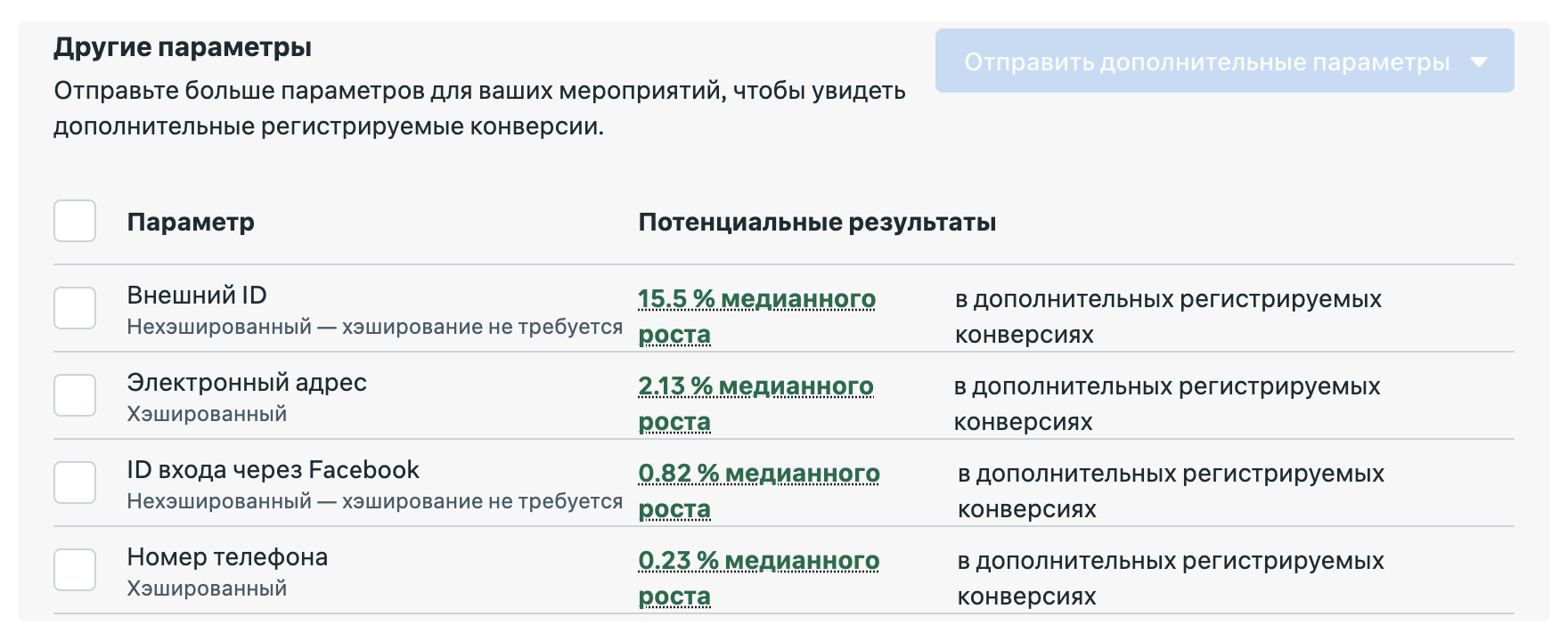
Meta also shows improvement suggestions: the Event Match Quality tab lists which parameters you currently send and which ones you can add. This is the fastest way to understand where to start your optimisation.
7 Ways to Improve EMQ in Meta Ads in 2026
1. Connect or Optimise Meta Conversions API (CAPI)
CAPI is the primary way to increase EMQ by 2–3 points. Server-side event delivery is independent of ad blockers, iOS restrictions, and browser cookies. With pixel only, the average Purchase EMQ is 3–5. With CAPI — 7–9.
Setup options: partner integration (WooCommerce, Shopify), Server-Side GTM, or direct API integration using the PHP/Python/Node.js Meta SDK.
2. Send Email With Every Conversion Event
Email is the most important identification parameter. If a user provided their email during checkout, registration, or form submission — always pass it hashed (SHA-256, lowercase) together with the Purchase or Lead event.
Important: hash the email before sending. Meta compares the hash, so sending an unhashed email is not acceptable and may cause events to be rejected.
3. Store and Send fbclid as the fbc Parameter
When a user arrives on your site from a Meta ad, fbclid is appended to the URL. Store it in a cookie and send it as fbc in server-side events. Format: fb.1.{timestamp}.{fbclid_value}.
This is one of the most effective actions for improving EMQ, because the click ID unambiguously links the conversion to a specific ad click.
4. Enable Advanced Matching in Meta Pixel
Advanced Matching automatically reads email, name, and phone from form fields on your site and sends them with pixel events. Set it up in 5 minutes: Events Manager → Data Sources → your pixel → Settings → Advanced Matching → enable.
Expected effect: +1–2 EMQ points without changing any site code.
5. Send Multiple Identification Parameters Simultaneously
Do not limit yourself to email alone. Send the maximum available set: email + phone + first name + last name + ZIP + country + external_id + fbp + fbc. Each additional parameter increases the probability of a precise match.
This is especially important when email is unavailable (e.g. guest checkout): the combination of phone + IP + fbp can still yield a sufficiently accurate match.
6. Configure Proper Event Deduplication
If you use both pixel and CAPI simultaneously — both send a Purchase event. Without deduplication, Meta counts it twice, distorting statistics and algorithm training.
Correct deduplication: pass the same unique event_id from both sources. For example: purchase_12345_1716900000. Meta automatically ignores duplicates with the same event_id within the 48-hour window.
7. Verify fbclid Persists Through Redirects and Forms
A common issue: fbclid exists in the landing page URL but disappears during redirects between pages. Check that your site stores fbclid in a cookie on the first visit and that it is available during the final order confirmation.
Target EMQ Values by Event Type
EMQ depends on the event type: PageView provides minimal user data, Purchase provides the maximum. Here are realistic target benchmarks:
| Event | Realistic Range | Target | Note |
|---|---|---|---|
| Purchase | 6–8 | 8.5–9.5 | Most important for optimisation |
| Lead / CompleteRegistration | 5–7 | 8.0+ | Email available — use it |
| InitiateCheckout | 5–7 | 7.5–8.5 | fbp + fbclid already help |
| AddToCart | 4–6 | 7.0–8.0 | Guest user — no email, but fbp available |
| ViewContent | 4–6 | 6.0–7.5 | Behavioural event, less critical |
| PageView | 3–5 | 6.5–7.5 | Minimal data, normal range |
Focus your efforts on Purchase and Lead — these are the events Meta uses to optimise your campaigns. Even a 1-point EMQ increase on these events delivers a measurable ROAS impact.
Common Mistakes When Working With EMQ
- Incorrect hashing. Apply SHA-256 to normalised data: email must be lowercase with no spaces; phone must be digits only in international format without the + prefix.
- Missing deduplication when using CAPI + Pixel. Without a unique event_id, Meta counts every conversion twice.
- fbclid not stored in a cookie. If the session starts with an ad click but fbclid disappears at the first redirect, you lose the strongest available signal.
- CAPI sent without user_data. CAPI with no identification parameters (event name and timestamp only) does not improve EMQ — it simply duplicates pixel data without added value.
- Only external_id, no other parameters. Meta does not know your internal user ID. It is only valuable when combined with email, phone, or fbclid.
EMQ and Privacy: GDPR Compliance for European Businesses
An important question for European advertisers: is it legal to send personal data (email, phone) to Meta to improve EMQ?
The answer is yes, provided you follow the rules. All data is hashed with SHA-256 locally on your server and never transmitted in plain text. Meta does not receive the actual email — only an irreversible hash. Requirements:
- Obtain explicit user consent for data processing for advertising purposes (via cookie banner or form);
- Document this in your site’s Privacy Policy;
- Sign the Data Processing Agreement (DPA) with Meta via Business Settings.
FAQ: Event Match Quality in Meta Ads
How long does it take to improve EMQ after making changes?
EMQ updates every 48 hours. Stable improvement after technical changes typically registers within 1–2 weeks. Impact on ROAS and CPM follows 2–4 weeks after the new EMQ level stabilises.
What EMQ score is considered normal?
For most advertisers, EMQ 6+ for Purchase is a satisfactory level; 8+ is good. Achieving EMQ 10 is practically impossible due to privacy constraints. A realistic target for 2026 is EMQ 8–9 for Purchase.
Does EMQ affect ad cost (CPM)?
Yes, indirectly. Meta favours advertisers with quality conversion signals when bids are equal in the auction. Accounts with EMQ 8+ effectively compete more efficiently — the same budget delivers more conversions.
Can I improve EMQ without CAPI?
Yes. Enabling Advanced Matching, sending fbclid, and enriching pixel events with email and phone can increase EMQ by 1–2 points without a server-side integration. However, it is difficult to push Purchase EMQ above 6–7 without CAPI.
What does EMQ 0 or “N/A” mean?
N/A or 0 typically means either too few events (below the minimum required for calculation) or no identification parameters in the events at all. Check your pixel and CAPI configuration in Events Manager → Test Events.
Does EMQ differ between Pixel and CAPI?
Yes. Meta shows separate scores for Pixel (browser events) and CAPI (server-side events). Server-side events typically have a higher EMQ since more parameters can be passed from the backend. The overall score is a weighted average of both sources.

Read also
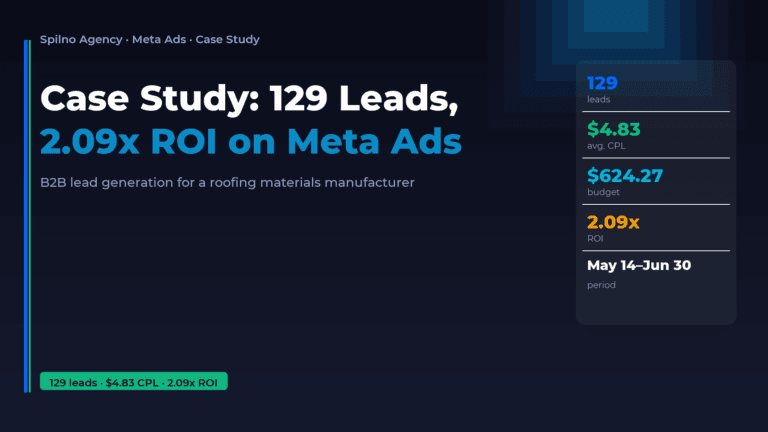
B2B Manufacturer Case Study: 129 Leads and 2.09x ROI with Meta Ads
A European roofing and facade materials manufacturer approached Spilno Agency with a clear goal — build a B2B…
Best Claude Skills for Threads (2026)
Claude skills and MCPs for Threads: posts and threads, captions, carousel design, cross-posting from Instagram, the official Threads…
Best Claude Skills for X (Twitter) (2026)
Claude skills and MCPs for X (Twitter): tweets and threads, content planning, X Ads, analytics, outreach. Official X…