Google Merchant Center: Minimum Product Image Size Becomes 500×500 px in 2027

Google is giving early notice: starting January 31, 2027, the minimum product image size in Merchant Center will be at least 500 × 500 pixels. Warnings about undersized images are already appearing in accounts since July 2026 — products with smaller photos risk disappearing from ads and free listings.
What exactly is changing
According to Google Merchant Center Help, from January 31, 2027 the minimum size for a product image submitted via the image_link attribute rises to 500 × 500 pixels for all product categories. That is a much stricter bar than the current requirement.
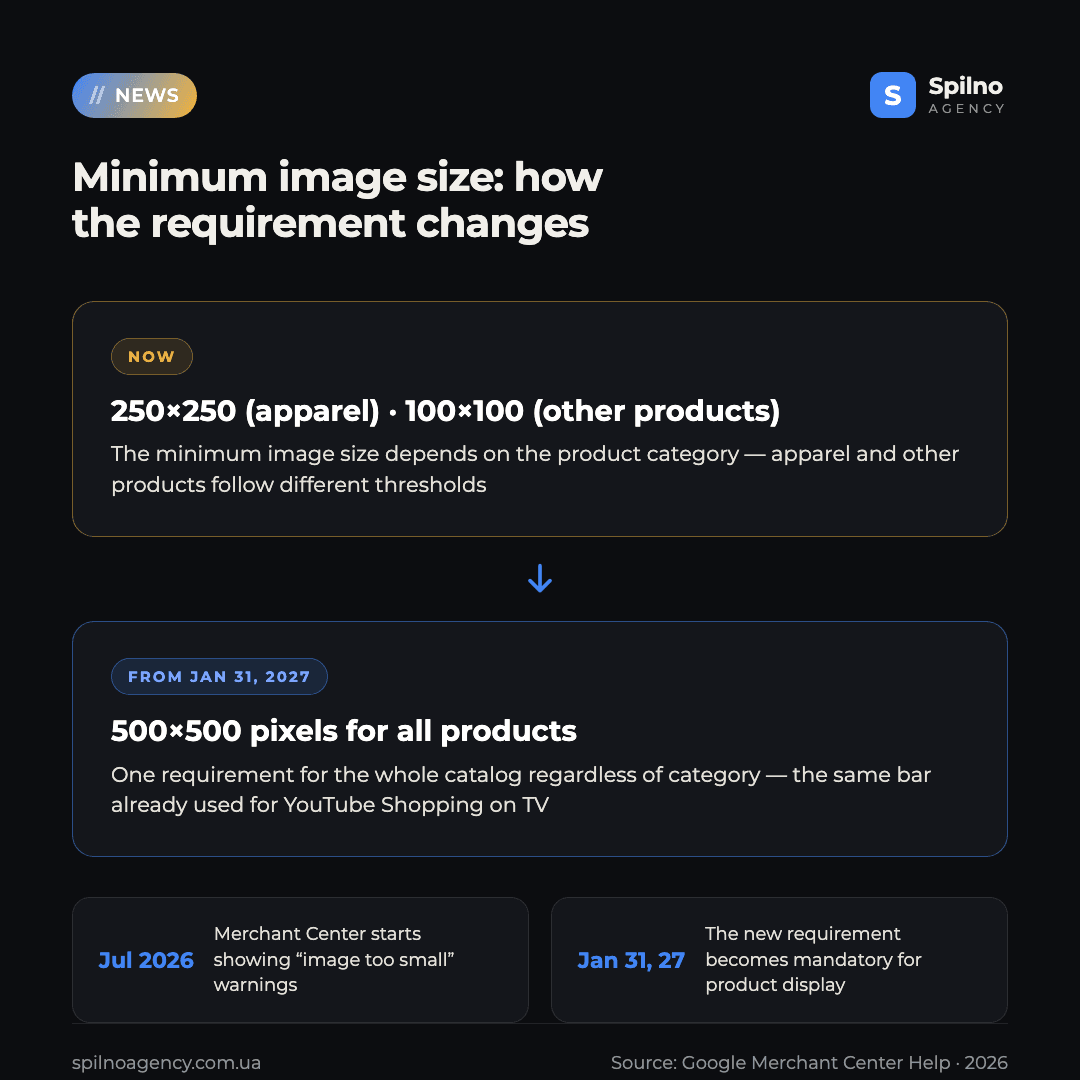
Right now the minimums differ by category:
- Apparel — at least 250 × 250 pixels.
- All other products — at least 100 × 100 pixels.
- YouTube Shopping on TV — the 500 × 500 pixel requirement already applies here, and Google is now extending it to every product and every surface.
The rest of the image requirements stay the same: a maximum of 64 megapixels and 16 MB per file, the product should fill roughly 75–90% of the frame, and the image must not be an artificially enlarged (upscaled) version of a smaller photo.
Key dates
- July 2026 — Merchant Center began showing the warning “Image too small based on upcoming requirements” for products whose photos are smaller than 500 × 500 pixels.
- January 31, 2027 — the new requirement becomes mandatory. Products that don’t meet it will stop being approved for display.
What happens to products that miss the deadline
Google notes that in some cases it may automatically show an “optimized version” of the existing image instead of rejecting the product outright. But that’s not something to rely on: after January 31, 2027, products with images smaller than 500 × 500 pixels will stop showing in paid Google Shopping and Performance Max ads, and in free organic product listings. For online stores, that means a direct loss of visibility and traffic on exactly the catalog items that still carry small or outdated photos.
Why Google is raising the bar
The 500 × 500 pixel requirement has already been in place for YouTube Shopping on TV screens — Google is simply unifying the image quality standard across every surface where products appear, including large screens and newer AI-driven shopping formats. Small, blurry, or overly compressed product photos hurt the shopping experience and reduce trust in the listing, so the minimum quality bar is being raised for the whole catalog at once, rather than channel by channel.
What to do now: 6 steps before January 31, 2027
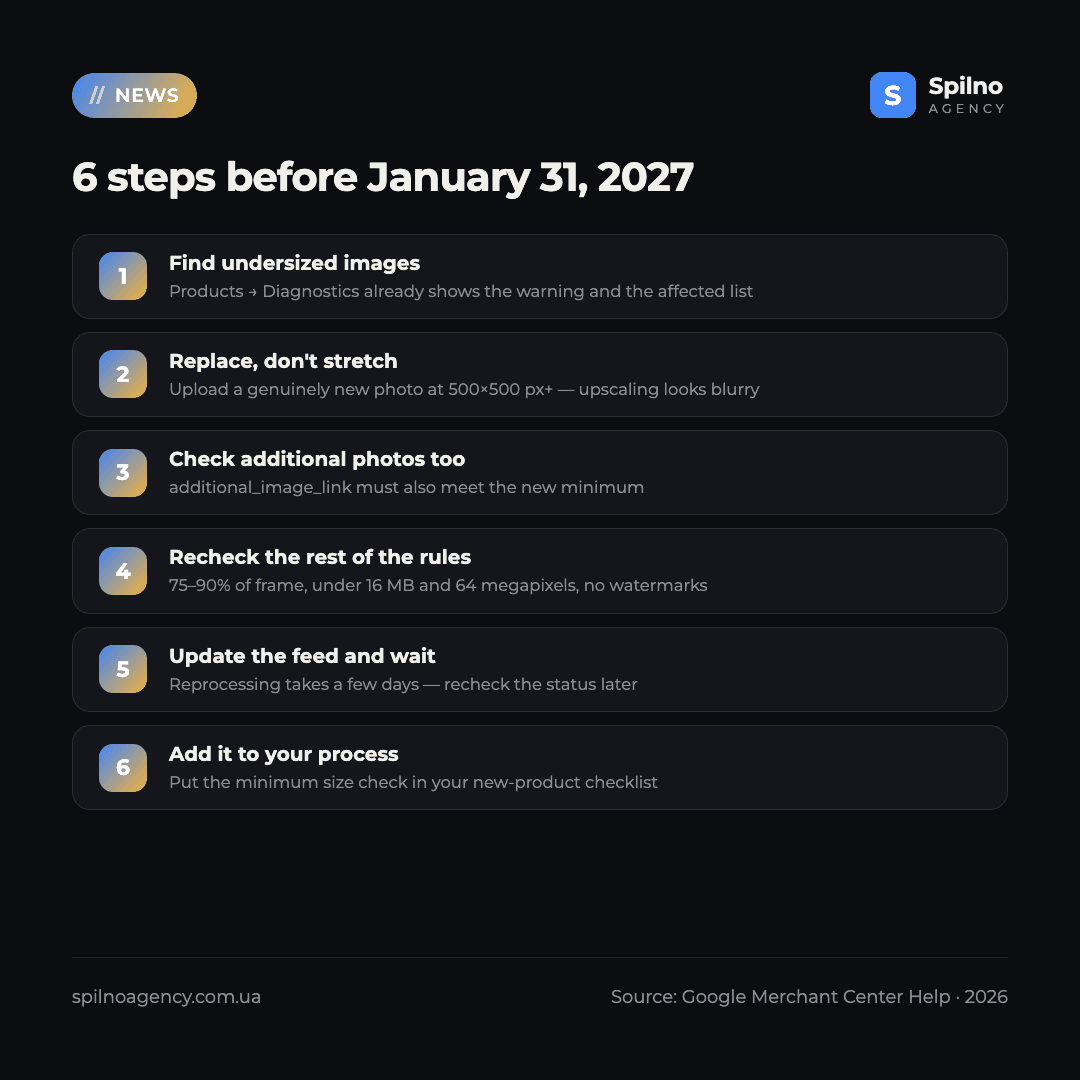
- Find products with undersized images. In Merchant Center, open Products → Diagnostics — the “Image too small based on upcoming requirements” warning is already visible there, and you can download the full list of affected products.
- Replace, don’t stretch. Every flagged product needs a genuinely new photo of at least 500 × 500 pixels — an artificially upscaled small image will look blurry and may fail the other quality requirements.
- Check additional images too. If you submit extra product photos via
additional_image_link, make sure they also meet the new minimum. - Recheck the remaining image requirements. The product should fill 75–90% of the frame, the file should stay under 16 MB and 64 megapixels, with no watermarks, overlaid text, or borders.
- Update your feed and wait for a rescan. After swapping images, Merchant Center needs time to reprocess the feed — check the product status in Diagnostics again after a few days.
- Build this into your process for new products. Add a minimum image-size check to your new-product upload checklist so the issue doesn’t come back.
Who this affects
The requirement applies to every product in Google Merchant Center, regardless of category — both listings shown in Google Shopping and those running through Performance Max. The catalogs most at risk are the ones where images were uploaded over years without quality control: small supplier photos, scanned images, or old thumbnails carried over from a previous version of the website. The apparel category, whose current minimum is already above average at 250 × 250, will be hit less hard than categories currently at the 100 × 100 floor.
Spilno Agency’s take
In practice, this is a textbook example of a technical deadline that’s easy to miss until it turns into a sudden drop in impressions. Half a year of lead time sounds like plenty, but on a catalog of a few thousand SKUs, manually checking and replacing images takes weeks, not days — especially when a supplier’s photo simply doesn’t exist at the required quality. We’d recommend exporting the “Image too small” list from Merchant Center Diagnostics right now and estimating the real scope of work, rather than waiting on Google’s “optimized” fallback image — it only helps in some cases and isn’t guaranteed for every product. If you need help auditing your feed and fixing images before the deadline, the Spilno Agency team is ready to step in.
Running out of time to check your catalog before January 31, 2027? The Spilno Agency team will audit your Google Merchant Center feed, find products with undersized images, and help you fix them without losing impressions in Google Shopping and Performance Max.
If your catalog has already had product approval issues in Merchant Center, it’s worth addressing the current causes first — our Google Merchant Center management guide explains how to set up regular feed monitoring and avoid repeat suspensions. And if your account is already suspended, start with our Google Merchant Center unblocking service.
Frequently Asked Questions (FAQ)
What exactly is changing in Google Merchant Center’s product image requirements?
The minimum size for a product image submitted via the image_link attribute rises to 500 × 500 pixels for all product categories. Currently the minimum is 250 × 250 pixels for apparel and 100 × 100 pixels for all other products.
From what date does the new requirement become mandatory?
From January 31, 2027. Warnings about undersized images in Merchant Center started appearing earlier, from July 2026, to give advertisers time to prepare.
What happens to products with images smaller than 500 × 500 pixels after January 31, 2027?
Those products will stop appearing in paid Google Shopping and Performance Max ads and in free product listings. In some cases Google may automatically show an optimized version of the image, but this isn’t guaranteed for every product.
Can I just upscale an existing small image to 500 × 500?
Technically yes, but it’s not recommended: an artificially enlarged image looks blurry and low quality, and Google separately prohibits scaled-up images as part of its quality requirements. It’s better to upload a genuinely new product photo natively sized at 500 × 500 pixels or larger.
Where in Merchant Center can I see which products have undersized images?
In the Products → Diagnostics section — it shows the “Image too small based on upcoming requirements” warning along with a list of affected products, and you can export the full list.
Does the new requirement apply only to the main image (image_link)?
The core requirement is described for image_link. If a product also uses extra photos via additional_image_link, it’s worth checking those against the new minimum too, to avoid quality issues on the product listing.
Are the other image requirements (file size, frame coverage) also changing?
No, those stay the same: a maximum of 64 megapixels and 16 MB per file, the product should fill roughly 75–90% of the frame, with no watermarks or overlaid text.
What should I do if I won’t manage to update all images before the deadline?
Start with your priority products — your best-selling items and the ones already flagged in Diagnostics. Don’t leave the check until the last week: reprocessing the feed after updating images takes time, and a large catalog needs a steady, ongoing replacement process rather than a one-off fix.

Read also

Google Ads Rolls Out New Testing and Planning Tools for AI Max
Google Ads announced Multi-Campaign Budget Testing, Enhanced Experiment Controls and an improved Performance Planner for AI Max. Key…
Google Ads Removes Language Targeting for Search Starting September 2026
From late September 2026, Google Ads removes language targeting for Search and AI Max for Search. Ads match…
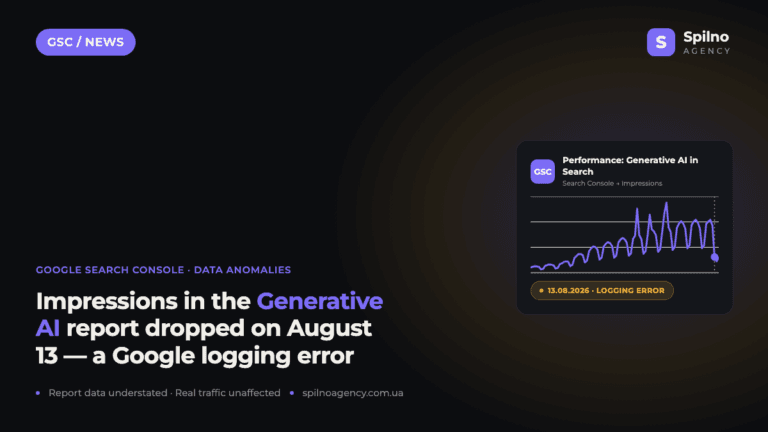
Search Console Glitch: Generative AI Report Impressions Down Since August 13
On August 13, 2026, Google confirmed a logging error that understates the number of impressions in the “Generative…