Search Console Glitch: Generative AI Report Impressions Down Since August 13

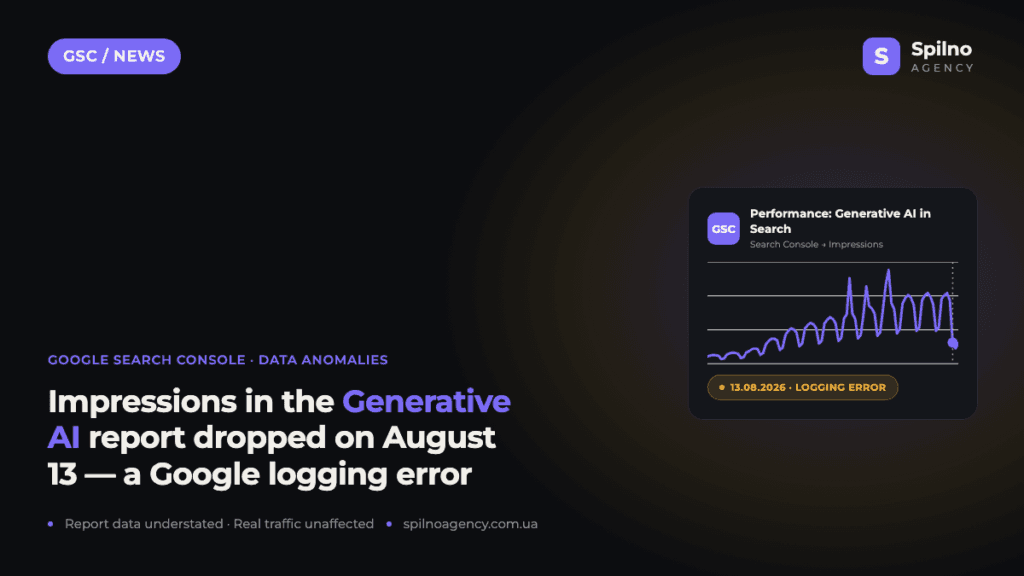
On August 13, 2026, Google confirmed a logging error that understates the number of impressions in the “Generative AI in Search” performance report in Search Console. If your impressions chart for AI Overviews and AI Mode plunged after August 13, it is a report data glitch, not a real loss of visibility: rankings and traffic are unaffected. Google marks the issue as ongoing. Here is what happened, how to tell a glitch from a real drop, and what to do with the data for this period.
What happened: the August 13 entry in Data anomalies
On the official Data anomalies in Search Console page, Google published an entry dated August 13, 2026 for the “Generative AI in Search” report: a logging error caused a decrease in impressions for data starting on that date. Google explicitly notes that the issue affects data logging only, and its status is ongoing — at the time of publishing this news, the glitch has not yet been fixed.
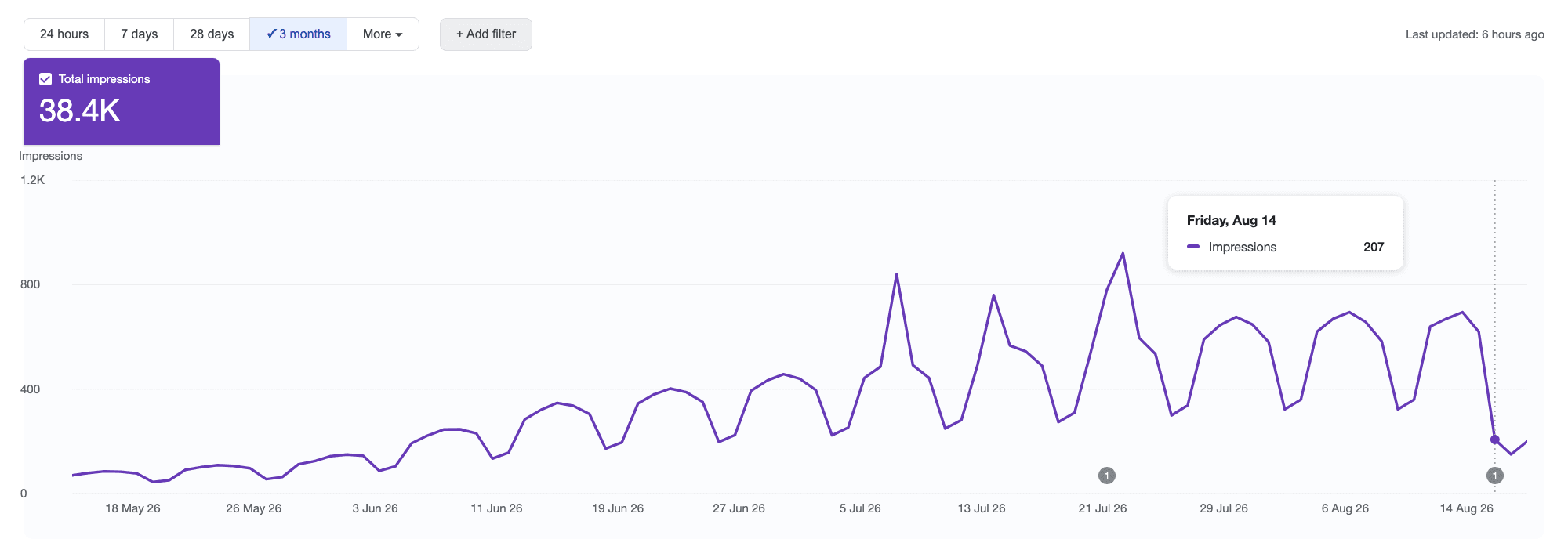
In practice it looks like this: the impressions curve in the Generative AI performance report dives sharply after August 13, even though nothing changed on the site or in the algorithms. Here is a real example from one of the accounts we work with:
What the “Generative AI in Search” report is
The Generative AI performance report is a relatively new section of Google Search Console: Google launched dedicated reports for AI-powered results in June 2026. It shows how many impressions your pages get in Google’s generative results — in AI Overviews (the AI summaries above classic results) and in AI Mode (the conversational search experience). For many European site owners this is the only data source on AI visibility, which is why a sudden chart collapse immediately raises alarms.
That is exactly why this glitch is so visible: teams tracking Generative AI impressions saw a 3–4× drop in a single day — from hundreds of impressions to a few dozen. If you optimise content for AI results following Google’s official GEO recommendations, the data for this period does not reflect the real outcome of your work.
What it means for your site

- Real visibility has not changed. The error affects how Google records data into the report, not how often your site appears in AI Overviews or AI Mode.
- Rankings are unaffected. This is not an algorithm update and not a penalty — positions and clicks in classic search behave as usual.
- Data from August 13 onwards is incomplete. Comparing impressions “before” and “after” that date is unreliable until Google closes the issue.
- The fix is on Google’s side. Site owners need to do nothing: no code checks, no re-indexing requests.
How to tell a report glitch from a real drop
A sharp dip on a chart is not always a Google glitch. Here is the quick checklist we use at the agency whenever a client comes in with “our traffic dropped”:
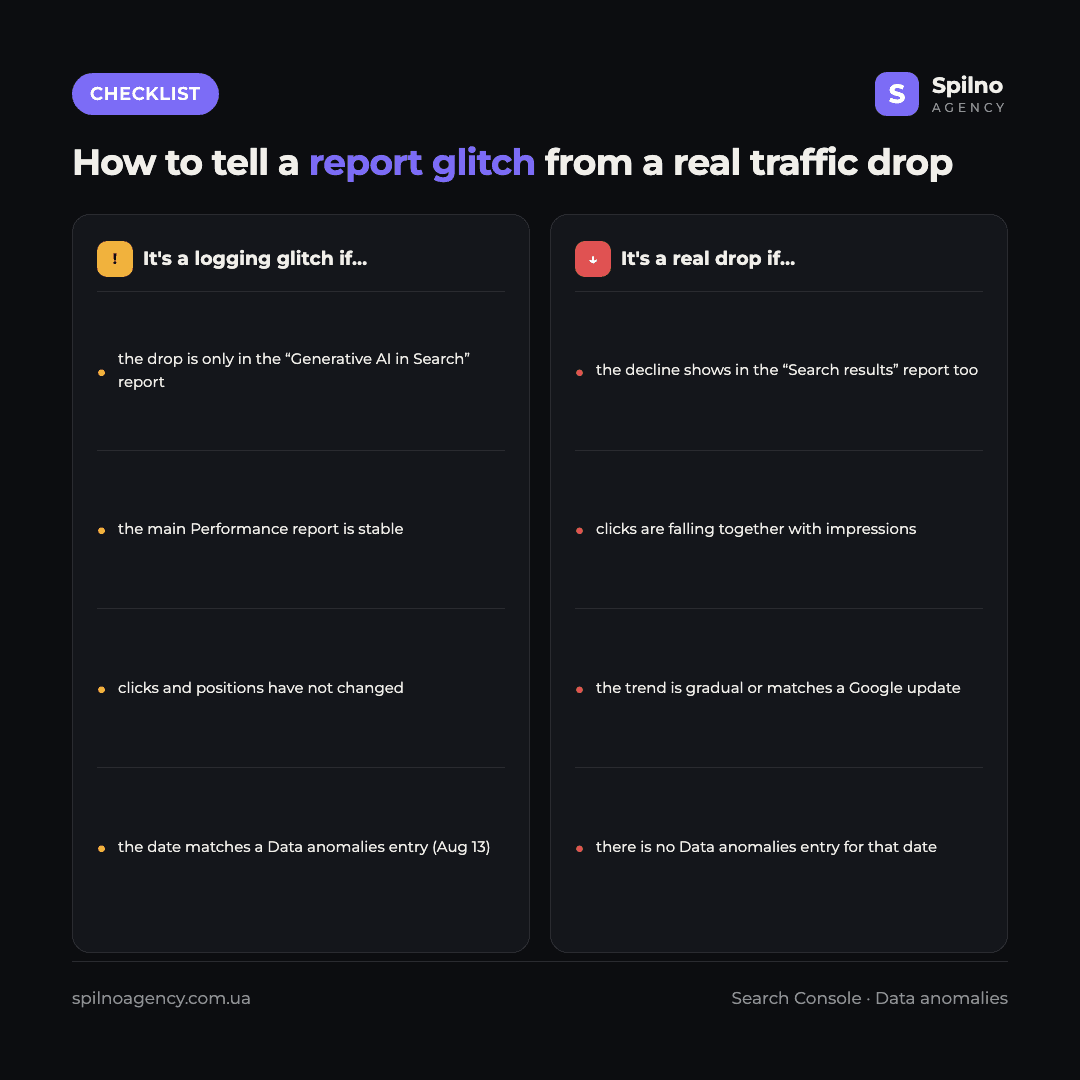
- Check the other reports. If the drop is only in “Generative AI in Search” while the “Search results” report is stable, it is almost certainly a logging glitch.
- Look at clicks. In a real visibility drop, clicks fall together with impressions. In an impressions-logging glitch, clicks behave as usual.
- Match the date. If the break in your chart lands exactly on August 13–14, 2026, you are looking at this very anomaly.
- Check Data anomalies. Google keeps a public log of Search Console data issues — if there is an entry for the date of your “drop”, factor it in first.
What to do with the data for this period
- Do not make decisions based on Generative AI impressions from August 13 onwards — the data is understated and will not reflect reality until the glitch is fixed.
- Add an annotation to your own reports (Search Console lets you add notes to the chart with a right click) — six months from now nobody will remember why the August chart “sagged”.
- If you prepare client reports, mark the period as anomalous and link to the Data anomalies page.
- Watch the status: when Google resolves the issue, an end date will appear on the same page.
- Do not compare August to July head-on — wait until Google officially records the end of the anomaly before comparing periods.
Frequently asked questions (FAQ)
Why did impressions drop in the Generative AI report in Search Console?
On August 13, 2026, a logging error on Google’s side started understating the number of impressions in the “Generative AI in Search” performance report. This is officially confirmed by an entry on the Data anomalies page in the Search Console help centre.
Did my site’s real traffic from AI Overviews and AI Mode fall?
No. Google explicitly states that the issue affects data logging only. Your site’s actual visibility in generative results and the traffic from them have not changed.
Do I need to fix anything on my site?
No. The glitch is on Google’s side and so is the fix. There is no need to change code, resubmit pages for indexing or “optimise” anything in response to this drop.
When will Google fix the data?
As of August 19, 2026, the status of the issue is ongoing, and Google has not named a fix date. Once the glitch is resolved, it will be marked on the same Data anomalies page.
Are other Search Console reports affected?
The August 13 entry concerns the Generative AI performance report specifically. The main “Search results” report, Discover and Google News data are not affected — which is why comparing reports is the fastest way to diagnose the issue.
How can I learn about such glitches first?
Bookmark the Data anomalies page in the Search Console help centre — Google records all known data anomalies there with dates. The grey annotation markers under the chart in the report itself also signal that a known issue exists for that date.
Google records data anomalies like this a few times a year, but for the Generative AI report this is one of the first major glitches — and a good reminder: before drawing conclusions from a sudden chart drop, check the anomalies log. If you need help with AI Overviews and AI Mode visibility analytics, a Search Console audit or reliable reporting for your business, the Spilno Agency team is happy to help.

Read also
Google Ads Rolls Out New Testing and Planning Tools for AI Max
Google Ads announced Multi-Campaign Budget Testing, Enhanced Experiment Controls and an improved Performance Planner for AI Max. Key…
Google Merchant Center: Minimum Product Image Size Becomes 500×500 px in 2027
From January 31, 2027, Google Merchant Center requires product images of at least 500×500 px. What changes, key…
Google Ads Removes Language Targeting for Search Starting September 2026
From late September 2026, Google Ads removes language targeting for Search and AI Max for Search. Ads match…