New Features in the ChatGPT Ads Dashboard: What Changed in 2026

OpenAI sent advertisers a product update for ChatGPT Ads — the advertising dashboard built into ChatGPT. The update covers seven areas at once: a new “Conversions” goal for conversion-optimized campaigns, a change to how daily budgets work, geographic exclusions in targeting, AppsFlyer and Adjust integrations for mobile measurement, automatic advanced matching for conversions, a bulk API for managing campaigns, and an updated product-card ad format showing price and star ratings. Here’s what actually changed and what advertisers should do about it.
What’s new in the ChatGPT Ads dashboard
In the official announcement, OpenAI says this week’s updates are meant to help advertisers optimize campaigns toward conversion goals, measure conversions more accurately, allocate budgets more effectively, and scale campaign operations. Here’s a quick rundown of all seven changes:
- Conversion-optimized campaigns (oCPC) — a new “Conversions” goal in campaign settings.
- A new daily budget model — fixed daily caps are replaced by a 7-day average daily budget.
- Geographic exclusions — you can now exclude specific locations from campaign targeting.
- AppsFlyer and Adjust integrations — measurement of app installs and in-app events.
- Automatic Advanced Matching (AAM) — more accurate matching of on-site conversions to ads.
- Bulk API — asynchronous, bulk creation and updates of campaigns, ad groups, and ads.
- Updated ad format — product cards in product-feed campaigns now show price and a star rating.

Conversion-optimized campaigns (oCPC)
The headline change is the ability to run conversion-optimized cost-per-click (oCPC) campaigns. To use it, choose the “Conversions” goal in campaign settings. These campaigns show your ads to ChatGPT users whose clicks are more likely to lead to your conversion event — ChatGPT Ads’ own systems prioritize delivery toward that outcome.
One important detail on billing: the pricing model itself doesn’t change — you’re still charged for valid clicks, not for conversions. In other words, oCPC doesn’t introduce a new “cost per conversion” price point; it simply changes who sees your ad within the existing cost-per-click billing logic.
Daily budgets are changing
In the near future, daily budgets in ChatGPT Ads will move from fixed daily caps to average daily budgets: the average amount you want to spend per day over a seven-day period. Spend can vary from day to day but stays within both the daily and seven-day limits.
OpenAI is explicit that no action is required from advertisers, and your overall campaign budget doesn’t change — only the pacing logic within the week does. On top of that, daily budgets are now automatically paced throughout the day, spreading delivery more evenly instead of front-loading spend in the first few hours.
Geographic exclusions in targeting
Campaign targeting now supports excluding specific geographic locations from delivery. This makes it easier to align your audience with your actual service area — for example, removing regions you can’t fulfill orders in, or countries where you’ve seen consistently low-quality traffic.
Mobile measurement integrations: AppsFlyer and Adjust
ChatGPT Ads has launched integrations with AppsFlyer and Adjust — two leading Mobile Measurement Partner (MMP) platforms. They let you measure and attribute app installs and in-app events generated by ChatGPT ads. For app advertisers, this closes a real gap: previously, install attribution from ChatGPT Ads relied largely on the advertiser’s own analytics.
Automatic Advanced Matching (AAM)
Automatic Advanced Matching (AAM) improves on-site conversion measurement — the system matches more conversions to ads using hashed customer information (email, phone, etc.) that the advertiser is already passing through their own site. It’s a mechanism performance marketers already know from Meta Ads and Google Ads, now available in ChatGPT Ads too.
To turn it on, go to Tools → Conversions → Data source and select “Enable for all web data sources” at the top of the page.
Bulk API
For teams managing a large number of campaigns, there’s now a bulk API: it lets you create and update campaigns, ad groups, and ads in bulk, asynchronously, via the Ads API. It’s a clear signal that ChatGPT Ads is building toward the needs of performance teams and agencies that previously had to manage a limited number of campaigns by hand through the dashboard.
Updated ad format for product-feed campaigns
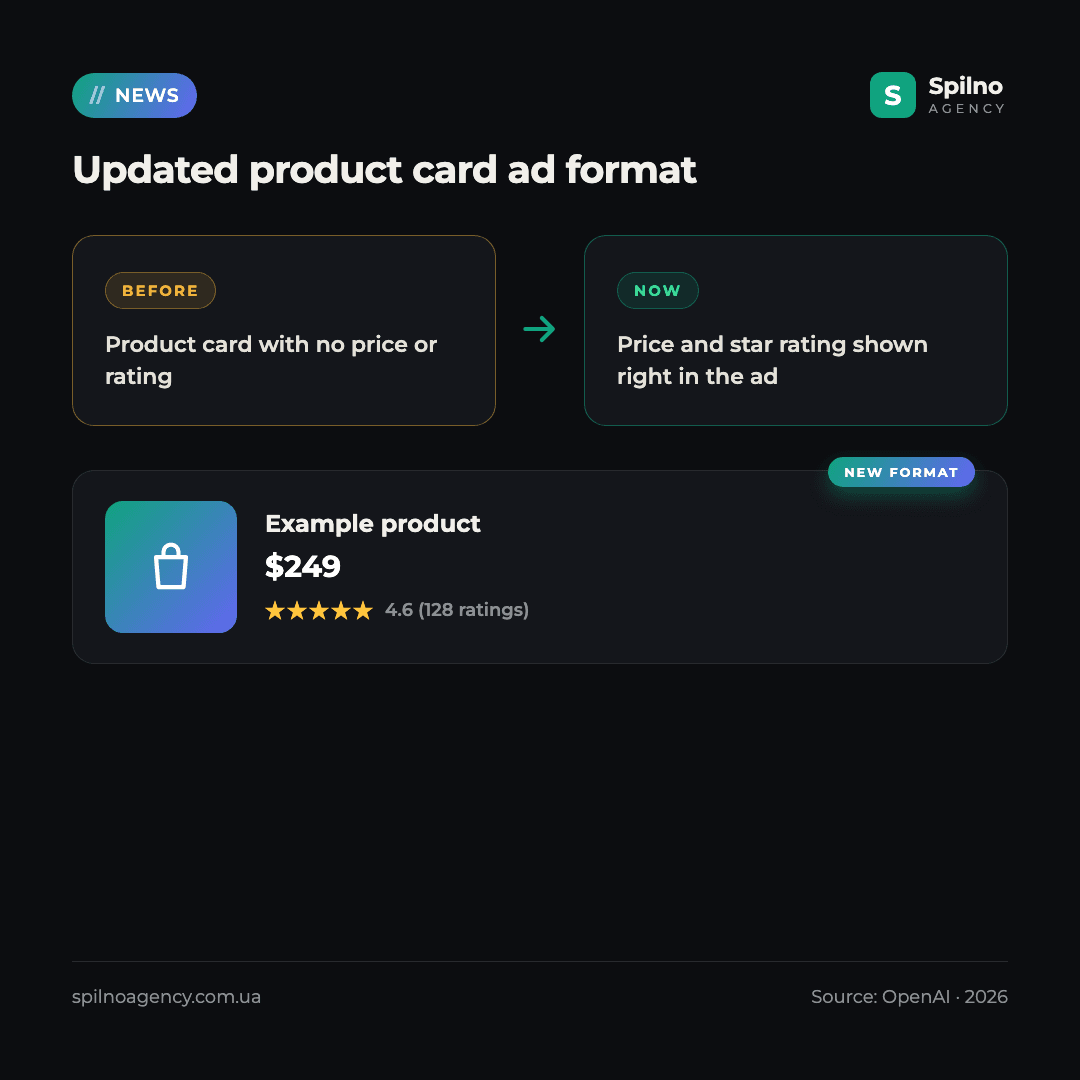
For product-feed campaigns, OpenAI is rolling out an updated product-card format: the card now shows price and a star rating directly in the ad. Under the ChatGPT Commerce product feed spec, required fields for displaying a product include the active sale price and reference list price in ISO 4217 format, an availability status (in stock, backorder, preorder), and stable variant identifiers (such as color or size) — this is exactly the data that populates the updated card.
For e-commerce advertisers, this means one thing: if your product feed already has accurate price, availability, and rating data, the updated format will start showing automatically — and it will likely lift CTR thanks to the extra social proof (the rating) shown right in the ad.
What this means for advertisers: Spilno Agency’s take
ChatGPT Ads is still a young ad channel, and the pace at which OpenAI is adding tools that performance marketers already know from Google Ads and Meta Ads — conversion optimization, advanced matching, a bulk API — signals real ambition in the performance segment. Our recommendation for advertisers already testing ChatGPT Ads, or planning to:
- Check your campaign goal. If the objective is conversions rather than traffic or reach, switch to the “Conversions” goal to unlock oCPC optimization.
- Don’t touch budgets out of caution. The move to a 7-day average daily budget requires no action — your overall budget stays the same.
- Turn on AAM. It’s a free improvement to conversion measurement accuracy — enable it via Tools → Conversions → Data source.
- Audit your product feed. If you’re running product-feed campaigns, make sure price, availability, and ratings are populated correctly — that directly affects how the updated card looks.
- Consider AppsFlyer or Adjust. If you’re promoting a mobile app, these integrations give more accurate install attribution than ChatGPT Ads’ own data alone.
If you need help setting up ChatGPT Ads, migrating your product feed, or auditing your current campaigns — Spilno Agency’s team is already working with emerging AI advertising channels and is ready to help.
Want to test ChatGPT Ads, or check whether your product feed is ready for the new ad format? Spilno Agency’s team can help set up conversion-optimized campaigns and connect the right integrations. Get in touch — we’ll start with a free consultation.
Frequently Asked Questions
What are conversion-optimized campaigns (oCPC) in ChatGPT Ads?
These are campaigns using the “Conversions” goal, where ChatGPT Ads shows your ad to users whose clicks are more likely to lead to your conversion event. Billing still runs on valid clicks, not on conversions.
Do I need to do anything because of the daily budget change?
No. OpenAI explicitly states no action is needed: your overall campaign budget doesn’t change — only the fixed daily cap becomes a 7-day average daily budget, with spend allowed to vary within the week.
How do I turn on Automatic Advanced Matching (AAM)?
Go to Tools → Conversions → Data source, and select “Enable for all web data sources” at the top of the page.
What do the AppsFlyer and Adjust integrations give me?
They let you measure and attribute app installs and in-app events generated by ChatGPT ads — meaning more accurate attribution for mobile app advertisers.
What changed in the ad format for product-feed campaigns?
The product card in product-feed campaigns now shows price and a star rating directly in the ad, provided that data is correctly populated in your product feed.
Who benefits from the ChatGPT Ads bulk API?
Mainly teams and agencies managing a large number of campaigns: the bulk API lets you create and update campaigns, ad groups, and ads asynchronously, without manual work in the dashboard.

Read also
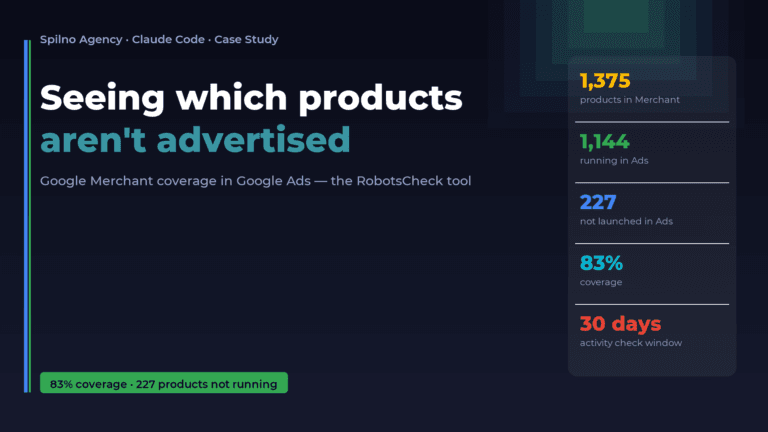
How Claude Helps Spilno Agency: Google Merchant Coverage in Google Ads
An online store lists 1,375 products in Google Merchant — but how many of them are actually running…
Google Merchant API Changes: Migrate or Request an Extension by August 18, 2026
On August 18, 2026 Google sunsets the Content API for Shopping — migrate to the Merchant API or…

How Spilno Agency Does On-Page SEO Optimization with Claude
Spilno Agency runs on-page SEO optimization together with the AI agent Claude — following one document standard that…