Google Analytics: What It Is and the Best Alternatives in 2026

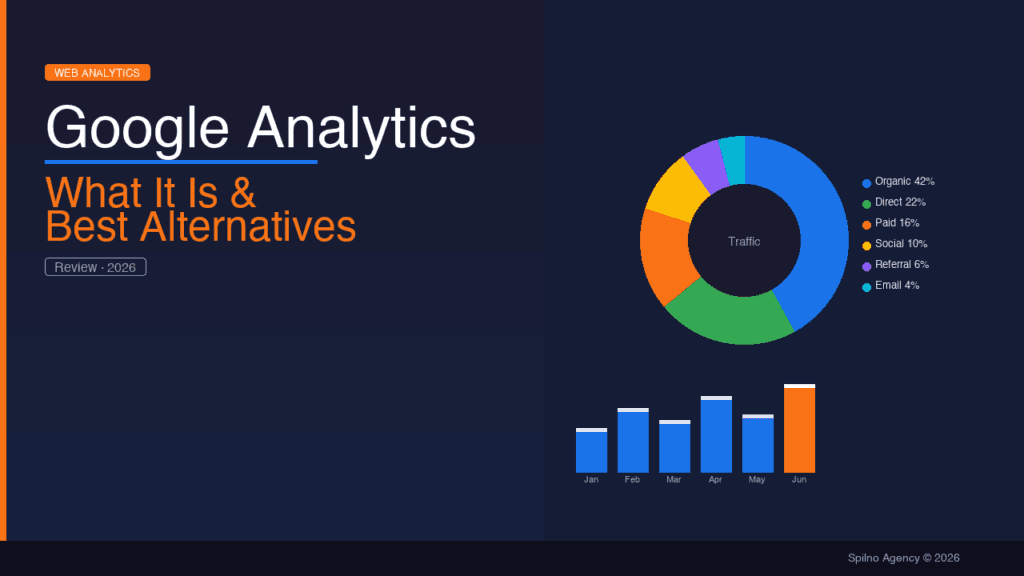
Google Analytics is a free web analytics platform by Google that tracks website visitors, their behaviour, and traffic sources. GA4 is the fourth and current version, which replaced Universal Analytics in July 2023. This guide covers everything you need to know about Google Analytics 4 and the 6 best alternatives for European businesses.
What Is Google Analytics
Google Analytics (GA4) is Google’s free web analytics platform that tracks and reports on traffic to websites and mobile apps. It provides detailed data on:
- Audience — who visits your site (demographics, devices, geography)
- Behaviour — which pages they view, time on site, what they click
- Acquisition — where visitors come from (search, social, ads, direct)
- Conversions — what actions they take (purchases, form fills, calls)
Google Analytics 4 (GA4) is the fourth generation of the platform, launched by Google in 2020. From 1 July 2023, the old version (Universal Analytics) stopped collecting data, making GA4 the only current solution from Google.
Key Features of Google Analytics 4
Event-based data model
Unlike Universal Analytics, GA4 uses an event-based model. Every user action — page view, click, scroll, form submission — is recorded as an event with its own parameters. This provides much more flexible analysis options.
Cross-platform analytics
GA4 unifies data from your website, iOS app, and Android app in a single report. You can see the complete user journey — for example, someone who discovered your brand via desktop search and later purchased through a mobile app.
Traffic channels in GA4
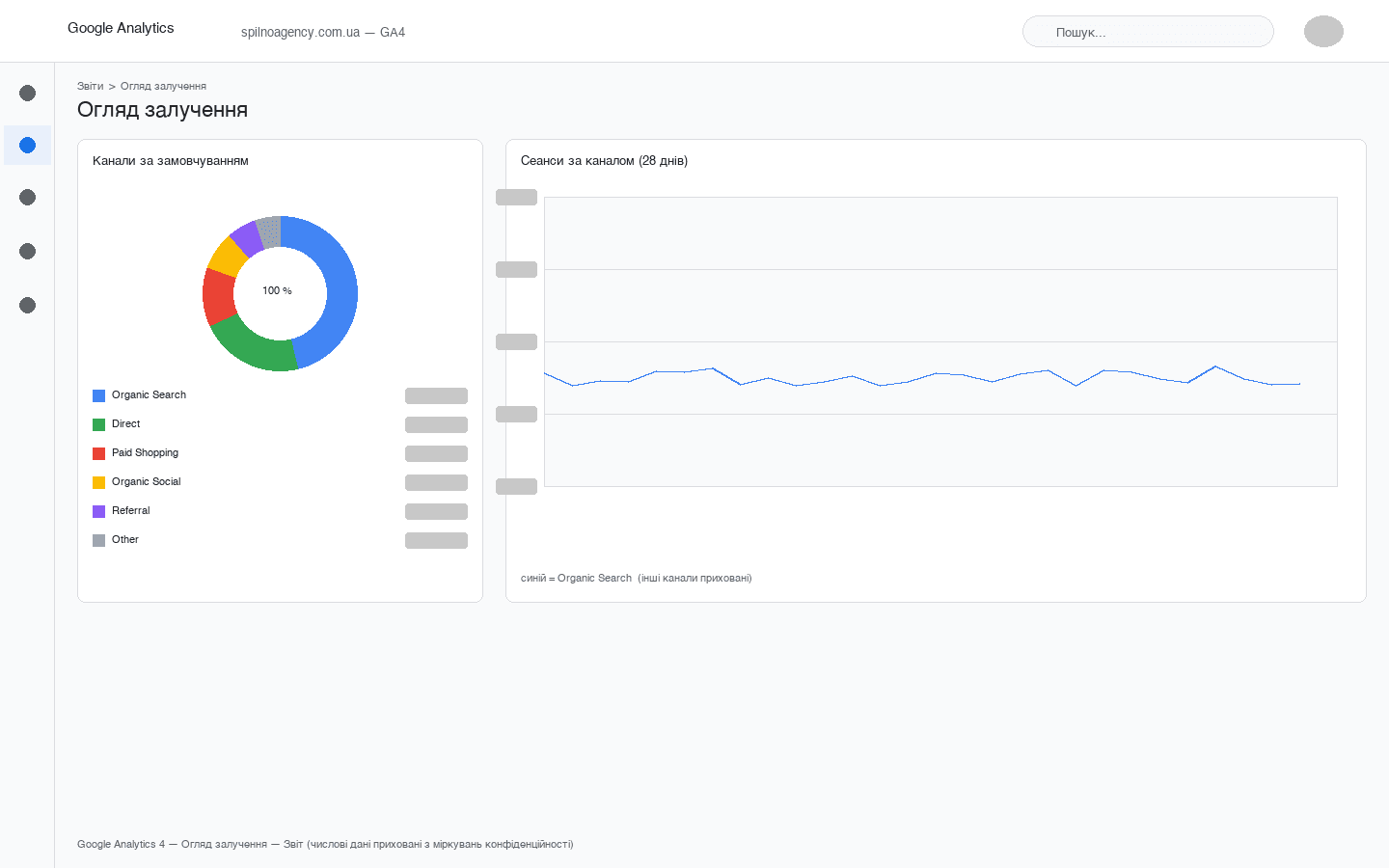
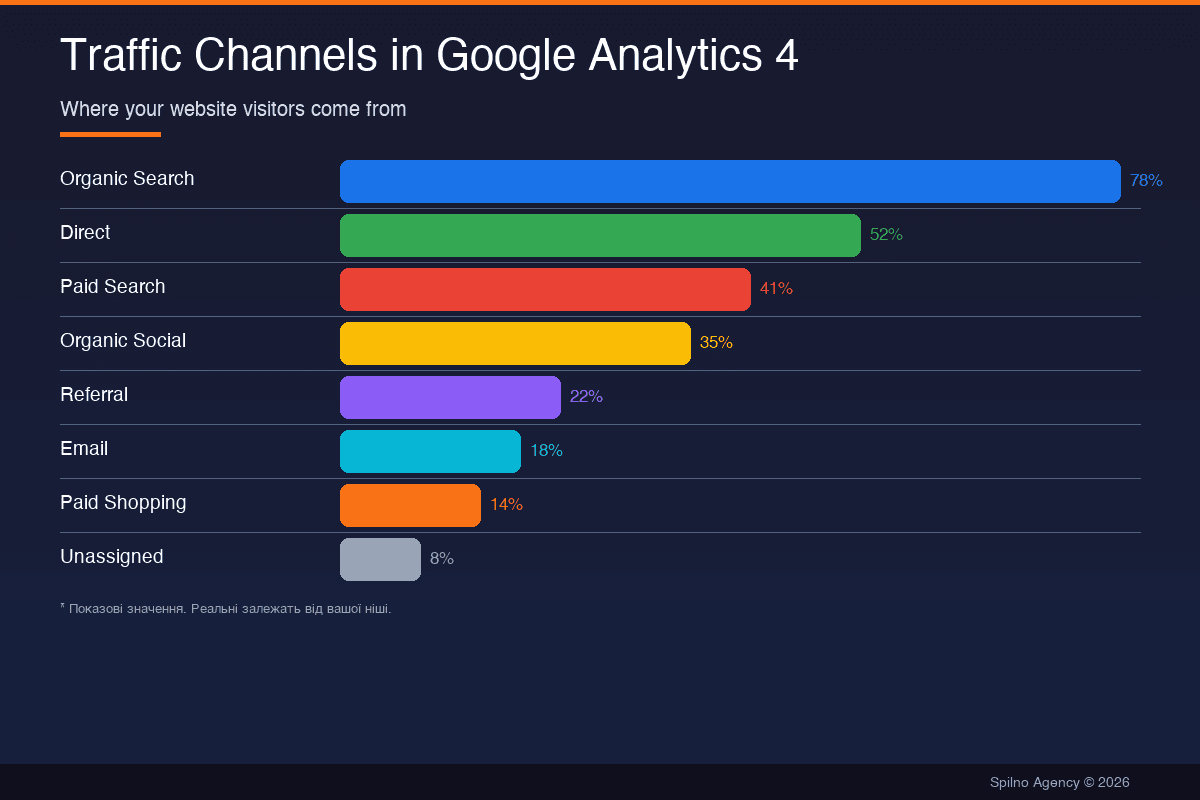
One of GA4’s most important features is the Traffic Acquisition report, which shows where your visitors come from. GA4 automatically groups traffic into channels:
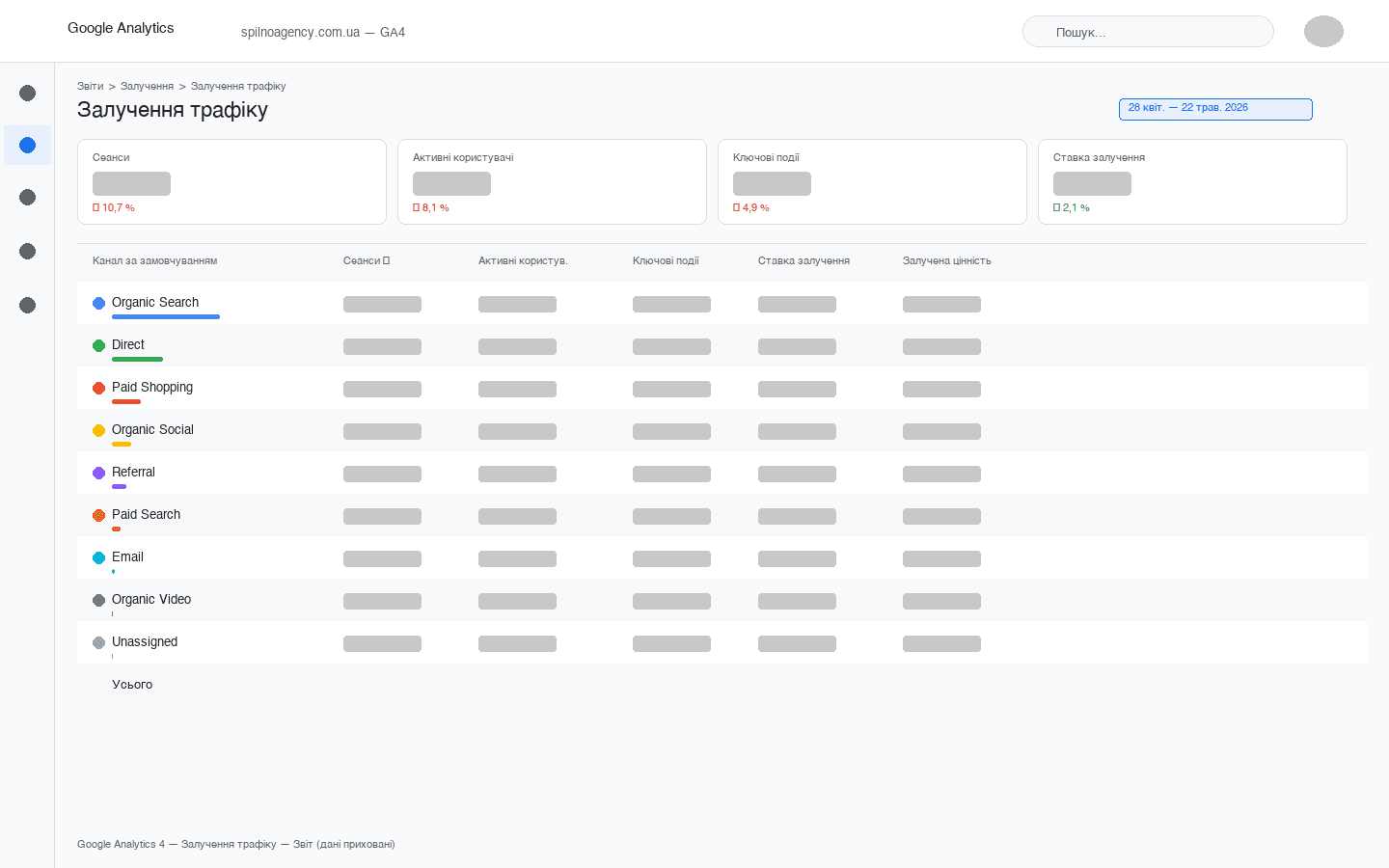
- Organic Search — free search traffic (Google, Bing, DuckDuckGo etc.)
- Direct — direct visits (typed URL, bookmarks, some email clicks)
- Paid Search — paid search advertising (Google Ads, Microsoft Ads)
- Organic Social — unpaid social media posts (Facebook, Instagram, LinkedIn)
- Referral — clicks from other websites
- Email — clicks from email campaigns (with UTM parameters)
- Paid Shopping — Google Shopping ads
- Paid Social — paid social advertising (Meta Ads, TikTok Ads)
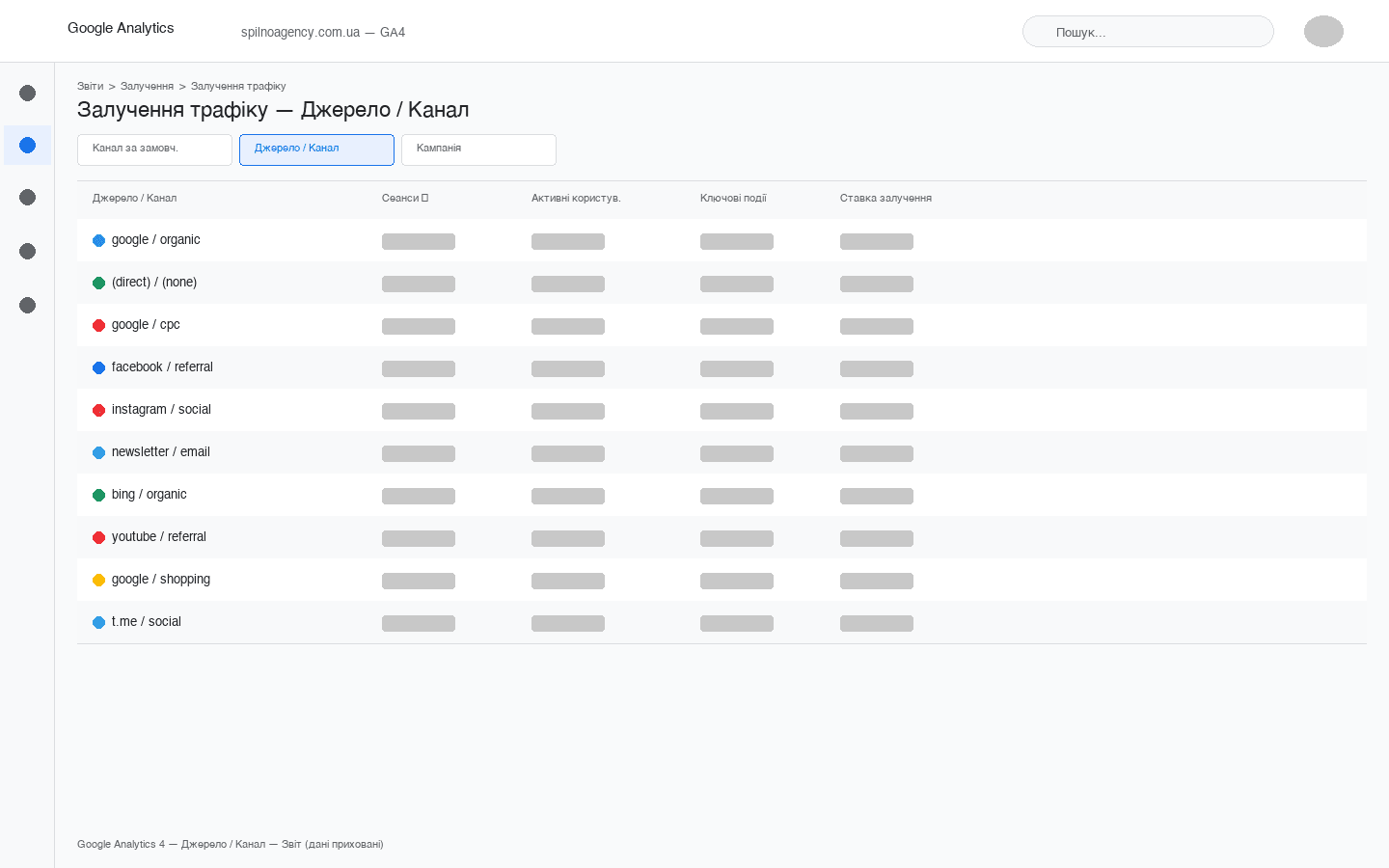
To accurately track traffic sources, we recommend using UTM parameters in all marketing campaigns. This allows you to see the exact source of each visit in the Source / Medium column.
Machine learning and predictive analytics
Google Analytics 4 includes built-in AI capabilities: predictive analytics (purchase probability, churn probability), anomaly detection, and conversion modelling that fills gaps caused by ad blockers and iOS restrictions.
BigQuery integration
GA4 (even the free version) allows free raw data export to Google BigQuery. This opens up possibilities for complex SQL analysis, custom dashboards in Looker Studio, and unlimited data storage without sampling.
Is Google Analytics Free?
Google Analytics 4 is free for the vast majority of websites. The standard GA4 includes:
- Up to 10 million events per month
- 14 months of data retention (configurable to 2, 6 or 14 months)
- Unlimited properties and data streams
- Free BigQuery Export
- All core reporting features
The paid Google Analytics 360 (from $150,000/year) is aimed at large enterprises and provides higher limits, SLA guarantees, and unlimited sampling.
GA4 Pros and Cons
Advantages of GA4
- Free — full-featured analytics at no cost
- Google ecosystem integration — Google Ads, Search Console, Merchant Center, Looker Studio
- Cross-platform analytics — web + mobile in one place
- BigQuery Export — access to raw data for deep analysis
- AI features — predictive analytics, automatic insights
- Large community — extensive documentation, courses, and specialists
Disadvantages of GA4
- Privacy concerns — data stored on Google’s servers; GDPR compliance requires Consent Mode v2
- Complex interface — steep learning curve, especially for Universal Analytics users
- Data sampling — free version may sample data at high traffic volumes
- Limited retention — maximum 14 months without BigQuery
- Data sharing with Google — your user data contributes to Google’s data ecosystem
Best Google Analytics Alternatives
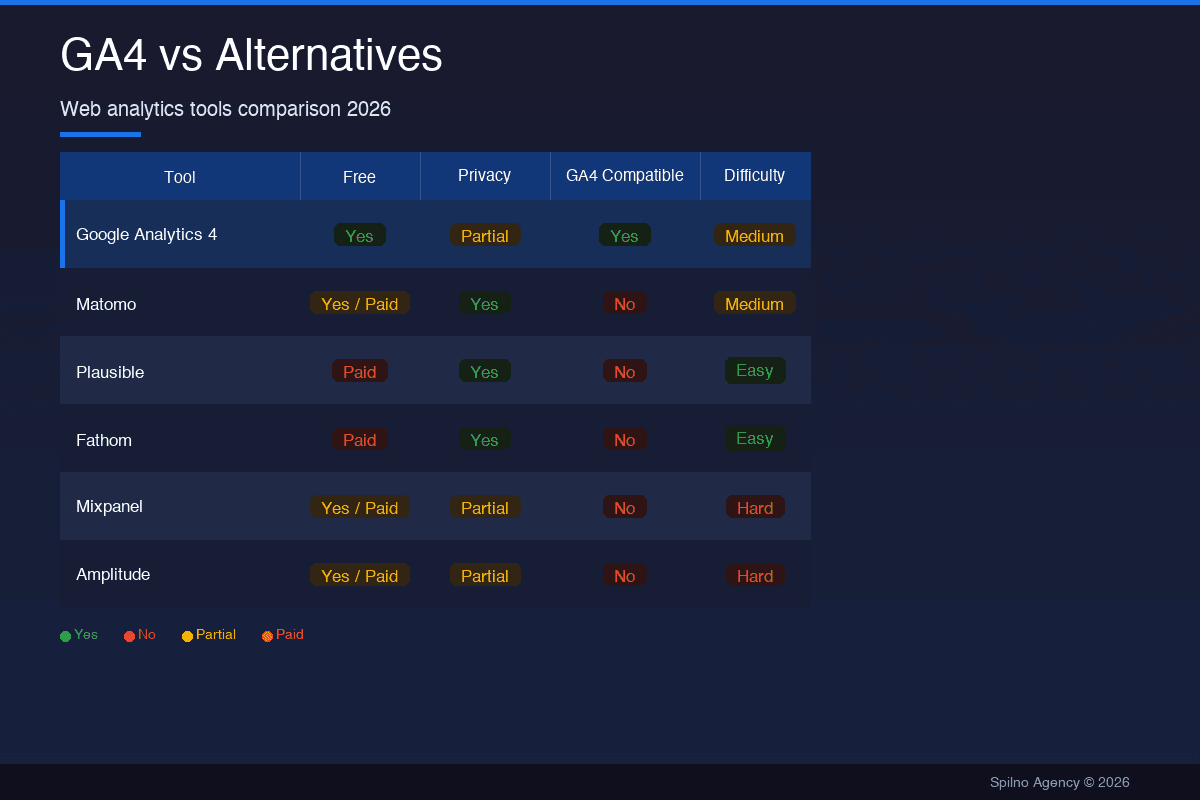
Depending on your privacy requirements, functionality needs, and budget, here are the best GA4 alternatives for European businesses:
1. Matomo (formerly Piwik)
Matomo is the most popular open-source alternative to Google Analytics. Available in two versions:
- Self-hosted (free) — installed on your own server; data stays entirely under your control
- Cloud (from €19/month) — hosted version without server setup
Matomo provides detailed reports without sampling, built-in GDPR compliance, and even a cookie-free tracking mode. Ideal for businesses that need full data ownership.
2. Plausible Analytics
Plausible is a lightweight, privacy-friendly, open-source analytics platform:
- Script weighs just 1 KB (45× lighter than Google Analytics)
- No cookies, no personal data collection
- 100% GDPR/CCPA compliant without a consent banner
- Self-hosted or cloud version (from $9/month)
- Clean, simple single-page dashboard
Best choice for blogs, SaaS products, and privacy-conscious businesses.
3. Fathom Analytics
Fathom is another privacy-first analytics platform (from $14/month) with EU and Canadian servers — ideal for strict GDPR compliance.
4. Mixpanel
Mixpanel is a product analytics platform (free plan available) focused on user behaviour inside your product:
- Powerful funnel and user path analysis
- User property segmentation
- Retention and cohort analysis
- Free plan up to 20 million events/month
5. Amplitude
Amplitude is an enterprise-grade product analytics platform (free plan up to 10M events/month) with deep user behaviour analysis, behavioral cohorts, and 200+ integrations.
6. Microsoft Clarity
Microsoft Clarity is a free behaviour analytics tool from Microsoft — session recordings, heatmaps, rage click analysis. 100% free, unlimited traffic. Use it alongside GA4 for qualitative insights.
Comparison: GA4 vs Alternatives
| Tool | Price | GDPR | Traffic Channels | Complexity | Best For |
|---|---|---|---|---|---|
| Google Analytics 4 | Free | ⚠️ Needs Consent Mode | ✅ Detailed | Medium | Most websites |
| Matomo | Free / from €19 | ✅ Full | ✅ Detailed | Medium | Privacy-first businesses |
| Plausible | From $9/mo | ✅ Out of the box | ⚠️ Basic | Easy | Blogs, SaaS |
| Fathom | From $14/mo | ✅ Out of the box | ⚠️ Basic | Easy | Small business |
| Mixpanel | Free / from $28 | ⚠️ Needs setup | ❌ Not primary | High | SaaS, products |
| Amplitude | Free / from $995 | ⚠️ Needs setup | ❌ Not primary | High | Product teams |
| Microsoft Clarity | Free | ⚠️ Some nuances | ❌ None | Easy | UX analysis |
Which Should You Choose: GA4 or an Alternative?
- Most businesses → Google Analytics 4 (free, most data, Google Ads integration)
- Privacy-critical companies → Matomo (self-hosted) or Plausible
- SaaS and product companies → Mixpanel or Amplitude (alongside GA4)
- UX and behaviour analysis → Microsoft Clarity (free, alongside GA4)
- Small businesses without tech teams → Plausible or Fathom
For most European businesses, the optimal combination is Google Analytics 4 + Microsoft Clarity. GA4 provides quantitative traffic and conversion analytics; Clarity provides qualitative behaviour insights. Both are free.
Frequently Asked Questions
Is Google Analytics GDPR compliant?
GA4 can be used in a GDPR-compliant way with Consent Mode v2 — a consent banner that allows or blocks data transmission to GA4 based on user choice. Without proper Consent Mode implementation, GA4 may violate GDPR regulations in the EU.
How long does GA4 store data?
By default — 2 months for user-level data, 14 months for aggregated reports. Maximum retention for user data is 14 months. For long-term storage, use the BigQuery Export feature.
What is the difference between GA4 and Universal Analytics?
Key differences: GA4 uses an event-based model (not session/hit-based), supports cross-platform analytics, includes free BigQuery Export, uses machine learning, and has a completely redesigned reporting interface.
Conclusion
Google Analytics 4 is the most powerful free web analytics tool on the market. For most European businesses, GA4 remains the first choice — especially for those already using Google Ads, Search Console, or the broader Google ecosystem.
If data privacy is critical, or you need deep product analytics, consider Matomo (self-hosted), Plausible (simplicity), or Mixpanel/Amplitude. These tools can complement GA4 rather than replace it.
Need to set up GA4 correctly or build analytics tailored to your business? Get in touch — the Spilno Agency team can help with setup, auditing, and training on Google Analytics 4.

Read also

cPanel SEO: How to Optimize Your Hosting for Search in 2026 (Enable & Disable)
cPanel is a hosting control panel that packs dozens of features with a direct impact on SEO: HTTPS…

Cloudflare for SEO: How to Configure It to Improve Search Performance in 2026
Cloudflare works as a proxy and CDN between the visitor and your website, and it can noticeably affect…

How Spilno Agency Does On-Page SEO Optimization with Claude
Spilno Agency runs on-page SEO optimization together with the AI agent Claude — following one document standard that…