GA4 Adds Direct Product Links for Meta, TikTok, Pinterest, Reddit and Snap

The “Admin → Product links” section in Google Analytics 4 now lists five new entries: Meta, TikTok, Pinterest, Reddit and Snap. Until now, data from these ad platforms could only reach GA4 through the “Data Import” section — manually creating an import source and keeping CSV files or API connections up to date. Now it’s a direct link set up in a couple of clicks, the same way Google Ads or BigQuery work. Here’s what actually changed, why the new way is better than the old one, and where to find it in your own property.
What changed in GA4: 5 new links instead of manual import
The “Product links” section in GA4 Admin is where an Analytics property officially connects to other services, both from Google and beyond: Google Ads, BigQuery, Merchant Center, Search Console. Until 2025, this list contained only Google products. Data from ad platforms like Meta or TikTok reached GA4 solely through Data Import — a separate mechanism for uploading external CSV files or connecting a limited set of cost data sources.
Throughout 2025, Google gradually rolled out automated cost data import for Reddit Ads, Snap Ads, Pinterest Ads, Meta Ads and TikTok Ads. At first this also lived under Data Import. Now, all five platforms sit in the “Product links” section as standalone entries — next to Google Ads and BigQuery, rather than under a separate “import” subsection.
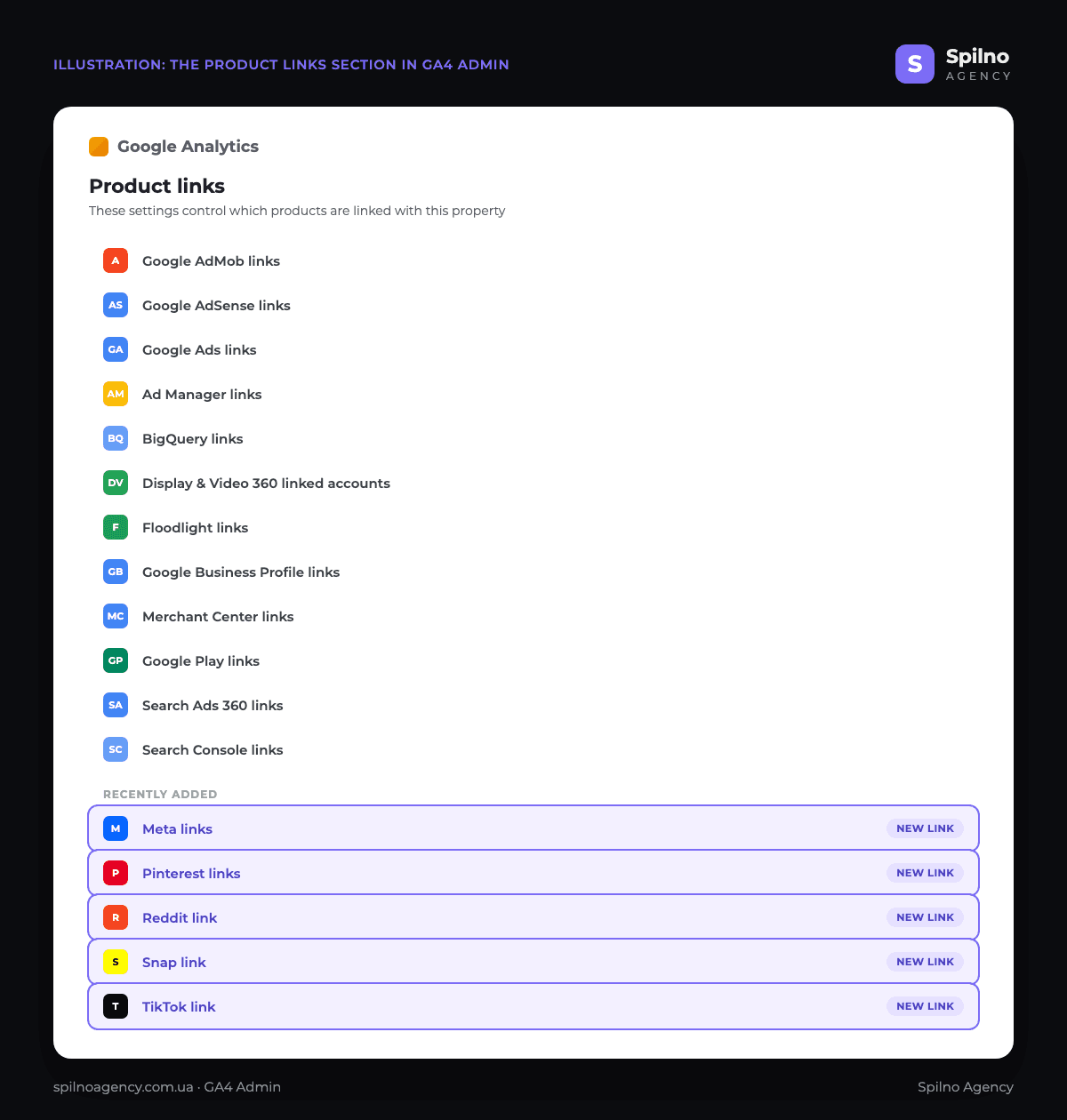
The screenshot above shows what this section actually looks like in GA4: 12 “familiar” Google products, and five new entries grouped under “Recently added” — Meta links, Pinterest links, Reddit link, Snap link and TikTok link. Their appearance in the general product links list, rather than under Data Import, is exactly what’s new here.
Product Links vs Data Import: what’s the difference
Formally, both mechanisms solve a similar task — showing an external platform’s ad statistics inside GA4 reports. But they differ significantly in convenience and depth.
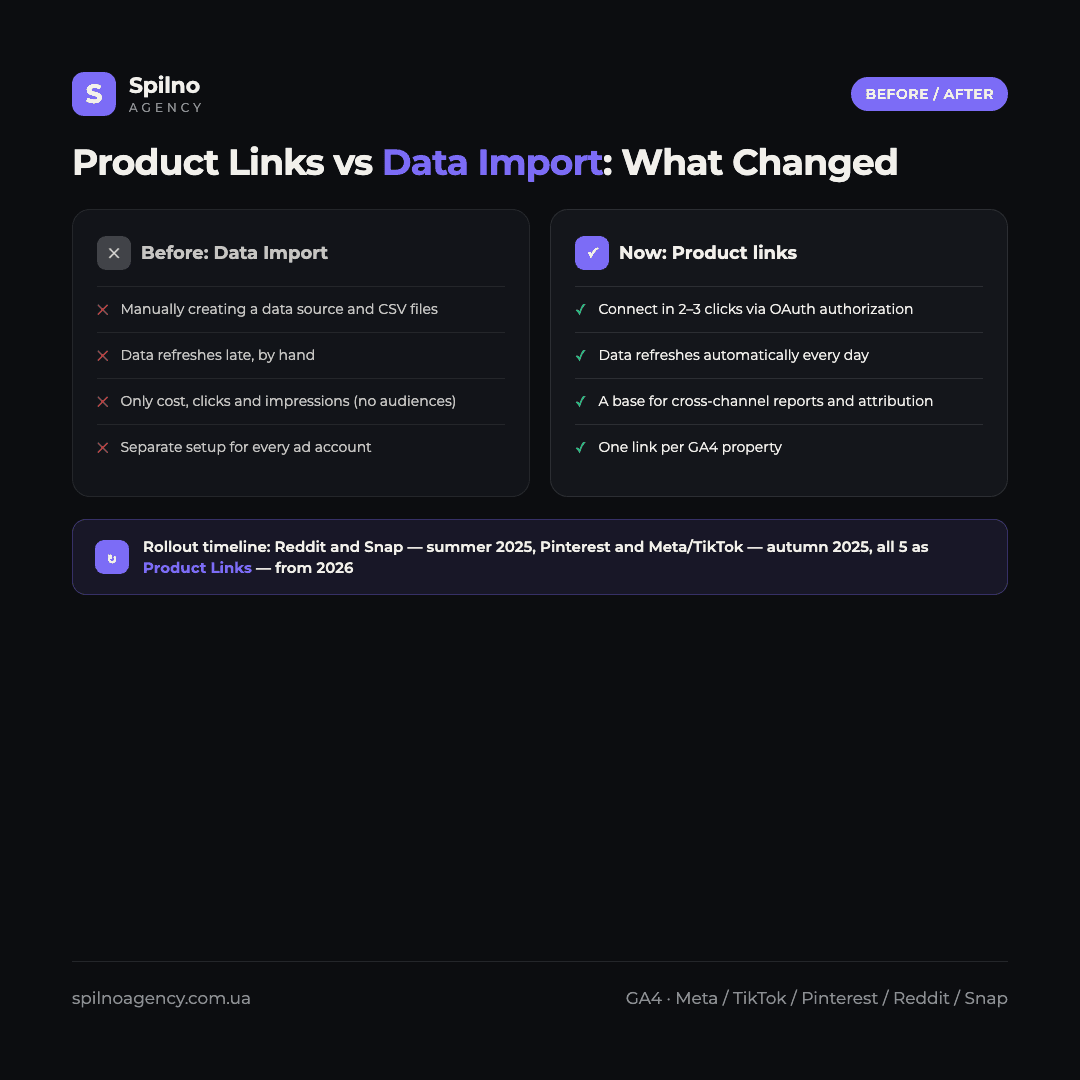
- Setup. Data Import required manually creating a source, describing the data schema, and either uploading CSVs or periodically refreshing a connection. Product Links connects through OAuth authorization of the ad account in 2–3 clicks.
- Data refresh. With Data Import, updates were often manual or ran on a schedule the user configured themselves. A direct link refreshes data automatically, typically every day.
- Scale. Data Import was tied to one source at a time and required repeating the setup for every ad account. Product Links is one link per GA4 property, managing the connection centrally.
- Where this leads. Product links are the foundation for further cross-channel reports and attribution models in GA4, while Data Import remains a technical tool for importing arbitrary data.
What the new links give you: 5 platforms, one by one
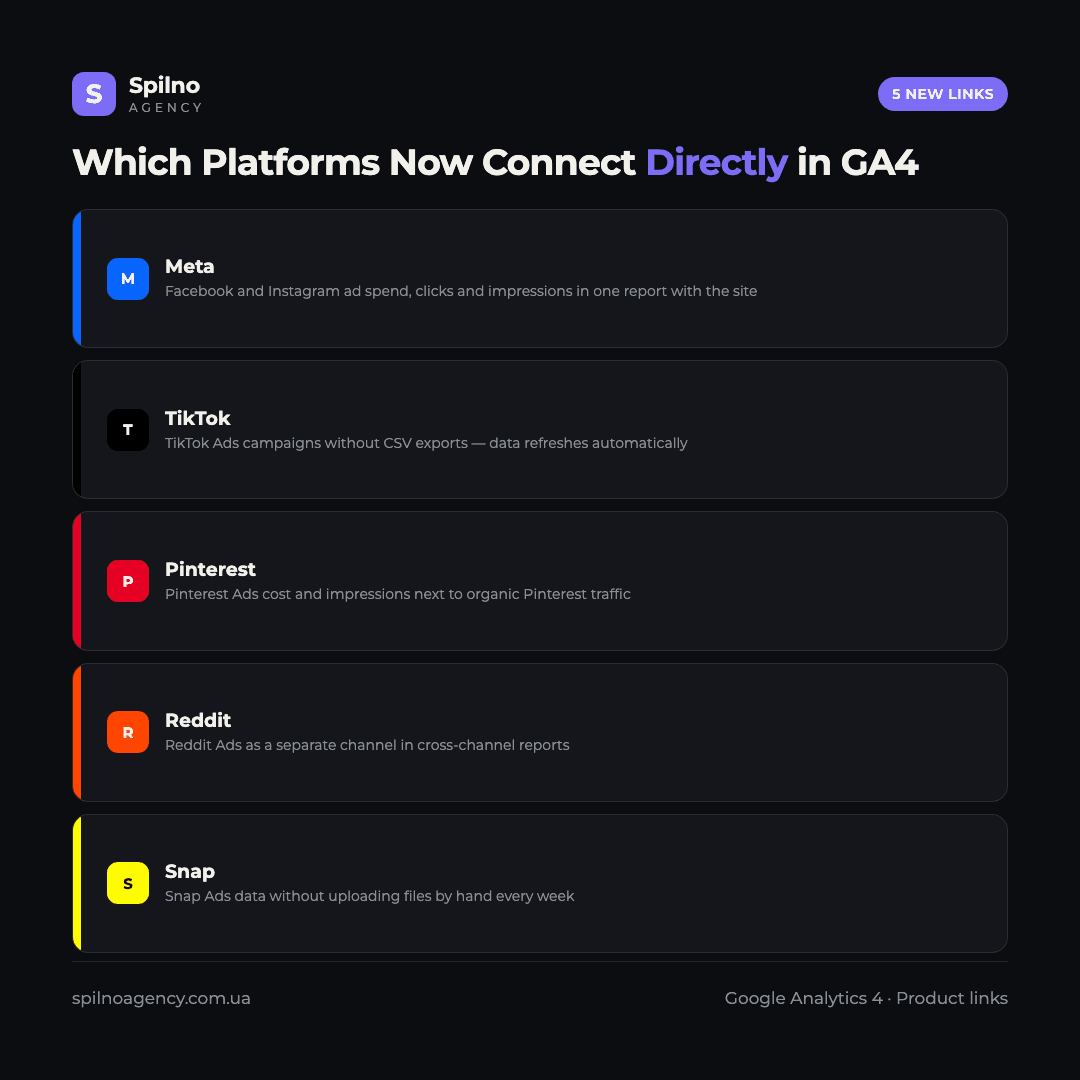
- Meta. Facebook and Instagram ad spend, clicks and impressions — in one report alongside on-site user behaviour, without a weekly export from Ads Manager.
- TikTok. TikTok Ads campaign data refreshes automatically — previously it was most often pulled in manually via CSV or third-party connectors.
- Pinterest. Pinterest Ads cost and impressions become visible next to organic Pinterest traffic, which GA4 already tracks as a referral source.
- Reddit. Reddit Ads — an increasingly common channel for B2B and niche products — is now a separate row in cross-channel reports.
- Snap. Snap Ads data no longer needs to be uploaded by hand every week — the link works the same way as the rest.
In all five cases, this is primarily about aggregate cost, click and impression data layered onto GA4 reports at query time. It’s not a full replacement for the ad platforms themselves — ad- and audience-level detail still needs to be checked inside Meta Ads Manager, TikTok Ads Manager and so on. But for cross-channel reporting and channel-level ROAS, this is enough.
How to find the new links in your GA4 property
You’ll need an editor or administrator role in the GA4 property, plus an administrator role in the ad account itself (Meta, TikTok, Pinterest, Reddit or Snap).
- Open GA4 → Admin → the property column → “Product links”.
- Scroll down to the recently added block — that’s where Meta, Pinterest, Reddit, Snap and TikTok are.
- Click the entry you need, e.g. “Meta links”, and select “Link”.
- Sign in to the corresponding ad account and confirm access to the account you need.
- Choose which GA4 data stream to associate the ad account with (if the property has more than one stream).
- Save the settings — the first cost data will appear in reports within a day.
If the entry isn’t showing up in your property yet, Google is rolling this out gradually across accounts — check back in a few days, or ask in the Google Analytics Community.
Why this matters for European advertisers right now
- Less manual work. No need to export reports from five ad accounts every week and stitch them together in a spreadsheet.
- Data stays fresh. Automatic refresh means the “Spend by channel” report shows today’s picture, not last week’s.
- Real cross-channel ROAS. Spend from Meta, TikTok, Pinterest, Reddit and Snap can be compared with Google Ads spend in one GA4 report, without exporting to a spreadsheet.
- A base for attribution. The more ad channels are connected as product links, the more accurate GA4’s attribution models and assisted-conversion reports become.
Limitations worth keeping in mind
- It’s not a replacement for the ad platform. Ad-, creative- and audience-level detail is still only available inside each platform’s own interface.
- You need admin rights in both systems. Without administrator access in the ad account, you can’t complete the link.
- The data is mostly cost data. These are aggregate cost metrics, not user-level events or personal audience data.
- Rollout is uneven. Not every GA4 property sees all five entries at once — Google is testing and expanding availability gradually.
Who should connect this right now
- Businesses advertising across 3+ channels — the headache of manually reconciling reports largely disappears.
- E-commerce and D2C brands running Meta, TikTok and Pinterest campaigns, where visual-content-driven sales matter most.
- Teams that already run cross-channel analytics on GA4 and BigQuery — the new product links immediately improve data quality in the warehouse.
- Agencies managing several client ad accounts — one centralised report instead of manually consolidating everything in a spreadsheet.
Frequently Asked Questions
What exactly is new in GA4?
The “Admin → Product links” section now lists five new entries: Meta, TikTok, Pinterest, Reddit and Snap. Previously, data from these platforms only reached GA4 through the Data Import section.
How is this better than Data Import?
Product Links connects in a few clicks via OAuth authorization, instead of manually configuring an import source and CSV files. Data refreshes automatically, typically daily, whereas Data Import often required manual refreshes.
What data actually flows through these links?
Mostly aggregate cost, click and impression data. It’s not a replacement for the ad platform — ad- and audience-level detail still needs to be checked inside each platform’s own interface.
I don’t see these entries in my property — what should I do?
Google is rolling this out gradually across properties. If an entry isn’t there yet, check back in a few days. Also make sure you have an editor or administrator role in the GA4 property.
Do I need a billing account or extra payment?
No, the link itself is free — it’s a standard Google Analytics 4 feature. You still pay only for the ads run on each platform, exactly as before.
Can I connect several ad accounts on the same platform?
This depends on the specific link and is being expanded gradually by Google, so availability may differ between properties. The general principle is that one product link manages the connection centrally, unlike Data Import, where every source had to be configured separately.
Do I need a developer to set this up?
No. Setup takes 2–3 minutes through the GA4 interface — you just need the right access rights in GA4 and in the platform’s ad account.
Meta, TikTok, Pinterest, Reddit and Snap joining the direct product links in GA4 is a small but telling step: Google keeps pulling site analytics and external ad platform data closer together. If you need help connecting the new links, validating data quality, or building cross-channel reports on top of them, the Spilno Agency team can handle it end to end.

Read also

Google Ads Rolls Out New Testing and Planning Tools for AI Max
Google Ads announced Multi-Campaign Budget Testing, Enhanced Experiment Controls and an improved Performance Planner for AI Max. Key…
Google Merchant Center: Minimum Product Image Size Becomes 500×500 px in 2027
From January 31, 2027, Google Merchant Center requires product images of at least 500×500 px. What changes, key…
Google Ads Removes Language Targeting for Search Starting September 2026
From late September 2026, Google Ads removes language targeting for Search and AI Max for Search. Ads match…