Google Analytics Launches Server-to-Server Integration with Shopify: Automatic Purchase Event Collection from July 2026

Starting July 2026, Google Analytics will automatically receive purchase events directly from Shopify’s servers through a new server-to-server (S2S) integration. This change recovers lost conversion signals blocked by ad blockers or lost due to browser tag failures. If you’ve already set up the Google & YouTube app on Shopify — no action is required.
Google Analytics Announces New Server-to-Server Integration with Shopify
The Google Analytics team has sent an official notification to property owners connected to Shopify: starting July 2026, a new server-to-server integration between Shopify and Google Analytics will be launched. Instead of relying solely on JavaScript tags in the buyer’s browser, the system will now receive purchase data directly from Shopify’s servers.
This change applies to all Shopify stores that have configured the Google & YouTube app. For those stores, the new S2S integration activates automatically — owners will receive a separate notification once activation is complete.
Why Server-to-Server Integration Was Needed: The Browser Tracking Problem
Traditional conversion tracking in Google Analytics relies on JavaScript tags executing directly in the buyer’s browser. This approach has a significant limitation: a substantial portion of events are never recorded due to factors such as:
- Ad blockers — extensions like uBlock Origin or Brave Shield block Google Tag Manager and GA4 tags, completely hiding conversions from analytics.
- Browser technical failures — the buyer closed the tab before the tag loaded, or had an unstable connection.
- ITP cookie restrictions — Safari and Firefox browsers shorten cookie lifetimes, complicating attribution.
- Tag configuration errors — incorrect GTM setup or script conflicts prevent the
purchaseevent from firing.
Various estimates suggest that 10% to 30% of actual conversions may not reach GA4 for these reasons. For e-commerce businesses, this means inaccurate ROAS data, incorrect attribution of advertising channels, and suboptimal Smart Bidding algorithm performance.
How the GA4 and Shopify S2S Integration Works Technically
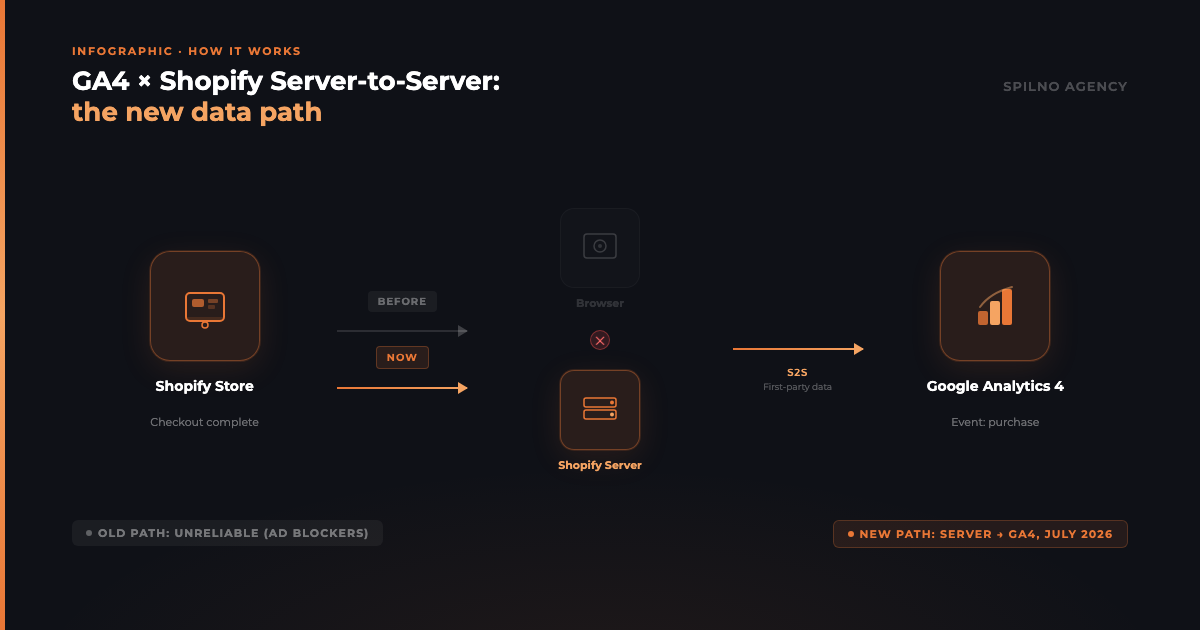
The server-to-server integration fundamentally changes the data transmission architecture. Instead of the path “buyer’s browser → GA4”, a direct channel “Shopify server → GA4” is established.
Supported Event Type
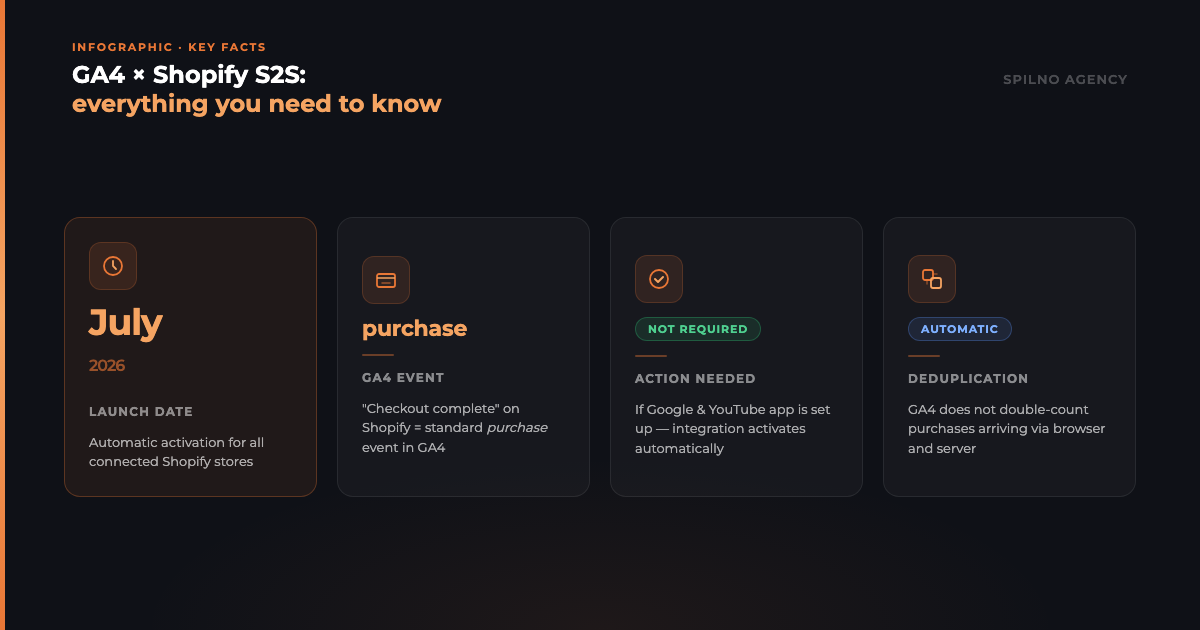
At launch, the S2S integration supports one event: “Checkout complete” (order completion). This event is automatically transmitted to GA4 as the standard purchase event. Data arrives as first-party data — directly from your store, without intermediaries, and without dependency on the buyer’s browser.
Event Deduplication
Since the browser tag continues operating in parallel, theoretically a single purchase could reach GA4 twice: through the browser and through the S2S channel. Google has addressed this with automatic deduplication: if the same transaction arrives from both sources, GA4 counts it only once. Store owners don’t need to configure anything — the system handles this automatically.
First-Party Data Transmission
The S2S integration transmits data as first-party data — the most reliable data type in conditions where third-party cookies are being phased out by browsers and regulators. This is especially important for accurately measuring the effectiveness of Google Ads campaigns and for quality Smart Bidding signals.
Benefits of the New Integration for E-Commerce Stores
Recovery of Lost Conversions
The primary benefit is more complete purchase data. Conversions previously lost due to ad blockers or technical failures are now captured through the direct server channel. For stores with a significant audience using ad blockers, this can substantially increase the number of recorded transactions.
More Accurate Attribution and ROAS
More complete purchase data means more accurate attribution of advertising channels. Google Ads and Google Analytics receive the real picture of conversions, not the one that browser limitations “allow” to be seen. The result is more accurate ROAS (Return on Ad Spend) calculation and improved automatic bidding algorithm performance.
More Resilient Measurement Amid Cookie Restrictions
As third-party cookies are increasingly restricted by browsers and regulators, the server data channel becomes a strategic solution for e-commerce. The S2S integration enables accurate purchase data even where cookie-based tracking is unreliable.
What Shopify Store Owners Need to Do
If you’ve already configured the Google & YouTube app on Shopify — no action is required. The integration activates automatically in July 2026. You’ll receive a separate notification from Google Analytics once activation is complete.
If you haven’t yet set up the app, follow these steps:
- Install the Google & YouTube app in Shopify Admin → Apps.
- Sign in to your Google account and grant the necessary permissions.
- Link your Google Analytics property with the app.
- Configure tagging according to the integration requirements.
Detailed setup instructions and technical documentation on server-to-server data handling are available in the Google Analytics Help Centre.
How to Disable the Server-to-Server Integration
If for any reason you prefer not to use the S2S integration, you can disable it at any time:
- Open Shopify Admin → Apps → Google & YouTube.
- Navigate to the Google Analytics settings section.
- Click “Disconnect” next to your Google Analytics property.
Important: Disabling the S2S integration will turn off purchase conversion tracking both through the server channel and the browser tag. This means Google Analytics will stop receiving any purchase data via the Shopify connection. Consider this carefully before disconnecting.
FAQ: Frequently Asked Questions
Do I need to configure anything to activate the S2S integration?
No, if you’ve already set up the Google & YouTube app on Shopify. The integration activates automatically in July 2026 without any action on your part. If the app is not yet configured, you’ll need to install it and link it to Google Analytics.
Will purchases be duplicated in GA4 after the integration launches?
No. Google Analytics automatically performs event deduplication: if the same transaction arrives through both the browser tag and the S2S channel, it is counted only once. The deduplication mechanism is built into the system and requires no manual setup.
Which events are transmitted through the S2S integration?
At launch, only one event is supported: “Checkout complete” (order completion on Shopify), which is transmitted to GA4 as the standard purchase event. Other events (add to cart, product view, etc.) continue to be sent through the traditional browser tag.
How will the S2S integration affect Google Ads reports?
Positively. More complete conversion data means more accurate signals for Smart Bidding algorithms in Google Ads. Campaigns optimised for purchases (Target ROAS, Target CPA) will receive more real data for learning, which can improve their performance.
Can the integration be disabled after activation?
Yes. The integration can be disabled at any time through the Google & YouTube app settings in Shopify Admin. However, note that after disconnecting, GA4 will stop receiving purchase data through the Shopify connection entirely — both via S2S and the browser tag.

Read also
OpenAI Is Changing How Daily Budgets Work in ChatGPT Ads: What Advertisers Need to Know
OpenAI is changing daily budgets in ChatGPT Ads from a hard cap to a 7-day rolling average, with…
Google Ads Q2 2026 Revenue: $81.6B, Search Outpaces YouTube
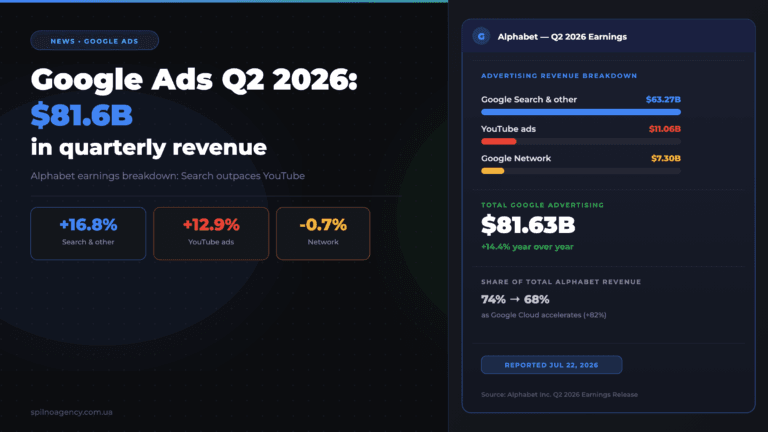
On July 22, 2026, Alphabet published its Q2 2026 financial results: Google advertising revenue (Search, YouTube, Network) grew…
New Features in the ChatGPT Ads Dashboard: What Changed in 2026
OpenAI updated the ChatGPT Ads dashboard: conversion-optimized campaigns, new daily budgets, geo exclusions, AppsFlyer/Adjust, bulk API and price/rating…