Best Claude Skills for Instagram (2026)

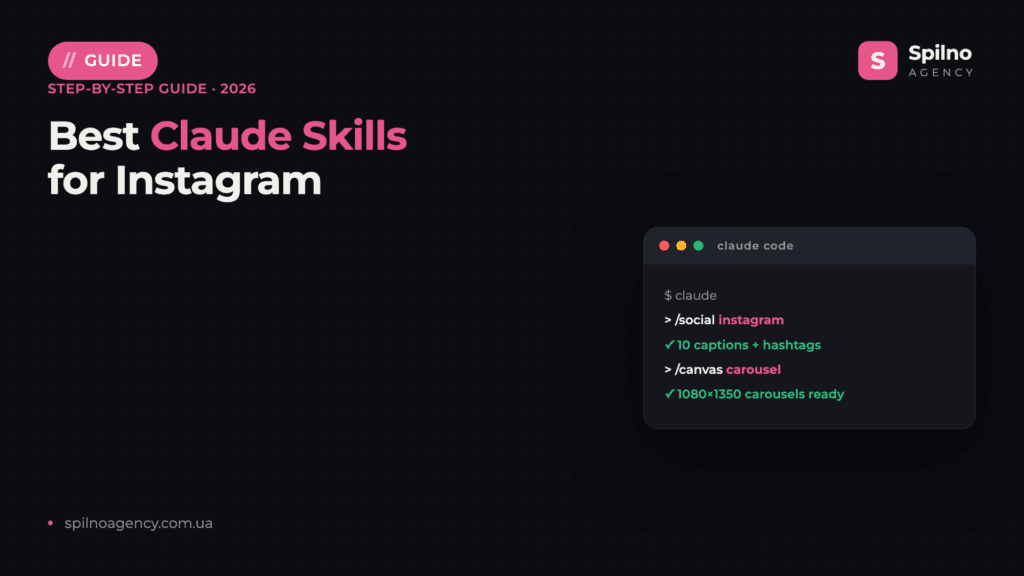
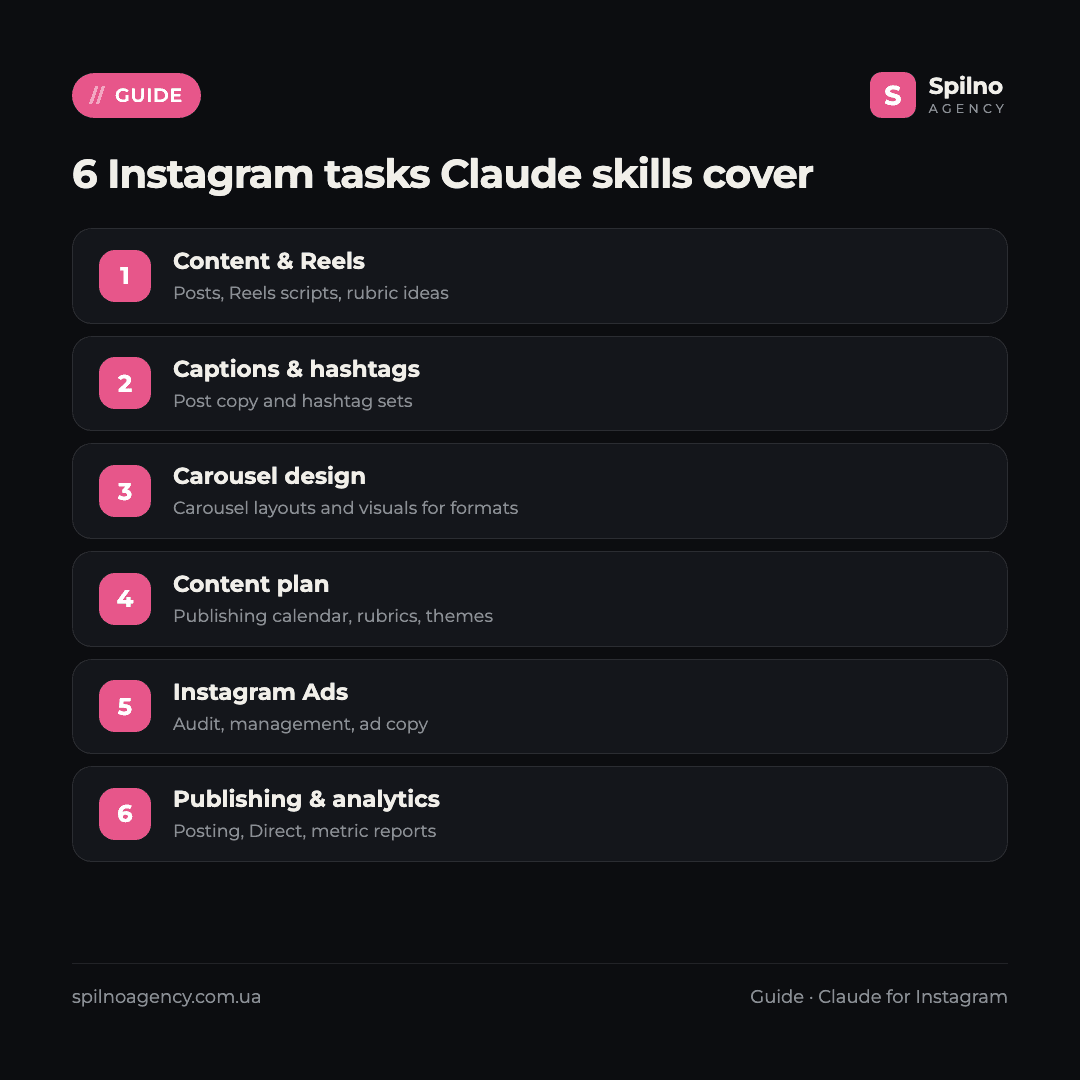
Claude skills (Agent Skills) are ready-made instruction sets that turn Claude into an Instagram assistant: they write captions and hashtag sets, generate Reels ideas and carousel layouts, plan content, help with Instagram Ads through Meta, handle Direct messages and pull analytics. Here are the 10 most useful skills and MCP servers with verified links — what each one does and where to get it.
What Claude skills are and why they matter for Instagram
Agent Skills is an open standard for Claude “skills” that Anthropic introduced in autumn 2025. Technically, a skill is a folder with a SKILL.md file describing exactly how the AI should perform a given task: the rules for writing a caption, how many hashtags to add, how to build a Reels script or a carousel layout.
For Instagram work this means three things:
- Expertise out of the box. A skill with content rules already knows what caption structure holds attention, how many hashtags are safe, and how to write a strong Reels opener — you don’t have to craft long prompts each time.
- Repeatability. A post, a Stories series or a carousel layout is produced the same way every time — the result no longer depends on how you happened to phrase the request today.
- Speed. Tasks that used to take hours (a monthly content plan, 10 captions for a rubric, carousel layouts) shrink to 10–20 minutes.
Skills run in Claude Code (Anthropic’s terminal agent) and are also supported on claude.ai. Most skills in this list are free and open source — you only pay for the Claude subscription. Separately, there are MCP servers that give Claude access to Instagram and Meta via API: ad accounts, publishing posts, Direct, statistics. It’s important to distinguish tools built on the official Instagram Graph API (business account + OAuth) from those using unofficial libraries or scraping — there’s a dedicated section on that below.
How to install a Claude skill: 3 ways
Method 1. Skills folder (simplest)
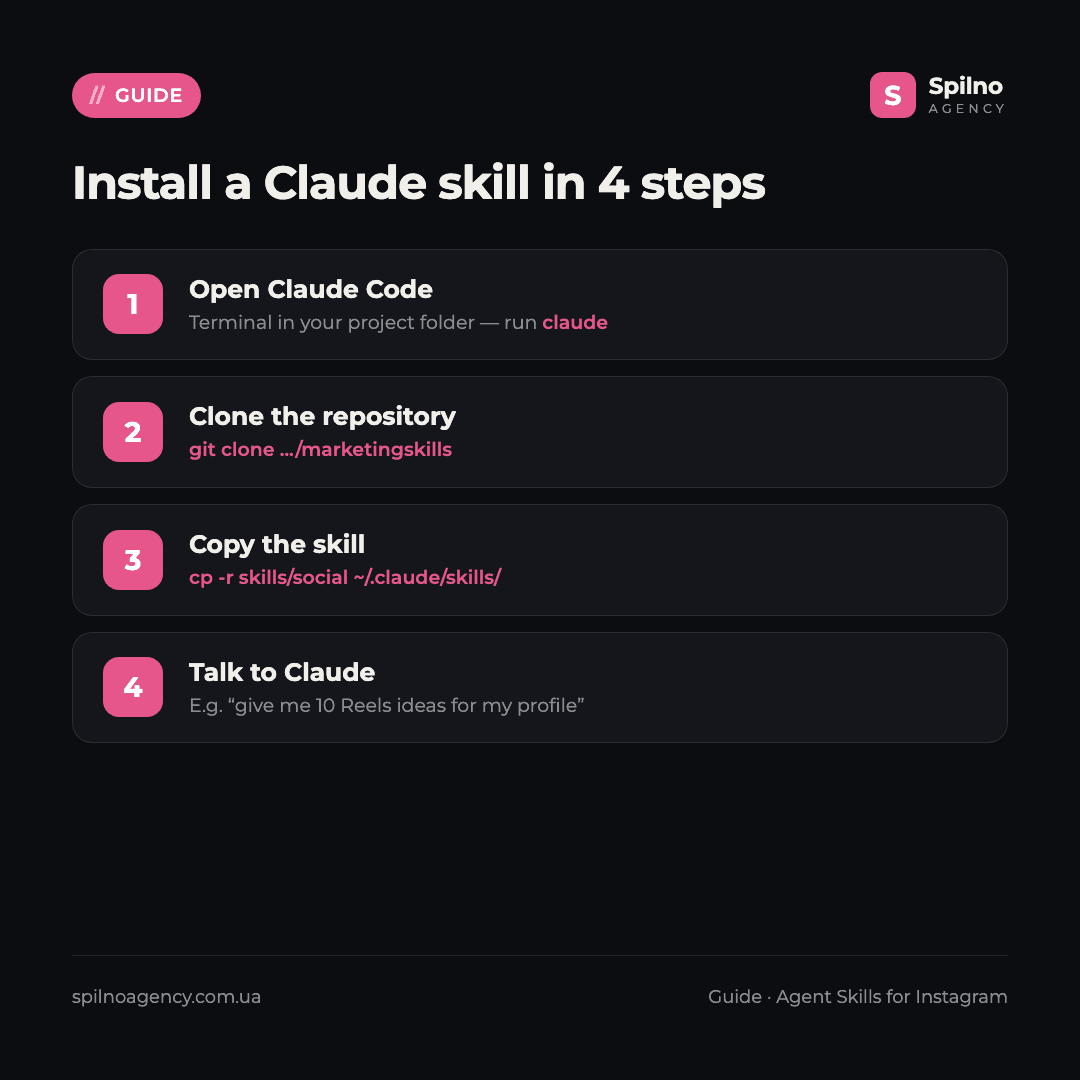
Most skills in this list are just a set of files in a repository. Clone the repo and copy the skill you need into your personal folder — it becomes available across all projects:
git clone https://github.com/coreyhaines31/marketingskills
cp -r marketingskills/skills/social ~/.claude/skills/
Method 2. The skills CLI installer
Some authors support one-command installation via the community skills utility:
npx skills add coreyhaines31/marketingskills --skill socialMethod 3. MCP server (for Instagram API access)
If you need Claude to manage ads, publish posts or read statistics, you connect an MCP server. For teamwork, place skills in .claude/skills/ inside the project — then they get committed to the repository and are available to the whole team. MCP servers are configured separately in Claude’s config, usually via OAuth to your Meta account.
Top 10 Claude skills for Instagram in 2026
An honest caveat up front: there is no single “Instagram skill #1” that covers everything yet. Instagram is almost always one platform inside a broader marketing library, or it’s served by an MCP server on top of the Meta Graph API. We ranked by three criteria: relevance to Instagram specifically, credibility (stars, license, API access method) and project maturity.
1. coreyhaines31/marketingskills — content, Reels and carousels
What it does: the most popular marketing skill library for Claude. Its social skill directly covers Instagram — feed content, Reels scripts, carousel layouts, captions and a content calendar (there’s even a dedicated carousel-frameworks.md reference). It’s the strongest starting point for organic content. Note: Instagram here is one of several platforms (alongside LinkedIn, X, TikTok, Facebook), there’s no IG-only preset, and the skill writes content rather than posting it to your account.
Where to get it: github.com/coreyhaines31/marketingskills (39,000+ stars, MIT license). Install: npx skills add coreyhaines31/marketingskills --skill social.
2. AgriciDaniel/claude-ads — Instagram Ads audit
What it does: a comprehensive paid-media audit toolkit across 12 ad platforms. The ads-meta skill audits Instagram Ads specifically: creative fatigue, placements, Pixel and CAPI, Advantage+ campaigns, audiences. Invaluable when you need to quickly assess a client’s ad account and produce a fix list. Note: Instagram here sits under the Meta node; the skill analyses and recommends but doesn’t create posts or launch campaigns on its own.
Where to get it: github.com/AgriciDaniel/claude-ads (7,000+ stars, MIT). Installs via install.sh into Claude Code.
3. nowork-studio/NotFair — Meta Ads (Facebook + Instagram)
What it does: an open-source set of skills for SEO, GEO, Google Ads and Meta Ads. The meta-ads/audit and meta-ads/manage skills cover Facebook and Instagram campaigns — from audit to operational management. A good pick if you run ads in the Meta ecosystem and want Claude to help with account routine. Meta here means FB+IG together; there’s no separate skill for Instagram organic content.
Where to get it: github.com/nowork-studio/NotFair (3,100+ stars, MIT). Copied into the project’s skills folder.
4. pipeboard-co/meta-ads-mcp — Instagram Ads via API
What it does: the strongest MCP server for Meta advertising that also covers Instagram. 42 tools: campaigns, ad sets, creatives, image upload, insights, targeting. It runs on the official Meta Marketing / Graph API via OAuth (there’s a hosted remote MCP and a free plan). It’s backed by Pipeboard, a certified Meta Business Partner, so the approach is ToS-compliant. Handy for letting Claude “see” real account numbers and manage campaigns.
Where to get it: github.com/pipeboard-co/meta-ads-mcp (1,000+ stars). Connects as an MCP server with OAuth to Meta Business; note the non-standard license — check the terms before commercial use.
5. gooseworks-ai/goose-skills — carousel design
What it does: a growth skill library with Instagram-friendly tools: create-html-carousel and render-airdrop-carousel build visual carousels, and the set also includes an Instagram scraper skill. A good option for quickly assembling carousel layouts. Two caveats: (a) the scraper skill operates outside Instagram’s rules — best avoided for client work; (b) the repository has no explicit open-source license, meaning all rights are reserved by default — clarify usage terms.
Where to get it: github.com/gooseworks-ai/goose-skills (1,000+ stars). Copied into the skills folder.
6. kostja94/marketing-skills — Meta ads and carousel layouts
What it does: a large library (160+ skills) with two Instagram-relevant blocks: paid-ads/platforms/meta-ads (Meta/IG advertising) and components/layout/carousel (a carousel layout builder), plus general social skills. A solid base when you want both ads and visuals under one roof. Instagram is one of many channels; the carousel skill is a layout generator, not a feed publisher.
Where to get it: github.com/kostja94/marketing-skills (730+ stars, MIT). Copied into the skills folder.
7. Hao0321/claude-skill-social-post — publishing and content plan
What it does: a skill that learns your tone of voice and publishes posts to Facebook, Instagram, Threads and X, and also builds a 14-day content calendar. Handy for closing the full loop — from idea to publishing across several networks at once. Note: automated multi-platform posting can hit Meta’s automation limits — use it through an approved Graph API app, not browser automation.
Where to get it: github.com/Hao0321/claude-skill-social-post (550+ stars, MIT). Copied as a skill into Claude Code.
8. mathiaschu/meta-ads-analyzer — ad diagnostics
What it does: a skill and MCP server in one — it diagnoses Facebook and Instagram campaign issues: the Breakdown Effect, the learning phase, over-saturated audiences and other common failures. Useful when ads are already running but performance has dropped and you need to understand why. This is analysis and diagnostics (read-oriented), not bid management; Instagram is part of Meta.
Where to get it: github.com/mathiaschu/meta-ads-analyzer (390+ stars, MIT). Installed as a skill + MCP server.
9. trypeggy/instagram_dm_mcp — working with Direct
What it does: an MCP server for Instagram Direct — reads and sends messages, handy for outreach scenarios. Technically functional and popular, but with a big caveat: it’s built on the instagrapi library — an unofficial route to Instagram’s private API that violates the platform’s rules and risks account bans. Fine for experiments on a test account; for client accounts, prefer official solutions.
Where to get it: github.com/trypeggy/instagram_dm_mcp (170+ stars, MIT). Connects as an MCP server (Python).
10. jlbadano/ig-mcp — the official Instagram Graph API
What it does: the cleanest Instagram MCP server on the official Instagram Graph API for business accounts: it fetches profile and media, shows insights, publishes photos and videos, and works with Direct (DMs require Advanced Access from Meta). The project is young (low stars), but it does everything “by the book” — no scraping, no private APIs. The optimal choice when you need ToS-compliant publishing and analytics straight from Claude.
Where to get it: github.com/jlbadano/ig-mcp (150+ stars, MIT). Requires a business/creator account linked to a Facebook Page and a Meta app with an OAuth token.
A few more tools worth watching
- rediumvex/social-media-caption-generator-claude (88 stars, MIT) — a caption and hashtag generator for Reels and carousels, tuned to the algorithm.
- itchernetski/threads-carousel-claude-skill (74 stars, MIT) — turns text into carousel images for Instagram, Threads and LinkedIn.
- Maartenlouis/remotion-ads (49 stars, MIT) — generates Reels ad videos and carousels via Remotion.
- oliverames/meta-mcp-server (21 stars, MIT) — 200+ Meta tools including Instagram, on the official Graph API (broad but still young).
- ComposioHQ/awesome-claude-skills (67,000+ stars) — a curated catalog of skills: an entry point when you’re looking for a new tool for a specific task.
For Instagram visuals (Reels frames, carousels, reports) Anthropic’s universal official skills work well too — canvas-design generates images in any aspect ratio, and pptx assembles frames and presentations. They have no Instagram preset, so you set dimensions manually (e.g. 1080×1350 for the feed or 1080×1920 for Reels/Stories).
Comparison table: which skill for which task
| Skill / MCP | Core Instagram task | GitHub stars | Access / install |
|---|---|---|---|
| coreyhaines31/marketingskills | Content, Reels, carousels, captions | 39,000+ | skills folder |
| AgriciDaniel/claude-ads | Instagram Ads audit | 7,000+ | install.sh |
| nowork-studio/NotFair | Meta Ads (FB+IG): audit & management | 3,100+ | skills folder |
| pipeboard-co/meta-ads-mcp | Manage Instagram Ads (Graph API) | 1,000+ | MCP (OAuth) |
| gooseworks-ai/goose-skills | Carousel design | 1,000+ | skills folder |
| kostja94/marketing-skills | Meta ads + carousel layouts | 730+ | skills folder |
| Hao0321/claude-skill-social-post | Publishing to IG + content plan | 550+ | skills folder |
| mathiaschu/meta-ads-analyzer | Meta/IG ad diagnostics | 390+ | skill + MCP |
| trypeggy/instagram_dm_mcp | Instagram Direct (⚠ unofficial API) | 170+ | MCP |
| jlbadano/ig-mcp | Publishing & analytics (official API) | 150+ | MCP (OAuth) |
How to choose your first skill
- You want organic content — posts, Reels, carousels — start with coreyhaines31/marketingskills (the
socialskill): the fastest way to feel the value of skills on real posts. - You need carousels and visuals fast — gooseworks-ai/goose-skills or Anthropic’s
canvas-design. - You run Instagram Ads — claude-ads or NotFair for audit and management, pipeboard-co/meta-ads-mcp to manage the account via API.
- Ads are already running but performance dropped — mathiaschu/meta-ads-analyzer for diagnostics.
- You publish and analyse “by the book” — jlbadano/ig-mcp on the official Graph API.
- Instagram is just one of your channels — kostja94/marketing-skills as a universal foundation.
If you’re growing Instagram as an ad channel, it’s worth understanding creative formats and sizes before launching — see our guides on Claude skills for Meta Ads and the broader Claude skills for SMM specialists if you want AI tooling beyond Instagram alone.
Instagram safety and rules: what to watch for
- Prefer the official API. Meta’s Platform Terms prohibit accessing Instagram through unofficial/private APIs and scraping. Safe automation means the official Instagram Graph API + a Meta app with a business/creator account linked to a Facebook Page, plus OAuth.
- Be careful with scraping-based tools. Skills and servers built on
instagrapior scraping (e.g. trypeggy/instagram_dm_mcp, the goose instagram-scraper) work technically but put the account at risk of a ban — don’t use them on client accounts. - Respect the limits. Mass automated Direct messages and aggressive auto-posting can trigger rate limits, shadowbans or account disablement. Post moderately and naturally.
- Read the SKILL.md before installing. A skill is a set of instructions for the AI; make sure it doesn’t request excess access. Keep keys and access tokens in environment variables or config, not in the prompt text.
FAQ about Claude skills for Instagram
What are Claude skills (Agent Skills)?
An open standard of “skills” for Claude: a folder with a SKILL.md file containing instructions the AI follows to perform a specific task — writing a caption, generating a Reels script, assembling a carousel layout or planning content. Skills connect to Claude Code and claude.ai and activate automatically when a task matches the skill’s description.
How much do Claude skills for Instagram cost?
Most skills in this list are free and open source (mostly MIT-licensed). You only pay for the Claude subscription (Pro or Max). Separately, you may need access to the Meta / Instagram Graph API (for ad and publishing MCP servers) — the access itself is free but requires a business account and a Meta app.
Do you need to know how to code to use skills?
No. Installing a skill comes down to copying a folder or running a single command (e.g. npx skills add), after which you talk to Claude in plain language. Basic familiarity with the terminal is enough. MCP servers take a bit more setup (OAuth to Meta), but that’s a one-time step.
Which Instagram skill should you install first?
coreyhaines31/marketingskills with the social skill: it immediately covers the essentials — feed content, Reels scripts, carousel layouts and captions. It’s the fastest way to feel the value of skills on real posts, before configuring any APIs.
Can skills publish Instagram posts automatically?
Yes — through MCP servers on the official Instagram Graph API (e.g. jlbadano/ig-mcp) Claude can publish photos and videos and read statistics. This requires a business/creator account linked to a Facebook Page and a Meta app. Avoid scraping-based solutions — they violate Instagram’s rules and risk a ban.
How does a skill differ from an MCP server?
An MCP server gives Claude access to external data and tools (e.g. the Instagram/Meta API — ads, publishing, Direct, stats), while a skill is the methodology: instructions for how to perform the task. The strongest results come from combining them: the MCP publishes the post, the skill writes the caption and hashtag set using a proven scheme.
Will Claude skills replace an Instagram SMM specialist?
No — they change the structure of the work. Skills take over the routine: captions, first drafts of Reels scripts, carousel layouts, the content plan, reports. Strategy, visual taste, understanding of the niche and final decisions stay with the specialist. A specialist with skills simply runs more accounts, better.
Want to grow Instagram systematically — content, Reels, profile design and ads — with a team that has already built AI tools into its daily work? Spilno Agency helps with content and Instagram Ads with transparent reporting across Europe. Leave a request — we’ll start with a free consultation.

Read also
BANT Lead Qualification Methodology: What It Is and How It Works
BANT is a lead qualification framework built on four criteria: Budget, Authority, Need, Timeline. What it is, example…
Best Claude Skills for Threads (2026)
Claude skills and MCPs for Threads: posts and threads, captions, carousel design, cross-posting from Instagram, the official Threads…
Best Claude Skills for X (Twitter) (2026)
Claude skills and MCPs for X (Twitter): tweets and threads, content planning, X Ads, analytics, outreach. Official X…