Best Claude Skills for Meta Ads Specialists (2026)

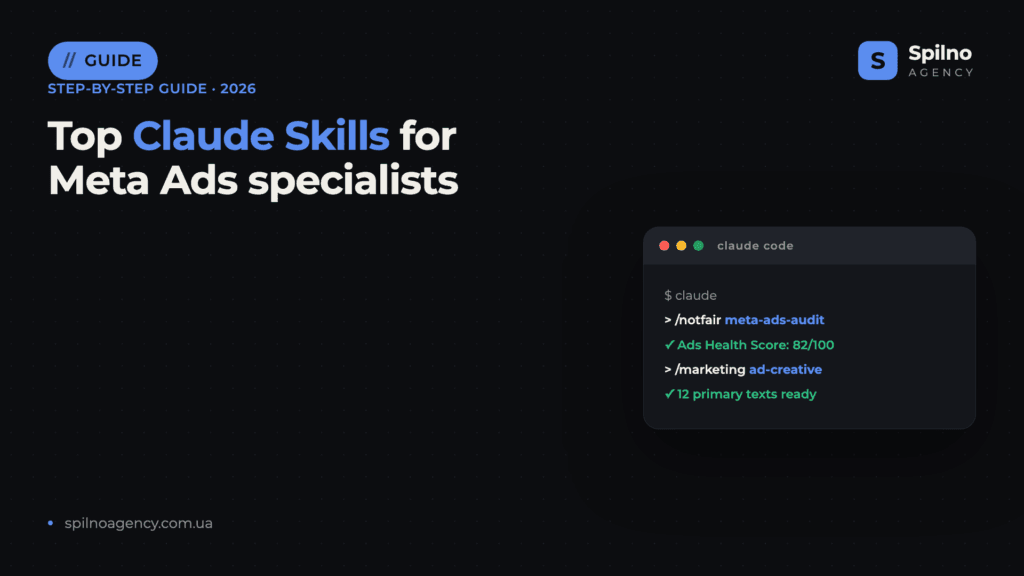
Claude Skills (Agent Skills) are ready-made instruction sets that turn Claude into a specialised assistant for Meta Ads specialists: auditing Facebook and Instagram Ads accounts, generating creatives and primary text, researching competitors in the Meta Ad Library, diagnosing Pixel and Conversions API issues, building Advantage+ campaigns and preparing client reports. This roundup covers the 10 most useful skills with verified links — what each one does and where to download it.
What Claude Skills are and why Meta Ads specialists need them
Agent Skills is an open standard for Claude “skills” that Anthropic introduced in autumn 2025. Technically, a skill is a folder with a SKILL.md file that describes exactly how the AI should perform a specific task: what criteria to use when auditing a Meta campaign, what format to generate Facebook and Instagram creative variations in, how to diagnose a ROAS drop or creative fatigue.
For a Meta Ads specialist, this means three things:
- Expertise out of the box. A skill like
meta-ads-auditbundles account checks compiled by media-buying practitioners — ROAS, frequency, learning phase, audience overlap, creative fatigue. No need to write long prompts: the methodology is already built in. - Repeatability. An audit, report or creative set runs the same way every time — the result doesn’t depend on how you phrased today’s request.
- Speed. Tasks that used to take 3–5 hours of manual work (a full account audit, competitor research in the Meta Ad Library, 20 ad variations) shrink to 10–20 minutes.
Skills run in Claude Code (Anthropic’s terminal agent) and are also supported on claude.ai. Most skills in this roundup are free and open source: you only pay for your Claude subscription.
How to install a Claude skill: 3 ways
Method 1. Plugin marketplace (recommended)
The easiest route is to add a developer’s marketplace and install the plugin with the skills. In Claude Code, run:
/plugin marketplace add AgriciDaniel/claude-ads
/plugin install
Skills get their own namespace (for example, /notfair:meta-ads) and update automatically with the plugin.
Method 2. Skills folder
You can simply copy a skill into your personal folder — it becomes available across all projects:
git clone https://github.com/ComposioHQ/awesome-claude-skills
cp -r awesome-claude-skills/competitive-ads-extractor ~/.claude/skills/
For teamwork, skills go into .claude/skills/ inside the project — then they’re committed to the repository and available to the whole media-buying team.
Method 3. CLI skills installer
Some authors support installation via a community utility:
npx skills add coreyhaines31/marketingskills --skill ad-creative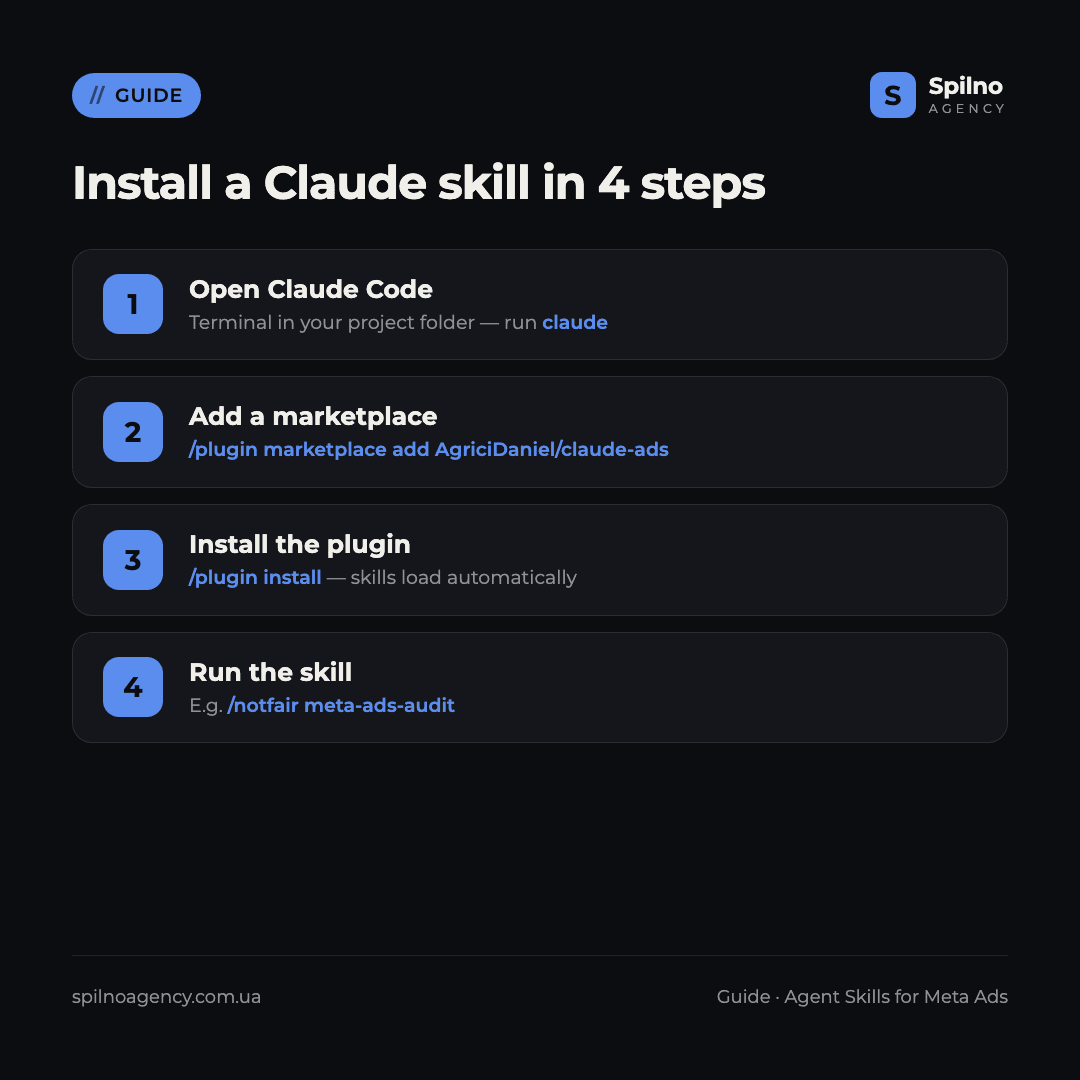
Top 10 Claude Skills for Meta Ads specialists in 2026
1. claude-ads — full Meta audit and cross-platform ad math
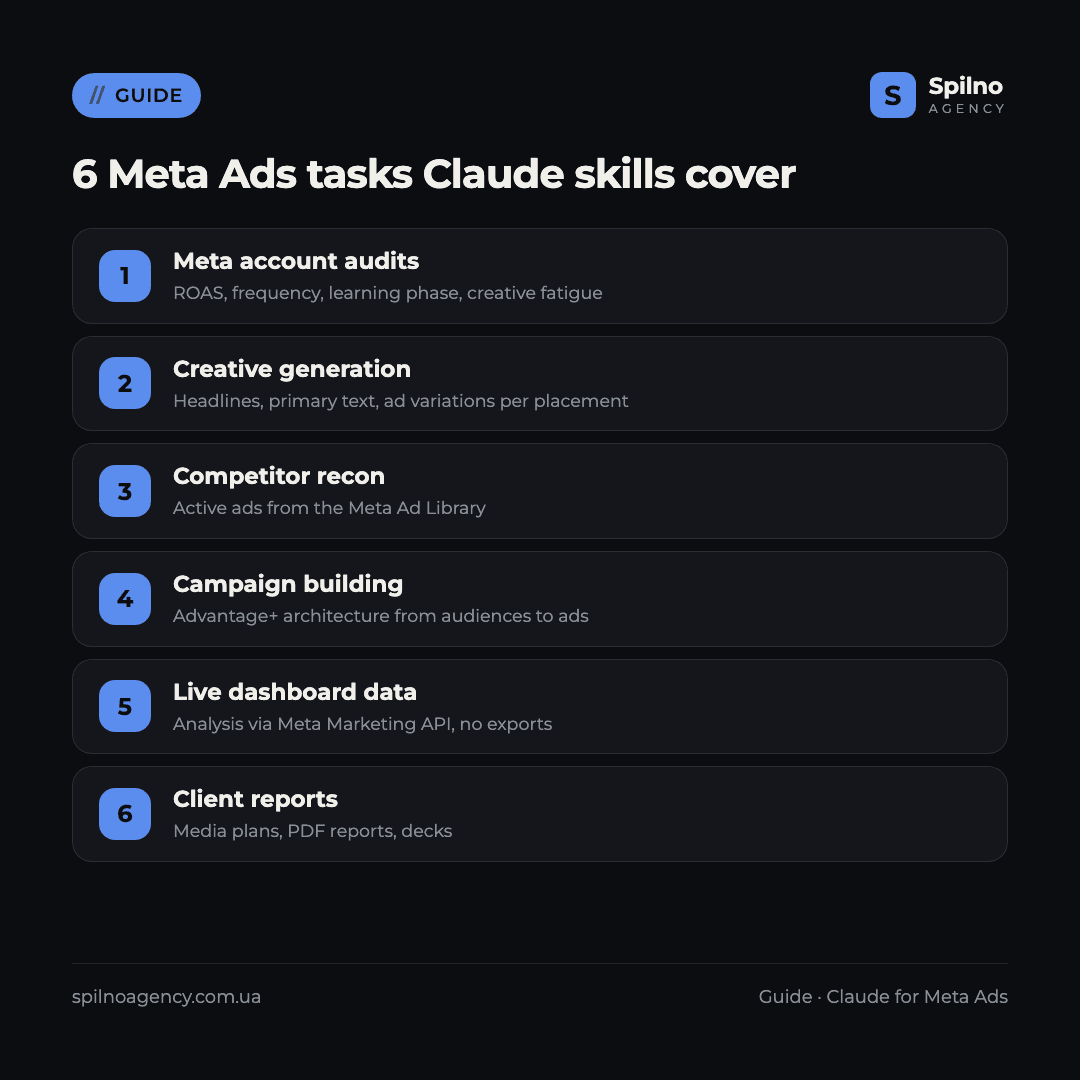
What it does: the most complete paid-media operations set — 22 skills in one plugin. For Meta Ads specialists, the flagship is /ads-audit: hundreds of checks across Meta (Facebook, Instagram, Threads) plus Google, LinkedIn and TikTok. Input — exports, screenshots or pasted metrics from Ads Manager; output — an Ads Health Score from 0 to 100, a prioritised action plan and a PDF client report. Separate skills cover creatives (/ads-creative, /ads-photoshoot), ad math for CPA/ROAS/LTV:CAC (/ads-math), budgets, attribution and server-side tracking.
Where to download: github.com/AgriciDaniel/claude-ads (7,000+ stars, MIT licence). Install: /plugin marketplace add AgriciDaniel/claude-ads.
2. NotFair (meta-ads-audit + meta-ads) — daily campaign management
What it does: a set of open-source skills, two of which are Meta-specific. meta-ads-audit scores an account on health metrics and stores business context for the other skills; meta-ads helps analyse ROAS, delivery frequency, creative fatigue, learning-phase status and audience overlap. Both skills work with exports and screenshots — no account access required.
Where to download: github.com/nowork-studio/NotFair (3,100+ stars, MIT). Install: /plugin marketplace add nowork-studio/notfair.
3. goose-skills — auction analysis and Meta campaign building
What it does: a GTM library with two strong Meta-specific skills. meta-ads-analyzer analyses campaigns with Meta auction mechanics in mind and returns structured, verifiable recommendations rather than generic advice. meta-ads-campaign-builder builds a campaign end to end — from audience recommendations to a full architecture (campaign → ad sets → ads), including Advantage+ logic.
Where to download: github.com/gooseworks-ai/goose-skills (1,000+ stars).
4. meta-ads-kit — a daily workflow instead of Ads Manager
What it does: an “open source AI ad manager” that reshapes a Meta Ads specialist’s daily routine. Instead of 20 minutes in the dashboard — a 2-minute account briefing and answers to “5 daily questions”: what changed, what’s on fire, what to scale, what to switch off, what to test next. Ideal if you run several ad accounts at once.
Where to download: github.com/TheMattBerman/meta-ads-kit (MIT, actively maintained).
5. ai-media-buying-skills — 21 skills built for Meta Ads
What it does: a narrow media-buyer library — a dedicated set of 21 skills just for Meta Ads. Categories: diagnostics (Conversions API issues, learning phase, audience overlap), creatives (fatigue detection, copy and script generation), reporting, launch (pre-launch checklist, bid-strategy selection), funnel and scaling. It runs entirely on your own data — exports, screenshots, CRM notes — with no API connection.
Where to download: github.com/hayesti54-eng/ai-media-buying-skills (niche, MIT). Skill folders are copied into ~/.claude/skills/.
6. competitive-ads-extractor — Meta Ad Library recon
What it does: automates competitor analysis. The skill collects competitors’ active ads from the Meta Ad Library (Facebook and Instagram), takes screenshots, extracts copy, detects recurring messaging formulas and groups creatives by theme and audience. Input — a list of competitors; output — a report with copy formulas, visual trends and unclaimed positioning angles for your campaigns.
Where to download: github.com/ComposioHQ/awesome-claude-skills (a 67,000+ star catalogue) — the competitive-ads-extractor folder, copied into ~/.claude/skills/.
7. openclaw-marketing-skills — live Meta data via the Marketing API
What it does: 33 marketing skills, the key one for Meta Ads specialists being meta-ads-connect — a connection to the Meta Marketing API. Unlike most skills that work with exports, here Claude analyses live account data: campaign performance, optimisation opportunities, spend anomalies — straight from the dashboard, without manual CSV exports.
Where to download: github.com/LeoYeAI/openclaw-marketing-skills (1,000+ stars).
8. marketingskills (ads + ad-creative) — strategy and primary text
What it does: the most popular marketing library for Claude — 44 skills, two of which are most useful to a Meta Ads specialist. ads covers strategy, targeting, bidding and optimisation of paid campaigns, Meta included. ad-creative generates and scales creatives: headlines, primary text, descriptions, full ad variations for different segments and placements (Feed, Stories, Reels). Adjacent skills ab-testing, analytics and competitors cover experiments and reporting.
Where to download: github.com/coreyhaines31/marketingskills (39,000+ stars, MIT). Install: npx skills add coreyhaines31/marketingskills --skill ad-creative.
9. advertising-skills — direct-response creatives for the feed
What it does: a library for performance creatives on Meta. scroll-stopping-creative generates concepts that grab attention in the first seconds of the Facebook and Instagram feed; headline-matrix builds a headline matrix across different pain/benefit angles; full-funnel-campaign-orchestrator ties ads and CRO into a single full-funnel campaign — from cold audience to retargeting.
Where to download: github.com/realkimbarrett/advertising-skills (690+ stars).
10. Official Anthropic skills — creatives, reports and decks
What it does: Anthropic’s official repository (161,000+ stars) includes helper skills that no media buyer’s work can skip: canvas-design — static visuals and creative concepts for Meta placements; xlsx — media plans, budgets and campaign reports in Excel; pptx — client presentations of results.
Where to download: github.com/anthropics/skills. Install: /plugin marketplace add anthropics/skills.
Comparison table: which skill for which task
| Skill | Core Meta task | GitHub stars | Install |
|---|---|---|---|
| claude-ads | Account audits + ad math | 7,000+ | marketplace |
| NotFair | Meta Ads audit and management | 3,100+ | marketplace |
| goose-skills | Auction analysis + campaign building | 1,000+ | skills folder |
| meta-ads-kit | Daily Meta workflow | 270+ | marketplace |
| ai-media-buying-skills | 21 Meta media-buying skills | niche | skills folder |
| competitive-ads-extractor | Meta Ad Library recon | 67,000+ (catalogue) | skills folder |
| openclaw-marketing-skills | Live data via Meta Marketing API | 1,000+ | skills folder |
| marketingskills | Strategy + creatives (primary text) | 39,000+ | npx skills |
| advertising-skills | Scroll-stopping feed creatives | 690+ | skills folder |
| anthropics/skills | Visuals, Excel reports, decks | 161,000+ | marketplace |
How to choose your first skill
- Running several accounts and want fast audits — start with claude-ads or NotFair: one plugin covers 80% of the Meta routine.
- Struggling with creative and primary text generation — marketingskills (ad-creative) plus advertising-skills for the headline matrix.
- Need competitor recon before launch — competitive-ads-extractor on the Meta Ad Library.
- Building a campaign from scratch — goose-skills (meta-ads-campaign-builder) for a full Advantage+ architecture.
- Want to analyse live dashboard data — openclaw-marketing-skills (meta-ads-connect).
- Automating client reporting — Anthropic’s official xlsx and pptx.
If you’re still setting up tracking, make sure your account data is clean before running AI audits: without a properly configured Meta Pixel and Conversions API, even the best skill will analyse garbage. Our breakdown of the EMQ (Event Match Quality) metric helps you check event quality, and the guide to Meta Ads creative sizes helps you prepare assets for every placement.
Security: what to check before installing
- Read the SKILL.md before installing. A skill is a set of instructions for the AI; make sure it doesn’t request unnecessary access to your Business Manager.
- Separate “data” skills from “API” skills. Most skills in this roundup work with exports and screenshots — that’s safe. API skills (openclaw) access the account: use separate read-only tokens with minimal permissions.
- Never paste Meta tokens into the chat. Keep keys and access tokens in environment variables, not in the prompt text.
- Verify recommendations before acting. A skill suggests changes — decisions on bids, budgets and scaling stay with the specialist.
Claude Skills for Meta Ads specialists: FAQ
What are Claude Skills (Agent Skills)?
They’re an open standard of “skills” for Claude: a folder with a SKILL.md file containing instructions the AI follows to perform a specific task — a Meta Ads account audit, creative generation or a client report. Skills connect to Claude Code and claude.ai and activate automatically when a task matches the skill’s description.
How much do Claude Skills for Meta Ads cost?
All skills in this roundup are free and open source (mostly MIT-licensed). You only pay for your Claude subscription (Pro or Max) or API usage. Commercial skills for media buyers are still rare on the market.
Do you need coding skills to use them?
No. Installation comes down to one or two commands in Claude Code (for example, /plugin install), after which you talk to Claude in plain language. A basic familiarity with the terminal is enough — the 4-step guide is in this article.
Which Meta Ads skill should you install first?
claude-ads or NotFair: they cover the most tasks at once — Facebook and Instagram Ads audits, ROAS and frequency analysis, creatives, ad math and PDF reports. It’s the fastest way to feel the value of skills on a real Meta account.
Is it safe to give skills access to a Meta ad account?
Most skills need no access — they work with exports and screenshots from Ads Manager that you provide yourself. Skills that connect to the Meta Marketing API (like meta-ads-connect) require an access token: create separate read-only tokens and never paste them into the chat text.
How is a skill different from an MCP server?
An MCP server gives Claude access to external data and tools (such as the Meta Marketing API), while a skill is the methodology: instructions on how to perform the task. The strongest setups combine both: MCP supplies live account data, the skill analyses it against a proven media-buying framework.
Will Claude Skills replace the Meta Ads specialist?
No — they change how the work is structured. Skills take over the routine: audits, reports, first creative drafts, ROAS math. Strategy, client communication, data interpretation and final budget decisions stay with the specialist. A media buyer with skills simply manages more accounts, better.
Want to hand Facebook and Instagram advertising to a team that has already built AI tools into its daily work? Spilno Agency sets up and manages Meta Ads for European businesses with transparent reporting. Leave a request — we’ll start with a free consultation on your account.

Read also
BANT Lead Qualification Methodology: What It Is and How It Works
BANT is a lead qualification framework built on four criteria: Budget, Authority, Need, Timeline. What it is, example…
Best Claude Skills for Threads (2026)
Claude skills and MCPs for Threads: posts and threads, captions, carousel design, cross-posting from Instagram, the official Threads…
Best Claude Skills for X (Twitter) (2026)
Claude skills and MCPs for X (Twitter): tweets and threads, content planning, X Ads, analytics, outreach. Official X…