Best Claude Skills for LinkedIn (2026)

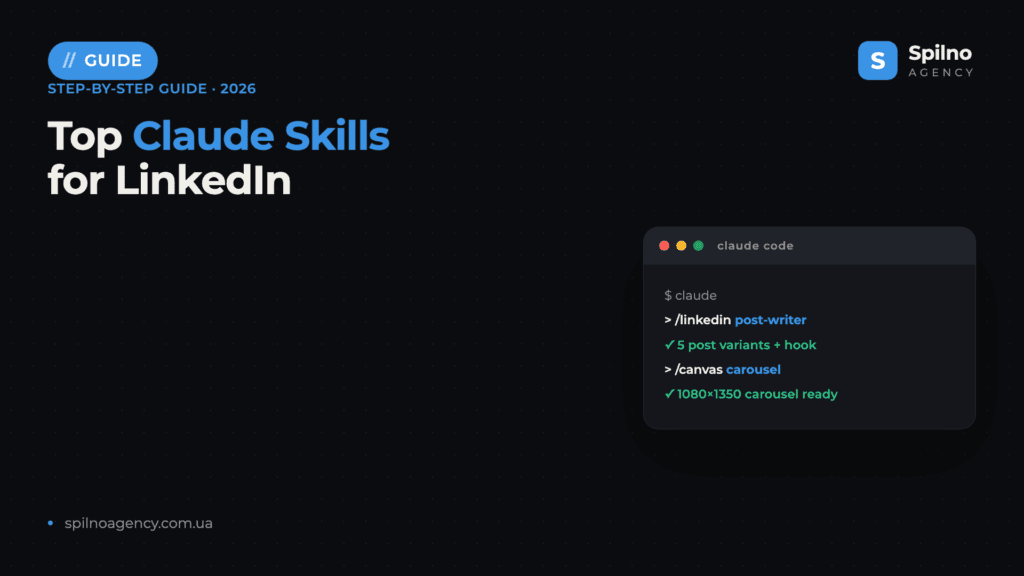
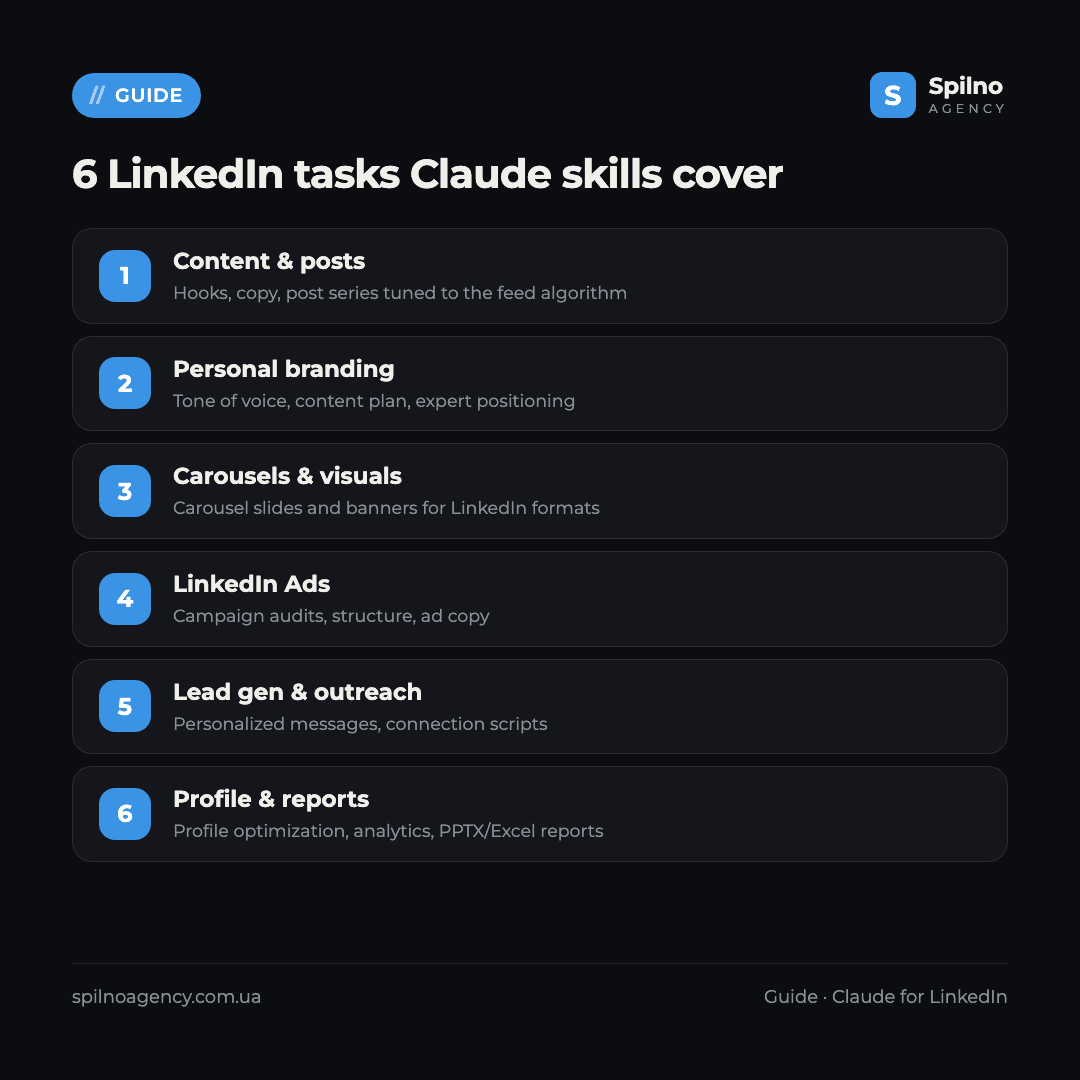
Claude Skills (Agent Skills) are ready-made instruction sets that turn Claude into a LinkedIn assistant: they write feed-optimized posts, run your personal brand, prepare carousels, audit and build LinkedIn Ads campaigns, personalize outreach and pull together reports. This roundup covers the 10 most useful skills and MCP servers with verified links — what each does and where to get it.
What Claude Skills are and why they matter for LinkedIn
Agent Skills are an open standard for Claude that Anthropic introduced in autumn 2025. Technically, a skill is a folder with a SKILL.md file describing exactly how the AI should perform a task: what structure to use for a LinkedIn post, which hooks to open with, how to rewrite a profile headline or build a 7-day content plan.
For LinkedIn work this means three things:
- Expertise out of the box. A skill like
post-writerpacks hook formulas and post structure gathered by LinkedIn content practitioners. No need for long prompts — the methodology is baked in. - Repeatability. A post, carousel or profile audit runs the same way every time — the result doesn’t depend on how you happened to phrase the request today.
- Speed. Tasks that used to take hours (a week of posts, profile optimization, competitor recon, a client report) shrink to 10–20 minutes.
Skills run in Claude Code (Anthropic’s terminal agent) and are also supported on claude.ai. Most skills in this roundup are free and open source — you only pay for a Claude subscription. Separately, there are MCP servers that give Claude access to live LinkedIn data (profiles, companies, jobs, feed) through your own authenticated session.
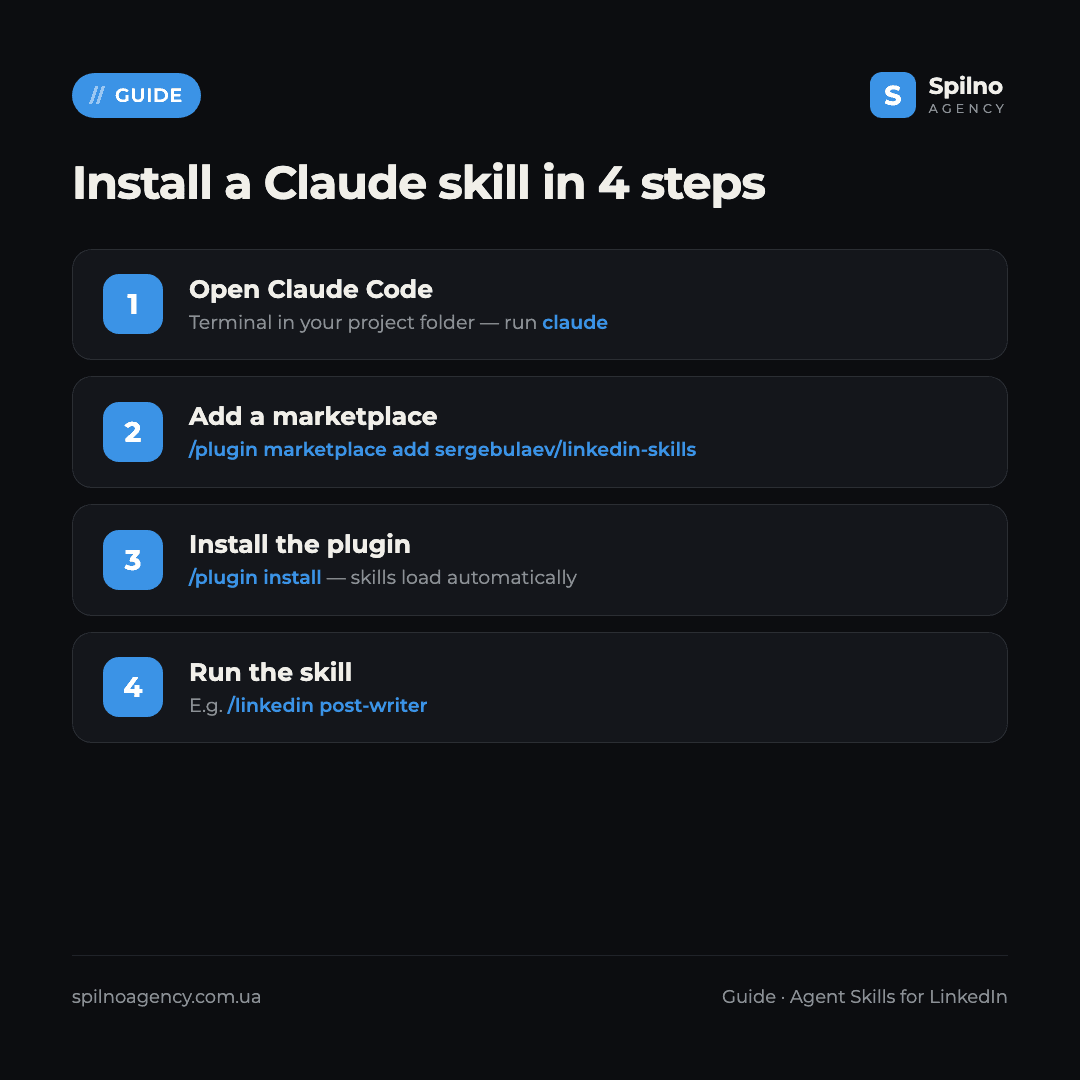
How to install a Claude skill: 3 ways
Method 1. The skills CLI installer (fastest)
Most authors support one-command installs via the community skills utility. For example, the flagship LinkedIn bundle:
npx skills add sergebulaev/linkedin-skillsMethod 2. Plugin marketplace
A convenient path in Claude Code is to add a developer marketplace and install a plugin bundle of skills:
/plugin marketplace add AgriciDaniel/claude-ads
/plugin install
Skills get their own namespace (e.g. /ads:linkedin) and update automatically with the plugin.
Method 3. The skills folder
You can simply copy a skill into your personal folder — it becomes available across all projects:
git clone https://github.com/sergebulaev/linkedin-skills
cp -r linkedin-skills/* ~/.claude/skills/
For teamwork, skills go into .claude/skills/ inside the project — then they’re committed to the repo and available to the whole team. MCP servers are connected separately, through the Claude config (e.g. via a uvx command or a one-click bundle for Claude Desktop).
Top 10 Claude skills for LinkedIn in 2026
1. sergebulaev/linkedin-skills — a content OS for LinkedIn
What it does: the most complete LinkedIn-specific bundle — 11 skills in one repo. Key ones: post-writer (16 hook formulas and post structure in your tone of voice), post-audit (checks against the 2026 algorithm and for “AI tells”), humanizer (strips typical signs of generated text), content-planner (a 7-day plan), profile-optimizer (rewrites headline, About and Experience), plus comment-drafter and engagement-monitor (analyzes who engages by ICP fit). Skills prepare drafts and wait for your approval — nothing is published automatically.
Where to get it: github.com/sergebulaev/linkedin-skills (370+ stars, MIT). Install: npx skills add sergebulaev/linkedin-skills.
2. linkedin-mcp-server — live LinkedIn data for outreach
What it does: the strongest MCP server for LinkedIn. Unlike text-only skills, it gives Claude access to live data through your authenticated session: reading profiles, company pages and their employees, job search, messaging and inbox, the feed, people search with filters, connection requests. Ideal for lead generation, social selling and pre-outreach research.
Where to get it: github.com/stickerdaniel/linkedin-mcp-server (2,700+ stars, Apache-2.0). Install: uvx mcp-server-linkedin or a one-click .mcpb bundle for Claude Desktop. Important: the server reads data through your own session — use it sparingly, since automation conflicts with LinkedIn’s rules.
3. OpenClaudia — dedicated linkedin-content and linkedin-ads skills
What it does: a library with two LinkedIn-targeted skills. linkedin-content generates platform-optimized posts, carousels and content strategy; linkedin-ads helps build B2B LinkedIn Ads campaigns. Alongside are social-content, content-calendar and analytics for planning and reporting.
Where to get it: github.com/OpenClaudia/openclaudia-skills (560+ stars, MIT). Install: npx openclaudia install linkedin-content linkedin-ads.
4. marketingskills — strategy, social and copywriting
What it does: the most popular marketing library for Claude — 50+ skills. The most useful for LinkedIn: social (social content and strategy, LinkedIn explicitly listed), ads (paid campaigns including LinkedIn Ads), copywriting, cold-email (outreach sequences) and sales-enablement. A universal foundation when LinkedIn is just one of your channels.
Where to get it: github.com/coreyhaines31/marketingskills (39,000+ stars, MIT). Install: npx skills add coreyhaines31/marketingskills --skill social.
5. claude-ads — LinkedIn Ads as a first-class platform
What it does: a comprehensive paid-advertising toolkit where LinkedIn Ads is a full platform among 12 ad channels. LinkedIn has a dedicated skill and audit worker: routing via /ads linkedin with audit, plan and create subcommands. Input is exports or screenshots from Campaign Manager; output is an account health assessment, an action plan and a campaign structure. Plus ad math for CPA/ROAS/LTV:CAC.
Where to get it: github.com/AgriciDaniel/claude-ads (7,000+ stars, MIT). Install: /plugin marketplace add AgriciDaniel/claude-ads.
6. Official Anthropic skills — carousels, reports and decks
What it does: Anthropic’s official repo (160,000+ stars) holds the supporting skills no LinkedIn content workflow does without. pptx builds carousel slides (LinkedIn’s highest-reach format) and exports them to images; canvas-design designs visuals and slide covers without Canva; docx produces client reports and case studies; xlsx handles content plans and budgets.
Where to get it: github.com/anthropics/skills. Install: /plugin marketplace add anthropics/skills.
7. goose-skills — outreach, content and branding
What it does: a GTM library with skills useful for LinkedIn: outreach (outbound across email and social), social (audience scraping and analysis), content (posts, carousels, video scripts), brand (tone of voice and positioning). A good fit when LinkedIn is part of a broader GTM motion.
Where to get it: github.com/gooseworks-ai/goose-skills (1,000+ stars). Note: the repo declares no formal license — clarify usage terms before commercial use.
8. rugvedp/linkedin-mcp — post analytics
What it does: a lightweight MCP server focused on analytics: it fetches and analyzes your LinkedIn post data (reach, reactions, engagement). A handy alternative if all you need is content metrics rather than full access to profiles and messaging.
Where to get it: github.com/rugvedp/linkedin-mcp (niche, MIT). It’s an early project — test it on non-critical tasks.
9. linkedin-brand — founder personal branding
What it does: a narrow personal-brand skill: it builds 3 content pillars, drafts About-section copy, tracks posting cadence and even blocks 55+ typical “AI words” that give generated text away. A niche, brand-new tool — interesting as a starting point for an expert’s personal brand.
Where to get it: github.com/assafkip/linkedin-brand (MIT, emerging). As it’s early, read the SKILL.md and check it’s current before adopting.
10. awesome-claude-skills — where to find more
What it does: a curated catalog of Claude skills — the entry point when you need a new tool for a specific LinkedIn task (a content niche or an industry). New skills for social, copywriting and analytics show up here regularly.
Where to get it: github.com/ComposioHQ/awesome-claude-skills (67,000+ stars) — a directory linking to skill repositories.
Comparison table: which skill for which task
| Skill / MCP | Main LinkedIn task | GitHub stars | Install |
|---|---|---|---|
| linkedin-skills | Posts, profile, content plan | 370+ | npx skills |
| linkedin-mcp-server | Live data for outreach and lead gen | 2,700+ | MCP (uvx) |
| OpenClaudia | linkedin-content + linkedin-ads | 560+ | npx openclaudia |
| marketingskills | Strategy, social, copywriting | 39,000+ | npx skills |
| claude-ads | LinkedIn Ads audit and build | 7,000+ | marketplace |
| anthropics/skills | Carousels, reports, decks | 160,000+ | marketplace |
| goose-skills | Outreach, content, branding | 1,000+ | skills folder |
| rugvedp/linkedin-mcp | Post analytics | niche | MCP |
| linkedin-brand | Founder personal branding | emerging | skills folder |
| awesome-claude-skills | Catalog: where to find more | 67,000+ (catalog) | — |
How to choose your first skill
- Building a personal brand and want to post consistently — start with linkedin-skills: post-writer, content-planner and profile-optimizer cover 80% of the content routine.
- Doing lead gen and outreach — linkedin-mcp-server for research + marketingskills (cold-email) for sequences.
- Need carousels and visuals — the official pptx and canvas-design from Anthropic.
- Running LinkedIn Ads — claude-ads (route
/ads linkedin) or OpenClaudia (linkedin-ads). - Want to know what’s working in content — rugvedp/linkedin-mcp for post analytics.
- LinkedIn is just one of your channels — marketingskills as a universal foundation.
If you’re growing LinkedIn as a paid channel, get the formats and creative sizes right before launch. See our guide to LinkedIn ad formats 2026 and the detailed breakdown of LinkedIn Ads creative sizes. And if you’re interested in Claude skills beyond LinkedIn, start with our roundup of Claude skills for SMM specialists.
Safety and LinkedIn’s rules: what to watch for
- Read the SKILL.md before installing. A skill is instructions for the AI; make sure it doesn’t ask for excessive access.
- Remember LinkedIn’s rules. Bulk automation (mass messaging, scraping) violates LinkedIn’s terms and can get accounts restricted. MCP servers read data through your own session — use them moderately and for research, not mass outreach.
- Publish manually. Most skills prepare drafts and wait for approval — keep the final publish decision yours.
- Never paste tokens or passwords into chat. Store access keys in environment variables or config, not in the prompt text.
FAQ: Claude skills for LinkedIn
What are Claude Skills (Agent Skills)?
An open standard of “skills” for Claude: a folder with a SKILL.md file containing instructions the AI follows to perform a task — writing a LinkedIn post, optimizing a profile or preparing a carousel. Skills connect to Claude Code and claude.ai and activate automatically when a task matches the skill’s description.
How much do Claude skills for LinkedIn cost?
All skills in this roundup are free and open source (mostly MIT). You only pay for a Claude subscription (Pro or Max) or API usage. Commercial LinkedIn skills are still rare on the market.
Do I need to know how to code to use skills?
No. Installation comes down to one or two commands (e.g. npx skills add or /plugin install), and from there you talk to Claude in plain language. Basic terminal familiarity is enough — the 4-step guide is in this article.
Which LinkedIn skill should I install first?
sergebulaev’s linkedin-skills: it’s the most complete LinkedIn-specific bundle — posts, hooks, profile optimization, content planning and an algorithm audit. The fastest way to feel the value on real content tasks.
Is it safe to give skills access to my LinkedIn account?
Most skills work with text only and don’t need account access. MCP servers read data through your own authenticated session. Remember: bulk automation violates LinkedIn’s rules — use such tools moderately, for research, and keep publishing manual.
How is a skill different from an MCP server?
An MCP server gives Claude access to external data and tools (e.g. live LinkedIn data), while a skill is methodology: instructions for how to perform a task. The strongest setups combine them: the MCP supplies profile and post data, the skill writes the post or report to a proven framework.
Can skills publish LinkedIn posts automatically?
Technically some tools can, but automatic posting and bulk actions violate LinkedIn’s terms and risk account restrictions. That’s why most quality skills deliberately prepare drafts and wait for your approval — it’s better to publish manually.
Want to grow LinkedIn systematically — content, personal brand and paid campaigns — with a team that has already built AI tools into daily work? Spilno Agency helps European businesses with content strategy and LinkedIn Ads with transparent reporting. Leave a request — we’ll start with a free consultation.

Read also
BANT Lead Qualification Methodology: What It Is and How It Works
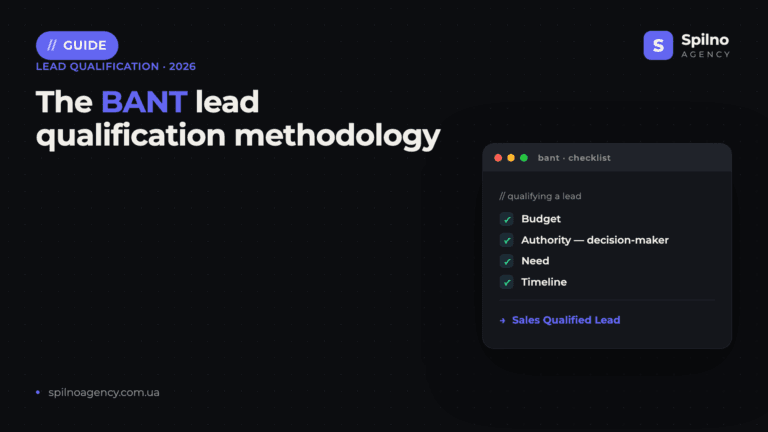
BANT is a lead qualification framework built on four criteria: Budget, Authority, Need, Timeline. What it is, example…
Best Claude Skills for Threads (2026)
Claude skills and MCPs for Threads: posts and threads, captions, carousel design, cross-posting from Instagram, the official Threads…
Best Claude Skills for X (Twitter) (2026)
Claude skills and MCPs for X (Twitter): tweets and threads, content planning, X Ads, analytics, outreach. Official X…