LinkedIn Ad Sizes in 2026: Complete Creative Specs Guide

LinkedIn Ads creative sizes are the technical specifications for images, video and documents that Campaign Manager accepts. In 2026 the key references are: Single Image — 1200×1200 (1:1) or 1200×627 (1.91:1), Carousel — 1080×1080, Video — 1920×1080 / 1080×1350, Dynamic Ads logos — 100×100, Message Ads banner — 300×250. Below is the full size table for every format, character limits, common mistakes and a pre-upload checklist. A guide by Spilno Agency.
Why correct creative sizes matter for LinkedIn Ads
LinkedIn is a professional feed where 60%+ of impressions happen on mobile. Upload a creative in the wrong aspect ratio and the platform will crop the image from the centre or add white bars — and your headline or logo can simply disappear from the frame. The wrong file size triggers an upload error, and low resolution produces a blurry creative that kills CTR.
Correct sizes = more feed real estate, sharper visuals, higher CTR and lower CPC. This guide collects the current Campaign Manager 2026 specifications for every format. If you need an overview of the formats and targeting themselves, start with our article “LinkedIn Advertising: ad formats 2026” — here we focus on the technical sizes.
Full LinkedIn ad sizes table for 2026
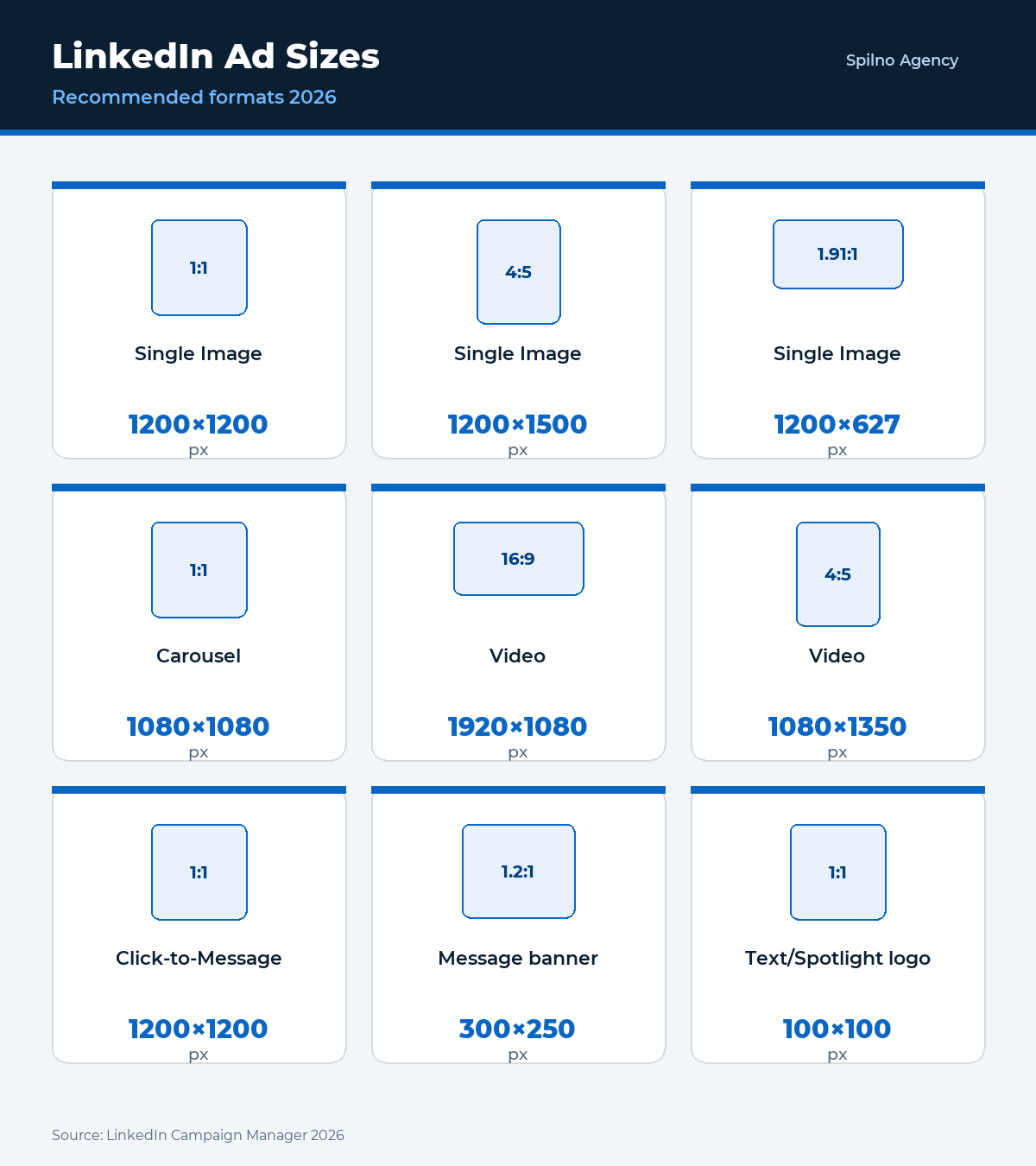
A consolidated table of every LinkedIn Ads format — recommended pixel dimensions, aspect ratios, maximum file size and supported file types:
| Format | Size (px) | Aspect ratio | Max file | File type |
|---|---|---|---|---|
| Single Image Ad | 1200×1200 / 1200×627 / 1200×1500 | 1:1 / 1.91:1 / 4:5 | 5 MB | JPG, PNG, GIF (static) |
| Carousel Ad (card) | 1080×1080 | 1:1 | 10 MB / card | JPG, PNG |
| Video Ad | 1920×1080 / 1080×1080 / 1080×1350 | 16:9 / 1:1 / 4:5 (9:16) | 200 MB | MP4 |
| Document Ad | up to 300 pages | — | 100 MB | PDF, DOC(X), PPT(X) |
| Event Ad | auto from LinkedIn Event | — | — | — |
| Thought Leader Ad | as in the original post | 1:1 / 4:5 / 16:9 | as in post | img / video |
| Click-to-Message Ad | 1200×1200 | 1:1 | 5 MB | JPG, PNG |
| Message Ad (banner) | 300×250 | 1.2:1 | 2 MB | JPG, PNG |
| Text Ad | 100×100 | 1:1 | 2 MB | JPG, PNG |
| Spotlight / Follower Ad (logo) | 100×100 | 1:1 | 2 MB | JPG, PNG |
| Spotlight (background, opt.) | 300×250 | 1.2:1 | 2 MB | JPG, PNG |
| Connected TV (CTV) | 1920×1080 | 16:9 | 500 MB | MP4, MOV |
| Display Ad (IAB) | 300×250 / 160×600 / 728×90 | — | 200 KB | JPG, PNG, GIF |
Let’s break down each format in detail — with recommendations on how to avoid cropping and how to adapt creatives for the mobile feed.
Single Image Ads — image size for LinkedIn ads
The most popular Sponsored Content format. LinkedIn supports three aspect ratios, and your choice directly affects how much space your ad takes in the mobile feed.
- 1:1 (square) — 1200×1200 px. The default recommendation. Maximum feed space on mobile, no cropping.
- 4:5 (vertical) — 1200×1500 px. The mobile-first option: takes even more of the smartphone screen. Best CTR for mobile audiences.
- 1.91:1 (landscape) — 1200×627 px. The “classic” link format. Fine for desktop, but appears smaller on mobile.
Technical requirements: JPG, PNG or static GIF, maximum file size 5 MB. Minimum width is 400 px, but always upload 1200 px+ for sharpness on Retina screens. Text on the image itself should cover less than 20% of the area, otherwise reach drops.
Carousel Ads — LinkedIn carousel size
Carousel — 2 to 10 swipeable cards. All cards must be the same size — 1080×1080 px (1:1). If cards have different ratios, LinkedIn aligns them to the smallest and crops the rest.
- Card size: 1080×1080 px (square, 1:1).
- Number of cards: 2–10 (optimal 3–5).
- Max file size: 10 MB per card.
- File type: JPG or PNG.
- Card headline: up to 45 characters (with link) or 30 (without).
Tip: keep key elements (text, logo) within the central 80% of the card — edges may crop slightly when swiping on different devices.
Video Ads — LinkedIn video ad size
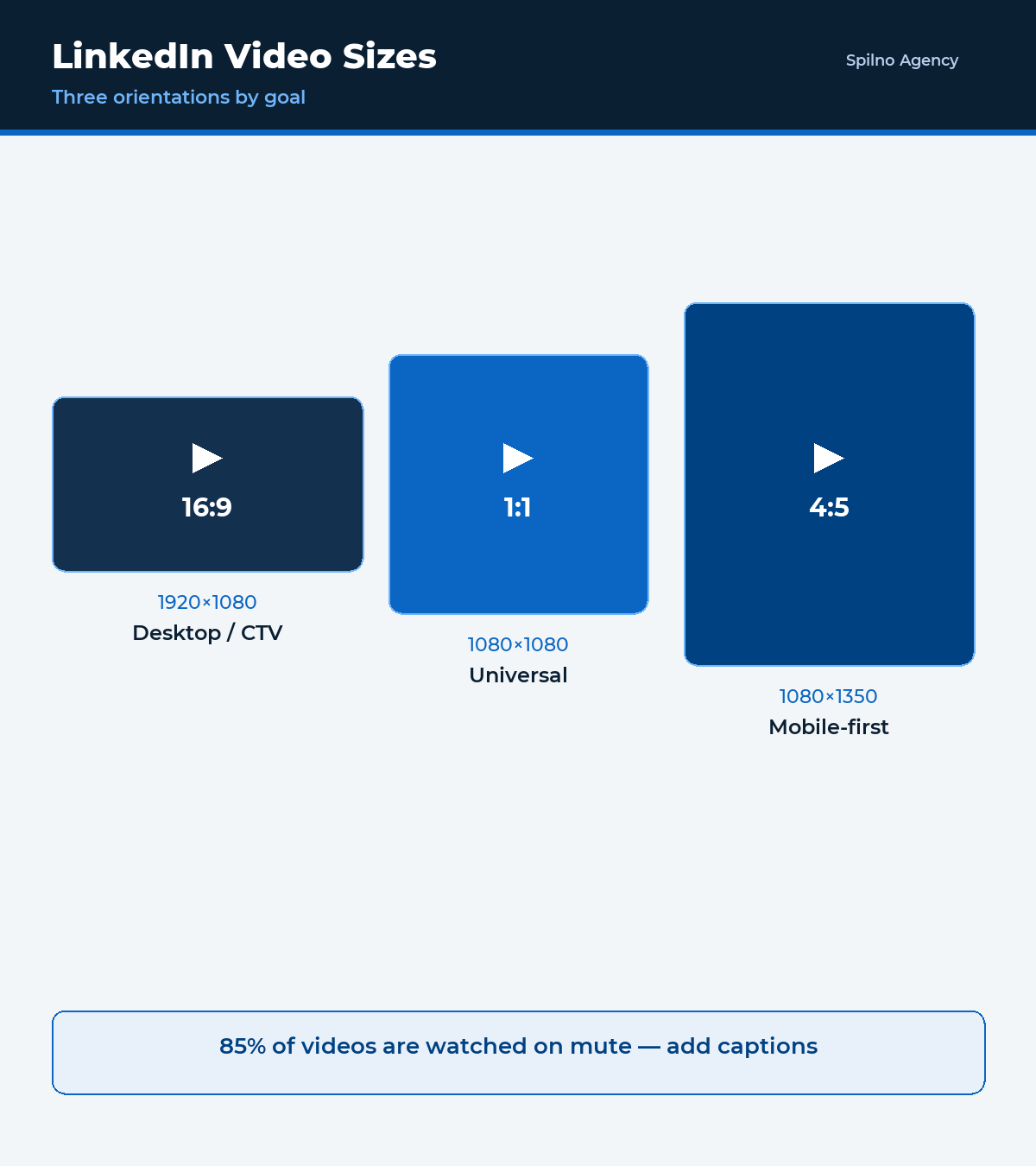
LinkedIn video supports three orientations. As with images, vertical and square win in the mobile feed.
| Orientation | Aspect ratio | Resolution (rec.) | Works best for |
|---|---|---|---|
| Landscape | 16:9 | 1920×1080 | Desktop, CTV, product demos |
| Square | 1:1 | 1080×1080 | Universal, mobile feed |
| Vertical | 4:5 / 9:16 | 1080×1350 / 1080×1920 | Mobile-first, maximum screen |
- File type: MP4.
- Max file size: 200 MB.
- Duration: 3 seconds to 30 minutes (15–30 seconds optimal for top-of-funnel).
- Resolution: minimum 360p, recommended 1080p.
- Frame rate: up to 30 fps.
85% of LinkedIn videos are watched without sound — add captions (burned-in or an .SRT file). The first 3 seconds must carry the key message.
Document Ads — file sizes
Document Ads let you gate content (white papers, case studies, decks) right in the feed. Users swipe the document like a carousel or download it after submitting contact details.
- File type: PDF, DOC, DOCX, PPT, PPTX.
- Max file size: 100 MB.
- Page count: up to 300 (optimal 5–10 — completion drops beyond that).
- Page ratio: portrait or square reads best on mobile.
Event Ads and Thought Leader Ads
Event Ads automatically pull the cover and details from your LinkedIn Event — no separate creative needed. Make sure the event cover is 1200×627 px (1.91:1) when you create the Event.
Thought Leader Ads promote a post from a real person (an expert or executive). Creative size = the media size in the original post: 1:1/4:5 image or video in any supported orientation. No separate requirements — Single Image / Video specs apply.
Text Ads, Spotlight and Dynamic Ads — logo sizes
These are small desktop right-rail formats. The key here is the 100×100 px logo.
- Text Ad: 100×100 px image (JPG/PNG, up to 2 MB) + headline up to 25 characters + description up to 75. Desktop only.
- Spotlight Ad: company logo 100×100 px; optional background 300×250 px. Headline up to 50, description up to 70 characters.
- Follower Ad: logo 100×100 px, headline up to 50, description up to 70 characters.
Message, Conversation and Click-to-Message Ads
- Message / Conversation Ads: optional banner 300×250 px (JPG/PNG, up to 2 MB), subject up to 60 characters, body up to 1500, CTA button up to 20. Conversation Ads — up to 5 CTA buttons.
- Click-to-Message Ad: image 1200×1200 px (1:1), opens a LinkedIn conversation instead of an external site.
Connected TV (CTV) Ads
- Resolution: 1920×1080 px (Full HD), 16:9.
- File type: MP4 or MOV.
- Duration: 6–30 seconds.
- Max file size: 500 MB.
Character limits in LinkedIn Ads 2026
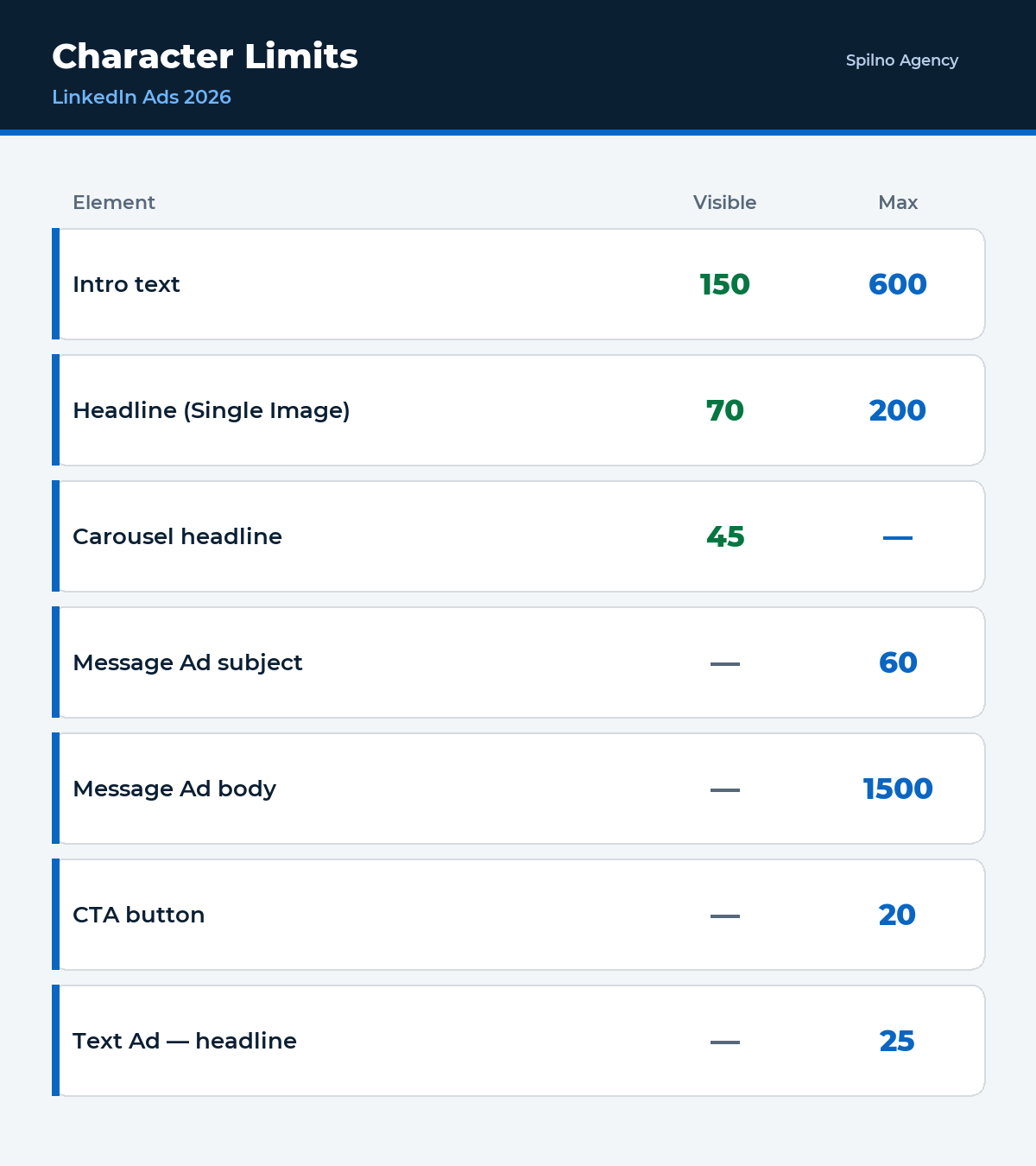
Size isn’t only about pixels. LinkedIn truncates text that exceeds the limits. Aim for the “visible” threshold (before “…see more”), not the maximum:
| Element | Visible | Maximum |
|---|---|---|
| Intro text (Sponsored Content) | 150 chars | 600 |
| Headline (Single Image) | 70 chars | 200 |
| Carousel card headline | 45 (with link) / 30 | — |
| Message Ad subject | — | 60 |
| Message Ad body | — | 1500 |
| CTA button | — | 20 |
| Text Ad — headline / description | — | 25 / 75 |
| Lead Gen Form — headline | — | 60 |
Common creative size mistakes
- Uploading 1.91:1 for a mobile campaign. Landscape takes half the screen on a smartphone — use 1:1 or 4:5.
- Text on 30%+ of the image. Reduces reach. Keep text within 20%.
- Different card sizes in a Carousel. Causes cropping — all cards strictly 1080×1080.
- Video without captions. 85% watch on mute — the message is lost.
- Logo not 1:1. Text/Spotlight/Follower need a 100×100 square, otherwise distortion.
- File over the limit. 5 MB for images, 200 MB for video, 100 MB for a document — otherwise an upload error.
- Low resolution. Uploading 600 px instead of 1200 px gives a blurry creative on Retina.
Pre-upload checklist
- ✅ Aspect ratio matches the format (1:1 / 4:5 for mobile).
- ✅ Resolution ≥ 1200 px wide (images) / 1080p (video).
- ✅ File size within the limit.
- ✅ Text on the image < 20% of the area.
- ✅ Video has captions and a hook in the first 3 seconds.
- ✅ Headline and intro fit the “visible” character limit.
- ✅ 100×100 logo for the small formats.
- ✅ Creative localised to the target language.
Understanding which funnel stage each format serves helps you pick the right size for the goal — more in our guide on the marketing funnel.
Why it pays to produce the maximum number of creatives
The more distinct creatives you feed the LinkedIn Ads system, the larger the share of the audience your campaign can reach. Each creative hooks its own segment — different pain points, visual styles and messages resonate with different people. Broader reach of a relevant audience feeds straight into the auction: the system finds more cheap, high-quality impressions and the average cost per click drops.
The second reason is the trigger itself. It’s the creative that decides whether a user stops and reacts to the offer, so its idea and execution directly determine campaign performance. One or two layouts give the algorithm no room to optimize — there’s nothing to pick a winner from. With many creatives, the system quickly discards the weak ones and scales those with the lowest cost per action. So the rule is simple: prepare as many variants as you can in every required size — and refresh them regularly to avoid creative fatigue.
Frequently asked questions (FAQ)
What is the best LinkedIn ad size in 2026?
For Single Image — 1200×1200 px (1:1) as a universal option, or 1200×1500 px (4:5) for mobile-first. Carousel — 1080×1080. Video — 1080×1080 or 1080×1350 for the mobile feed.
What is the maximum image file size for LinkedIn Ads?
5 MB for Sponsored Content images, 10 MB per Carousel card, 200 MB for video, 100 MB for Document Ads, 2 MB for logos and small-format banners.
Should I use vertical or landscape creatives?
For mobile audiences (60%+ of impressions) — vertical 4:5 (1200×1500) or square 1:1. Landscape 1.91:1 only suits desktop and CTV placements.
How many characters fit in a LinkedIn ad headline?
Single Image headline — 70 visible characters (up to 200 max). Intro text — 150 visible (up to 600). Message Ad subject — up to 60, CTA button — up to 20.
How many cards can a Carousel Ad have?
From 2 to 10 cards at 1080×1080 px. Optimal is 3–5 — completion drops beyond that.
What logo size do Spotlight and Text Ads need?
100×100 px (square 1:1), JPG or PNG up to 2 MB. Spotlight also supports an optional 300×250 px background.
Conclusions
In 2026 LinkedIn Ads lean mobile-first: square (1:1) and vertical (4:5) creatives win in the feed, video needs captions, and every format has clear file-size and character limits. Keep this table as a reference — the right creative size directly impacts CTR and CPC before targeting even kicks in.
Spilno Agency launches and scales LinkedIn Ads for European B2B brands — from designing creatives in the correct sizes to optimising campaigns. Want to discuss a launch or audit your current campaigns? Get in touch.

Order LinkedIn Ads advertising
Spilno Agency produces creatives in every format and runs LinkedIn Ads campaigns for European brands — from concept and layout production to targeting, bid optimization and reporting. Get in touch — let’s sort it out together.

Read also
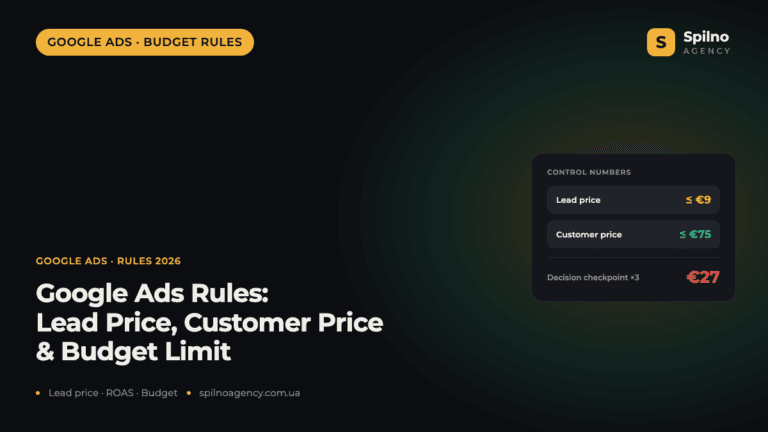
Google Ads Rules: Maximum Lead Price, Customer Price, and How Much to Spend Before a Campaign Fails
There is no such thing as a universal “good cost per lead” — €20 per lead can be…
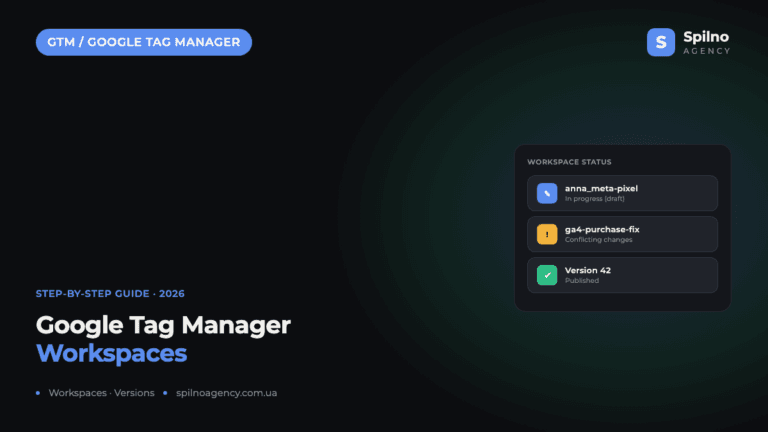
Google Tag Manager Workspaces: Why You Need Them and How to Use Them in 2026
A workspace in Google Tag Manager is a “draft” of a container — a place to safely edit…
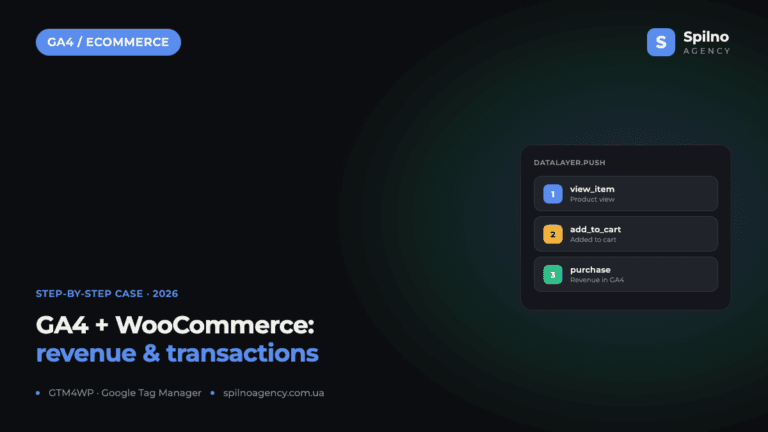
How to Track Revenue, Transactions and Purchases in Google Analytics 4 from WordPress WooCommerce
Introduction WooCommerce store owners are often convinced that Google Analytics 4 already shows them revenue, transaction counts and…