How to Grant Access to Google Business Profile (Google My Business) — 2026 Guide

To give an agency or a marketer access to your Google Business Profile — do NOT share your password. Sign in at business.google.com, open the business profile, go to “Profile settings → Managers” (previously “Users & access”), click “Add”, enter the agency’s Google email, choose role “Manager” and send the invitation. The invitee accepts the email and starts working on your profile. You can revoke access any time from the same menu.
Google Business Profile (formerly Google My Business — GMB or GBP) manages your business listing in Google Maps, Google Search and Maps Ads. Marketing teams, SEO specialists and agencies frequently need access to your profile: to maintain the information, reply to reviews, publish posts, run local ads. In this guide Spilno Agency shows how to grant access in one minute without sharing your password, and explains the three permission levels.
Table of contents
- What Google Business Profile is and why share access
- User roles & permissions: primary owner, owner, manager
- How to grant access in 5 steps
- How to accept an invitation
- How to transfer primary ownership
- How to revoke or remove access
- Troubleshooting: invitation not received
- Extended grant & accept checklist
- Can I create a profile without a physical address
- What kind of business benefits most from Google Business Profile
- FAQ
What Google Business Profile is and why share access
Google Business Profile (GBP) is a free tool from Google that manages your business listing in Google Maps, the local pack and features such as “Find Nearby”. It lets you publish your address, phone, hours, photos, services, reply to reviews and post updates.
You typically need to share access in three scenarios:
- Hiring an SEO / SMM / Google Ads agency. The agency needs to edit information, upload photos, respond to reviews and review insights.
- One-off freelance specialist — e.g. local SEO consultant or Maps Ads specialist who needs temporary access.
- Internal team — a marketer, an SMM lead, a service desk operator who routinely posts on behalf of the company.
Security rule: never share the password to the main Google account. GBP provides an official invitation flow that lets you delegate permissions without losing control.
User roles & permissions: primary owner, owner, manager
Google Business Profile has three permission tiers, each with fewer rights than the previous one:
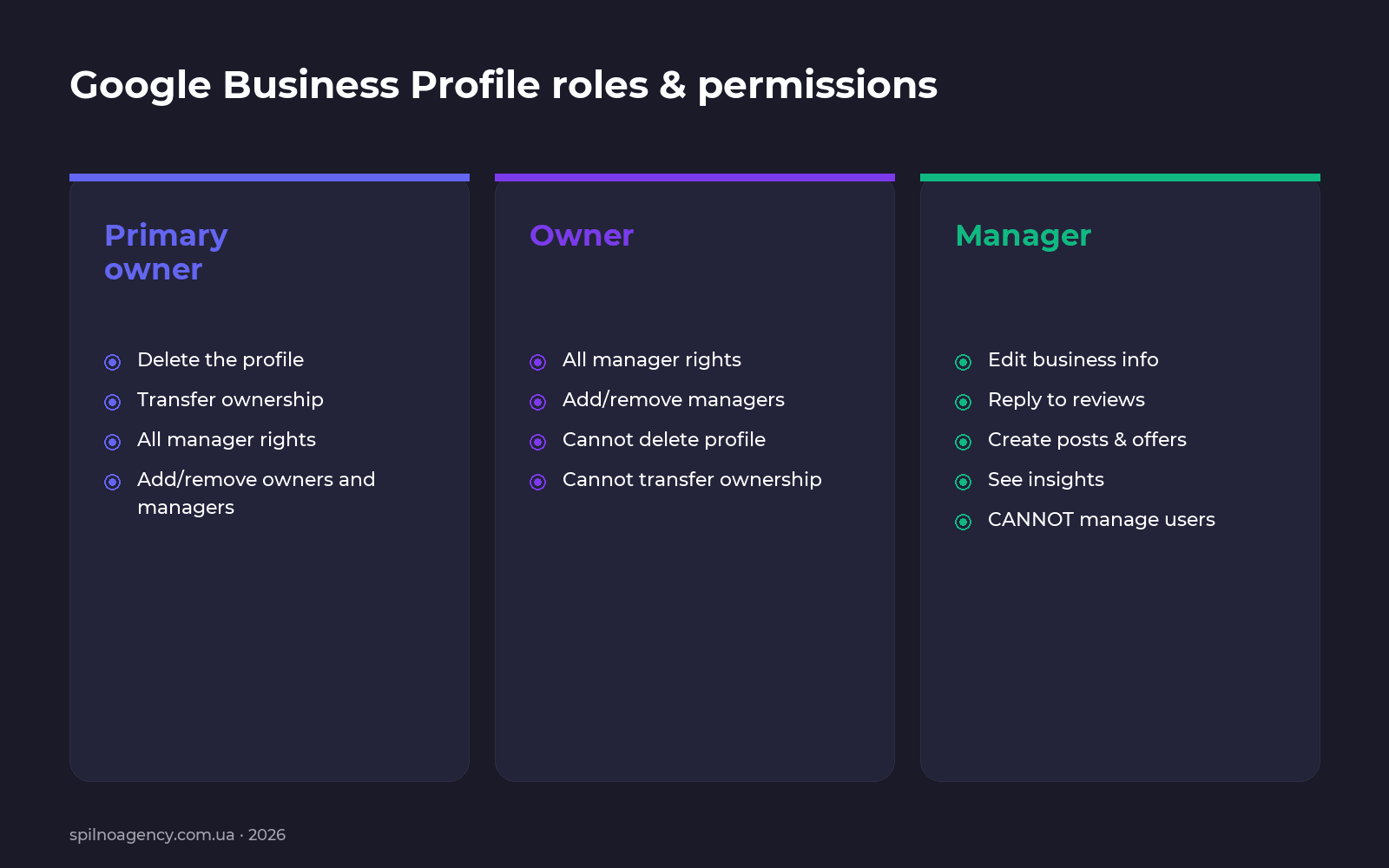
- Primary owner. Can do everything: delete the profile, transfer ownership, add/remove owners and managers. A profile has exactly one primary owner.
- Owner. Almost the same as primary, except they can’t delete the profile or transfer primary ownership. They can still add and remove managers.
- Manager. Works with the profile content: edits business info, replies to reviews, creates posts & offers, sees insights. Cannot manage users and cannot delete the profile.
For agencies and contractors the recommended role is Manager. Grant the Owner role only when you fully trust the partner and want them to manage other users.
How to grant access in 5 steps
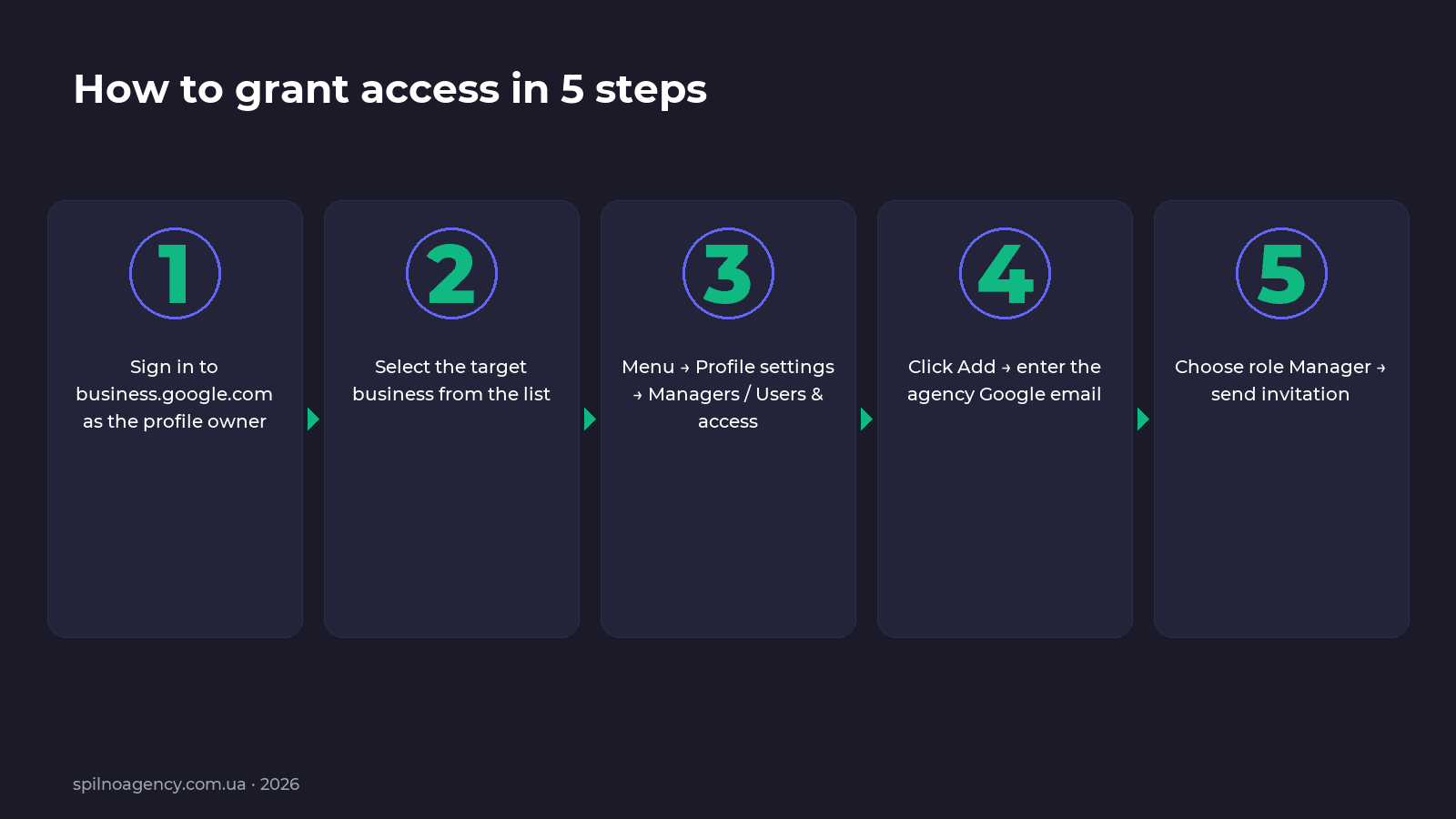
- Sign in to business.google.com with the Google account that owns the profile.
- Pick the right business profile from the list. If your locations are grouped, expand the relevant group first.
- Open the profile menu: “Menu (☰) → Profile settings → Managers / Users & access”.
- Click “Add” and enter the Google email of the agency or specialist. Important: it must be a Google account — Gmail, Workspace or an email registered as a Google ID.
- Choose “Manager” (default) and click “Invite”. The user receives an invitation email.
A row with status “Pending” appears in the user list. As soon as the invitee accepts, the status flips to active.
How to accept an invitation
Instructions for whoever receives the invitation (typically an agency):
- Open the email from “Google Business Profile” in the inbox of the Google account that was invited.
- Click “Accept invitation”.
- Sign in to the matching Google account if you are redirected to the login page.
- Confirm that the business appears in your business.google.com profile list.
- Make a test edit (for example, update opening hours) to verify permissions actually work.
How to transfer primary ownership
Transferring primary ownership is needed when the business changes hands or an agency hands the profile back to the client. Steps:
- The future primary owner must already be in the profile as an Owner (not Manager).
- The current primary owner opens “Managers”, finds the new owner, clicks “⋯” next to their name and picks “Make primary owner”.
- Confirm the transfer. The former primary owner remains as a regular Owner unless explicitly removed.
Important: before removing the previous agency or owner, make sure at least one active owner remains — otherwise you risk losing control of the profile.
How to revoke or remove access
- On business.google.com open the profile, then “Profile settings → Managers”.
- Find the user whose access you want to revoke. Click “⋯” next to their name.
- Pick “Remove” and confirm.
Access is revoked instantly. If you remove a pending (not yet accepted) invitation, the invite link becomes invalid.
Troubleshooting: invitation not received
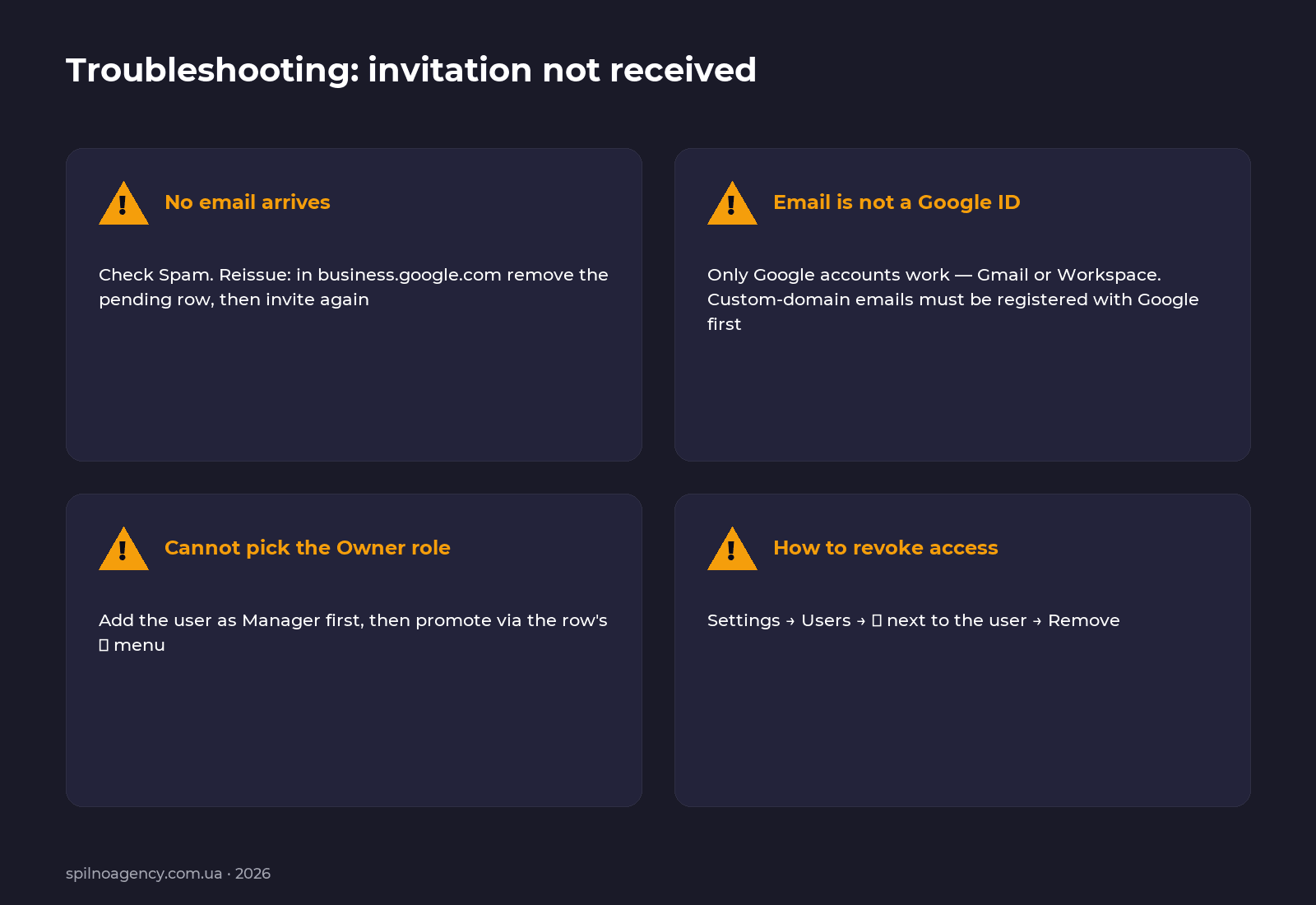
- Email went to Spam. Check Spam, Promotions and Updates tabs. If you find the message, mark it as “Not Spam” so future invitations land in the main inbox.
- Email is not a Google account. GBP can only invite Google IDs — Gmail or Google Workspace. A corporate email like [email protected] must first be registered as a Google account.
- Wrong account. A common mistake: you are signed in to business.google.com under one account, but the invite was sent to a different email. Open the email on the same Google account that received it.
- Invitation expired. Invitations have a limited lifetime. If nothing happens, remove the “Pending” row from the user list and reinvite.
- Multiple accounts in the same browser. Sign out of all Google accounts and sign in only to the one that received the invitation.
Extended grant & accept checklist
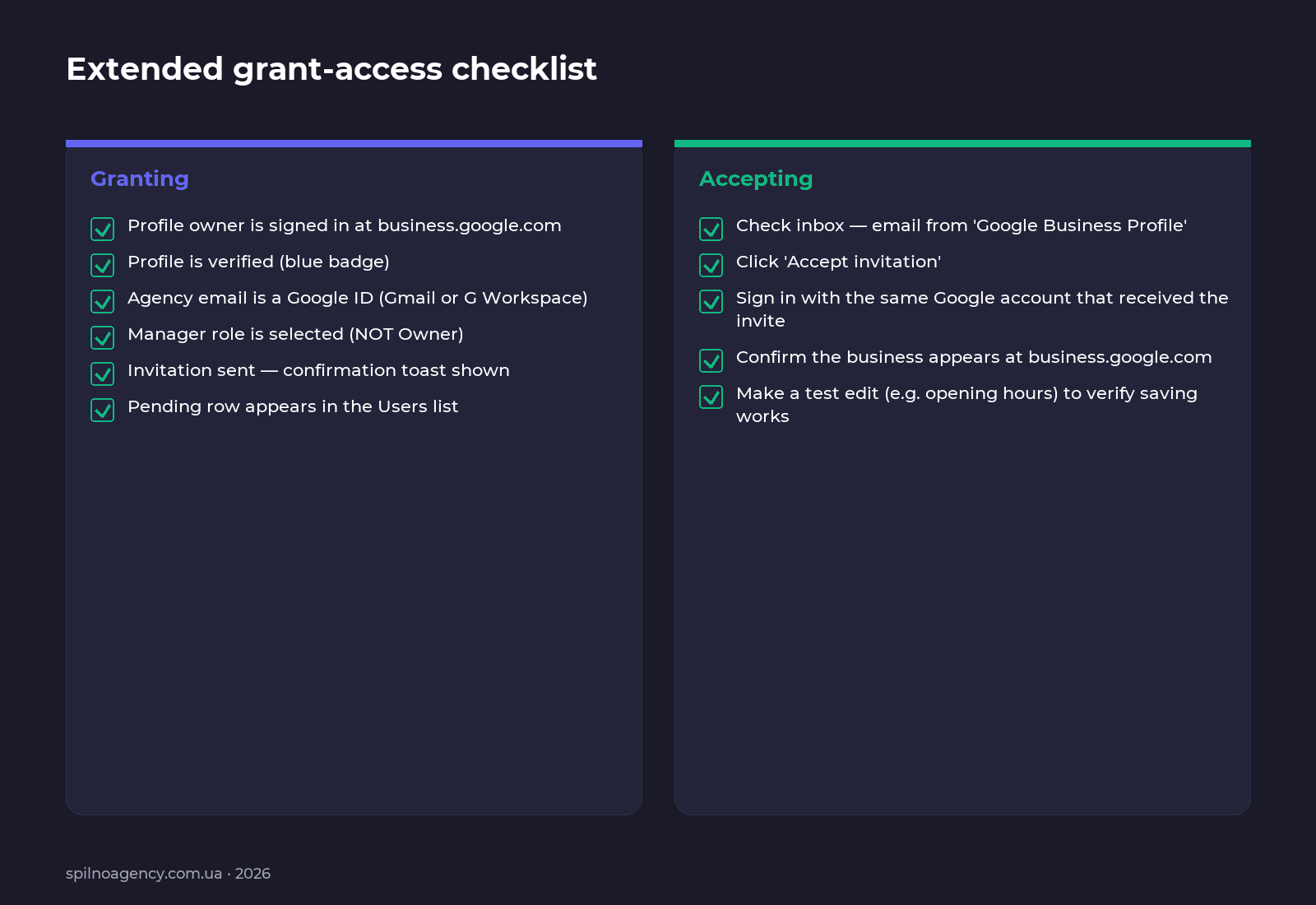
Owner checklist (granting access)
- Owner is signed in to business.google.com.
- The profile is verified — blue badge next to the business name.
- Agency email is a Google account (Gmail or Workspace). If the agency uses a custom domain like @agency.com, confirm the email is linked to a Google ID.
- Correct role selected: Manager for agencies; Owner only when there is a deliberate reason.
- Invitation sent — Google shows a confirmation toast.
- The user list now has a “Pending” row.
- Owner notifies the agency that an invite has been sent.
Agency checklist (accepting an invitation)
- Open the email from “Google Business Profile”.
- Click “Accept invitation”.
- Sign in to the exact Google account that received the email.
- Confirm the business shows up at business.google.com.
- Make a test edit (e.g. opening hours) to confirm changes save.
- Notify the client and agree on the work plan.
Can I create a profile without a physical address
Yes. At one of the registration steps Google asks: “Add a branch customers can visit, such as a store or office?”. Pick “No” — and Google offers to define a service area instead of a fixed address. This is the right setup for mobile services: at-home masters, delivery, on-site repair, regional online consultations.
What kind of business benefits most from Google Business Profile
GBP works for almost any business, but the upside is biggest when customers find you locally:
- Cafés, restaurants, bars, coffee shops.
- Retail stores and showrooms.
- Beauty: salons, barbershops, cosmetology, dental.
- Medical and veterinary clinics.
- Auto service, tire shops, repair shops.
- Legal & accounting services with office reception.
- Hotels, hostels, short-term apartments.
- Mobile masters: plumbers, electricians, mobile groomers — using the “service area” mode.
FAQ
How many users can I add to a Google Business Profile?
There is no hard limit on managers and owners. In practice a profile usually has 1 primary owner, 1–2 additional owners and 1–5 managers.
Can I grant access without a Gmail account?
Only if the email is registered as a Google ID. A corporate address on @company.com must first be added to Google via Workspace or a “Google Account without Gmail”.
What is the difference between “Manager” and “Site Manager”?
“Site Manager” is a legacy role. In the modern interface it behaves like a regular Manager; do not confuse it with an Owner.
Can a manager see financial data?
GBP does not contain financial data. It shows queries, views, clicks, calls and similar insights. If you run Google Ads, that’s a separate product with its own permissions — granting GBP access does not grant Ads access.
Can I create a Google Business Profile without a physical address?
Yes. During registration, when asked “Add a branch customers can visit?”, choose “No” and define a service area instead.
What business benefits the most from Google My Business?
Any business that serves customers at a specific physical location or covers a defined region: cafés, retail, beauty studios, clinics, legal practices, hotels, mobile services.
Need help setting up Google Business Profile, transferring it back to the client or optimising it for local SEO? Reach out to Spilno Agency — or drop a comment below describing what got stuck.

Read also
Spilno Agency’s Experience: How We Verify Events Before Starting Work
Before launching a campaign in Google Ads or Meta Ads, or starting SEO work, Spilno Agency always checks…
GA4 DebugView: How to Verify Google Analytics Events in Real Time
DebugView is the section of Google Analytics 4 that shows your site’s events in real time, seconds after…

Top Claude Skills for TikTok Ads Specialists (2026)
9 verified Claude skills and MCP servers for TikTok Ads: Pixel/Smart+ audits, Spark Ads hook/hold rate, creator sourcing,…