Google Ads Audit for E-commerce: What It Should Look Like in 2026

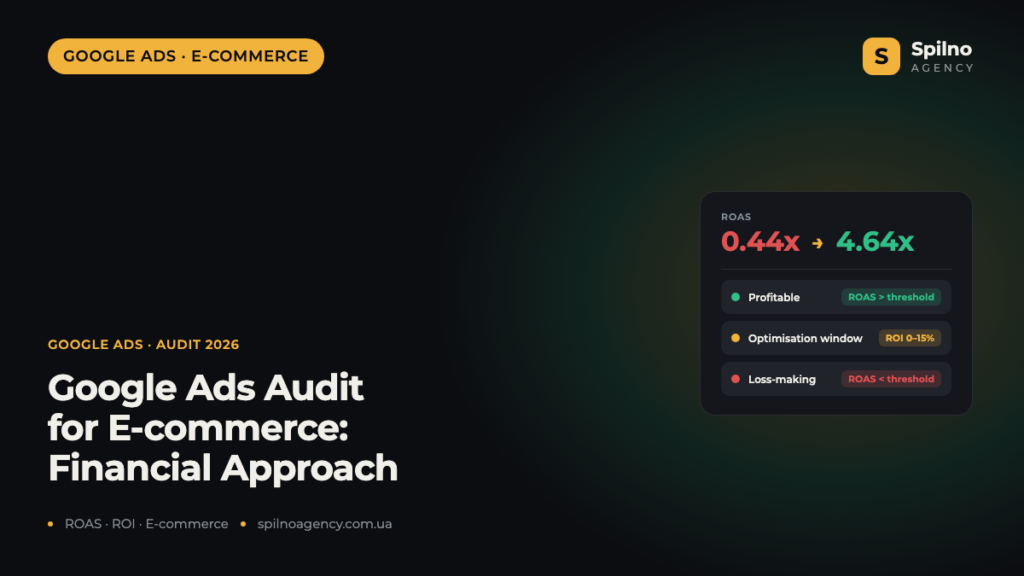
A Google Ads audit for an online store is not a check of CTR and campaign settings. It is a financial analysis: are your ad spend returning a profit, and what is preventing you from scaling? In this article — the methodology we use at Spilno Agency, and a real audit example.
Why a Classic Google Ads Audit Doesn’t Work for E-commerce
Most ad account audits look the same: checking campaign structure, keyword quality scores, ad relevance, CTR and cost-per-click. All of this is packaged into a large PDF with dozens of “recommendations”.
There is one problem: none of these points answers the core business question — are we making money from advertising?
For an online store, everything comes down to one metric: ROAS (Return on Ad Spend) relative to the business margin. Everything else — CTR, campaign structure, CPC — are tools, not goals. Tools only matter when the goal is not being reached.
Financial Google Ads Audit: The Only Right Approach for E-commerce
At Spilno Agency, we approach Google Ads audits differently. The first question is not “how are the campaigns set up?” but “is the store making money from advertising?”.
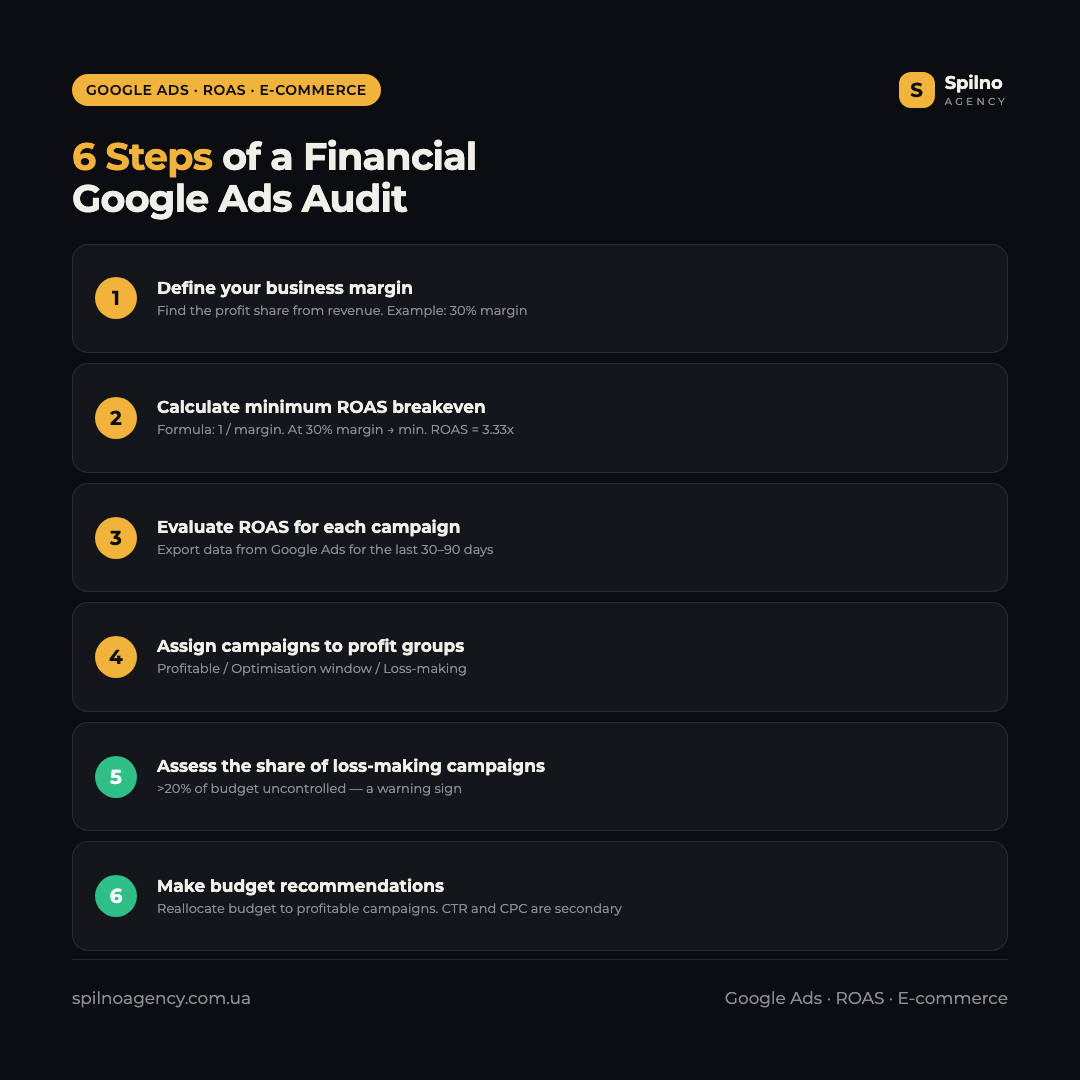
To answer this, we need three input parameters:
- Business margin — what share of revenue is profit (e.g. 30%).
- ROAS per campaign — how much revenue each pound/euro/dollar spent on ads generates.
- Minimum breakeven ROAS — a simple formula: 1 / margin. At a 30% margin, the minimum ROAS = 3.33x. Campaigns above this threshold are profitable; below it — loss-making.
Three Campaign Groups: The Foundation of a Financial Audit
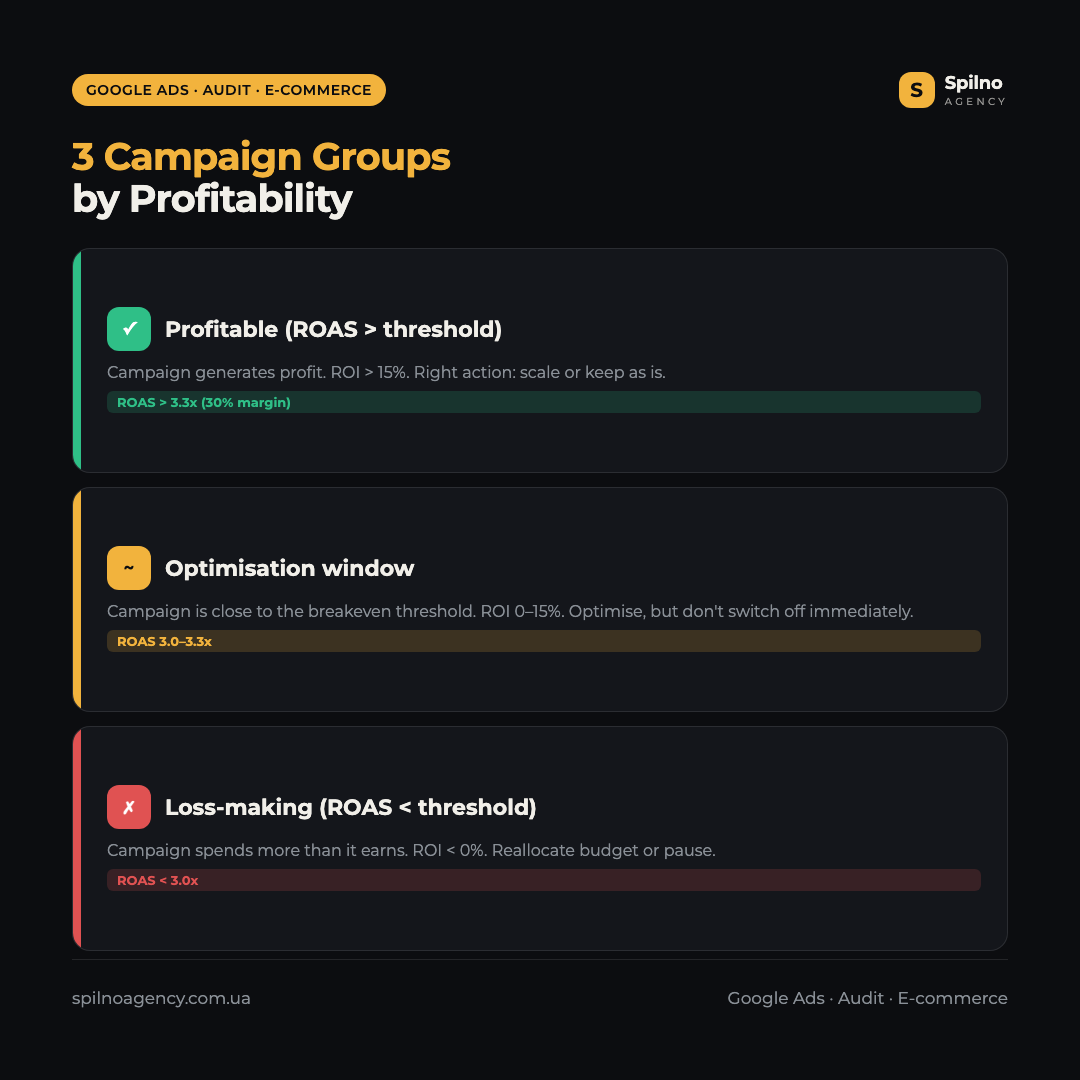
Once we calculate the breakeven threshold, we assign all campaigns in the account to three groups:
Profitable (ROAS above the minimum threshold, ROI > 15%). The campaign generates real profit. Right action: scale or leave unchanged.
Optimisation window (ROAS close to the threshold, ROI 0–15%). The campaign is close to profitability. Right action: optimise bids, audiences and creatives — but don’t switch off immediately.
Loss-making (ROAS below the threshold, ROI < 0%). The campaign spends more than it earns. Right action: reallocate budget to profitable campaigns or pause.
When Loss-Making Campaigns Are Normal
Not every loss-making campaign is a problem. In a well-structured strategy, the share of test campaigns with incomplete payback is 5–20% of the total budget. This is controlled testing of new audiences, products or ad formats.
If the client is aware of this and is consciously investing in testing — this is normal business practice. A specialist who recommends stopping all “test” campaigns without reviewing their potential is demonstrating a lack of strategic understanding.
When It Becomes a Warning Sign
Loss-making campaigns become a problem under two conditions:
- The share of loss-making campaigns exceeds 20–30% of the budget and this is not controlled testing.
- The client is unaware that these campaigns are loss-making — meaning the agency has not provided a clear financial report.
If both conditions are met simultaneously — this is a signal of poor contractor performance, not a “bad” market or seasonality.
CTR, CPC and Settings: Why We Look at Them Last
This is where most auditors make a fundamental mistake: they start with “ad quality”, “ad group structure”, “keyword quality score”. But these parameters are the result of strategy, not the cause of performance.
Campaigns can be profitable with a low CTR. And loss-making with a high one. A CPC of £5 can be cost-effective, while a CPC of £0.50 can be loss-making. Everything depends on the site’s conversion rate and the store’s average order value.
We analyse CTR, structure and settings only when there is a profitability problem and we need to identify exactly where efficiency is being lost: in ads, landing pages, audiences or bidding.
If the Audit Shows All Campaigns Are Profitable
The right agency in this situation will say: “Your campaigns are profitable. We can identify specific growth opportunities, but if you are satisfied with current performance — there is no reason to change your contractor or make significant changes.”
An agency’s goal should not be to convince you to change your contractor. The goal is to honestly answer: can we help your business earn more? If campaigns are profitable and scaling well — your current contractor is likely doing their job well.
Understanding the Client’s Real Goal Before the Audit
Sometimes a request for a Google Ads audit is not really about performance metrics. The client wants to resolve a communication problem with their contractor: they are not receiving clear reports, do not understand what they are paying for, or do not trust the numbers.
In this case, a campaign audit will not help: the problem is not in the settings but in the relationship. Checking ROAS and campaign structure will not restore trust or improve communication. What is needed here is a direct and honest conversation with the contractor, or a change of contractor — regardless of the audit results.
That is why, before starting an audit, we always ask: what is the real goal of this audit? The answer determines whether it is worth conducting one at all.
How We Automate Google Ads Audits Using AI
To conduct high-quality financial audits faster, we developed our own tool — RobotsCheck — built on Claude AI. It automatically analyses advertising account data and generates a structured financial report.
What RobotsCheck does:
- Calculates ROAS and profit for each campaign based on business margin.
- Automatically assigns campaigns to profit groups (profitable / optimisation window / loss-making).
- Forecasts the change in ROAS after reallocating budget from loss-making to profitable campaigns.
- Analyses performance by device, audience, time of day and day of week.
- Identifies Performance Max campaigns without Asset Groups — a common source of wasted spend.
This allows us to conduct a thorough financial Google Ads audit significantly faster, without the risk of missing critical numbers.
A Real Google Ads Audit Example for an Online Store
Below is an example of a financial audit generated using RobotsCheck for an online retailer. For this demonstration, the client’s domain name has been removed.
What the audit shows:
- Spend: 38,160 UAH, revenue: 16,684 UAH, profit: 5,005 UAH at 30% margin
- Current ROAS: 0.44x — well below the breakeven threshold at 30% margin (3.33x)
- 14 of 15 campaigns are loss-making (Group 3). Only 1 campaign (“Bicycle holders – Shopping”) is profitable at ROAS 4.64x
- Forecast after budget reallocation: ROAS rises to 4.64x, profit increase of +48,110 UAH
View the full report below or download the PDF:
Frequently Asked Questions About Google Ads Audits for E-commerce
How long does a Google Ads audit take?
A basic financial audit focused on campaign profitability takes 1–2 business days. A deep audit covering all levels (campaigns, ad groups, audiences, devices) takes up to a week, depending on the scale of the account and number of campaigns.
Is a Google Ads audit necessary if the advertising is already profitable?
Not necessarily. If ROAS is consistently above your minimum breakeven threshold and you are satisfied with the growth pace — an audit makes sense only to identify new scaling opportunities, not to fix problems.
What should I do if the audit reveals significant losses?
First, understand the scale and cause. If loss-making campaigns account for more than 20% of the budget and are not controlled testing, you need to revise the strategy: reallocate budget to profitable campaigns and pause the loss-making ones. Evaluate performance over 4–6 weeks after reallocation.
Can I conduct a Google Ads audit myself?
Yes. Export data from Google Ads for the past 30–90 days, calculate ROAS for each campaign and compare with your minimum threshold (1 / margin). For deeper analysis, you will need GA4 data and an understanding of margin by product category.
How can I tell if my Google Ads contractor is doing a good job?
A simple criterion: the contractor shows you financial results (revenue, profit, ROAS) broken down by campaign, and explains which campaigns are profitable and which are in testing mode. If reports contain only impressions, clicks and CTR without financial indicators — that is worth a conversation.

Read also

How to Control an SEO Specialist: The 5-Stage SEO KPI Funnel
SEO KPIs form a chain of five metrics that show, step by step, whether your SEO is actually…

Best CMS for an Online Store: Cloud vs Self-Hosted Platforms in 2026
Compare Shopify, WooCommerce, PrestaShop, OpenCart and Magento for your online store. Pros, cons, and a step-by-step CMS selection…
LinkedIn Ads Library: How to Find Your Competitors’ LinkedIn Ads (2026 Guide)
How to use the LinkedIn Ads Library to see any competitor's sponsored content for free — step by…