Google Ads Bidding Strategies for Online Stores: How They Work and Which to Use in 2026

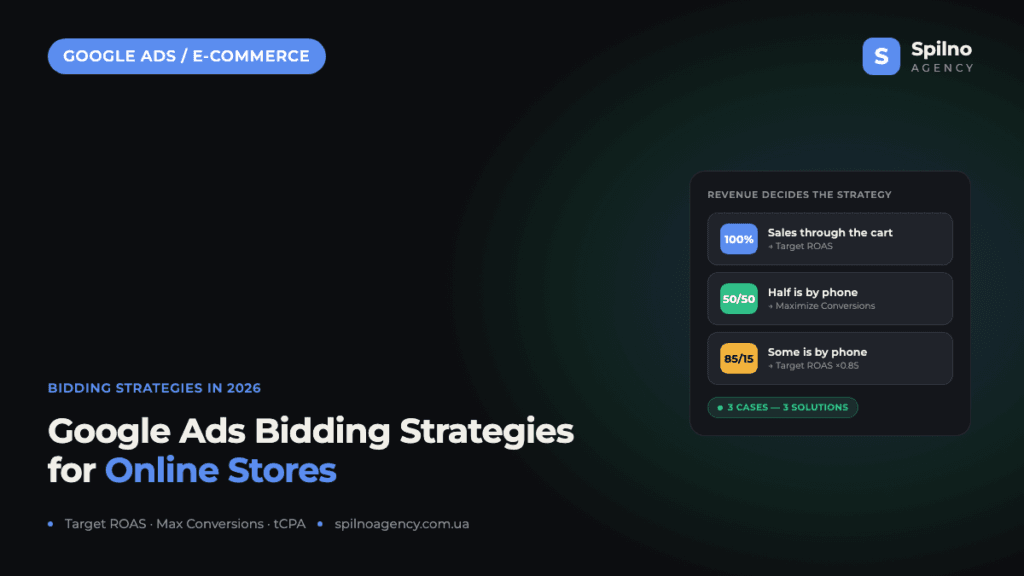
A Google Ads bidding strategy defines how the system sets your price per click or per conversion to reach your goal. For e-commerce, the most important are the value-based automated strategies — Maximize Conversion Value and Target ROAS. But their effectiveness depends entirely on whether real revenue is passed back into Google Ads. If part of your sales happen off-cart (by phone) and that revenue never reaches the system, you need a different strategy. This guide covers every 2026 bidding strategy and three typical e-commerce cases.
What a bidding strategy is in Google Ads
A bidding strategy is the rule Google Ads uses to decide how much to pay in each auction — for a click, an impression, or a conversion. The strategy you choose determines what the system optimises for: traffic, the number of orders, or revenue from advertising.
For an online store this is not a technical detail — it directly affects profit. The same campaign with a fixed monthly budget can return one revenue figure on a “Maximize Clicks” strategy and several times more on a correctly configured “Target ROAS”, because in the second case the algorithm optimises for revenue rather than clicks.
Manual vs automated strategies: the difference
Every Google Ads strategy falls into one of two groups.
- Manual — you set the cost-per-click yourself. Full control, but it ignores the hundreds of real-time signals (device, time of day, user history, purchase probability). Rarely used today, mostly for very small or niche campaigns.
- Automated (Smart Bidding) — using machine learning, Google sets a bid for each individual auction based on the probability of conversion. Almost every effective e-commerce campaign in 2026 runs on automated strategies.
Smart Bidding is the subset of automated strategies that optimise specifically for conversions or their value at auction time: Maximize Conversions, Target CPA, Maximize Conversion Value, and Target ROAS.
Every Google Ads bidding strategy in 2026
Maximize Clicks
The system tries to get as many clicks as possible within the budget. Goal: traffic. When to use: at the launch of a new store with no conversion data yet, or to build remarketing audiences. Risk: clicks are not sales — it is easy to burn budget on non-converting traffic.
Manual CPC and Enhanced CPC (eCPC)
You set the bid manually. Enhanced CPC adds a small automatic adjustment when the algorithm sees a high probability of conversion. When to use: very small budgets, low-data niches, or when you need tight control over the click price. For most stores this is now a legacy approach.
Maximize Conversions
The system spends the whole budget to bring the maximum number of conversions (orders), regardless of their value. When to use: when all orders are roughly equal in value (a store with a narrow range in one price band), or while accumulating conversion data before switching to value-based strategies.
Target CPA (tCPA)
You set how much you are willing to pay per conversion, and the system keeps the average cost per conversion near that target. When to use: when the number of orders at a fixed acquisition cost matters, or when conversion value is not passed into Google Ads and optimising for revenue is impossible. In 2026 tCPA is technically a mode of the “Maximize Conversions” strategy with a target.
Maximize Conversion Value
The system optimises not for the count but for the total value (revenue) of conversions within the budget. A more expensive order is worth more to it than a cheap one. Requirement: Google Ads must receive the dynamic conversion value (the amount of each order). When to use: a store with a wide price range, when you need to extract maximum revenue from a given budget.
Target ROAS (tROAS)
The most powerful strategy for e-commerce. You set a target ROAS (for example 500% = five units of revenue per one unit of spend), and the system bids to hold that return. It is the “Maximize Conversion Value” mode with a target. Requirement: accurate conversion-value tracking and enough data (a benchmark of 15+ conversions per campaign over 30 days). When to use: a mature store where profitability, not volume, is the priority.
Target Impression Share
The system bids to show your ad in a set share of auctions (for example, at the top of the page 80% of the time). Goal: visibility, not conversions. When to use: brand campaigns, protecting branded traffic from competitors. Rarely used for a store’s product campaigns.
Comparison: when to choose which strategy
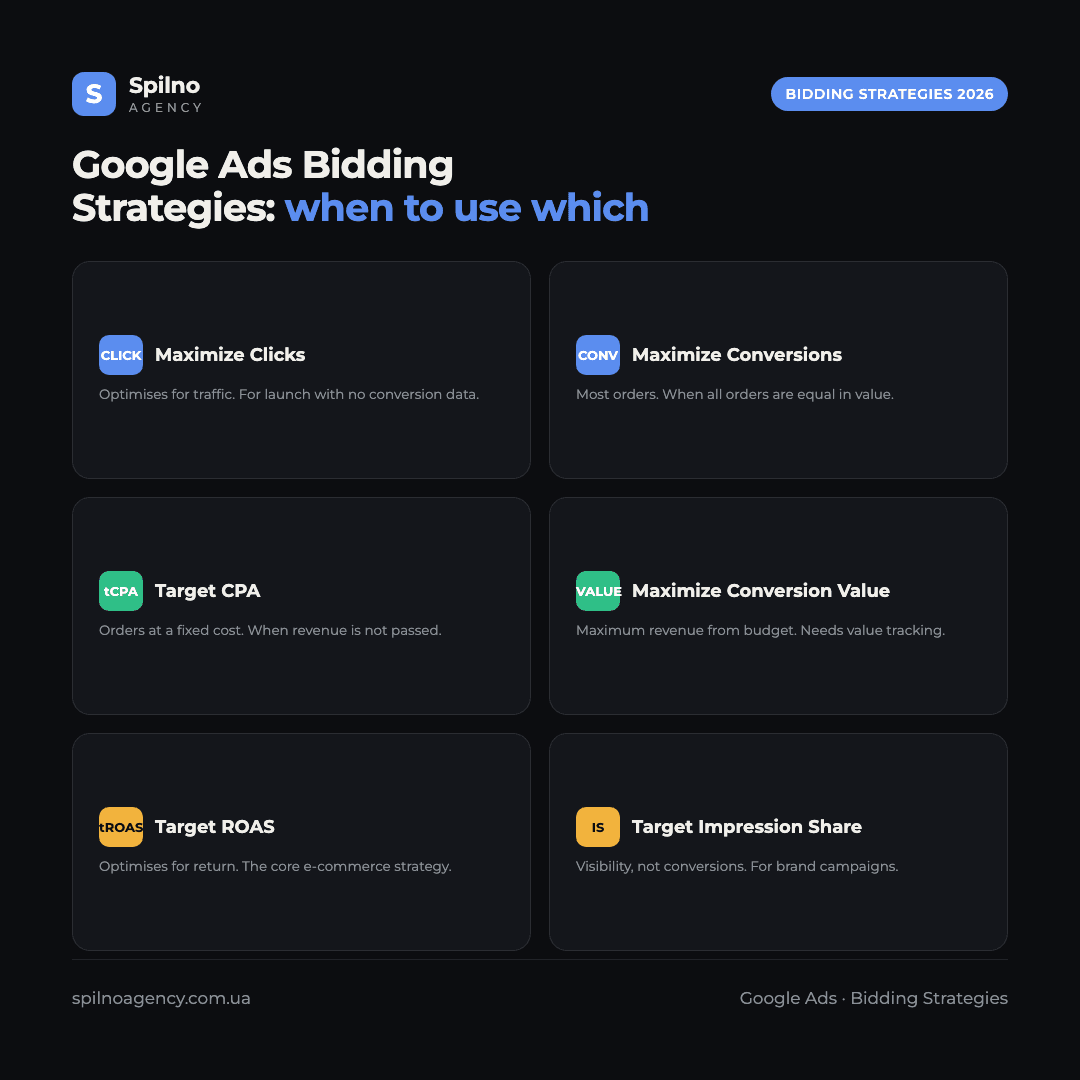
| Strategy | Optimises for | Needs conversion value? | When to choose |
|---|---|---|---|
| Maximize Clicks | Traffic | No | Launch, no conversion data |
| Maximize Conversions | Order count | No | Orders equal in value |
| Target CPA | Orders at a fixed cost | No | Revenue not passed, lead cost matters |
| Maximize Conversion Value | Total revenue | Yes | Wide price range, maximise revenue |
| Target ROAS | Profitability | Yes | Mature store, profitability matters |
The core condition for value strategies: passing revenue
This is the key point that decides the whole strategy choice for an online store. “Maximize Conversion Value” and “Target ROAS” work only when Google Ads knows the real amount of each sale. That value is passed by the purchase tag (a purchase event with a value parameter) on the thank-you page after checkout through the cart.
The problem is that many stores get a large share of sales off-cart — by phone, in messengers, in chat. Those sales generate real revenue, but Google Ads never learns about them because the conversion did not happen on the site. The algorithm optimises “blind”, on incomplete data. That is why three stores selling the same product can each need a different bidding strategy.
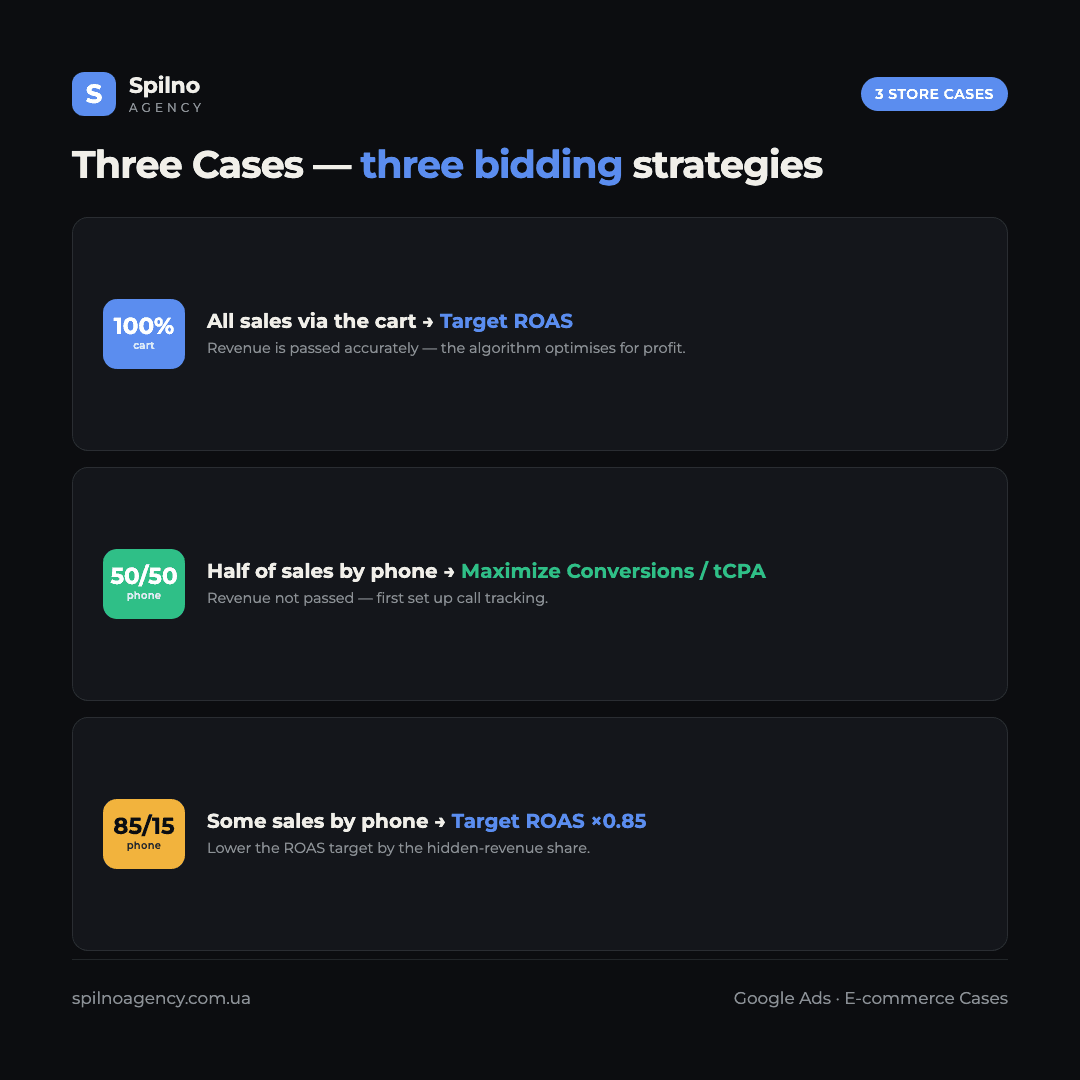
Case 1. A store where 100% of sales go through the cart
Situation: every order is placed online, the purchase tag passes the exact value of each sale, the data is complete and clean.
Recommended strategy: Target ROAS (or “Maximize Conversion Value” during the data-accumulation stage). This is the ideal Smart Bidding scenario: the algorithm sees the real revenue behind every click and can optimise for profitability itself.
- Make sure the
purchaseconversion passes a dynamic value (the real order amount, not a fixed number). - Launch on “Maximize Conversion Value” without a target ROAS until you gather 15+ conversions over 30 days.
- Once there is enough data, switch to Target ROAS, setting the target at your actual ROAS over the last 30 days, then raise it gradually.
- For product campaigns (Performance Max, Shopping), use a Merchant Center feed with correct prices and availability.
Result: the system scales budget toward the products and audiences that generate the most revenue and cuts spend on low-return segments.
Case 2. A store where 50% is cart, 50% is phone (revenue not passed)
Situation: half the orders are placed online, the other half by phone, and the revenue from phone sales never reaches Google Ads. This is the most common and most dangerous situation.
Why Target ROAS will work poorly here: the algorithm sees only half the revenue. It will treat the products and keywords that drive many calls as “unprofitable” (because they have few online conversions) and cut bids on them — even though they actually bring half the turnover. You would be optimising the business against itself.
The right approach, in priority order:
- Best — start passing phone sales. Set up call tracking (Google call tracking, dynamic number insertion — Ringostat, CallTrackingMetrics, etc.) and upload offline conversions with real revenue via Offline Conversion Import or GCLID / Enhanced Conversions for Leads. Then Google Ads sees the full picture and you can move to Target ROAS.
- While revenue is not passed — do not use Target ROAS. Optimise for the action, not the revenue: use Maximize Conversions or Target CPA, counting both an online order and a call longer than 60 seconds as a (proxy) conversion. That way the algorithm weighs both channels evenly.
- Assign an estimated value to a call. If the average phone-order value is known, give the call a static value (for example, average order value × call-to-sale rate). This approximation lets you cautiously test value-based strategies even without exact data.
Key rule of this case: never move a store with a large share of “unpassed” sales onto Target ROAS — you would force the algorithm to ignore half the business. First set up call tracking, then optimise for value.
Case 3. A store where 85% is cart, 15% is phone (revenue not passed)
Situation: the vast majority of sales are online with correct revenue tracking, and only 15% are by phone without passing. The data is almost complete, but not 100%.
Recommended strategy: Target ROAS is usable — 85% of the signal is enough for the algorithm to learn correctly. But you must account for the “invisible” 15%, otherwise the ROAS target will be overstated and the campaign will under-deliver traffic.
- Adjust the target ROAS for the hidden-revenue share. If phone genuinely adds about 15–18% more turnover, lower the target ROAS by roughly that share. Example: if the business goal is 500% total ROAS but the system sees only 85% of revenue, set the campaign target to ≈ 425% (500% × 0.85). The “visible” return then matches the real business goal.
- Set up call tracking in parallel. Even at “just” 15%, passing offline conversions removes the need for a manual correction and makes optimisation more precise.
- Watch segments with above-average call share. If certain product categories generate disproportionately many phone orders, the correction for them should be larger — or move them into a separate campaign.
Result: the store gets all the benefits of Target ROAS, while the correction factor compensates for the small volume of unpassed revenue until full call tracking is in place.
Three cases — three solutions
Performance Max: do you need conversions before launching
The short answer, per Google’s official documentation: you can launch a Performance Max campaign without accumulated conversions, but Google explicitly warns that the campaign’s spend will be limited in that case.
Google’s “Create a Performance Max campaign” help page states that you can create a Performance Max campaign even without conversion tracking, or without meeting conversion tracking requirements — but that the campaign’s spend may be limited (in practice, the system will not spend the budget fully because it lacks the signals to optimise).
At the same time, Performance Max optimises by default on the automated “Maximize Conversions” or “Maximize Conversion Value” strategies. And for “Maximize Conversions”, Google recommends having a baseline of at least 15 conversions in the last 30 days before applying it.
Practical takeaway: technically PMax launches straight away, but without correct conversion tracking and at least some history the algorithm has nothing to learn from — and Google itself will limit delivery. So the optimal order for an online store is: first set up conversion tracking with value passing, ideally accumulate conversion data, and only then scale Performance Max.
Sources (Google Ads Help): Create a Performance Max campaign, About Maximize conversions bidding.
Portfolio bid strategies: how to work with them
A portfolio bid strategy is an AI-powered automated strategy that optimises bids across multiple campaigns, ad groups, or keywords from a single place. Instead of configuring the same strategy separately in each campaign, you create one portfolio strategy and apply it to a group of campaigns.
Both Smart Bidding strategies (Target CPA, Target ROAS, Maximize Conversions, Maximize Conversion Value) and automated ones (Maximize Clicks, Target Impression Share) are available as portfolios. They are managed under Tools → Shared library → Bid strategies.
How an online store should work with them:
- Pool campaigns with low conversion volume. If individual campaigns have fewer than 15 conversions in 30 days, a portfolio strategy combines their data — and Smart Bidding gets enough volume to learn stably.
- Single point of control. Change the Target ROAS or Target CPA once in the portfolio and it applies to every campaign inside it.
- Limits and caps. Portfolio strategies let you set maximum/minimum bid limits (except for some types). At the manager (MCC) level, cross-account bid strategies are available for agencies.
- Important: portfolio bid strategies are not available for Performance Max campaigns — PMax manages bids with its own algorithm at the campaign level.
Sources (Google Ads Help): Portfolio bid strategy: Definition, Create a portfolio bid strategy.
Should you use “Maximize Clicks” before “Maximize Conversions” or Target ROAS
It depends on whether the campaign has conversion history. Per Google’s documentation, “Maximize Conversions” is recommended once you have a baseline of at least 15 conversions in the last 30 days.
- If you already have conversions (15+ in 30 days) — you can turn on “Maximize Conversions” straight away, with no intermediate “Maximize Clicks” stage.
- If the campaign is brand new with no conversion data — Google explicitly advises using “Maximize Clicks” first to build traffic and gather conversion data, then moving to “Maximize Conversions”.
- For Target ROAS / Maximize Conversion Value the logic is the same, but even more data (with value) is needed. So the path is usually three-step: Maximize Clicks → Maximize Conversions (or Value) without a target → Target ROAS with a target.
In other words, “Maximize Clicks” is not a mandatory stage in itself — it is a way to gather data quickly when you have none. If conversions are already coming in, you can skip this step.
Source (Google Ads Help): About Maximize conversions bidding.
Bidding strategy best practices in 2026
- Tracking first, strategy second. Automated strategies are only as smart as the conversion data you feed them.
- Don’t change strategy more than once every 2–3 weeks. Every change triggers a new learning phase during which performance temporarily dips.
- Don’t set an aggressive target from the start. Too high a Target ROAS or too low a Target CPA will “choke” the campaign — the system stops entering auctions. Move in 10–15% steps.
- Ensure enough conversion volume. Smart Bidding needs 15+ conversions per campaign over 30 days to run stably; below that, merge campaigns or use portfolio strategies.
- Use Enhanced Conversions and Consent Mode v2. Cookie limitations lose part of your conversions — enhanced conversions recover the data and improve the quality of the algorithm’s learning.
- Pass profit, not turnover, for value. For products with different margins, send profit as the value (value = margin) so ROAS reflects real profitability rather than gross revenue.
Conclusion
In 2026, bidding strategy for an online store is above all about data quality. If every sale goes through the cart and revenue is passed accurately, Target ROAS delivers maximum profit. If a large share of sales happen by phone without passing revenue, first set up call tracking or optimise for conversion count rather than revenue. And when the “unpassed” share is small (10–15%), Target ROAS works with a correction factor for the hidden revenue.
If you need help choosing and configuring a bidding strategy, connecting offline conversions, or auditing existing campaigns, the Spilno Agency team is ready to help European e-commerce businesses.
Frequently asked questions about Google Ads bidding strategies
What is the best bidding strategy for an online store?
For a mature store where all sales go through the cart and revenue is passed accurately, Target ROAS is best. If part of the sales happen by phone without passing revenue, first use Maximize Conversions or Target CPA, then move to Target ROAS after setting up call tracking.
What is the difference between Target CPA and Target ROAS?
Target CPA optimises for the number of conversions at a fixed cost and does not need conversion value. Target ROAS optimises for revenue and works only when the real amount of each sale is passed. For a store with a wide price range, Target ROAS is usually more profitable.
What if sales happen by phone and revenue is not passed?
Do not use Target ROAS while phone sales are invisible to the system. Set up call tracking and upload offline conversions with revenue. Temporarily optimise on Maximize Conversions or Target CPA, counting a call longer than 60 seconds as a conversion.
How many conversions does Smart Bidding need?
The benchmark is 15+ conversions per campaign over 30 days. If fewer, merge campaigns, use portfolio strategies, or start with Maximize Conversions without a target.
Can I launch a campaign straight on Target ROAS?
Not recommended — the algorithm has nothing to learn from without data. Start with Maximize Conversions or Maximize Conversion Value, and after 15+ conversions over 30 days move to Target ROAS, raising the target gradually.
How often can I change the bidding strategy?
No more than once every 2–3 weeks. Every change triggers a new learning phase. Change the target in 10–15% steps, not sharply.

Read also
Google Tag Manager Workspaces: Why You Need Them and How to Use Them in 2026
A workspace in Google Tag Manager is a “draft” of a container — a place to safely edit…
How to Track Revenue, Transactions and Purchases in Google Analytics 4 from WordPress WooCommerce
Introduction WooCommerce store owners are often convinced that Google Analytics 4 already shows them revenue, transaction counts and…
How to Analyze Hourly Statistics in Google Analytics 4
Google Analytics 4 has no dedicated “hourly statistics” menu item, but you can get that exact breakdown in…