Meta Ads Manager: How to Login, Set Up and Launch Your First Ad

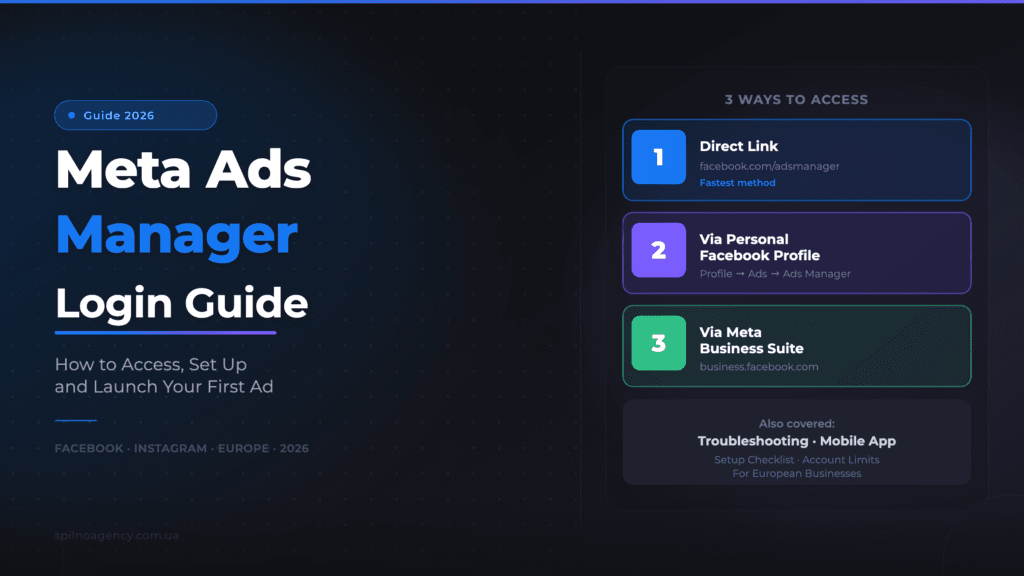
Accessing your Meta Ads Manager (Facebook Ads Manager) takes just 2 minutes: the fastest way is to go directly to facebook.com/adsmanager. If your account is linked to a business page, use business.facebook.com. This guide covers 3 login methods, a step-by-step setup checklist, and answers to the most common questions — for European businesses.
What Is Meta Ads Manager
Meta Ads Manager (formerly Facebook Ads Manager) is the central platform for creating, managing, and analysing ads across Facebook, Instagram, Messenger, and the Meta Audience Network. In 2021, Facebook Business Suite rebranded to Meta Business Suite, but the Ads Manager interface remained largely the same.
Key point: the Facebook ad account, the Instagram ad account, and the Meta Ads account are all the same thing. Facebook and Instagram are both Meta products, so you manage ads for both platforms from a single Ads Manager account.
From one Meta Ads Manager account you can:
- Run campaigns simultaneously on Facebook and Instagram across European markets
- Target audiences by location, demographics, interests, and behaviour
- Track ROAS, CPL, CTR, CPC, and other key metrics in real time
- Manage campaign budgets and scheduling
- Test different creative formats (images, video, carousel, Stories, Reels)
- Run retargeting campaigns using Meta Pixel data
3 Ways to Access Meta Ads Manager
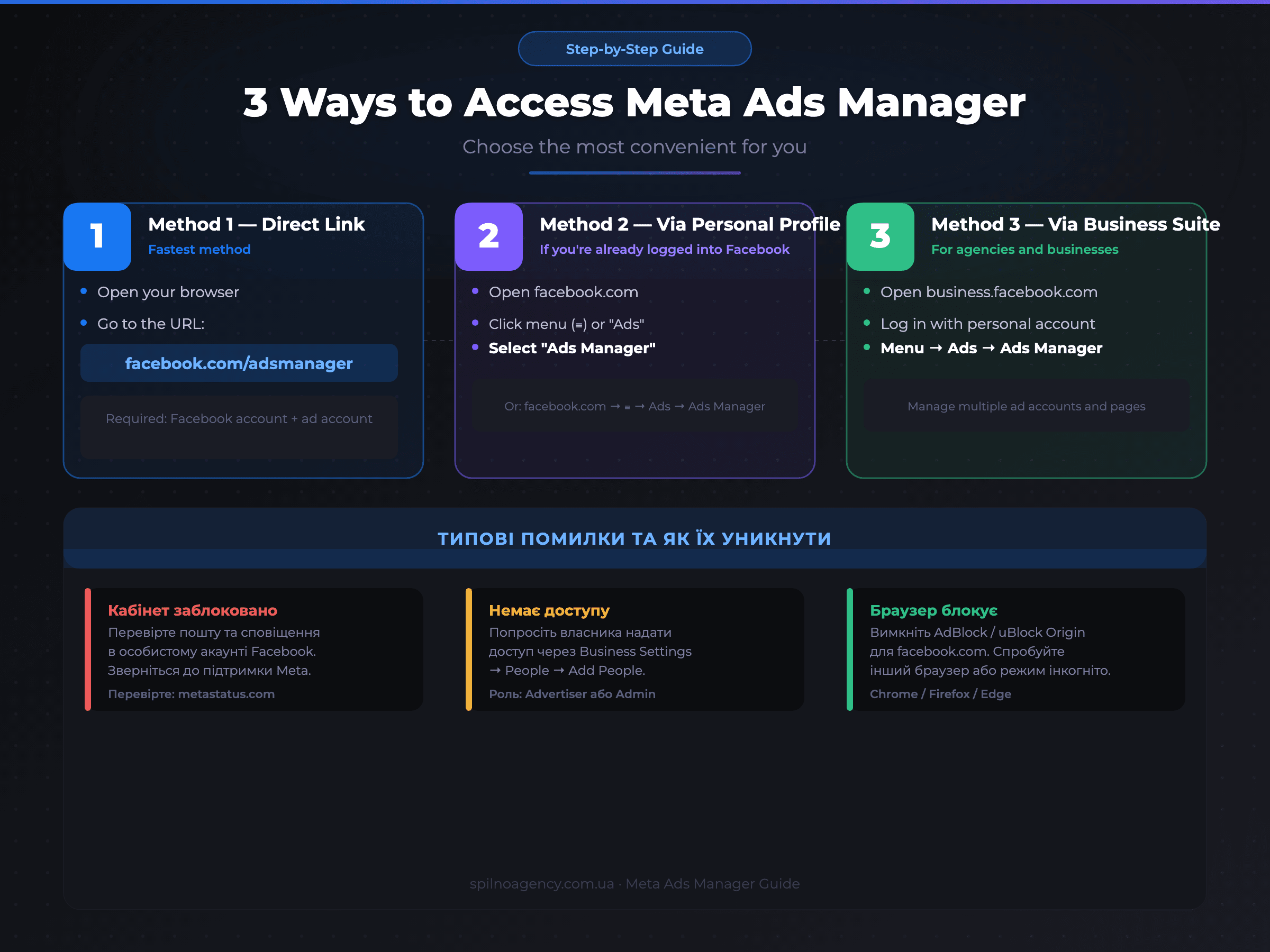
Method 1 — Direct Link (Fastest)
Simply navigate to one of these URLs:
- https://www.facebook.com/adsmanager — the most direct path
- https://adsmanager.facebook.com — alternative URL
If you’re already logged into Facebook, you’ll land directly in your campaigns list. If not, you’ll be prompted to log in with your personal Facebook account first.
Method 2 — Via Your Personal Facebook Profile
- Log in to facebook.com with your email and password
- Click the grid icon (⊞) or the three-dot menu (···) in the top-right corner
- Select “Ads” or “Ads Manager”
- If you can’t find it, use the search bar at the top and type “Ads Manager”
Method 3 — Via Meta Business Suite
Meta Business Suite is the primary tool for businesses and agencies managing multiple ad accounts, pages, and teams across European markets.
- Go to https://business.facebook.com
- Log in with your personal Facebook account
- In the left sidebar, select “Ads” or “Ads Manager”
- Choose the relevant ad account from the list (if you manage multiple accounts)
How to Set Up Meta Ads Manager: Step-by-Step Checklist
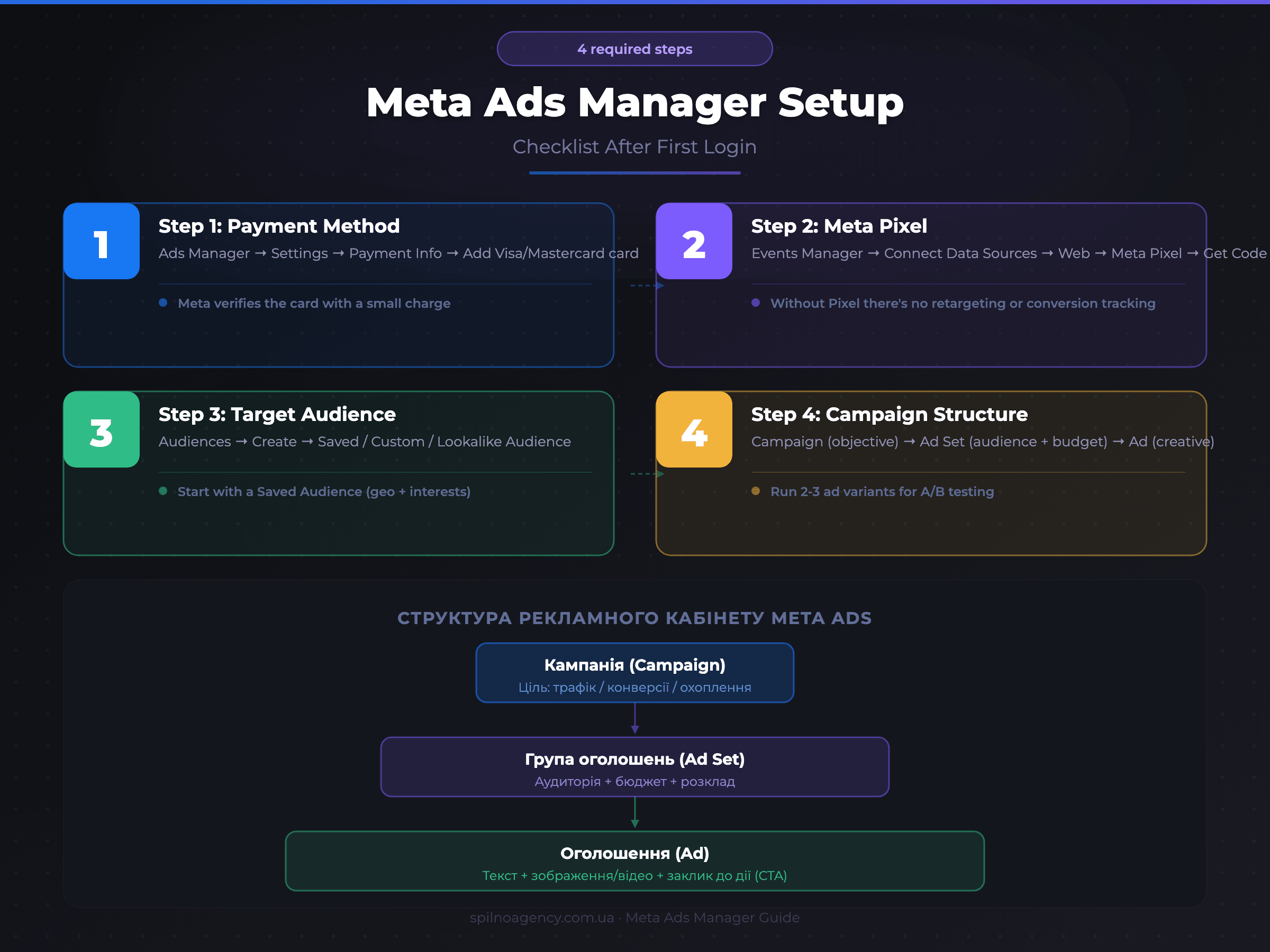
After your first login, complete these 4 essential setup steps before launching your first campaign.
Step 1: Add a Payment Method
In Ads Manager, click the menu icon in the top-left corner → Settings → Payment Information → Add Payment Method. Most European businesses use Visa or Mastercard. After adding a card, Meta charges a small amount ($1–$2) for verification — this is returned or credited to your ad balance.
Step 2: Install Meta Pixel on Your Website
Meta Pixel is a code snippet that tracks visitor actions on your website and enables retargeting. To install it:
- In Ads Manager, go to Events Manager
- Click “Connect Data Sources” → Web → Meta Pixel
- Copy the pixel code and add it to the
<head>section of your website, or install it via Google Tag Manager - Verify the Pixel is working with the Meta Pixel Helper Chrome extension
Step 3: Create a Target Audience
In the Audiences section, create your first audience. There are three types:
- Saved Audience — target by location, demographics, and interests. Ideal for beginners
- Custom Audience — upload your customer list (emails, phone numbers) or target website visitors via Pixel
- Lookalike Audience — find people similar to your existing customers. Great for scaling campaigns across Europe
Step 4: Understand the Campaign Structure
Meta Ads Manager uses a three-level structure:
- Campaign — defines the overall objective: traffic, conversions, reach, lead generation
- Ad Set — sets the audience, budget, schedule, and placements
- Ad — the creative itself: copy, image or video, and call-to-action (CTA)
Meta Ads Manager Mobile App
For monitoring and basic campaign management on the go, download the official Meta Ads Manager app:
- iOS: App Store — search “Meta Ads Manager”
- Android: Google Play — search “Meta Ads Manager”
The mobile app lets you view campaign statistics, edit daily budgets, and turn campaigns on/off. For creating new campaigns and detailed audience targeting, a desktop browser is recommended.
Troubleshooting: Why Meta Ads Manager Won’t Open
- Ad account is disabled. Check notifications from Meta in your personal Facebook account. Contact Meta support via facebook.com/business/help
- No ad account exists yet. New users need to create a Business Manager and ad account in Business Settings first
- Browser extension blocking the page. Disable AdBlock / uBlock Origin for facebook.com. Try another browser (Chrome, Firefox, Edge) or Incognito mode
- No access to the account. Ask the account owner to grant you access via Business Settings → People → Add People
- Meta platform issue. Check platform status at metastatus.com
How Many Ad Accounts Can You Have on Meta
- New Business Manager: 1 ad account
- After initial spend: up to 2 accounts
- With consistent spending: up to 5 accounts
- Active advertisers: up to 25 accounts (limit grows automatically)
For agencies managing many client accounts across Europe, the best approach is to have each client grant you access to their own account via Business Settings, rather than creating new accounts from scratch.
Frequently Asked Questions
How do I access Meta Ads Manager?
Go directly to facebook.com/adsmanager or business.facebook.com. Log in with your personal Facebook account. On mobile, download the “Meta Ads Manager” app from App Store or Google Play.
Why won’t Facebook Ads Manager open?
Most common causes: the ad account is disabled, no ad account exists yet, a browser extension is blocking the page, you don’t have access to the account, or there’s a Meta platform outage. Check metastatus.com to rule out the last option.
How do I create a Facebook ad account from scratch?
Go to business.facebook.com → create a Business Manager → Business Settings → Ad Accounts → Add → Create a new ad account. Set your currency (EUR for European businesses), time zone, and add a payment method.
How many ad accounts can I have?
A new Business Manager starts with 1 ad account. The limit increases automatically based on your spending history: up to 2, 5, and then 25+ accounts. Agencies can also access client accounts via Business Settings without counting against their own limits.
Can I run Facebook ads without a website?
Yes. Use Lead Ads to collect contacts directly in Facebook/Instagram (no website needed). For sales, use Facebook Shop or Instagram Shop. For direct communication, drive traffic to Messenger or WhatsApp.

Read also
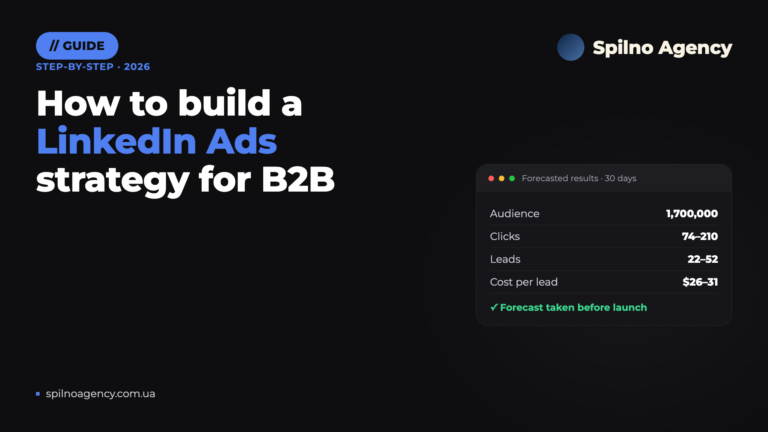
How to Build a LinkedIn Ads Strategy: A Step-by-Step Plan Based on a Real Case
How to build a LinkedIn Ads strategy for B2B: ICP brief, audiences, Campaign Manager forecast, budget and funnel.…

How Long Does Google Take to See Changes on Your Website: Google’s Data on Crawling, Indexing and Serving
We break down Google's slides from Search Central Live: how long crawling, indexing and serving of changes take,…
How to Transfer (Move) a Google Analytics 4 Property to Another Account: Step-by-Step Guide
A step-by-step guide with screenshots: how to move a Google Analytics 4 property to another account without losing…