What Is a Domain and What Role Does It Play in SEO?


A domain is a human-readable address for a website on the internet (for example, spilnoagency.com.ua), which the DNS system translates into the server’s numeric IP address. In SEO, a domain isn’t a strong direct ranking factor, but its age, history, stability, and how carefully any change of domain is handled all have a direct impact on how much search engines trust a site and where it ranks. In this guide, we break down what a domain name is actually made of, how it differs from hosting and a URL, the real role it plays in domain name SEO, and how to choose a domain that helps your rankings instead of working against them.
What Is a Domain, in Simple Terms
Picture the internet as a vast city where every website is a separate building. Each building has its own unique numeric address — an IP address, something like 172.67.14.2. Numbers like that are convenient for computers but awkward for people: remembering a string of digits is far harder than remembering a word. A domain is exactly that — a readable street name and house number standing in for the raw address. Instead of typing a long string of digits into your browser, you simply type spilnoagency.com.ua.
Behind the scenes, this works through DNS (the Domain Name System) — the internet’s global “phone book”. When you type a domain into your browser, DNS servers look up, within milliseconds, which IP address that name points to, and the browser connects directly to the right server. Without DNS and domain names, the internet would only be usable by memorising numeric addresses for every website — which in practice would have made it unworkable at any real scale.
A domain is often confused with two related concepts — hosting and a URL. The distinction matters: mixing them up makes it much harder to brief a developer or agency correctly on a technical task.
| Term | What it is | Example |
|---|---|---|
| Domain | The site’s name — the address you type into a browser | spilnoagency.com.ua |
| Hosting | The server where the site’s files and database are physically stored | server space at a hosting provider |
| IP address | The server’s numeric address, which DNS resolves a domain into | 172.67.14.2 |
| URL | The full address of one specific page: protocol + domain + path | https://spilnoagency.com.ua/blog/article |
Put simply: a domain without hosting is an address with no building you can actually walk into; hosting without a domain is a building you can only reach via a long numeric IP address; and a URL is already a specific room inside that building — the address of one particular page. Hosting itself also affects SEO, mainly through page-load speed and site stability — we cover that in more detail in our guide to SEO hosting setup via cPanel.
What a Domain Name Is Made Of
A domain name isn’t one solid string — it’s made up of several levels separated by dots. Let’s break it down using blog.spilnoagency.com.ua as an example.
Top-Level Domain (TLD)
The last part of the address: .com, .eu, .org, .net. TLDs come in two main types — generic (gTLD: .com, .org, .net, open to anyone worldwide) and country-code (ccTLD: .de, .fr, .pl, tied to a specific country). In recent years, thematic zones have also appeared — .agency, .shop, .io, .dev — which don’t give a direct SEO advantage but can signal what a business does.
Second-Level Domain (SLD)
The part before the TLD — what people usually mean when they say “the domain name”: spilnoagency in spilnoagency.com.ua. This is the element a company chooses when registering a domain, and it typically matches the brand name.
Subdomain
An extra level in front of the main domain that a site owner creates without any separate registration: blog.spilnoagency.com.ua, shop.spilnoagency.com.ua. Subdomains are handy for logically separate sections of a site — a customer portal, a staging environment, or a regional version, for example.
The Role a Domain Plays in Domain Name SEO
This is usually the real question behind a search for domain name SEO advice. Let’s go point by point through where a domain genuinely affects a site’s rankings, and where the effect is mostly a myth.

A domain is not a strong, direct ranking factor
Google has repeatedly confirmed, officially, that the domain text itself is a weak signal. Having a keyword in the domain name (an Exact Match Domain, or EMD) gives almost no advantage in search results today. Before 2012, things were different — domains like buy-shoes-london.com really could get a noticeable ranking boost, which is why they were registered in bulk. After Google’s 2012 EMD algorithm update, that effect dropped sharply, and today content quality and a site’s backlink profile matter far more than any word sitting inside the domain.
Domain age and history
The influence here is indirect but real. A domain that has run stably for years accumulates backlinks, an indexing history, and search-engine trust — all of which are slow and difficult to rebuild from scratch on a brand-new domain. The flip side: buying a “dropped” domain (one released by a previous owner) can mean inheriting a toxic history — past penalties, spammy backlinks, or a shaky reputation. Before buying a used domain, check its history through the Wayback Machine and review its backlink profile, or you risk inheriting someone else’s problems along with the name.
HTTPS and domain security
An SSL certificate is tied directly to a domain and turns http:// into https://. Google has officially confirmed HTTPS as a (small but real) ranking factor since 2014, and modern browsers now flag non-HTTPS sites as “not secure” outright — which puts visitors off and pushes up bounce rates. Adding SSL to your own domain is one of the basic, non-negotiable steps when launching any website.
Domain stability and changing your site’s address
This is the riskiest domain-related move from a technical standpoint. When a company changes its domain — through a rebrand, a site merger, or a move from a staging domain to the live one — Google has to re-map every old page to its new equivalent. Without correct 301 redirects from each old URL to its matching new one, a site loses both rankings and part of its accumulated backlink profile, often for months at a time. If you’re planning a domain change, treat it as its own technical project, with a redirect checklist, updated internal links, and the new domain submitted in Google Search Console — we cover this in more depth in our guide to SEO website migration.
Subdomain or subfolder — which is better for SEO
A classic question when planning a site’s structure: should a blog live on blog.site.com (a subdomain) or site.com/blog (a subfolder)? Google officially states that it technically crawls and ranks both the same way. In practice, most SEO specialists still prefer a subfolder: its content immediately draws on the authority and trust of the main domain, whereas a subdomain is sometimes treated by search engines as a partially separate site with its own, weaker starting trust. Subdomains still make sense for genuinely separate technical pieces — a customer portal, an app, or a staging environment.
TLD choice and geo-targeting
A country-code domain (ccTLD, such as .de or .fr) is a direct signal to Google about which market a site is aimed at, and it often gives a ranking edge within that specific country. A global .com works well when a business is aimed at several countries at once, or at an international audience without a single-country focus. For businesses operating across several European markets, a common approach is to run separate country-specific domains, or subdomains/subfolders per language version, with hreflang set up correctly so search engines show each visitor the version of the site that matches their country and language.
Choosing a Domain Name That Helps Your SEO, Not Hurts It
A short, practical checklist for picking a new domain for a site or brand.
- Pick something short and easy to remember. The simpler a domain is to say and type, the fewer people mistype it when trying to find the site again.
- Build around your brand name, not an exact keyword. A domain like buy-shoes-online.com hasn’t offered an SEO advantage since 2012, and it looks less trustworthy to visitors than a branded name.
- Avoid hyphens and numbers. They’re harder to remember, increase the chance of typos when typed manually, and tend to be associated with spammy sites.
- Choose your TLD for the market you’re targeting. A business focused on one European country might reasonably pick that country’s ccTLD, like .de or .fr; an international or pan-European project usually defaults to .com.
- Check a domain’s history before buying it. If it isn’t brand new, look up its past through the Wayback Machine and review its backlink profile, so you don’t inherit someone else’s penalties.
- Set up HTTPS from day one. It’s a baseline requirement for both user trust and Google.
- Register close variants and common misspellings. This protects your brand from competitors and scammers who might otherwise use a lookalike domain.
Common Domain Mistakes That Hurt SEO
- Changing domains without a redirect plan. The costliest mistake of all: without 301 redirects from every old page, a site loses accumulated rankings and traffic, often for months.
- Buying a “dropped” domain without checking its history. A toxic backlink profile or past penalties come attached to the domain as a package deal.
- A domain overloaded with keywords. Long, hyphenated names with an exact-match keyword no longer offer a ranking advantage, and they lower user trust.
- Running without HTTPS. Browsers flag these sites as not secure outright, which raises bounce rates and damages trust.
- Duplicate domain versions without canonicals. If a site loads on both www and non-www, or both http and https, without proper redirects and canonical tags this creates duplicate content for search engines.
- Ignoring hreflang on multilingual domains and subdomains. Without it, Google can end up showing visitors a language version that doesn’t match their country.
A domain is the foundation the whole technical side of SEO stands on: redirects, hreflang, canonicalisation, and the trust a site builds up over years all depend on it. A mistake at this level costs more than almost any content mistake, because it takes months to fix. Spilno Agency runs technical SEO audits of domains and sites, plans safe migrations when a domain changes, and sets up correct multilingual structures with hreflang. If you’re planning a domain change, launching a new project, or simply unsure whether your current domain is quietly costing you rankings through technical issues, get in touch via Spilno Agency’s contact page.
Frequently Asked Questions About Domains and SEO
What is a domain, in simple terms?
A domain is a human-readable address for a website, such as spilnoagency.com.ua. The DNS system translates that address into the server’s numeric IP address, so people never have to memorise a string of digits.
What’s the difference between a domain and hosting?
A domain is a site’s address, while hosting is the server where its files and database are physically stored. A domain without hosting is an address with no building; hosting without a domain is a building you can only reach via a long numeric IP address.
Does a domain affect Google rankings?
The domain text itself is a weak direct factor. But its properties matter significantly: age and history build trust, HTTPS is a security factor, and changing domains without correct 301 redirects can collapse rankings and traffic.
What’s better for SEO — a subdomain or a subfolder?
Google technically ranks both the same way, but in practice a subfolder is usually more convenient: its content immediately draws on the main domain’s authority, while a subdomain is sometimes treated as a separate site.
Should you buy a domain with an exact-match keyword?
No. Before 2012, EMD domains gave a ranking advantage, but after Google’s algorithm update that effect largely disappeared. Today the priority is a short, branded name rather than an exact keyword in the domain.
What happens to SEO if you change a website’s domain?
Without preparation, traffic and rankings drop temporarily or permanently. The risk is reduced by 301 redirects from every old page to its new equivalent, updated internal links, and submitting the new domain in Google Search Console.

Read also

Messenger Kids in 2026: How Parents Set Up a Child Account
We walked through the process of setting up a Messenger Kids account on Facebook step by step and…

SEO Competitor Analysis: How We Do It and Why It Matters
SEO competitor analysis isn’t a list of other sites “for inspiration” — it’s a calculation: who’s actually taking…

Brand Manager: Who They Are and What They’re Responsible For
A brand manager runs a brand as if it were a business of its own inside the company:…

WCAG 2.1: The International Web Accessibility Standard — What It Is and Why Implement It in 2026
WCAG 2.1 is the W3C's international standard defining what web content needs to look like for people with…
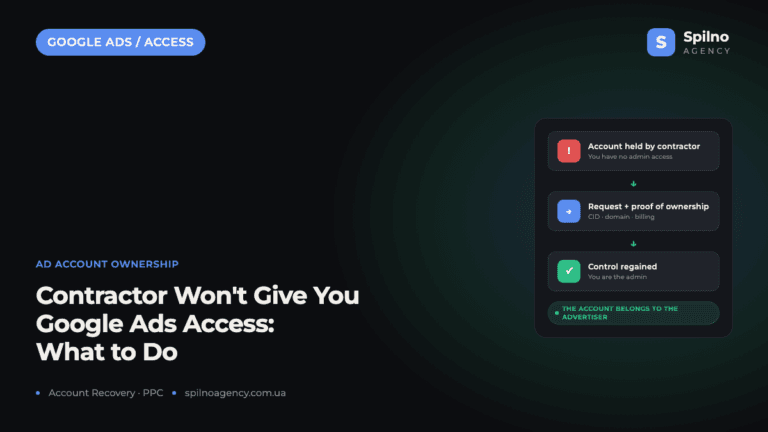
What to Do When a Freelancer or Agency Won’t Hand Over Your Google Ads Account
A Google Ads account belongs to the advertiser — the business whose website is promoted in it —…

Google released its official GEO guide: we read it for you
On May 14, 2026 Google officially released its guide to optimizing for AI Overviews and AI Mode. We…