make.com: What Is It and How to Use It as a Marketer in 2026

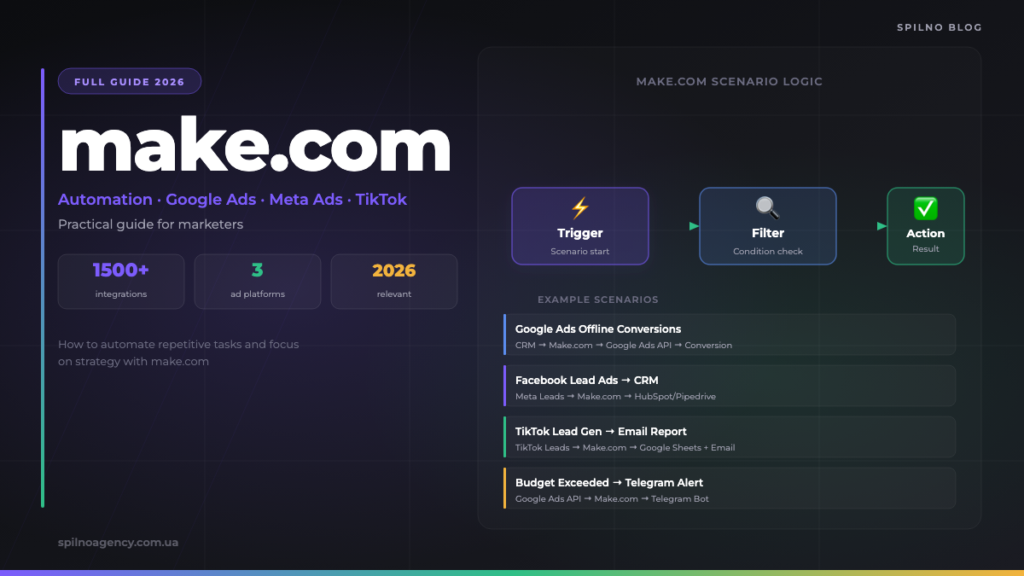
Make.com is a no-code automation platform that lets marketers connect Google Ads, Meta Ads, TikTok Ads, CRM systems, Google Sheets and dozens of other tools — without writing code. This guide covers key concepts, step-by-step registration and 15 ready-to-deploy scenarios for European marketing teams.
Register on make.com
Free plan — 1,000 operations per month. Registration takes under 2 minutes.
What is make.com
Make.com is a cloud-based workflow automation platform in the iPaaS (Integration Platform as a Service) category. It enables you to connect applications and services through visual scenarios that run automatically on a schedule or in response to a specific event — a new lead, an incoming webhook, a status change in your CRM.
For marketers, make.com solves one core problem: it removes repetitive manual tasks from your workday and hands them to an automated workflow. Lead synchronisation between ad platforms and CRMs, automatic reporting, audience updates, budget anomaly alerts — configure once, run 24/7 without human intervention.
Compared to alternatives like Zapier or n8n, make.com stands out for its powerful visual editor with support for complex logic: branching (router), iterations (iterator), data aggregation (aggregator), and error handling. This allows you to build genuinely sophisticated scenarios without any coding knowledge.
Brief history: from Integromat to Make
The platform was founded in 2012 in Prague, Czech Republic, under the name Integromat. Over ten years it grew into one of the leaders in the no-code automation market. In 2022, the company rebranded as Make, refreshing its interface, documentation, and market positioning.
Today make.com serves over 500,000 active teams across more than 190 countries. Its library includes over 1,800 ready-made app integrations and more than 6,000 scenario templates. The platform is widely adopted by digital agencies and in-house marketing teams across Europe, particularly for advertising operations automation.
Key concepts in make.com
Before you start building, it is essential to understand the platform’s core terminology:
Scenario
A scenario is the fundamental unit of automation in make.com. It is a chain of connected modules that performs a sequence of actions: retrieves data from one source, processes it, and passes it to another service. A scenario can be triggered on a schedule (hourly, daily) or in response to an event (webhook, new lead, status update).
Module
A module is a single block within a scenario that performs one specific action: retrieves data, sends a request, filters results, or transforms values. Each connected app (Google Ads, Meta Ads, HubSpot, Google Sheets) is represented by a set of modules with their own configurable fields and parameters.
Trigger
A trigger is the first module in a scenario — the one that initiates the entire chain. It can react to a webhook (an external event), poll an API on a schedule, or start manually. For example, Watch New Leads in Facebook Lead Ads will launch the scenario every time a new lead is submitted.
Operations
Operations are the currency of make.com’s pricing. One execution of one module equals 1 operation. If a scenario processes 100 leads through 4 modules, that is 400 operations. The free plan includes 1,000 operations per month.
Router
A router is a special module for branching scenario logic. It directs data along different paths depending on conditions — for example, if lead_source = "Google Ads" send to one CRM, if lead_source = "Meta" send to another. The router is one of the key features that distinguishes make.com from simpler automation tools.
How to register and get started
Registration takes under two minutes. Go to make.com/register — signing up via this link gives you access to the free plan with 1,000 operations per month at no cost.
- Visit https://www.make.com/en/register?pc=spilnoagency
- Enter your email and password, or sign in with your Google account
- Confirm your email — an activation link will be sent to your inbox
- Select your use case (Marketing / Advertising) and team type
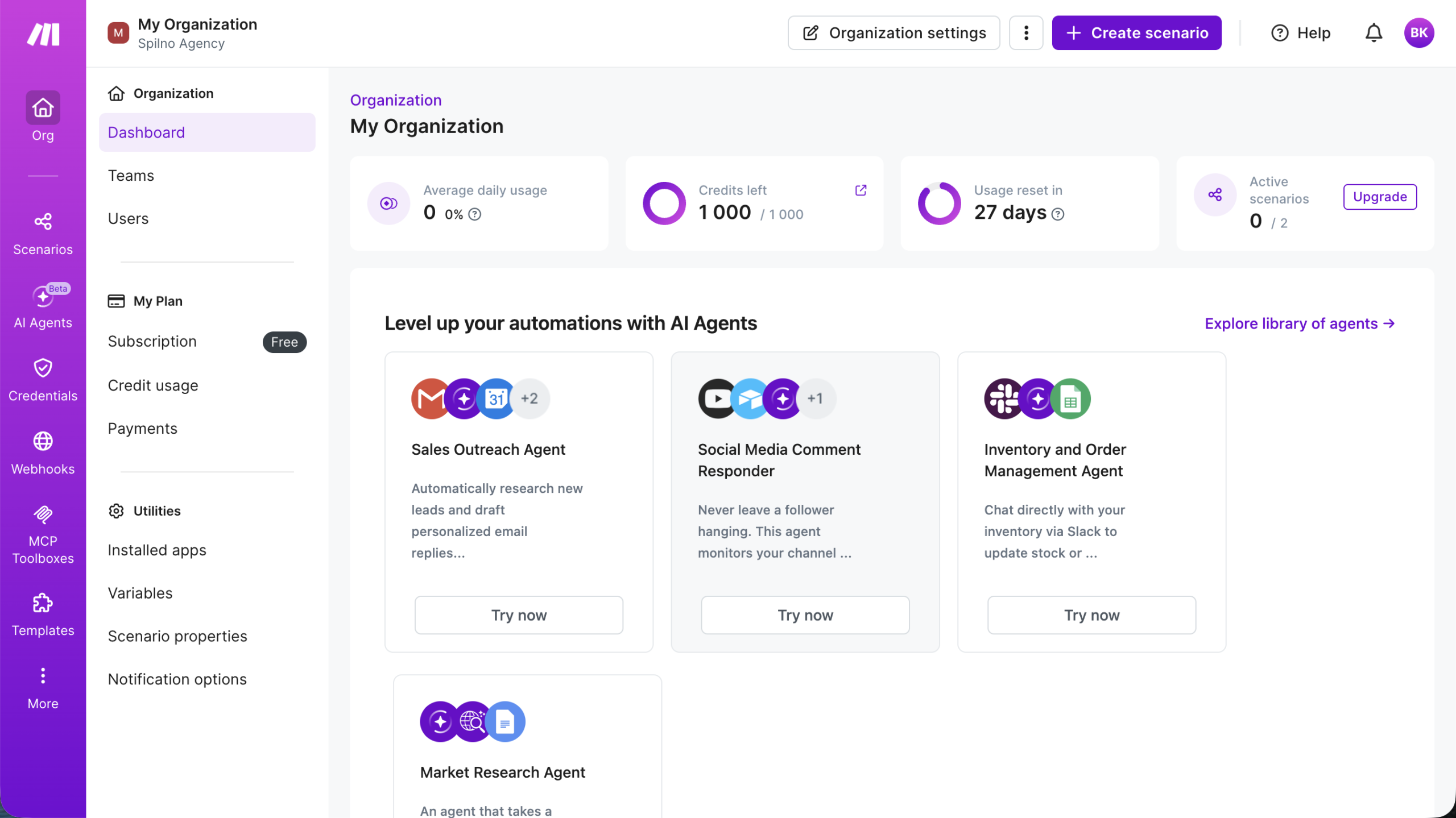
- You land on the Dashboard — the main screen showing your scenarios
- Click Create a new scenario and select the first app to connect
- Connect Google Ads, Meta Ads or any other service via OAuth or API key
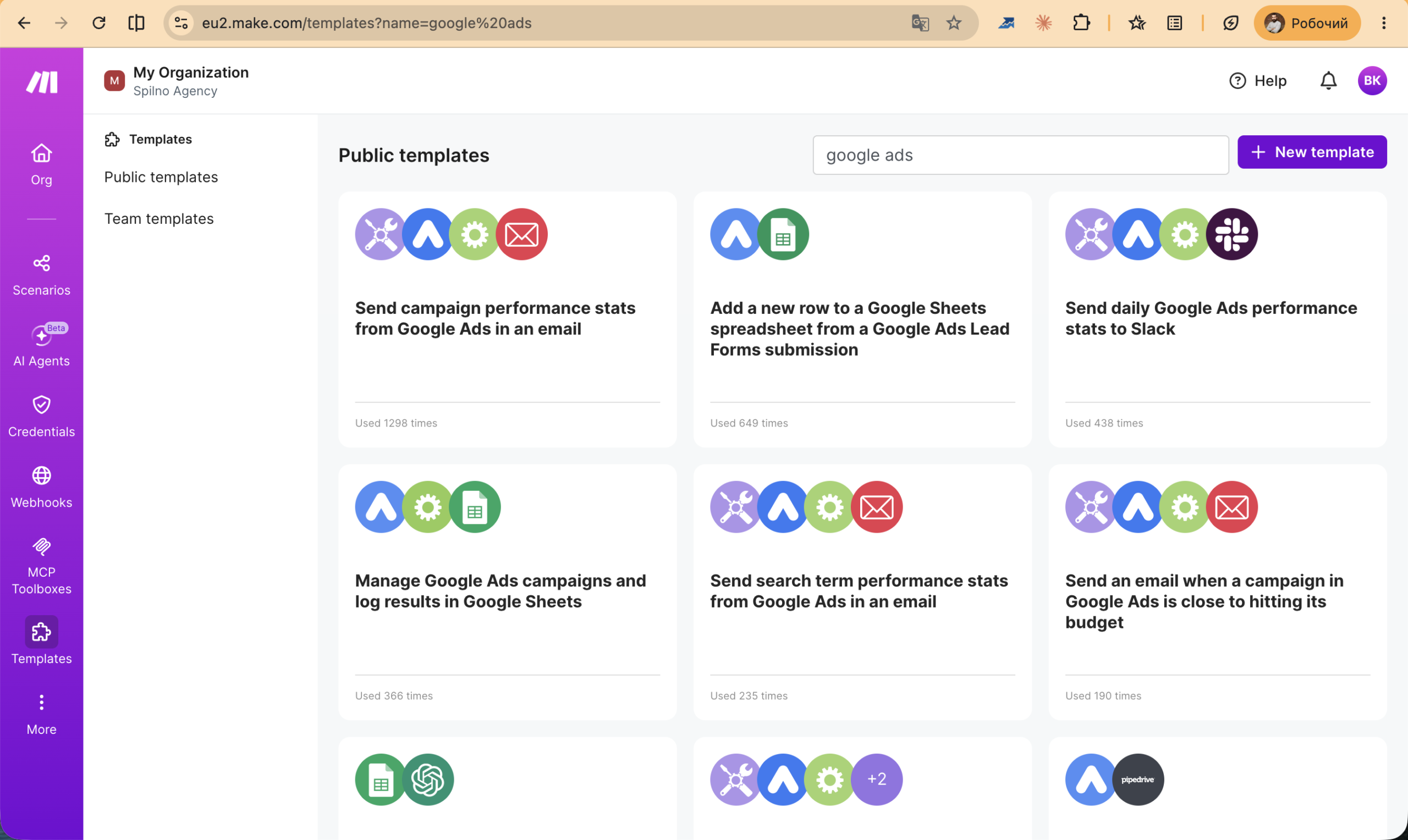
First steps: explore the Templates section — it contains thousands of pre-built scenarios for marketers. Search “Google Ads” for Google Ads templates, “Facebook Lead Ads” for Meta integrations. This is the fastest way to get your first automation running.
5 Make + Google Ads integration examples
Google Ads is one of the most popular modules in make.com. Below are five practical scenarios that save marketing teams hours every week.
Scenario 1: Sync CRM leads as Google Ads offline conversions
The problem: a lead enters your CRM (HubSpot, Pipedrive), closes as a deal, but Google Ads has no visibility of this — meaning it cannot optimise campaigns towards actual revenue.
The solution: a make.com scenario monitors deal status changes in your CRM. When a deal closes as “Won”, make.com automatically uploads an offline conversion to Google Ads via the Google Ads → Upload Click Conversions module. Google Ads receives the signal and begins optimising bids towards closed deals rather than just lead form submissions.
The result: campaigns optimise towards real revenue, not micro-conversions. Typically this reduces CPL by 15–30% over four to six weeks.
Scenario 2: Lead form → Google Sheets → automatic conversion upload
Logic: if your CRM does not support direct integration with Google Ads, use Google Sheets as an intermediate layer. When a new row appears in your closed-deals sheet, make.com reads the gclid, date, and revenue value, then uploads the conversion to Google Ads Offline Conversions API.
This requires capturing gclid from the URL at the moment a form is submitted — via a hidden form field or GTM. Make.com then checks the sheet hourly and uploads any new rows to Google Ads.
Scenario 3: Budget alert — daily spend over threshold → Telegram notification
Logic: make.com queries the Google Ads API hourly for current daily spend by campaign or account. If spend exceeds a defined threshold, it sends a message to a Telegram bot or Slack channel with details: campaign name, current spend, remaining budget.
Modules: Google Ads → Get Campaign → Tools → Set Variable → Filter: cost > threshold → Telegram Bot → Send Message.
This scenario is invaluable when managing client ad budgets: you receive an alert before the budget is exhausted, not after.
Scenario 4: Auto-pause low-performing campaigns based on ROAS
Logic: once a day at a set time, make.com retrieves a campaign performance report from Google Ads (spend, conversion value, ROAS). Campaigns where ROAS over the past seven days falls below a defined threshold (for example, 150%) are automatically paused. The marketer receives a summary report in Telegram.
Modules: Google Ads → Search Campaigns → Aggregator → Router (ROAS < threshold → Google Ads → Update Campaign Status: PAUSED; otherwise → skip) → Telegram → Send Report.
Scenario 5: Google Ads performance report → weekly email digest
Logic: every Monday at 8:00 AM, make.com retrieves the previous week’s data — clicks, impressions, conversions, cost, and ROAS per campaign. It builds an HTML table and sends it to the client’s email or the full team via Gmail or SendGrid.
This replaces manual weekly reporting entirely and guarantees clients receive up-to-date data in a clean format — with zero marketer involvement once it is set up.
Register on make.com
Free plan — 1,000 operations per month. Registration takes under 2 minutes.
5 Make + Meta Ads integration examples
Meta Ads (Facebook and Instagram) is the second most popular advertising module in make.com. Here are five scenarios that European marketing teams use most frequently.
Scenario 1: Facebook Lead Ads → CRM instant sync
The problem: leads from Facebook Lead Ads frequently go cold — the prospect filled in the form, but the sales rep called three or four hours later. Lead-to-sale conversion rates roughly halve with each hour of delay.
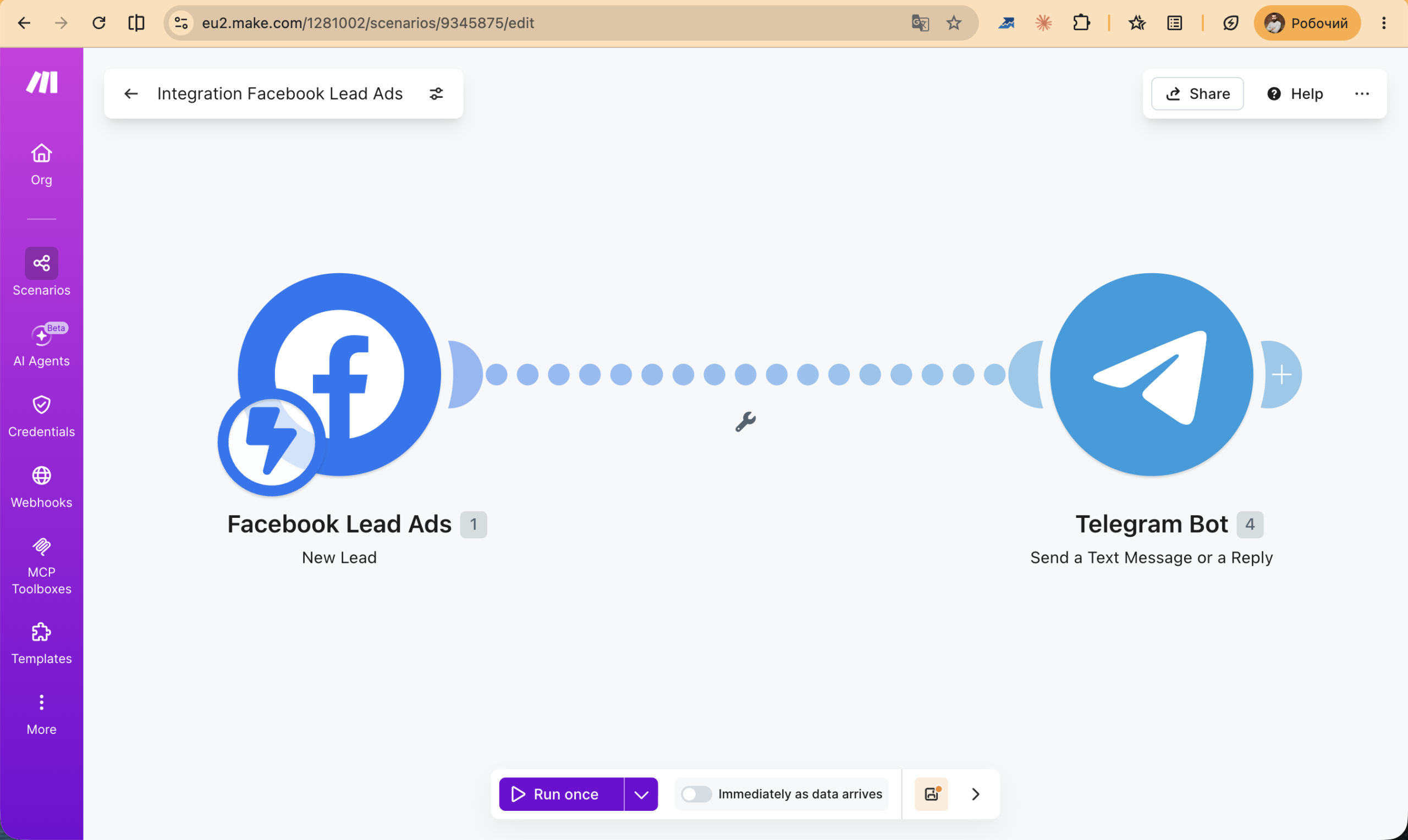
The solution: a scenario triggered by Facebook Lead Ads → Watch New Leads fires in real time. The moment a new lead appears, make.com instantly creates a contact in HubSpot, Pipedrive, or Google Sheets and sends an SMS or Telegram notification to the account manager. Response time drops from hours to under one minute.
Scenario 2: New order in WooCommerce/Shopify → Meta custom audience update
Logic: after each new order, make.com adds the customer’s email or phone number to a Custom Audience in Meta Ads via the Meta Marketing API. This allows you to automatically exclude existing customers from acquisition campaigns, or add them to lookalike audiences for scaling.
Modules: WooCommerce → Watch Orders → Meta Ads → Add User to Custom Audience. The audience updates in real time — no more manual CSV uploads.
Scenario 3: Meta Ads daily report → Telegram/Slack notification
Logic: every morning at 9:00 AM, make.com pulls yesterday’s data from the Meta Ads API: spend, impressions, clicks, CPM, and CPL per campaign or ad account. It formats the message and sends it to a Telegram bot or team Slack channel.
For agencies, this is particularly powerful: set up a dedicated bot per client and send each one a morning summary report automatically — no analyst time required.
Scenario 4: Creative performance tracker → Google Sheets dashboard
Logic: make.com pulls per-ad metrics from the Meta Ads API daily (CTR, CPM, Frequency, Hook Rate, Thumb Stop Rate) and writes them to Google Sheets. The sheet automatically highlights creatives where CTR drops below a threshold or Frequency exceeds 3.5.
The result: instead of manually reviewing dozens of ads across multiple accounts, you have one table that immediately shows which creatives are fatiguing and need to be replaced.
Scenario 5: Lead form → personalised email auto-reply
Logic: new lead from Facebook Lead Ads → make.com extracts the name, email, and form answers → generates a personalised email via Gmail or Mailchimp. The email addresses the lead by first name, references their specific answers, and includes a clear CTA for the next step.
A personalised auto-reply arrives within seconds of form submission — building trust and increasing conversion to the next step (call, demo, meeting) significantly compared to a generic confirmation.
5 Make + TikTok Ads integration examples
TikTok Ads is becoming an increasingly important channel for European marketers. Make.com supports the TikTok Ads API and enables automation of key workflows across the platform.
Scenario 1: TikTok Lead Generation → CRM instant sync
Logic: make.com monitors new leads from TikTok Lead Generation forms via the TikTok Ads API or a webhook. When a new lead appears, it automatically creates a contact in your CRM (HubSpot, Pipedrive, Zoho) and sends a Telegram notification to the responsible account manager.
TikTok leads, particularly among the 18–34 demographic, tend to have high purchase intent. Speed of response is critical: the probability of conversion is 21 times higher in the first five minutes than after 30 minutes.
Scenario 2: TikTok Ads performance → Google Sheets daily report
Logic: every day make.com retrieves a performance report from the TikTok Ads API (spend, impressions, clicks, conversions, CPM, CTR, ROAS per campaign/ad group/ad) and writes it to Google Sheets with a date stamp. A rolling 30-day trend is built automatically with no manual input.
Scenario 3: Multi-platform dashboard (TikTok + Meta + Google) in one sheet
Logic: a scenario with three parallel branches via Router. Each branch retrieves data from one advertising platform — TikTok Ads, Meta Ads, Google Ads — and writes it to a dedicated sheet in Google Sheets with a unified column structure: date, platform, campaign, spend, conversions, CPA, ROAS.
The result: a single unified table covering all advertising channels instead of three separate ad managers. Ideal for agencies producing cross-channel performance reports for clients.
Scenario 4: TikTok budget alert → Telegram notification
Logic: make.com checks TikTok Ads campaign daily spend hourly. If any campaign’s spend exceeds a set daily limit or deviates from its rolling average by more than 30%, a notification is sent with full details to Telegram.
TikTok Ads can produce unpredictable spend spikes when a video enters viral distribution. This scenario protects your budget and lets you react before spend exceeds plan — rather than discovering the overage in the morning.
Scenario 5: New TikTok video published → auto-create ad campaign
Logic: when a new video is published to a brand’s TikTok account, make.com automatically creates a new ad campaign or ad in TikTok Ads using that video, with predefined targeting, budget, and settings. This reduces the time from organic content publication to paid promotion launch from two to three hours down to under five minutes.
Pricing plans 2026
Make.com offers a flexible pricing structure based on the number of operations and features required:
- Free — 1,000 operations/month, 2 active scenarios, minimum run interval 15 minutes. Suitable for testing and personal projects.
- Core — from $9/month (10,000 operations). Up to 3 users, unlimited scenarios, minimum 1-minute interval. Optimal for freelancers and small businesses.
- Pro — from $16/month (10,000 operations). Custom variables, full text execution log, priority customer support. For active marketers and agencies.
- Teams — from $29/month (10,000 operations). Team collaboration, role management, shared connections. For teams of 5 or more.
- Enterprise — custom pricing. SSO, SLA, dedicated support, on-premise option. For large organisations.
An important detail: the number of operations in your plan can be scaled independently of the plan tier. For example, on the Pro plan you can add 100,000 operations per month as an add-on. This makes scaling predictable and cost-effective.
Start with the free plan — register here and test the platform without any upfront cost.
Tips for marketers
- Start with templates. Make.com’s library contains thousands of pre-built scenarios. Find the template closest to your use case, activate it, and adapt it to your needs — this is far faster than building from scratch.
- Count operations before going live. Estimate how many records will flow through the scenario daily, then multiply by the number of modules. This prevents unexpected quota overruns in the first few days.
- Always add an Error Handler. For production scenarios, always include an
Error Handlermodule — it logs error details and prevents data loss when an API call fails. - Store
gclidin your CRM. If you plan to upload offline conversions to Google Ads, ensuregclidis captured from the URL at the moment a form is submitted — via a hidden field or GTM. Without it, offline conversion upload is impossible. - Test scenarios on small samples first. Before launching a scenario in production, run it against five to ten records using “Run once” mode. This surfaces errors before they affect live data.
- Document your scenarios. Use make.com’s Notes feature to add comments to modules explaining their purpose. Future you — and your colleagues — will be grateful, especially when something needs adjusting three months later.
- Monitor execution history regularly. Review Execution History in make.com regularly to catch failures and anomalies in scenario execution before they impact your campaigns or reporting.
FAQ
What is make.com?
Make.com (formerly Integromat) is a no-code automation platform that connects applications and services through visual scenarios — without any coding required. It is particularly popular among marketers for automating workflows across ad platforms, CRM systems, and analytics tools.
How is make.com different from Zapier?
Make.com offers more flexible data handling, support for branching logic (router, iterator, aggregator), a lower cost per operation, and a more generous free plan. Zapier is simpler to set up but becomes significantly more expensive at scale. For complex marketing automations — particularly those involving multiple data transformations or conditional logic — make.com is generally the better choice for European teams.
How much does make.com cost in 2026?
Make.com has a free plan with 1,000 operations per month. Paid plans start at $9/month (Core, 10,000 operations). Most marketers and small teams find the Core or Pro plan (from $16/month) sufficient. Operations can be purchased as an add-on and scale independently of the base plan.
Can I use make.com without coding skills?
Yes. Make.com is a no-code platform with a visual scenario editor. Most marketing integrations — syncing leads, automating reports, updating audiences — can be configured independently by a non-technical marketer using pre-built modules and templates. Custom HTTP requests or complex data transformations may occasionally require developer input.
Which CRMs does make.com integrate with?
Make.com integrates natively with HubSpot, Pipedrive, Salesforce, Zoho CRM, Notion, Airtable, Monday.com, Bitrix24, and hundreds of other CRMs and databases. If your CRM is not in the library, it can be connected via the HTTP module or webhooks.
How do I connect Google Ads to make.com?
Make.com has a native Google Ads module. In the module settings, click “Add connection”, authorise via Google OAuth, and select your Manager or standard account. Once connected, you gain access to actions: upload conversions, manage campaigns, retrieve performance reports.
What are operations in make.com?
An operation is one execution of one module within a scenario. Reading one row from Google Sheets or sending one Telegram message each count as 1 operation. If a scenario processes 50 leads through 4 modules, that is 200 operations. Your monthly operation quota determines the cost of your plan.
Does make.com support TikTok Ads?
Yes. Make.com has native TikTok Ads modules for syncing leads from TikTok Lead Generation, pulling campaign performance reports, and managing campaigns. Non-standard workflows can be built using the HTTP module and the TikTok Ads API directly.
Conclusion
Make.com is one of the most powerful tools in a modern marketer’s stack. It does not replace your expertise — it removes the routine: data synchronisation, report generation, notifications, audience updates. The result is more time for strategy and creative work, and less time on mechanical repetition.
Start with a single scenario: for example, instant synchronisation of Facebook Lead Ads leads into your CRM. Configure it, test it, confirm it works — then gradually extend automation to other channels and workflows.
Register on make.com for free and launch your first automation today. The free plan includes 1,000 operations per month — enough to evaluate the platform and set up your first scenarios at zero cost.
Register on make.com
Free plan — 1,000 operations per month. Registration takes under 2 minutes.

Read also
Google Tag Manager Workspaces: Why You Need Them and How to Use Them in 2026
A workspace in Google Tag Manager is a “draft” of a container — a place to safely edit…
How to Track Revenue, Transactions and Purchases in Google Analytics 4 from WordPress WooCommerce
Introduction WooCommerce store owners are often convinced that Google Analytics 4 already shows them revenue, transaction counts and…
How to Analyze Hourly Statistics in Google Analytics 4
Google Analytics 4 has no dedicated “hourly statistics” menu item, but you can get that exact breakdown in…