Google Ads Tests More Flexible Channel Controls in Performance Max

A new “Channels” section (tagged ALPHA) has been spotted in Performance Max campaign settings in Google Ads. It lets advertisers tell the system how much more or less to value each channel — Discover, Gmail plus the Display Network, Search plus Search partners, Maps, and YouTube — with a simple Lower / Auto / Higher slider.
The feature was observed inside one of Spilno Agency’s own accounts. There’s no official announcement on the Google Ads blog or in Help Center yet, which is typical for a gradual alpha rollout to a limited set of accounts. Given the ALPHA label and the wording used in the interface, Google appears to be testing a hypothesis rather than shipping a finished feature — the channel list, the tooltip copy, or even the section itself could change or disappear without notice.
What was actually spotted in the interface
The new “Channels” block appears in Performance Max campaign settings next to familiar sections like budget or audience signals. The description underneath states clearly that Performance Max still automatically optimizes for total conversions across all channels combined, not per channel — meaning the sliders don’t turn off automation, they only adjust how the system applies it.
- Discover — Google’s recommendation feed.
- Gmail + Google Display Network — grouped under one setting.
- Google Search + Search partners — Google Search and the search partner network, also grouped together.
- Maps — Google Maps.
- YouTube — the only channel shown expanded in detail in the screenshot.
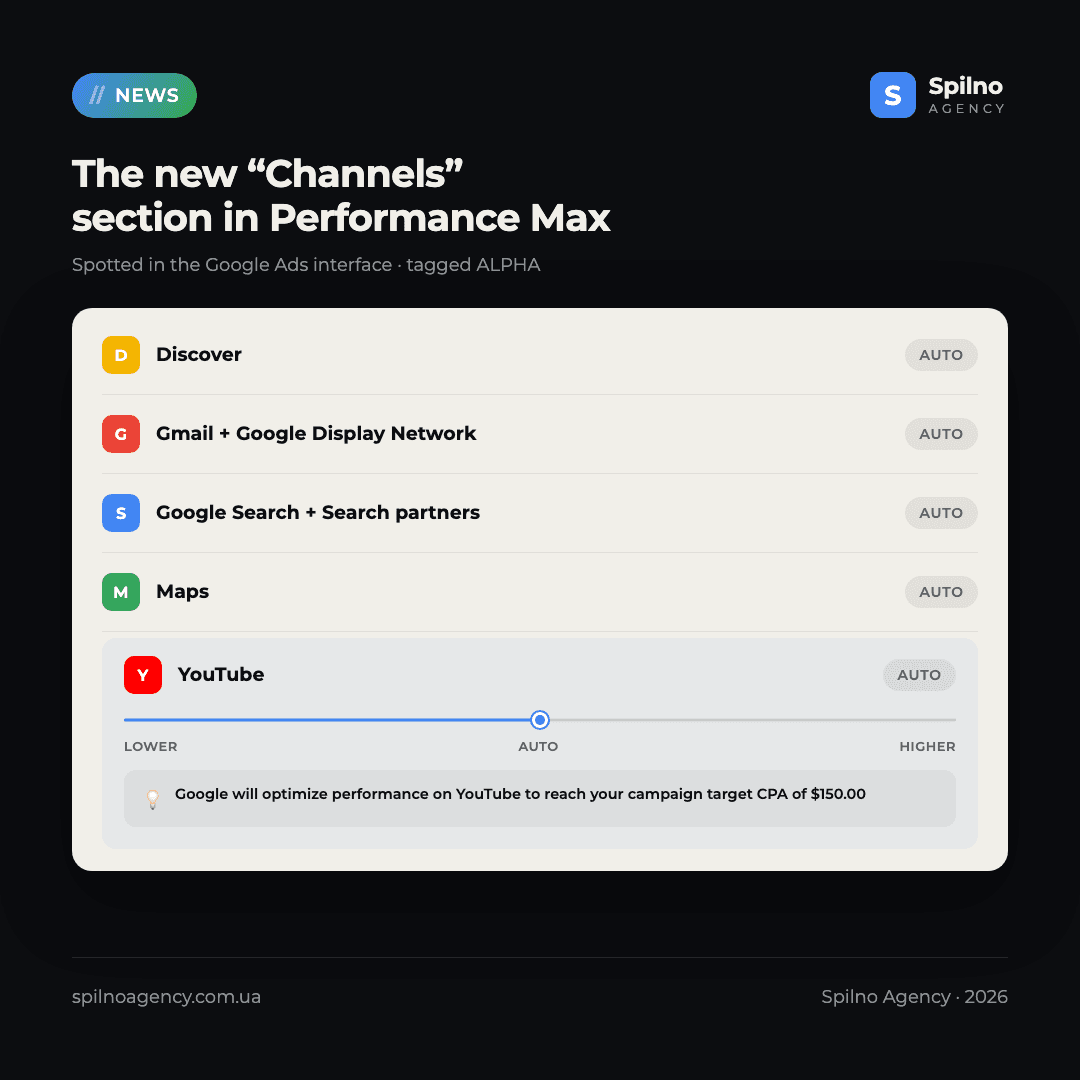
Every channel defaults to “Auto,” meaning Google decides on its own how much budget and impression share to allocate. Expanding the YouTube card reveals a slider with three reference points: Lower — Auto — Higher, alongside a button showing the current state (“Auto”) and a greyed-out “Reset” button. A tooltip above the slider explains the logic: a positive adjustment relaxes the channel’s CPA target, while a negative one tightens it.
How it appears to work under the hood
Below the slider, a lightbulb-icon tooltip reads roughly: “Google will optimize performance on YouTube to reach your desired campaign-level target CPA of $150.00.” That’s the key detail: the slider does not set a separate bid or CPA for the channel directly. Instead, it changes how strictly Google sticks to the campaign’s overall target CPA on that specific channel — effectively an “importance weight” relative to the shared goal, not an independent budget or manual bid.
That makes it a fundamentally different mechanism from the already-known “Partners” section (also ALPHA), which lets advertisers fully disable Search partners or the Display Network in Performance Max. That toggle is binary — on or off. “Channels” introduces gradation instead: a channel can stay active while the system is nudged to treat it as lower or higher priority for the business, without switching it off entirely.
Why this matters for advertisers
Ever since Performance Max replaced separate Search, Display, Discovery and YouTube campaigns, the most common complaint from advertisers has been losing visibility and control over exactly where budget goes. The channel performance report already shows the spend and conversion split after the fact, but influencing that split ahead of time was nearly impossible — short of audience signals, creative quality, or value rules on ROAS-based campaigns. “Channels” is Google’s first attempt at a direct, understandable lever for channel priority that lives in the main interface, rather than being buried in the API or complex value rules.
For businesses where YouTube or Discover have historically produced lower-quality leads than Search, this is a chance to carefully dial back those channels without abandoning their reach entirely. Conversely, if the channel report shows YouTube delivering cheap conversions while Google still under-invests in it, the “Higher” setting could theoretically nudge the system to give it more attention.
What to keep in mind
- This is alpha, not beta or GA. Availability is limited to select accounts, and the feature could change or disappear without an announcement.
- There’s no official documentation. The tooltip wording and the actual scope of the slider’s effect are based purely on interface observation, not Google Ads Help Center guidance.
- It’s not a replacement for full channel control. Google states outright that overall optimization for total conversions remains the priority — aggressively dialing down a channel might simply redistribute budget elsewhere rather than improve results.
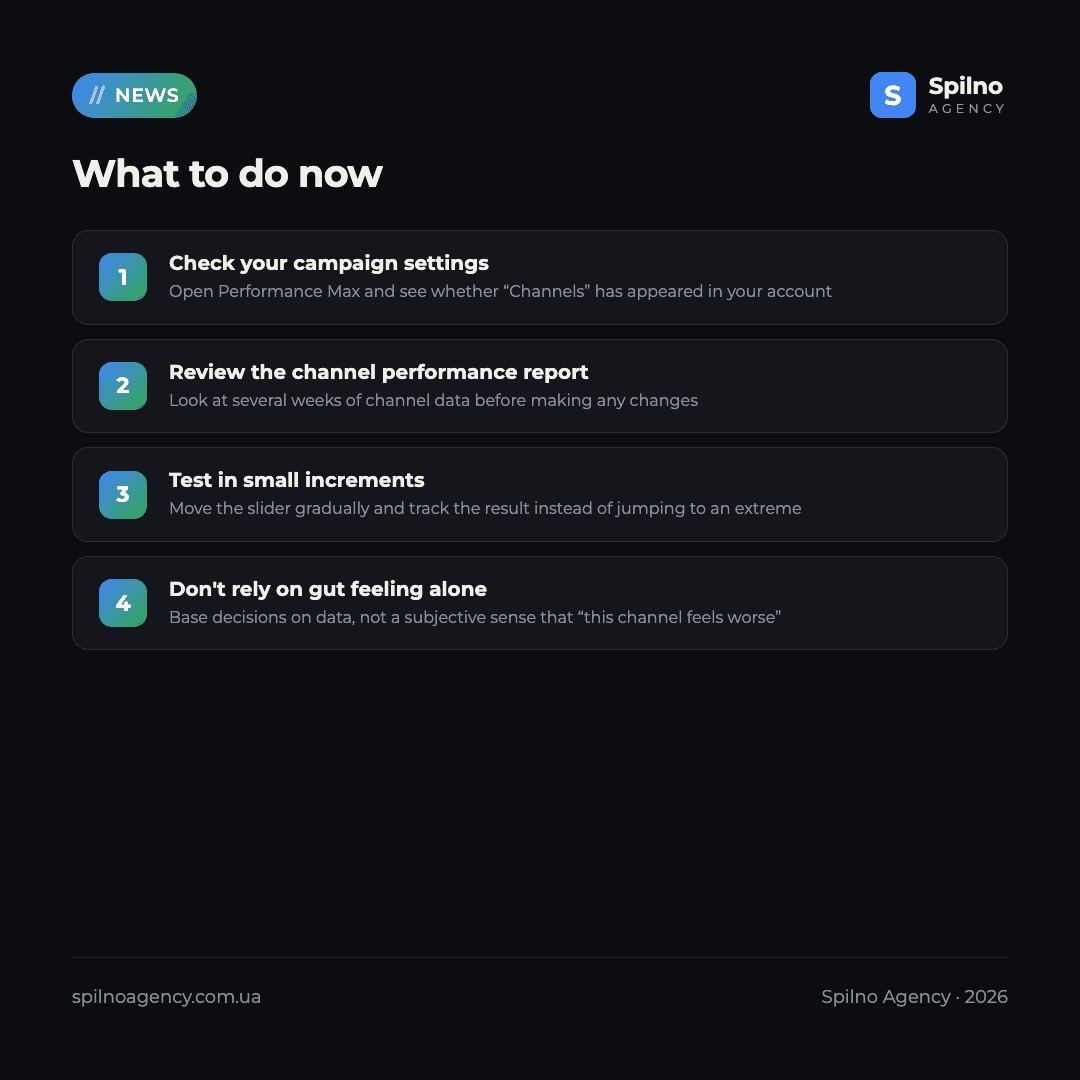
- Change it cautiously and in small steps, based on several weeks of channel performance report data rather than intuition.
Who this affects
Mainly advertisers and agencies across Europe already running active Performance Max campaigns and regularly reviewing the channel performance report. If the “Channels” section isn’t in your account yet, that’s expected — alpha features roll out gradually and unpredictably, so it’s worth periodically checking your campaign settings manually.
Spilno Agency’s take
We track alpha features like this precisely because they signal product direction well before official announcements — and “Channels,” alongside “Partners,” clearly suggest Google is gradually handing advertisers back granular levers over Performance Max that were lost when campaigns consolidated into a single automated structure. That said, we wouldn’t recommend rushing to use these sliders aggressively: without a clear understanding of how the adjustment affects the auction and budget allocation, it’s easy to hurt performance based on a purely subjective “this channel feels worse” impression. If you want to check whether your Performance Max account is even ready for this kind of fine-tuning — and whether it’s worth applying at all — Spilno Agency’s team can run an audit and point you to what actually matters first.
Want to know whether your account should even test new Performance Max alpha settings — and how your budget is actually split across channels right now? Spilno Agency’s team will audit your campaigns and show you exactly where performance is being left on the table.
If you’re still getting up to speed with Performance Max, our Performance Max beginner’s guide covers the fundamentals of setting up this campaign type. And to see exactly how your budget is currently split across channels, request a free Google Ads audit.
Frequently Asked Questions
What is the “Channels” section in Performance Max?
It’s a new alpha feature in Performance Max settings that lets advertisers use a Lower/Auto/Higher slider to tell the system how much more or less to value each channel — Discover, Gmail plus the Display Network, Search plus Search partners, Maps, and YouTube — relative to the others.
Does ALPHA mean the feature is available to everyone?
No. The ALPHA label means a limited, gradual test on select accounts. Google hasn’t officially confirmed a general rollout date, or even that the feature will graduate beyond testing at all.
Does the slider turn off Performance Max’s automatic optimization?
No. The interface states directly that the campaign still optimizes automatically for total conversions across all channels. The slider only adjusts how strictly the system sticks to the target CPA on that specific channel.
How is “Channels” different from the “Partners” section?
“Partners” is a binary toggle that fully disables Search partners or the Display Network. “Channels” is softer: the channel stays active but gets a higher or lower priority through a CPA-target adjustment.
Should I start actively adjusting the sliders in my account right now?
We’d recommend against aggressive changes for now. The feature isn’t officially documented, so the real-world effect of moving a slider is hard to predict. If it’s live in your account, review several weeks of channel performance report data first and test in small increments.
Why don’t I see the “Channels” section in my account yet?
Google Ads alpha features roll out gradually and unpredictably to a limited set of accounts. Not seeing it now doesn’t mean it won’t appear later — it’s worth checking your Performance Max campaign settings periodically.

Read also

Google Ads Rolls Out New Testing and Planning Tools for AI Max
Google Ads announced Multi-Campaign Budget Testing, Enhanced Experiment Controls and an improved Performance Planner for AI Max. Key…
Google Merchant Center: Minimum Product Image Size Becomes 500×500 px in 2027
From January 31, 2027, Google Merchant Center requires product images of at least 500×500 px. What changes, key…
Google Ads Removes Language Targeting for Search Starting September 2026
From late September 2026, Google Ads removes language targeting for Search and AI Max for Search. Ads match…