PornHub Ad Creative Sizes in 2026: The Complete TrafficJunky Guide

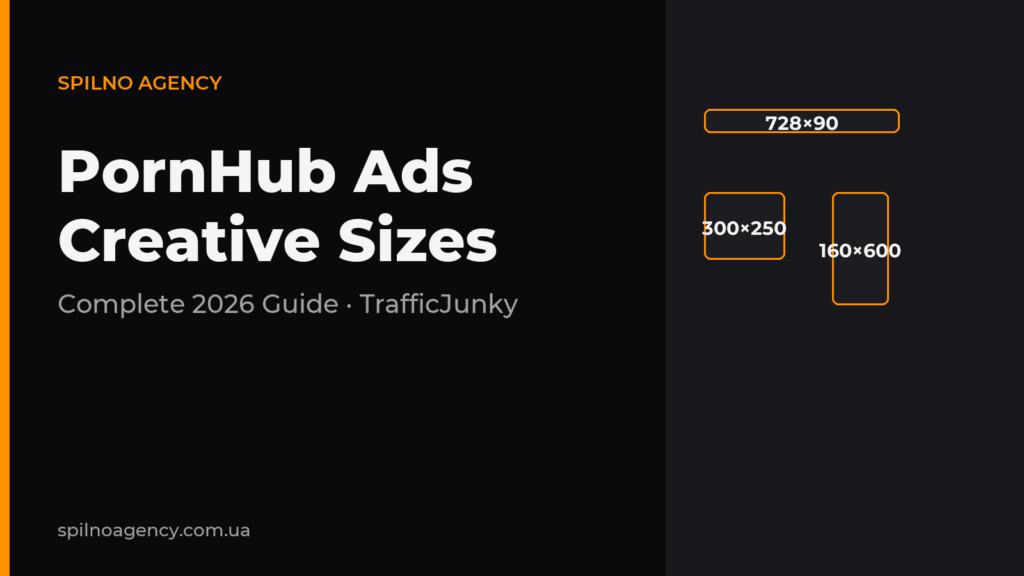
PornHub advertising runs through the TrafficJunky ad network, and every format has strict creative size requirements. The core banner sizes in 2026 are 300×250, 315×300, 305×99, 728×90, 950×250 and 160×600; mobile sizes are 300×250, 300×100 and 320×50; pre-roll video runs 5–30 seconds in 1080p. This Spilno Agency guide covers the full size table, file requirements, a prep checklist and the common mistakes that get creatives rejected by moderation.
What PornHub Ads creatives are and why size is critical
PornHub does not sell ads directly. All inventory, targeting and moderation run through TrafficJunky — the self-serve ad network of the Aylo group (formerly MindGeek), which owns PornHub, YouPorn, RedTube and dozens of other sites. Advertisers upload a creative, pick a placement (spot) and a CPM or CPC bid, and the creative goes to moderation.
Every placement is a pixel-fixed slot. If your banner is off by even one pixel (for example 301×251 instead of 300×250), the system auto-rejects it. And if it somehow passes, the browser stretches the image, it turns blurry, and CTR drops. So the correct size isn’t a formality — it’s the first condition for a campaign to launch at all.
PornHub Ads creative size table (2026)
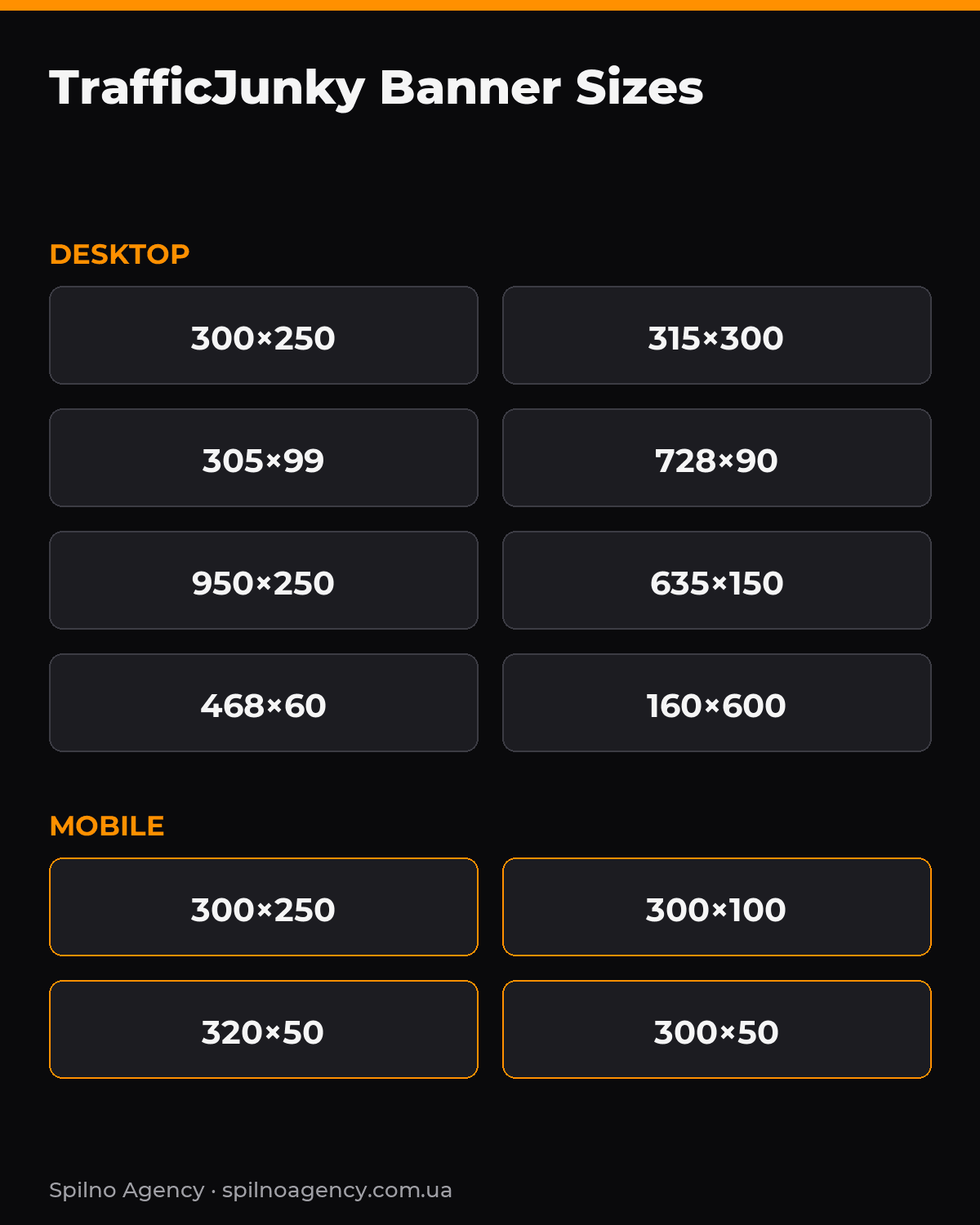
Here are all the key sizes TrafficJunky accepts — desktop banners first, then mobile, video and native formats.
| Size (px) | Type / placement | Device | Note |
|---|---|---|---|
| 300×250 | Medium Rectangle / Mobile Footer | Desktop + Mobile | The most popular, most universal spot |
| 315×300 | Premium spot next to the player | Desktop | High CTR, more expensive inventory |
| 305×99 | Header spot | Desktop | Horizontal banner in the header |
| 728×90 | Leaderboard | Desktop | Classic banner above content |
| 950×250 | Top / billboard banner | Desktop | Large branding format |
| 635×150 | Wide banner | Desktop | Wide horizontal slot |
| 468×60 | Full banner | Desktop | Legacy IAB format, still in use |
| 300×150 | Compact rectangle | Desktop | Compact rectangle |
| 160×600 | Wide Skyscraper | Desktop | Vertical sidebar banner |
| 300×100 | Mobile banner | Mobile | Below the player on mobile |
| 320×50 | Mobile leaderboard | Mobile | Standard mobile banner |
| 300×50 | Mobile footer | Mobile | Narrow mobile slot |
Always verify the exact list of available spots in your TrafficJunky dashboard before launch — inventory and sizes change periodically, and some spots are only available for specific geos or network sites.
Desktop banners in detail
300×250 — Medium Rectangle
The most universal size. It works on both desktop and mobile (as a footer). If you start with a single creative, make it 300×250: it covers the largest share of inventory. Max file weight is about 150 KB.
315×300 — premium spot next to the player
One of the most visible desktop spots — placed next to the video player, where user attention concentrates. The inventory is pricier, but CTR is higher. Best for offers with a strong visual message.
305×99 and 728×90 — horizontal banners
305×99 is a header spot — a narrow horizontal banner at the top. 728×90 (Leaderboard) is the classic wide banner above content. Both work well for branding: text and logo stay readable at a glance.
950×250 and 635×150 — large branding formats
The largest horizontal slots. They give room for a full banner with an offer, a CTA button and visuals. Used mostly for image campaigns and launches.
160×600 — Wide Skyscraper
The only vertical desktop format on the list. Placed in the sidebar, it holds attention while scrolling. Build the creative vertically: logo on top, offer in the middle, CTA at the bottom.
Mobile banners
Most PornHub traffic is mobile, so mobile sizes are critical. The main slots:
300×250— the main mobile rectangle (the same Medium Rectangle), shown below the player.300×100— a horizontal mobile banner under the video.320×50— the standard mobile leaderboard, lightest in weight.300×50— a narrow footer slot.
Keep mobile text large and short: small fonts are unreadable on a phone, and the CTA must be thumb-friendly. The lighter the mobile banner, the better — a light file loads faster and gives higher viewability.
Pre-roll and in-stream video
Video runs before the main content (pre-roll) or inside it. It’s the highest-converting format for dating and adult offers. Technical requirements:
| Parameter | Value |
|---|---|
| Duration | 5–30 seconds |
| Recommended quality | 1080p (Full HD) |
| Aspect ratio | 16:9 |
| File format | MP4 (H.264 codec) |
| Max file size | up to 500 MB |
| Delivery | VAST tag or file upload |
The first 5 seconds decide everything: users can often skip, so the offer and brand must appear immediately. Keep audio non-aggressive — a loud, abrupt start raises bounce.
Native and Pop-under
Native ads are content-style cards (in Related videos blocks). The creative is a preview image plus a short headline. The preview is usually prepared in 16:9 (e.g. 320×180) — verify exact specs in the dashboard. Native delivers high engagement time and looks less “ad-like”.
Pop-under opens the advertiser’s landing page in a new window behind the active one. There’s no separate banner creative here — the “creative” is the landing page itself. So the key requirement is a responsive, fast landing page that renders correctly on both desktop and mobile.
File requirements
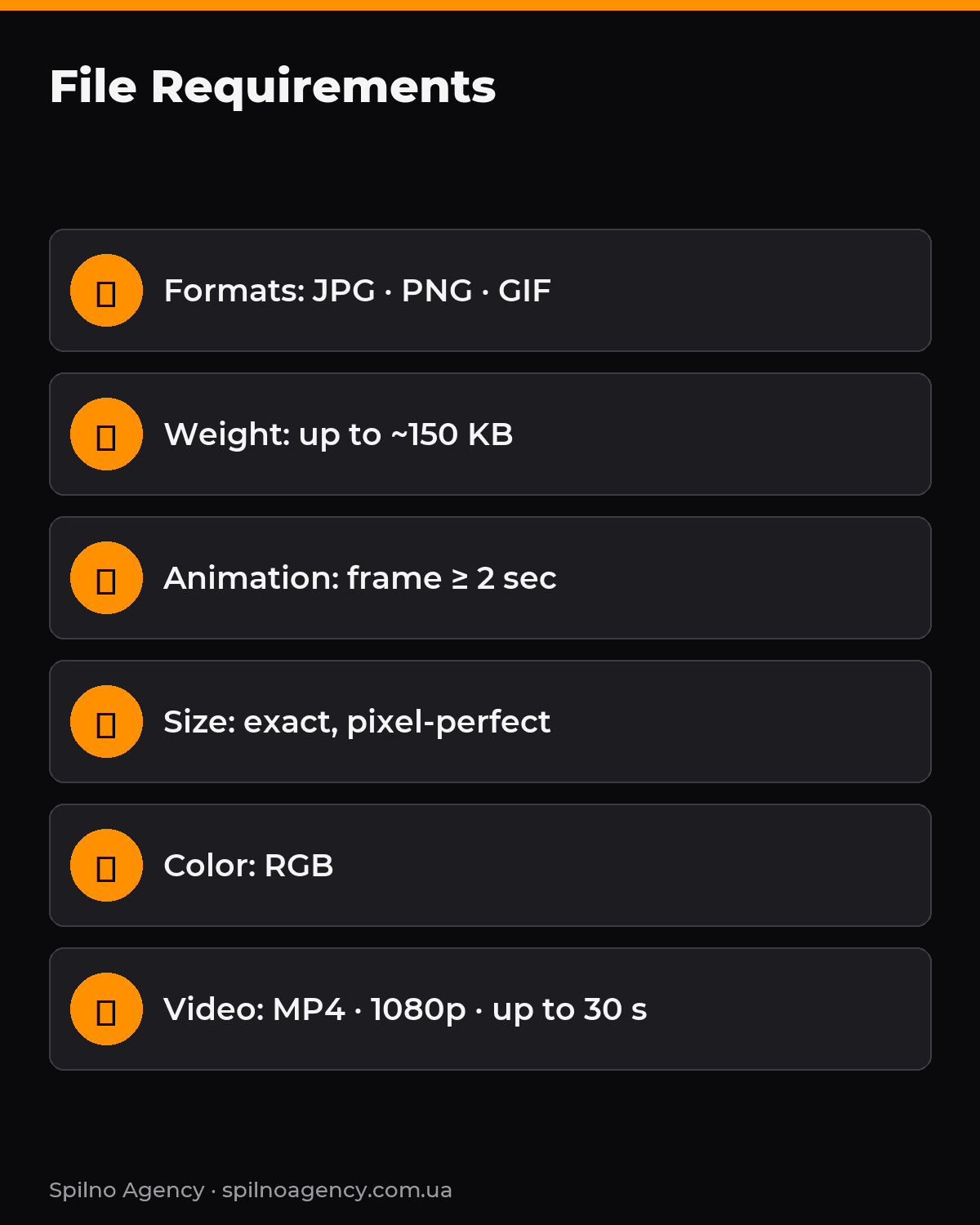
- Image formats: JPG, PNG, GIF (animated GIF allowed).
- Weight: for top spots (
300×250,728×90) around 150 KB. The lighter, the better. - Animation: each frame (text or image) must show for at least 2 seconds — a moderation rule.
- Size accuracy: exact, pixel-for-pixel.
301×251instead of300×250= auto-reject. - Color space: RGB.
- Video: MP4 / H.264, 5–30 s, up to 500 MB, 1080p.
Content rules and moderation
TrafficJunky uses manual moderation. Creatives are usually reviewed within 10 minutes to 1 hour (sometimes up to a day). To pass on the first try:
- Don’t mimic player UI elements (play buttons, “your device is infected” alerts) — such “fake” creatives are blocked.
- Don’t use third-party brands or celebrities without rights.
- Follow each geo’s rules: allowed verticals differ by country.
- The creative must match the landing page — moderation checks consistency.
Creative prep checklist
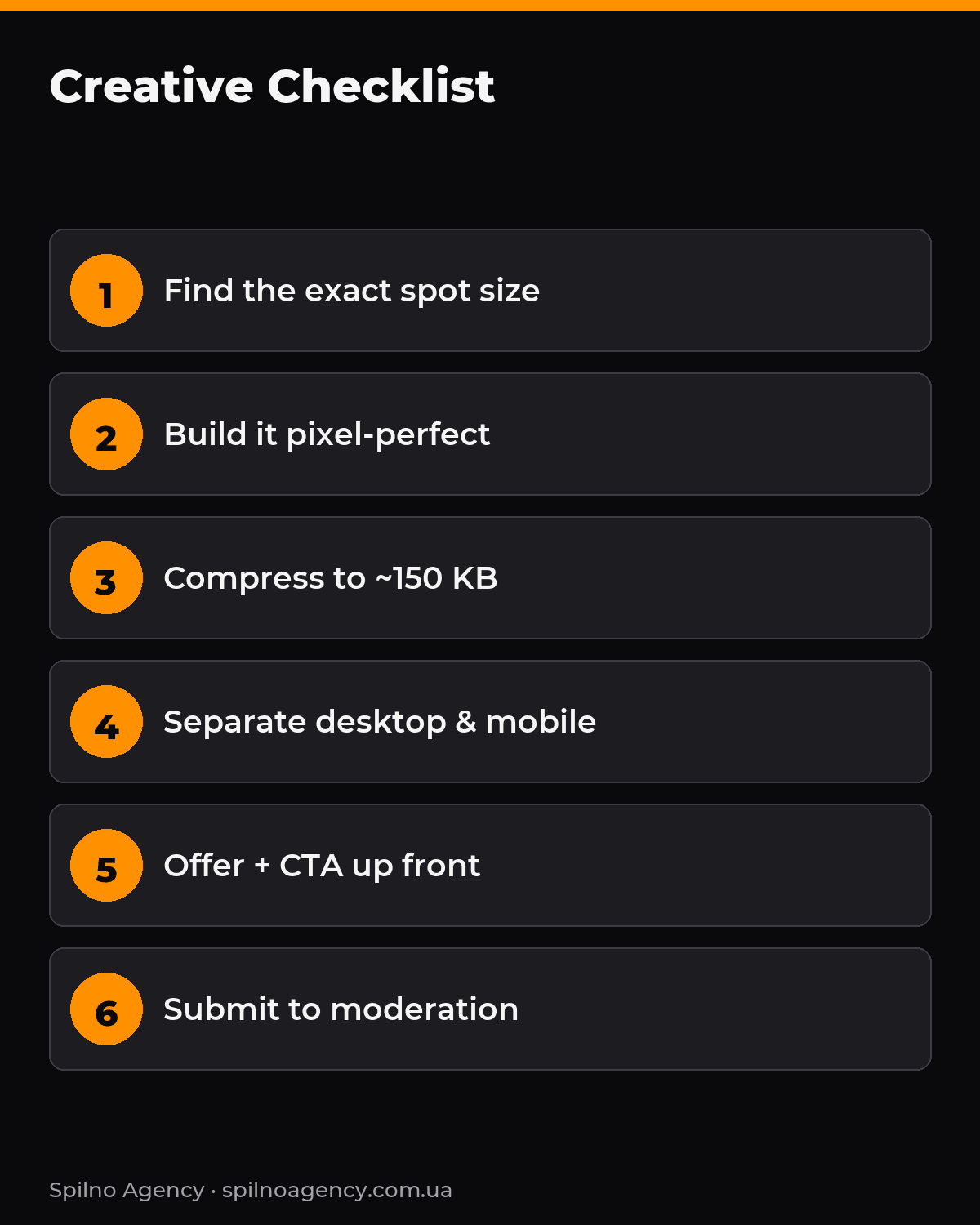
- Pick a spot in the dashboard and check its exact pixel size.
- Build the creative to that exact size (no “close enough”).
- Check the weight: a static banner within ~150 KB.
- If animated — each frame ≥ 2 seconds.
- Put the offer and CTA on the first frame of the creative.
- Make separate versions for desktop and mobile.
- Make sure the creative matches the landing page and geo rules.
- Upload, submit to moderation, wait for approval (10 min – 1 hr).
5 common size mistakes
- “Almost the right size.”
300×251won’t pass. Only exact pixels. - One creative for all spots. Desktop and mobile need different sizes.
- A heavy file. A 400 KB banner loads slowly and loses the auction.
- Tiny mobile text. A long slogan is unreadable on
320×50. - Flickering animation. Frames shorter than 2 seconds get rejected.
Why it pays to produce the maximum number of creatives
The more distinct creatives you feed the PornHub system, the larger the share of the audience your campaign can reach. Each creative hooks its own segment — different pain points, visual styles and messages resonate with different people. Broader reach of a relevant audience feeds straight into the auction: the system finds more cheap, high-quality impressions and the average cost per click drops.
The second reason is the trigger itself. It’s the creative that decides whether a user stops and reacts to the offer, so its idea and execution directly determine campaign performance. One or two layouts give the algorithm no room to optimize — there’s nothing to pick a winner from. With many creatives, the system quickly discards the weak ones and scales those with the lowest cost per action. So the rule is simple: prepare as many variants as you can in every required size — and refresh them regularly to avoid creative fatigue.
Frequently asked questions
What’s the best banner size to start with on PornHub?
Start with 300×250 — the most universal spot, working on both desktop and mobile, with the largest inventory.
Can I upload one banner for all placements?
No. Each spot has a fixed size. You need a separate file per size — at least one desktop and one mobile version.
What’s the maximum banner weight?
For top formats (300×250, 728×90) around 150 KB. Lighter files load faster and give higher viewability.
What are the pre-roll video requirements?
5–30 seconds, MP4 (H.264), 1080p quality, 16:9 ratio, file up to 500 MB. Show the offer in the first 5 seconds.
Why was my creative rejected by moderation?
The most common reasons: an inexact size (even by 1 pixel), too-heavy file, animation with frames shorter than 2 seconds, mimicking player UI, or a mismatch with the landing page.
Conclusion
Creative size is the foundation of a PornHub Ads campaign. Exact pixels, light weight, separate desktop and mobile versions, and correct animation ensure the creative passes moderation and won’t blur in the browser. Start with 300×250, add 315×300 and mobile 300×100/320×50, and scale with pre-roll video.
Want to launch on PornHub without rejects and wasted budget? At Spilno Agency we build creatives for every TrafficJunky spot, set up targeting and run campaigns end-to-end for European businesses. Before launch, also read our guide to PornHub ad formats, set up Google Tag Manager and analytics via the GA4 funnel to track conversions correctly.

Order PornHub advertising
Spilno Agency produces creatives in every format and runs PornHub campaigns for European brands — from concept and layout production to targeting, bid optimization and reporting. Get in touch — let’s sort it out together.

Read also

Google Ads Rules: Maximum Lead Price, Customer Price, and How Much to Spend Before a Campaign Fails
There is no such thing as a universal “good cost per lead” — €20 per lead can be…
Google Tag Manager Workspaces: Why You Need Them and How to Use Them in 2026
A workspace in Google Tag Manager is a “draft” of a container — a place to safely edit…
How to Track Revenue, Transactions and Purchases in Google Analytics 4 from WordPress WooCommerce
Introduction WooCommerce store owners are often convinced that Google Analytics 4 already shows them revenue, transaction counts and…