New Features in the ChatGPT Ads Manager: A Step-by-Step Setup Guide

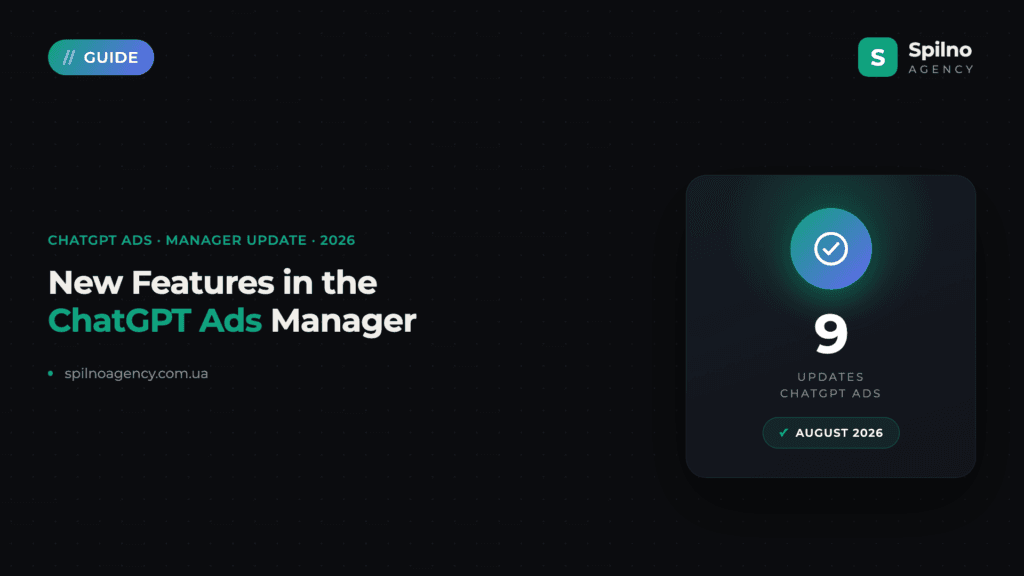
The ChatGPT Ads new features OpenAI rolled out this week are almost entirely about conversions and measurement: conversion optimisation (oCPC) has reached product feed campaigns, landing page URLs now support dynamic macros, and there is a pixel diagnostics panel plus integrations with Triple Whale and Hightouch. One change comes with a deadline: on 17 August 2026 automatic advanced matching (AAM) switches on for all existing web pixels — if you do not want it, you have to opt out before then. Here is what changed and how to set each piece up.
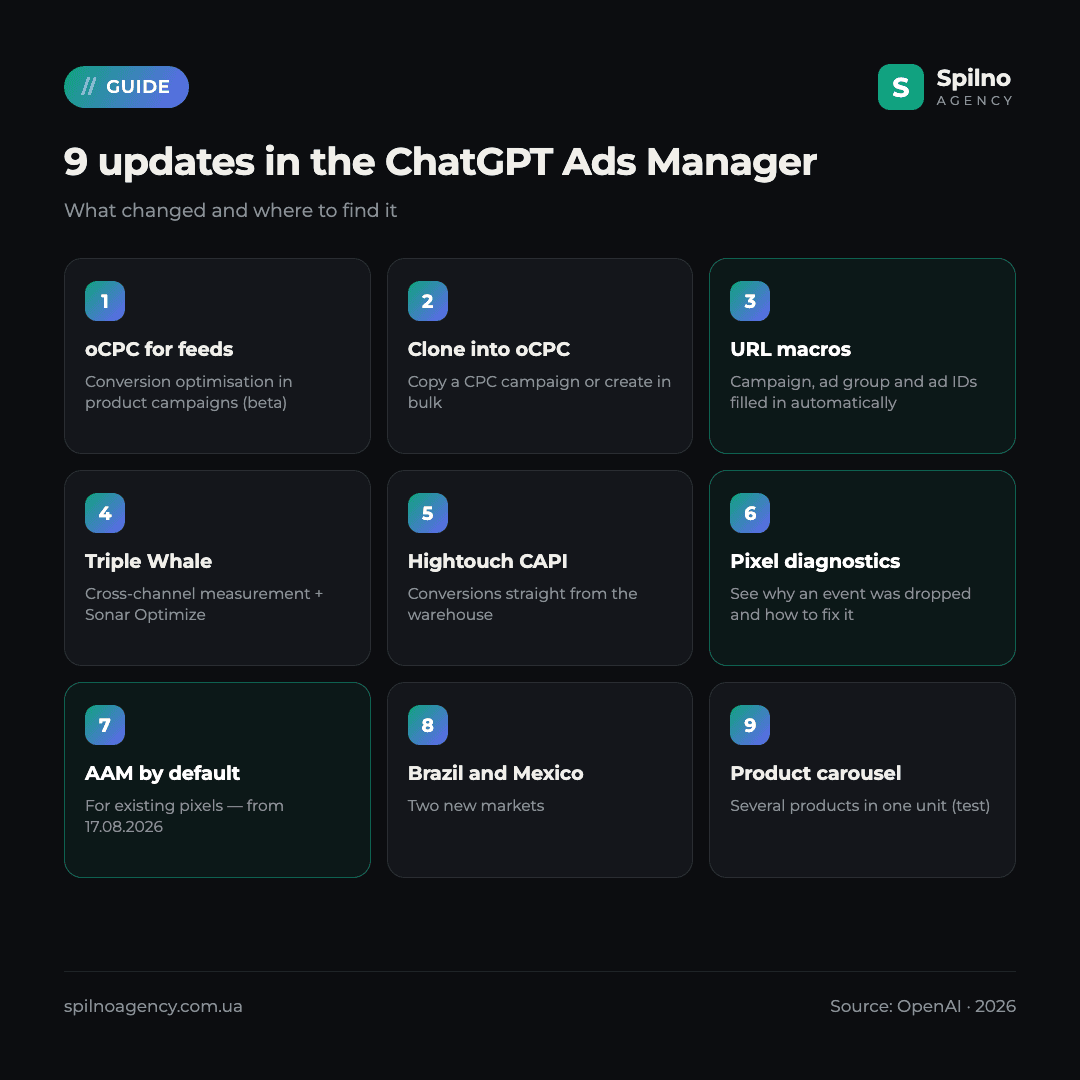
All nine updates at a glance
The update arrived as an OpenAI product email to ChatGPT Ads advertisers. It is the second batch in a short space of time — we covered the previous one in New Features in the ChatGPT Ads Manager. Here is everything that landed now:
| Update | What it gives you | Action needed? |
|---|---|---|
| oCPC for product feed campaigns (beta) | Delivery optimised toward a conversion event in feed campaigns | Yes — opt in |
| Cloning and bulk oCPC creation | Copy a CPC campaign into oCPC, or create them in bulk | Yes — if relevant |
| Dynamic URL parameters (macros) | Campaign, ad group, ad and account IDs filled in automatically | Yes — add them |
| Triple Whale integration | Cross-channel measurement plus Sonar Optimize | Yes — connect |
| Hightouch Conversion API support | Server-side conversion events into ChatGPT Ads | Yes — connect |
| Pixel validation diagnostics | See why an event was dropped and how to fix it | No — just review |
| Automatic advanced matching by default | More conversions matched via hashed form data | Yes, if you want to opt out — before 17.08.2026 |
| Launch in Brazil and Mexico | Two new markets | No |
| Multi-product carousel (test) | Several products from one advertiser in a single unit | No — OpenAI-side test |
1. Conversion optimisation for product feed campaigns (oCPC beta)
Conversion-optimised cost-per-click campaigns (oCPC) are now available in beta for product feed campaigns. The logic is straightforward: delivery is optimised toward one selected conversion event, while you keep paying for valid clicks rather than for conversions.
This initial release supports click-billed campaigns using fixed or manual bidding, with a positive conversion bid cap. In OpenAI’s documentation that parameter is max_bid_micros and it sets your target cost per acquisition: 100000000 is a $100.00 CPA bid for a USD account. The important nuance is that this is an optimisation input, not a charge — you are still billed per click at auction price.
Prerequisites before you launch
- Your ad account must support conversion bidding. A
403from the API means access is not enabled yet — contact your partner; - Conversion tracking must be live via the JavaScript Pixel, the Conversions API, or both;
- You need exactly one active standard conversion event as the optimisation goal. Custom events cannot be used as an oCPC goal;
- That event must belong to the current ad account and be connected to an active conversion source;
- A product feed must be linked to the account, with
is_ads_eligible: trueon every product Ads should process.
There are 13 standard events to choose from: order_created, checkout_started, items_added, contents_viewed, lead_created, registration_completed, subscription_created, trial_started, appointment_scheduled, page_viewed, app_installed, app_opened and custom. For feed-driven e-commerce the natural goal is order_created; for longer sales cycles, lead_created.
How to create an oCPC campaign
Via the API it is three steps: a paused campaign with bidding_type: "conversions" and your conversion event ID, then ad groups with billing_event_type: "click" and your CPA bid, then ads and activation.
curl -X POST "https://api.openai.com/v1/ads/campaigns" \
  -H "Authorization: Bearer $OPENAI_ADS_API_KEY" \
  -H "Content-Type: application/json" \
  -d '{
    "name": "Product feed — oCPC",
    "status": "paused",
    "bidding_type": "conversions",
    "conversion_event_id": "evt_...",
    "mode": "product_feed"
  }'
Two limitations worth knowing up front: you cannot convert an existing CPM or CPC campaign into oCPC — only create a new one — and you cannot change the selected conversion event after creation. So choose deliberately: if order_created volume is thin, start higher up the funnel instead.
2. New ways to create oCPC campaigns: cloning and bulk
Previously an oCPC campaign had to be built from scratch. There are now two shortcuts:
- Clone CPC into oCPC. Take an existing click-billed campaign and turn the copy into an oCPC campaign. During cloning, Ads Manager prefills the conversion event when exactly one eligible event exists; otherwise it prompts you to pick one;
- Bulk creation. Several oCPC campaigns at once — useful when you run many product sets or several markets.
For bulk work ChatGPT Ads has a dedicated Bulk API: up to 1,000 operations per job, a 16 MiB request body, a rate limit of 10 create requests per 10 seconds, and up to 5,000 non-archived campaigns per account. It is asynchronous — you submit the job, get a job_id, and poll until it reaches a terminal status. The partial_failure mode stops one bad operation from failing the whole job.
A practical note: do not clone a CPC campaign into oCPC as-is. Optimising toward a conversion changes who sees the ad and when, so recalculate bids and ad group structure at the same time rather than after a week of wasted spend.
3. Dynamic URL parameters: the macros that finally close the reporting loop
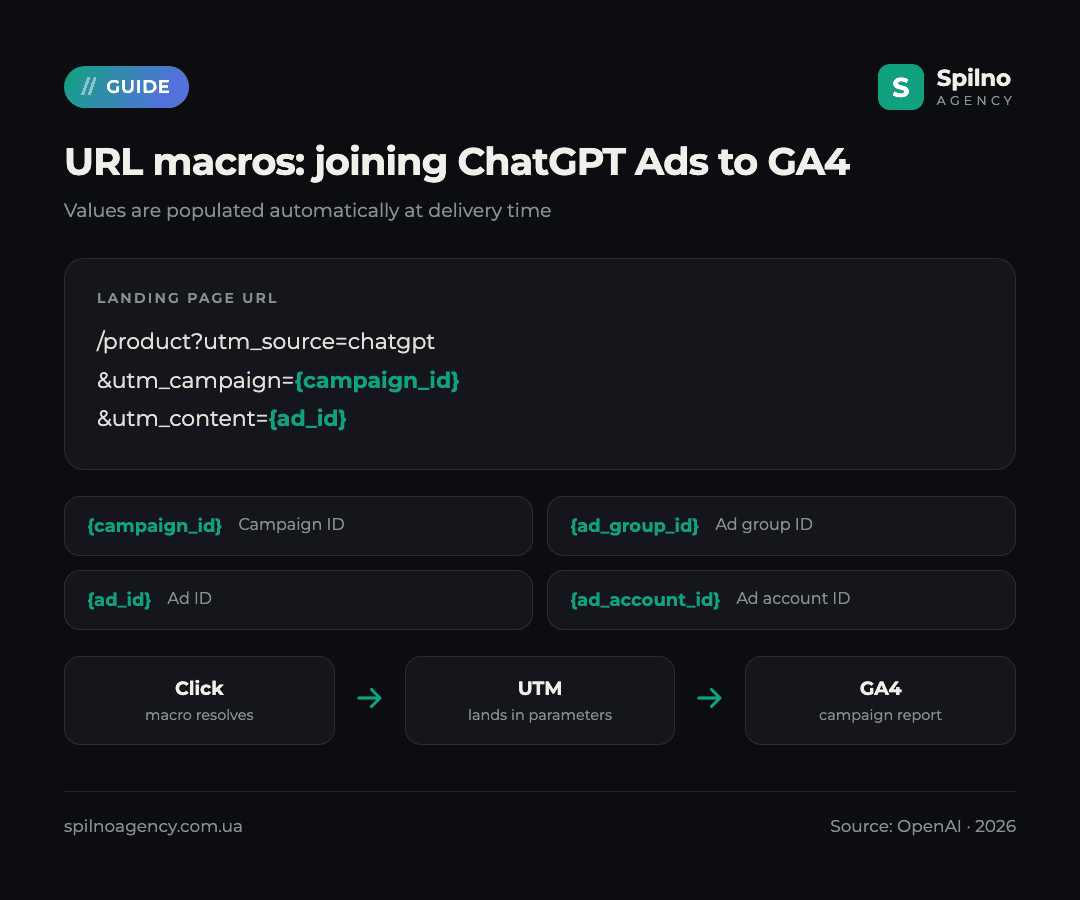
This is arguably the most useful update for anyone measuring properly. Landing page query parameters now support macros whose values are populated automatically at delivery time:
{campaign_id}— campaign ID;{ad_group_id}— ad group ID;{ad_id}— ad ID;{ad_account_id}— ad account ID.
Until now every UTM tag had to be written by hand per ad, and any restructuring of the account broke reporting. Now the link is built once and maintains itself:
https://example.com/product
  ?utm_source=chatgpt
  &utm_medium=cpc
  &utm_campaign={campaign_id}
  &utm_content={ad_id}
  &utm_term={ad_group_id}
Those values then arrive in GA4 as ordinary traffic source parameters, so you can join ChatGPT Ads spend to on-site behaviour and revenue. If you run server-side event collection, pass the same IDs there too — the campaign report then assembles itself without manual spreadsheet stitching. We covered the tagging fundamentals in our guide on how to launch advertising in ChatGPT.
One caveat: macros are resolved on OpenAI’s side, so test them on a live click rather than in preview. Run a minimal-budget campaign, click your own ad, and check what actually lands in the address bar.
4. Triple Whale and Hightouch: conversions from outside the browser
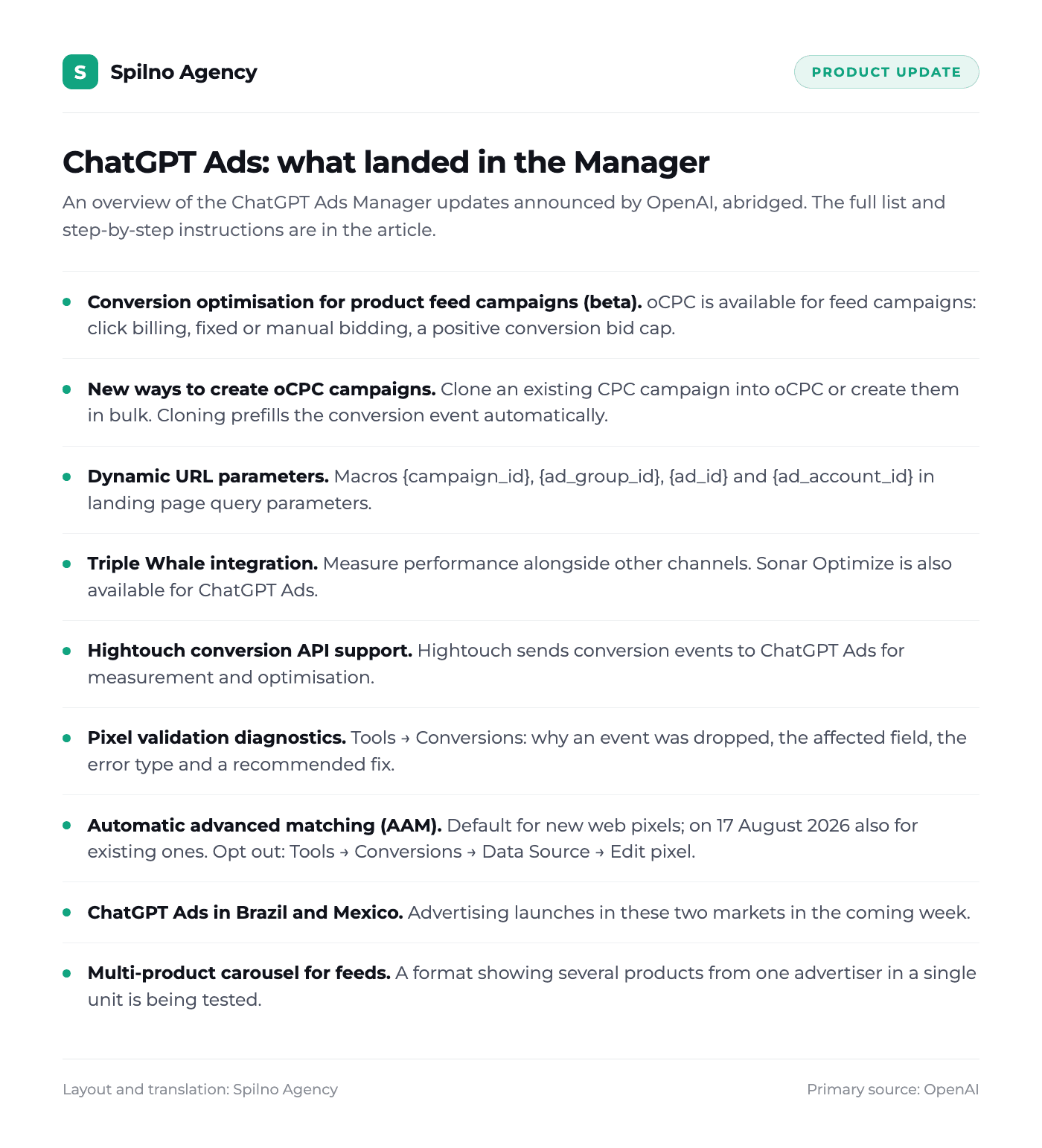
Both integrations solve the same problem: how to feed ChatGPT Ads a high-quality conversion signal when the real sales data lives in your CRM or data warehouse rather than in the browser.
- Triple Whale. ChatGPT Ads can now be connected in Triple Whale to measure performance alongside other channels. Sonar Optimize is also available for ChatGPT Ads, sending stronger conversion signals back to OpenAI;
- Hightouch. Hightouch now supports sending conversion events to ChatGPT Ads for measurement and optimisation — events go straight from the warehouse with no intermediate layer.
If you use neither tool, your own server-side integration achieves the same thing. The ChatGPT Ads Conversions API accepts POST requests to https://bzr.openai.com/v1/events?pid=<PIXEL-ID> with a Bearer token, in batches of up to 1,000 events. Each event needs a unique id for deduplication, a type, a timestamp_ms (no older than seven days) and an action_source.
The rule that matters: if you send an event through both the pixel and the API, reuse the same id in both, otherwise the conversion is counted twice. Personal data goes only as lowercase SHA-256 hashes (email_sha256, external_id_sha256); raw emails and phone numbers must never be sent.
5. Pixel validation diagnostics: where to look and what to fix
Ads Manager now has a diagnostics panel that tells you the reason an event failed, not just that it is missing. The path: Tools → Conversions, diagnostics panel on the right side.
For each issue you see four things: why the event was dropped before being sent, the affected field, the error type, and a recommended fix. That cuts debugging time considerably — previously you had to catch everything through debug: true in the browser console.
What to check first when diagnostics shows dropped events:
- Hash format.
email_sha256must be a lowercase, 64-character hexadecimal string. The most common mistake is hashing an email with uppercase letters or trailing spaces; - Event timing.
timestamp_msmust be within the last seven days and no more than 10 minutes ahead — a drifting server clock breaks exactly this; - Event type. Either a standard name from the list, or
customwithcustom_event_namefilled in; - Data shape. The
typefield inside the data object must match the event:contents,customer_actionorplan_enrollment; - Consent. If you call
oaiq("consent", false)before initialisation, the pixel sends nothing until consent is granted — in diagnostics that looks like missing data.
6. Automatic advanced matching: the 17 August 2026 deadline
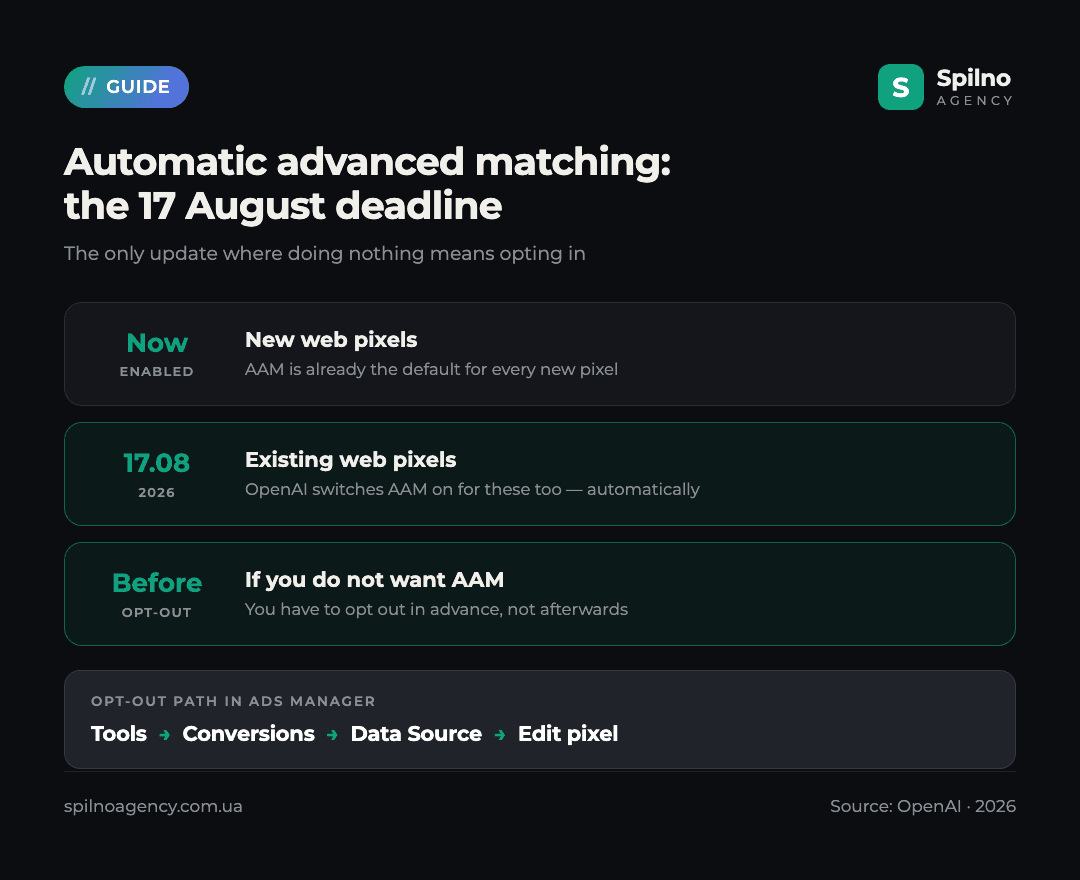
This is the only update with a hard date. Automatic advanced matching (AAM) helps match more conversions to ads using hashed customer information from website forms. As of now:
- AAM is already the default for all new web pixels;
- On 17 August 2026 OpenAI will also enable it for existing web pixels;
- If you prefer not to have it enabled, opt out before 17 August via Tools → Conversions → Data Source → Edit pixel.
Technically AAM runs inside the pixel SDK: it captures the privacy-preserving oppref identifier, stores it in a first-party cookie, adds the page origin as source_url and batches closely grouped calls. No manual configuration is required.
Who should consider opting out. AAM reads data users type into forms. For European businesses this is a legal review point: confirm that your privacy policy and consent banner cover passing hashed identifiers to an advertising platform, and that the pixel does not fire before consent is granted. If you are not certain, opting out now and revisiting after legal sign-off is the safer sequence.
7. Brazil and Mexico: two new markets
OpenAI says ChatGPT Ads launches in Brazil and Mexico in the coming week. For most European advertisers nothing changes directly, but it matters in two cases: if you sell into Latin America, or if you ship products there.
Practically: review the geo targeting on existing campaigns. ChatGPT Ads supports targeting by country, region or DMA — if you run broad coverage without an explicit country list, the new markets may be picked up automatically and take a share of budget.
8. Multi-product carousel: what it means for your feed
OpenAI has started testing a carousel format for product feed ads that shows several products from one advertiser in a single unit, each with a title, short description, price (including a struck-through previous price) and rating.
There is nothing to enable — it is a platform-side test. But it raises the bar for feed quality, because several of your products now appear side by side and weak data is far more visible. Check that your feed populates title (up to 150 characters), description, brand, image_url, price and availability, plus a gtin or mpn identifier, and that is_ads_eligible is set to true exactly where it should be.
Checklist: what to do this week
- Before 17 August — decide on AAM: leave it on, or opt out via Tools → Conversions → Data Source → Edit pixel;
- Open Tools → Conversions and read the diagnostics panel — dropped events there mean you are already undercounting conversions;
- Add
{campaign_id},{ad_group_id}and{ad_id}to landing page URLs and verify them on a live click; - Audit the feed:
is_ads_eligible, prices, availability, images — for both the carousel and oCPC; - If you have at least one standard conversion event with decent volume, test oCPC on a feed campaign with a capped budget;
- Review geo targeting ahead of the Brazil and Mexico launch;
- If you use Triple Whale or Hightouch, connect ChatGPT Ads as a source.
The Spilno Agency view
The direction is unambiguous: OpenAI is building ChatGPT Ads out into a mature performance platform. Conversion optimisation, server-side events, URL macros, pixel diagnostics, partner integrations — that is precisely the toolset Google Ads and Meta Ads grew into. The difference is that it took them years, while here it arrives in batches every few weeks.
The practical conclusion for advertisers: the competitive edge on this platform right now is not creative, it is measurement. Whoever wires up a clean conversion signal first gets the cheaper conversions, simply because the algorithm has something to learn from. Out of the whole list we would prioritise three things: pixel diagnostics (it shows your current losses for free), URL macros (without them analytics runs on manual labour), and an AAM decision before 17 August.
What we would not recommend is moving budgets into oCPC wholesale. It is a beta, limited to fixed or manual bidding, and the conversion event cannot be changed once the campaign exists. The sensible play is one test campaign with a capped budget running alongside your existing CPC, and a decision on the data two to three weeks later.
Need the new ChatGPT Ads features configured without experimenting on your own budget? Spilno Agency will audit your pixel and conversion events, add macros to your URLs, prepare the feed for the carousel format and help you decide on AAM before the deadline. Get in touch — we start with a free account audit.
Frequently asked questions
What new features are in the ChatGPT Ads Manager?
Nine updates: conversion optimisation (oCPC) for product feed campaigns in beta, cloning and bulk creation of oCPC campaigns, dynamic URL macros, a Triple Whale integration, Hightouch Conversion API support, pixel validation diagnostics, automatic advanced matching on by default, the launch in Brazil and Mexico, and a multi-product carousel test.
What is oCPC in ChatGPT Ads and how does it differ from CPC?
oCPC is a conversion-optimised, click-billed campaign. Delivery is optimised toward one selected standard conversion event, but you are charged for valid clicks at auction price, not per conversion. The conversion bid cap (max_bid_micros) is an optimisation input rather than an amount you are billed.
Can I convert an existing CPC campaign into oCPC?
You cannot change the bidding type of an existing campaign. But cloning is now available: you create a new oCPC campaign from a CPC one, and Ads Manager prefills the conversion event when exactly one eligible event exists. The selected event cannot be changed after creation.
Which URL macros does ChatGPT Ads support?
Four: {campaign_id}, {ad_group_id}, {ad_id} and {ad_account_id}. You add them to landing page query parameters and the values are populated automatically at delivery time, which lets you join ChatGPT Ads data to GA4 without tagging every ad by hand.
What happens to the pixel on 17 August 2026?
OpenAI will enable automatic advanced matching (AAM) for all existing web pixels. For new pixels it is already on by default. If you do not want AAM, opt out before 17 August via Tools → Conversions → Data Source → Edit pixel.
Where can I see why conversion events are not arriving?
In Ads Manager: Tools → Conversions, diagnostics panel on the right. It shows why the event was dropped before being sent, the affected field, the error type and a recommended fix. The most common causes are an incorrect SHA-256 hash format, a stale timestamp_ms, and a data shape that does not match the event type.
How do I avoid double-counting conversions across the pixel and the API?
Send the same unique event identifier (id) through both channels — the pixel and the Conversions API. ChatGPT Ads deduplicates on that field. If the identifiers differ, one conversion is counted twice.
Do the carousel test and new markets require any action?
The carousel is a platform-side test and needs no activation, but it is worth auditing feed completeness: titles, descriptions, images, prices, availability and is_ads_eligible. Because of the Brazil and Mexico launch, review campaign geo targeting so the new markets are not picked up automatically and do not absorb part of your budget.
Sources
- OpenAI advertiser email, “ChatGPT Ads Product Update”, August 2026 — the list of updates, the 17.08.2026 date, macros, Brazil and Mexico, the carousel test;
- developers.openai.com/ads/conversion-optimized-campaigns — oCPC requirements,
max_bid_micros, limitations; - developers.openai.com/ads/measurement-pixel — pixel, AAM,
oppref, consent; - developers.openai.com/ads/conversions-api — server-side events and deduplication;
- developers.openai.com/ads/product-feeds — product feeds and
is_ads_eligible; - developers.openai.com/ads/bulk-api — bulk operation limits;
- developers.openai.com/ads/supported-events — standard conversion events.
Related reading: how daily budgets now work in ChatGPT Ads — that change directly affects how you plan spend in new oCPC campaigns.

Read also
Meta Ads Library: How to Find Your Competitors’ Facebook & Instagram Ads (2026)
How to use the Meta Ads Library to see any competitor's Facebook, Instagram and Threads ads for free…
How to See Your Competitors’ Ads in Google Ads (2026 Guide)
Step by step: find competitor ads in the Google Ads Transparency Center — filters, ad detail cards, archive…
TikTok Ads: Campaign Restart Coupon Offers Bonus Ad Credits Up to 250,000 UAH
TikTok Ads is issuing a Campaign Restart Coupon — bonus ad credits matched to your spend, up to…