Instructions on How to Grant Agency Access to Google Analytics 4

Access to Google Analytics 4 (hereinafter referred to simply as GA) is used for various purposes: conversion setup, account configuration, e-commerce setup, and more. Without access to this service, agencies or freelancers cannot fully promote a client’s business online.
1. The client needs to log in to their Google Analytics account via the link – https://analytics.google.com/
2. Go to the “Admin” section. It is usually located in the lower-left corner of the screen.

3. Next, open the “Account” settings subcategories, then the “Account Access Management” section.

4. Click the “+” button located in the upper-right corner and enter the email address to which access should be granted.
P.S. If you need help with Google Analytics setup, the digital agency “Spilno” can always assist you.
Request for marketing consultation
Frequently Asked Questions
How can I learn more about this topic?
We recommend exploring other articles on our blog and official documentation. Our content is regularly updated to reflect the latest changes in 2026.
Can I get a consultation?
Yes, you can reach out to our team for a free consultation through the contact form on our website. We’ll help you find the best solution for your business needs.
Are there free tools available?
Most tools described in this article offer free plans or trial versions. Check the pricing section in the article for detailed information.
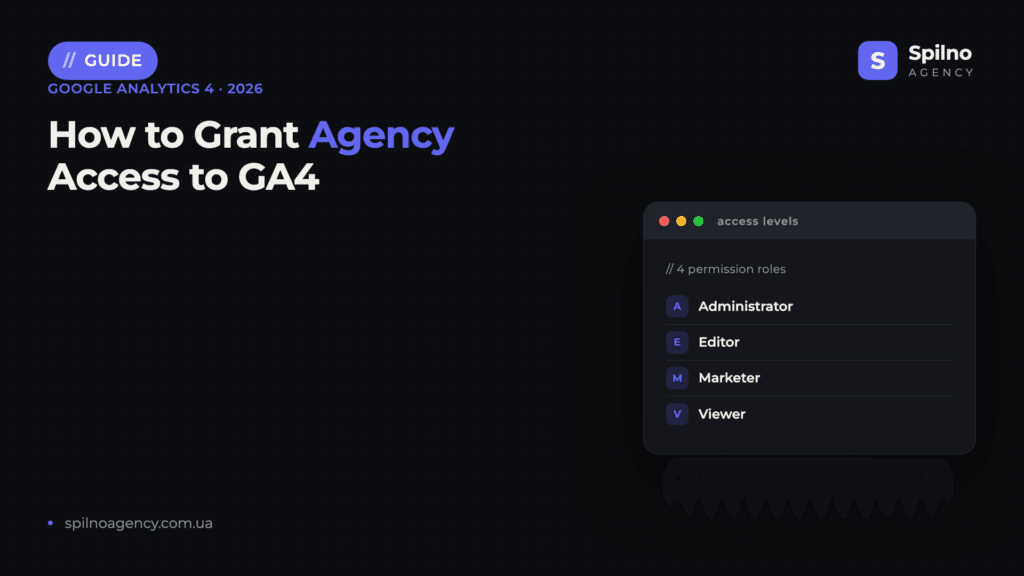
Google Analytics 4 Roles: What Each One Allows
- Viewer — viewing reports and settings without changes. For observers.
- Analyst — everything a Viewer can do, plus creating and editing shared reports and Explorations.
- Marketer — everything an Analyst can do, plus managing audiences, key events and attribution.
- Editor — full control over property settings: events, data streams, integrations. This is the role an agency typically needs to configure analytics.
- Administrator — everything above plus user management. Keep it for yourself.
GA4 also offers two data restrictions — “No Cost Metrics” and “No Revenue Metrics” — which can be applied to any role if you prefer not to expose financial data to a contractor.
Account Level or Property Level?
Access can be granted at the account level (the user sees every property in it) or at the level of a single property (one site or app only). If your account contains several projects, grant the agency access at the property level: it minimises unnecessary permissions and simplifies access audits.
How to Revoke Access
Open Admin → Account access management (or property access management), find the user and remove them. All collected data, configured events and reports stay in your property — removing a user does not affect any of it. We recommend reviewing the access list at least quarterly.

Read also
Spilno Agency’s Experience: How We Verify Events Before Starting Work
Before launching a campaign in Google Ads or Meta Ads, or starting SEO work, Spilno Agency always checks…
GA4 DebugView: How to Verify Google Analytics Events in Real Time
DebugView is the section of Google Analytics 4 that shows your site’s events in real time, seconds after…

Top Claude Skills for TikTok Ads Specialists (2026)
9 verified Claude skills and MCP servers for TikTok Ads: Pixel/Smart+ audits, Spark Ads hook/hold rate, creator sourcing,…