Shopify Will Send More Events to Google Analytics from August 17, 2026

From August 17, 2026, the Google & YouTube app in Shopify starts sending more ecommerce events to Google Analytics: view_item_list, view_cart, remove_from_cart and add_shipping_info are added, while five events already being collected gain new parameters — sku, variant_id, coupon, payment_type, market_id and others. Every event sent by the app will now carry a new shopify_event_name parameter. No action is needed to receive the data — and that is exactly why it is worth checking in advance whether these events will collide with your own tracking.
What changes on August 17, 2026
The Google & YouTube app is the official channel a Shopify store uses to feed the Google ecosystem: products into Merchant Center, conversions into Google Ads and events into Google Analytics. Earlier in 2026 the same app started sending the purchase event straight from Shopify’s servers. Now Google is expanding the set of events the app forwards to GA4.
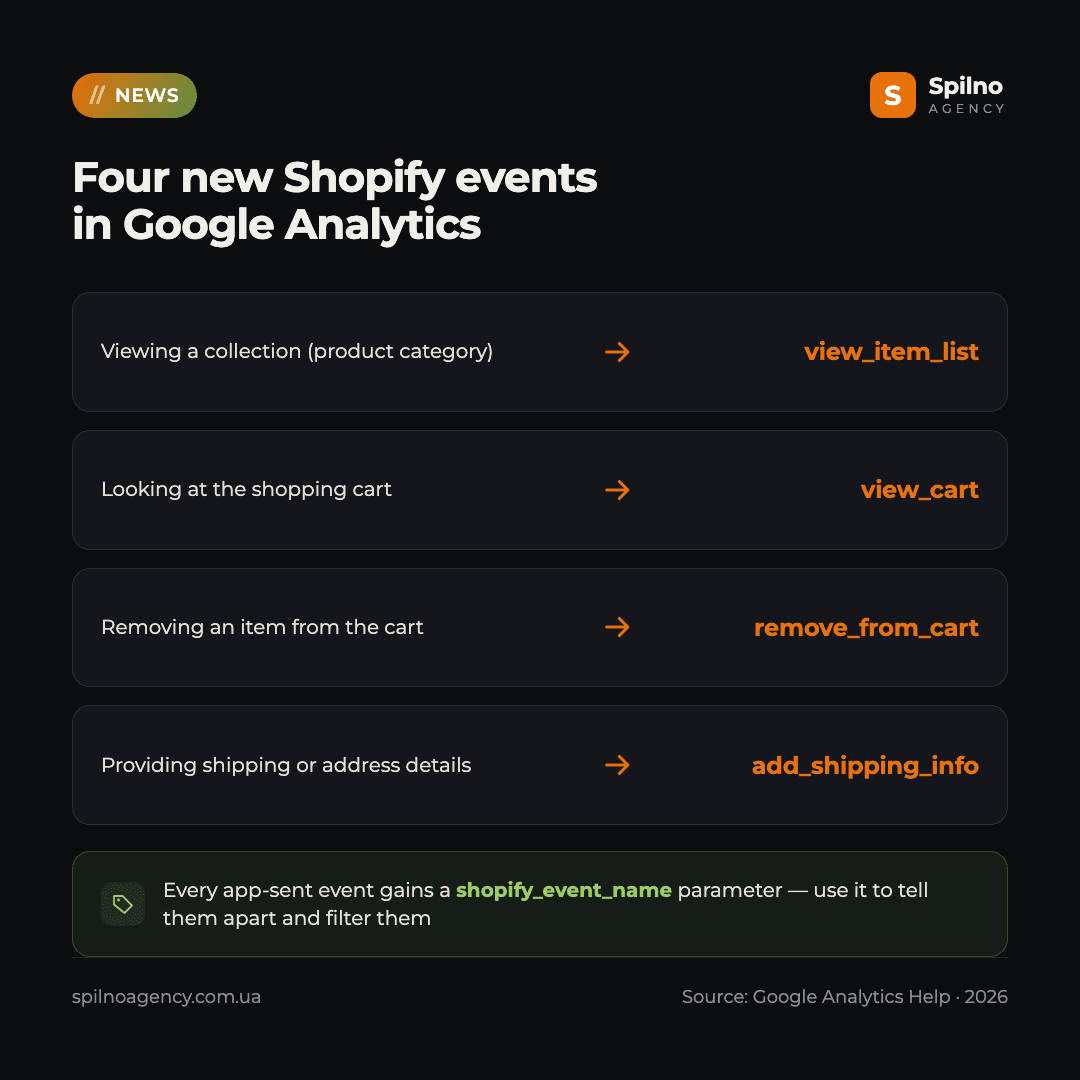
From August 17, 2026, Google Analytics starts receiving four new events:
| Shopper action | Shopify event | GA4 event |
|---|---|---|
| Viewing a collection (product category) | collection_viewed | view_item_list |
| Looking at the shopping cart | cart_viewed | view_cart |
| Removing an item from the cart | — | remove_from_cart |
| Providing shipping or address details at checkout | — | add_shipping_info |
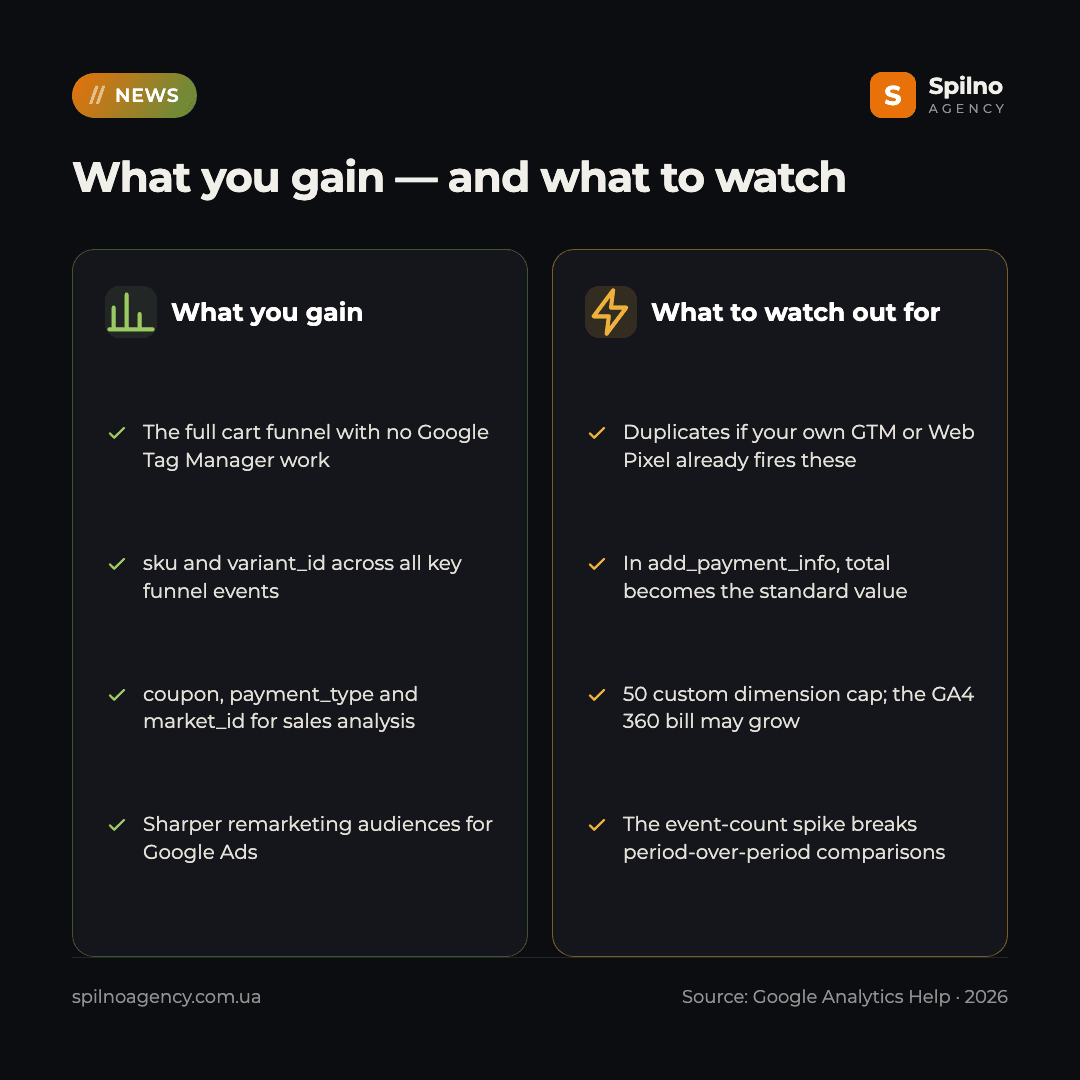
These are precisely the links that were missing from the default Shopify → GA4 setup. Without them the funnel had holes: you saw the product view, the add to cart and the purchase — but nothing about category browsing, cart behaviour or the shipping step. Now the full funnel is assembled without a separate Google Tag Manager build.
The new shopify_event_name parameter
Alongside the new events, Google adds a technical parameter called shopify_event_name. All events sent by the Google & YouTube app as part of this update will include it. Its value is the original Shopify event name that triggered the Google Analytics event.
event: view_item_list
  shopify_event_name: collection_viewed

event: view_cart
  shopify_event_name: cart_viewed
Why it matters: this parameter is the only reliable way to tell app-sent events apart from events fired by your own code, your GTM container, a custom Shopify Web Pixel or a third-party tracking app. If your numbers suddenly drift, shopify_event_name is what tells you where the extra events came from.
What is added to the five existing events
On top of the new events, Google is enriching five events the app already collects:
| Event | What is added |
|---|---|
view_item | value, currency, and per item — sku, coupon, variant_id, quantity |
add_to_cart | sku, variant_id, coupon |
begin_checkout | sku and variant_id for every item in the cart |
add_payment_info | value, payment_type (the payment gateway), the list of cart items with their item data, and coupon. The non-standard total is re-mapped to the standard value |
purchase | coupon, item sku and variant_id, market_id (Shopify Markets localization data) and affiliation (the store hostname) |
For analytics this is a real step forward. sku and variant_id finally make it possible to reconcile GA4 with your inventory system and to look at performance at the level of a specific size or colour rather than the product page as a whole. coupon opens up end-to-end promo code analysis. payment_type shows which payment gateway actually converts. market_id matters for stores running Shopify Markets across several countries.
What it gives you in practice
- The full cart funnel with no code. The chain
view_item_list→view_item→add_to_cart→view_cart→begin_checkout→add_shipping_info→add_payment_info→purchasenow assembles out of the box. - You can see where the money leaks.
remove_from_cartpaired withview_cartshows which items get dropped — usually a signal about shipping cost or delivery time. - The shipping step stops being a black box.
add_shipping_infogives you a reference point to measure drop-off at the address and delivery stage. - Sharper advertising audiences. “Viewed the cart but never started checkout” is now a standard GA4 audience available to Google Ads.
- Product analytics down to the variant.
skuandvariant_idacross all the key funnel events.
Four things to watch out for
1. Duplicate events
This is the main risk. If your store already runs its own tracking — a Google Tag Manager container, a custom Shopify Web Pixel or a third-party tracking app that fires view_cart, remove_from_cart or view_item_list — those events will start arriving twice after August 17. The consequences: inflated event counts, broken funnel rates, distorted item metrics and wrong remarketing audience sizes. GA4 does not deduplicate these automatically — unlike purchase, where deduplication works via transaction_id.
2. The total → value re-map in add_payment_info
The app used to send a non-standard total parameter on add_payment_info. It now becomes the standard value. If you have GA4 custom definitions, explorations, Looker Studio reports or BigQuery queries that rely on total, they will simply stop receiving data. The change does not break collection — it quietly zeroes out a metric in your reports.
3. Custom parameter limits and the GA4 360 bill
Some of the new parameters (coupon, payment_type, affiliation) are standard in GA4 and land in reports on their own. But sku, variant_id, market_id and shopify_event_name are non-standard: to see them in reports you have to register them as custom definitions. The free GA4 tier caps you at 50 event-scoped custom dimensions, so large accounts will have to choose. Separately, Google warns that the additional event volume may raise the monthly bill for Google Analytics 360 customers, depending on site activity.
4. A break in historical comparisons
On August 17 the total event count in your property will jump, simply because there are more events. Month-over-month and year-over-year comparisons of total events, plus any anomaly alerts based on event volume, will give you a false signal. The simplest fix is to add a GA4 annotation on August 17, 2026, so nobody has to reverse-engineer the spike six months later.
How to filter the extra events
Google explicitly suggests using shopify_event_name for filtering. In practice that means:
- Register
shopify_event_nameas an event-scoped custom dimension in GA4: Admin → Custom definitions → Create custom dimension. - Use it in segments, comparisons and explorations to separate app-sent events from your own.
- If the property is linked to BigQuery, filter on the parameter in your queries — that is the most precise option.
One nuance worth knowing up front: GA4 has no built-in filter that stops collecting an arbitrary event based on a parameter value — property-level data filters only cover internal and developer traffic. So shopify_event_name helps you separate the data in reports, but it does not stop it from arriving.
The radical option is to disconnect the Google Analytics integration in the Google & YouTube app settings inside your Shopify admin. That also kills purchase and everything else you already rely on, so it only makes sense if you have complete tracking of your own and the app fully duplicates it.
Checklist: what to do before August 17
- Inventory everything that already sends events to GA4. The Google & YouTube app, your own GTM, a Shopify Web Pixel, third-party analytics apps — all of it.
- Check the overlap. If anything in your stack already sends
view_cart,remove_from_cart,view_item_listoradd_shipping_info, it will be a duplicate after August 17. Either switch off your version or keep it and filter the app-sent one. - Find everything that relies on
totalinadd_payment_info: custom definitions, explorations, Looker Studio dashboards, BigQuery queries. Move them tovalue. - Register the new parameters as custom definitions:
shopify_event_nameis a must, thensku,variant_idandmarket_idas needed. Check how much of the 50-dimension limit you have left. - Add a GA4 annotation on 17.08.2026 and warn everyone who reads the reports that the event-count spike is expected.
- Run a verification pass after August 17 in Realtime and DebugView: are the new events there, are there no duplicates, are
skuandvariant_idpopulated.
If you also run stores outside Shopify, the verification logic is the same — we walked through it using GA4 revenue and transaction tracking in WooCommerce as the example.
The Spilno Agency view
This is one of the rare Google changes that genuinely makes life easier: what used to cost developer time and careful Google Tag Manager work now simply arrives on its own. For stores that have been living on three events and a purchase, it is a free analytics upgrade. But the automatic rollout is also the trap: it switches on for everyone, while the duplicate counters land on the teams that once set up their own tracking properly and have not thought about it since. Our recommendation is simple — spend an hour before August 17 taking inventory of what sends events into your property. That is cheaper than spending six months explaining to management why cart conversion suddenly “halved”.
Not sure whether events in your GA4 property will double up after August 17? The Spilno Agency team will audit your Shopify store’s tracking, find the overlaps between the Google & YouTube app and your own setup, and prepare a plan of changes. Leave a request — we start with a free consultation.
Frequently asked questions (FAQ)
Which new Shopify events appear in Google Analytics on August 17, 2026?
Four: view_item_list (viewing a collection), view_cart (looking at the shopping cart), remove_from_cart (removing items from the cart) and add_shipping_info (providing shipping or address details at checkout). They are sent by the Google & YouTube app in Shopify.
Do I need to set anything up to receive the new events?
No. Google states that no action is needed — the additional events start arriving automatically. Configuration is needed for something else: to surface the non-standard parameters in reports and to avoid duplication with your own tracking.
What is the shopify_event_name parameter for?
It is a new parameter attached to every event sent by the Google & YouTube app. Its value is the original Shopify event name, for example collection_viewed or cart_viewed. It exists so you can tell app-sent events apart from your own tracking and filter them inside GA4 reports.
Can events end up duplicated after the update?
Yes, and that is the main risk. If you already run your own Google Tag Manager setup, a custom Shopify Web Pixel or a third-party app sending the same events, they will arrive twice after August 17. GA4 does not deduplicate them automatically — deduplication only applies to purchase, via transaction_id.
Will the update affect what Google Analytics costs?
Not for the free GA4 tier. Google warns that the additional events may increase the monthly bill for Google Analytics 360 customers, and the size of the change depends on site activity.
How do I exclude the new events from Google Analytics reports?
Register shopify_event_name as an event-scoped custom dimension and use it in segments, comparisons, explorations or BigQuery queries. The only way to stop collecting these events entirely is to disconnect the Google Analytics integration in the Google & YouTube app settings — which also removes every other data point, including purchase.
What changes in the add_payment_info event?
It gains value, payment_type (the payment gateway), the list of cart items and coupon. On top of that, the non-standard total parameter is re-mapped to the standard value — so every custom definition, report and query that relied on total needs to move to value.

Read also
New Features in the ChatGPT Ads Manager: A Step-by-Step Setup Guide
oCPC for product feeds, URL macros, pixel diagnostics, Triple Whale and Hightouch, AAM from 17 August 2026. A…

TikTok Ads: Campaign Restart Coupon Offers Bonus Ad Credits Up to 250,000 UAH
TikTok Ads is issuing a Campaign Restart Coupon — bonus ad credits matched to your spend, up to…
OpenAI Is Changing How Daily Budgets Work in ChatGPT Ads: What Advertisers Need to Know
OpenAI is changing daily budgets in ChatGPT Ads from a hard cap to a 7-day rolling average, with…